
1. Introduksjon
Welcome to the user manual for your new SVITOO P10 Android 16 Tablet. This guide provides detailed instructions on how to set up, operate, and maintain your device, ensuring you get the most out of its advanced features. Please read this manual carefully before using your tablet.
2. Produktet er overview
The SVITOO P10 is a high-performance Android 16 tablet designed for both entertainment and productivity. It features a vibrant 10.1-inch IPS display, a powerful 8-core processor, and extensive storage options.
Nøkkelfunksjoner:
- Operativsystem: Latest Android 16 with enhanced customization, privacy protection, and user assistance.
- Prosessor: UNISOC T615 8-core CPU (1.8GHz) for fast and smooth multitasking.
- Minne og lagring: Up to 20GB RAM (4GB + 16GB expansion) and 128GB internal storage, expandable up to 1TB via microSD card.
- Utstilling: 10.1-inch IPS in-cell display with 1280x800 resolution, 6mm narrow bezels, and a 16:10 aspect ratio for vivid visuals and wide viewing vinkler.
- Streaming: Widevine L1 support for 1080P HD streaming on platforms like YouTube, Netflix, Amazon Prime Video, Disney+, and Hulu.
- Navigasjon: Built-in GPS positioning system, ideal for maps and in-car navigation.
- Kameraer: 8MP main camera with autofocus and AI sub-camera, 2MP front camera for video calls and online classes.
- Tilkobling: 2.4G/5G Wi-Fi (IEEE 802.11b/g/n/ac) and Bluetooth 5.0 for stable and high-speed connections.
- Batteri: Large-capacity 6600mAh battery for extended usage.
- Ytterligere funksjoner: Multi-screen connection, split-screen, floating window, wireless projection, face recognition unlock, and parental control functions.
Produktbilder:
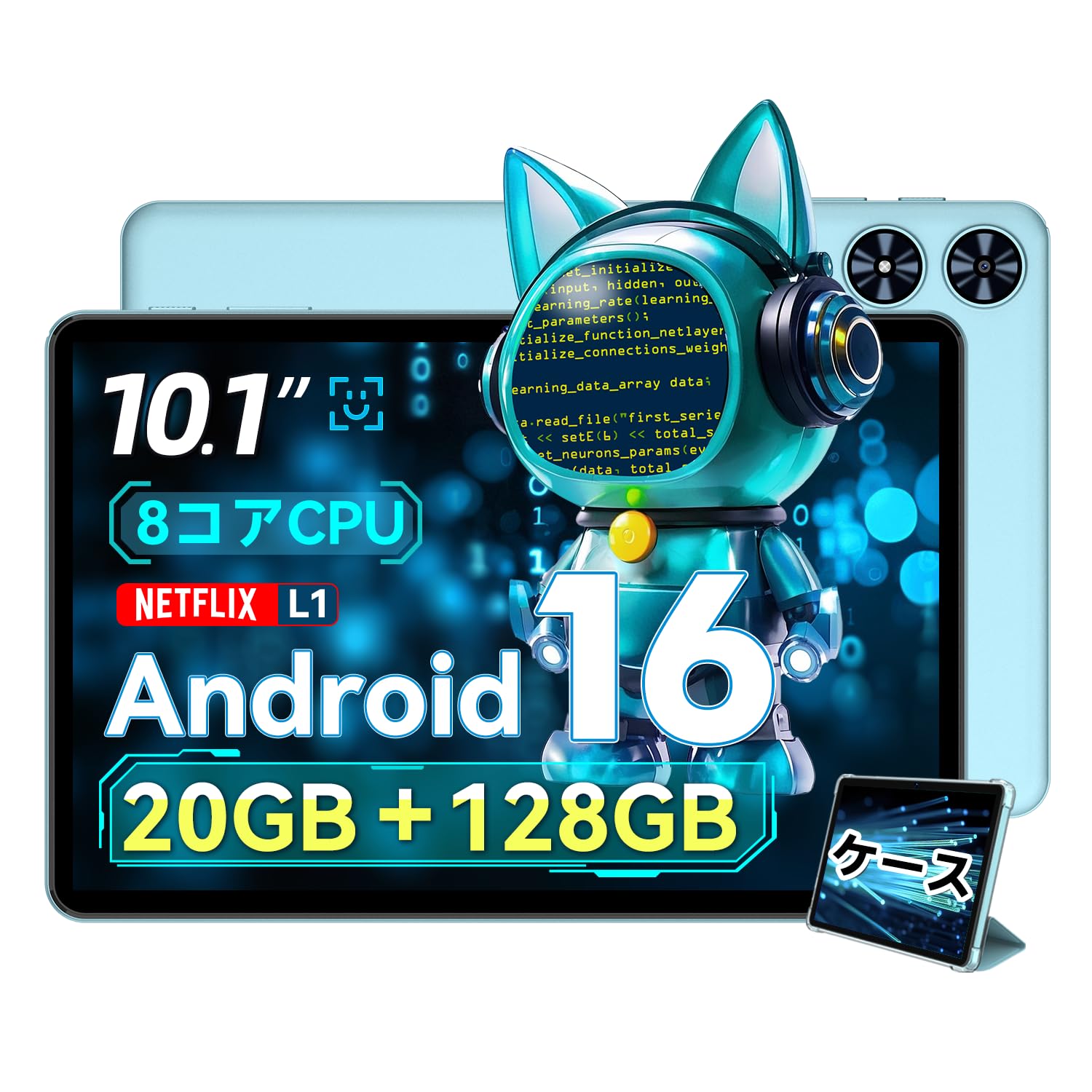
Figur 2.1: Foran view of the SVITOO P10 tablet, showcasing sin 10.1-tommers skjerm.

Figure 2.2: The SVITOO P10 tablet with on-screen graphics highlighting its 10.1-inch display, Android 16 OS, Bluetooth 5.0, 128GB storage, 20GB RAM expansion, 2.4G/5G Wi-Fi, 6600mAh battery, and Widevine L1 support.
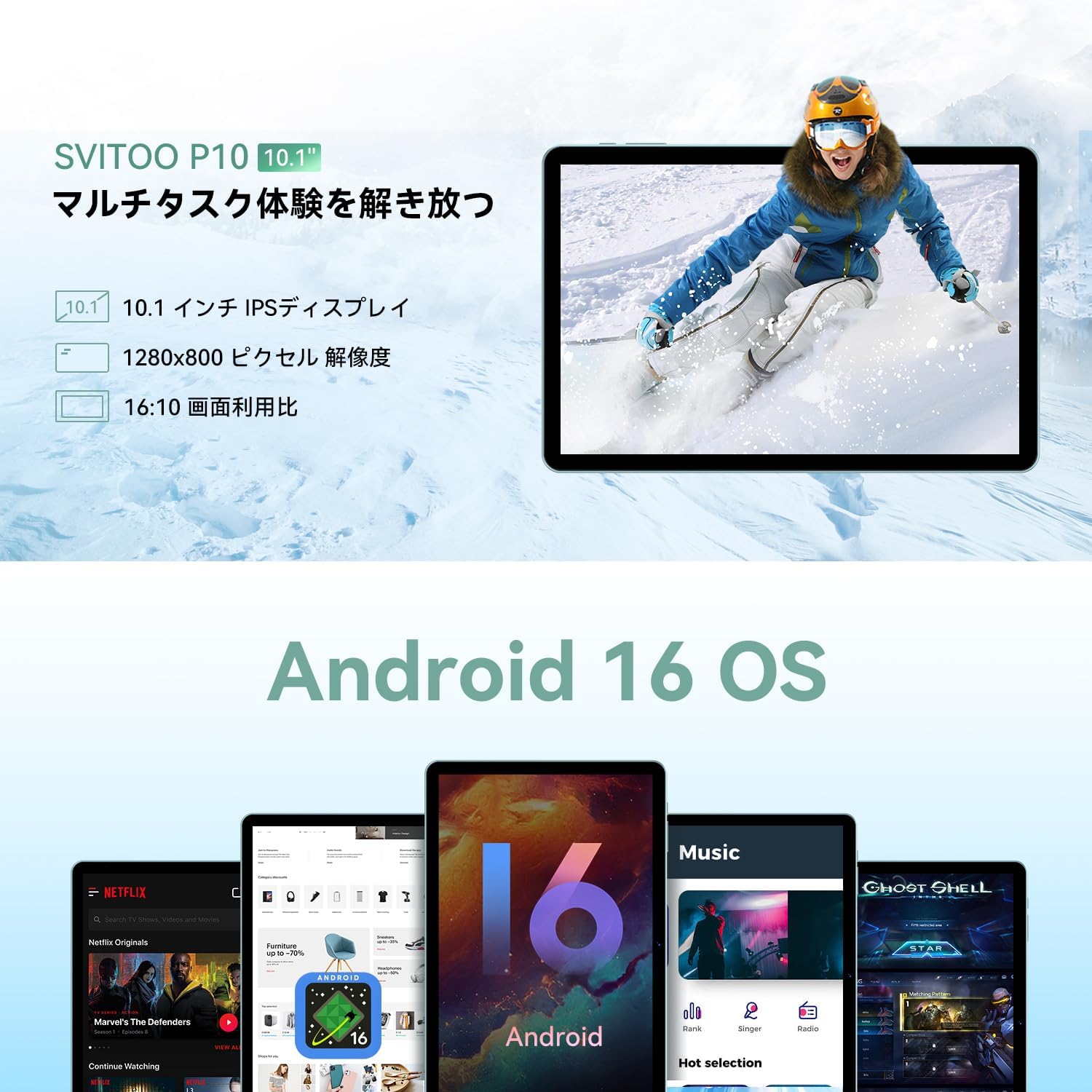
Figure 2.3: The SVITOO P10 tablet displaying a vibrant image, emphasizing its 10.1-inch IPS display, 1280x800 pixel resolution, and 16:10 aspect ratio.

Figure 2.4: Internal components of the SVITOO P10, illustrating the 20GB RAM (4GB + 16GB expandable), 128GB ROM, 1TB microSD card support, and the efficient 8-core CPU (UNISOC T7250 shown in diagram, actual is T615).
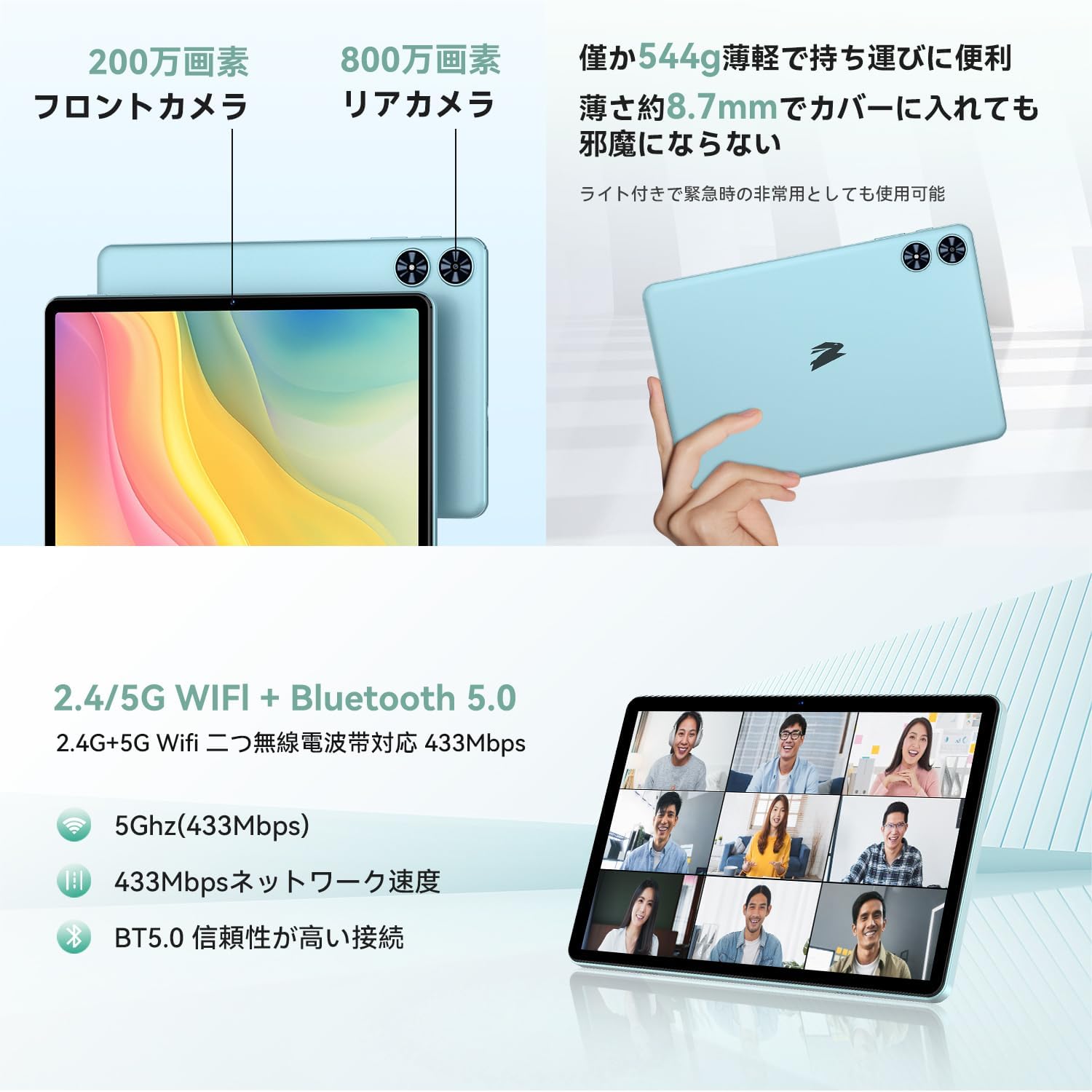
Figur 2.5: Bak og foran views of the SVITOO P10 tablet, highlighting the 2MP front camera, 8MP rear camera, 2.4G/5G WiFi, and Bluetooth 5.0. An example of a video conference is shown on the screen.

Figure 2.6: Demonstrates the SVITOO P10's software capabilities, including convenient multi-window, wireless projection, face recognition unlock, and eye protection screen modes (reading mode, blue light reduction).
Produktvideoer:
Video 2.1: This video demonstrates how the Android 16 OS on the SVITOO P10 tablet enhances both entertainment and work tasks, showcasing its smooth performance and user-friendly interface.
3. Oppsett
3.1. Unboxing og innledende inspeksjon
Upon receiving your SVITOO P10 tablet, carefully open the package and ensure all components are present:
- SVITOO P10 Tablet
- USB-C ladekabel
- Strømadapter
- USB-C til 3.5 mm lydadapter
- Brukerhåndbok
- SIM Ejector Pin (for microSD card slot)
Inspect the tablet for any physical damage. The screen comes with a pre-applied protective film.
3.2. Slå på/av
- For å slå på: Press and hold the Power button (located on the side) until the SVITOO logo appears on the screen.
- Slik slår du av: Trykk og hold inne av/på-knappen, og velg deretter «Slå av» fra alternativene som vises.
- Å starte på nytt: Trykk og hold inne av/på-knappen, og velg deretter «Start på nytt» fra alternativene.
3.3. Veiviser for førstegangsoppsett
Første gang du slår på nettbrettet, vil du bli veiledet gjennom en innledende konfigurasjonsprosess:
- Velg ønsket språk.
- Koble til et Wi-Fi-nettverk.
- Logg inn med Google-kontoen din, eller opprett en ny.
- Følg instruksjonene på skjermen for å fullføre oppsettet.
3.4. Sette inn et MicroSD-kort
Slik utvider du lagringsplassen på nettbrettet:
- Finn SIM-/microSD-kortskuffen på siden av nettbrettet.
- Insert the provided SIM ejector pin into the small hole next to the tray to open it.
- Place your microSD card (up to 1TB, sold separately) into the designated slot on the tray.
- Skyv forsiktig skuffen tilbake i nettbrettet til den klikker på plass.
4. Bruksanvisning
4.1. Grunnleggende navigering
The SVITOO P10 uses standard Android touch gestures:
- Trykk på: Velg et element eller åpne en app.
- Sveip: Bla gjennom skjermer eller lister.
- Klype: Zoom inn eller ut på bilder og web sider.
- Langt trykk: Få tilgang til kontekstmenyer eller flytt ikoner.
4.2. Skjerminnstillinger
Juster din viewerfaring:
- Lysstyrke: Swipe down from the top of the screen to access Quick Settings, then adjust the brightness slider.
- Mørk modus: Gå til Settings > Display > Dark theme to enable or disable dark mode for a more comfortable viewing-opplevelse i svakt lys.
- Lesemodus: Activate reading mode (often found in Quick Settings or Display settings) to reduce eye strain during prolonged reading.
4.3. Tilkobling
- Wi-Fi: Gå til Innstillinger > Nettverk og internett > Wi-Fi to connect to available networks. The tablet supports 2.4G and 5G bands.
- Bluetooth: Gå til Innstillinger > Tilkoblede enheter > Bluetooth to pair with Bluetooth 5.0 devices like headphones, speakers, or keyboards.
- GPS: The built-in GPS allows for accurate location tracking and navigation using map applications.
4.4. Multimedia
- Videostreaming: With Widevine L1 support, enjoy high-definition content from popular streaming services.
- Lyd: The tablet features quad speakers for immersive sound. A 3.5mm headphone jack is also available via the included adapter.
4.5. Kamerabruk
The SVITOO P10 is equipped with an 8MP rear camera and a 2MP front camera.
- Åpne Kamera appen fra startskjermen eller appskuffen.
- Bytt mellom front- og bakkamera ved hjelp av kameraikonet.
- Tap the shutter button to take a photo or record a video.
4.6. Produktivitetsfunksjoner
- Delt skjerm: Use the split-screen function to run two apps side-by-side for enhanced multitasking.
- Trådløs projeksjon: Easily connect your tablet to a larger TV or display wirelessly for a broader visual experience.
4.7. Security and Parental Controls
- Ansiktsgjenkjenning: Konfigurer ansiktsgjenkjenning i Innstillinger > Sikkerhet og personvern > Ansiktslås to quickly and conveniently unlock your device.
- Foreldrekontroll: Utilize the parental control features to manage screen time, app access, and prevent unauthorized purchases when children use the tablet.
5. Vedlikehold
5.1. Batterilading
Charge your SVITOO P10 tablet using the provided USB-C cable and power adapter. The durable Type-C port ensures reliable charging. Avoid using damaged cables or chargers.
5.2. Lagringshåndtering
Regularly manage your tablet's storage to maintain optimal performance. Delete unnecessary files and apps, or offload large media files to your microSD card (up to 1TB) or cloud storage.
5.3. Rengjøre enheten
Use a soft, lint-free cloth to clean the screen and body of your tablet. Avoid using harsh chemicals or abrasive materials that could damage the device.
6. Feilsøking
If you encounter issues with your SVITOO P10 tablet, refer to the following common solutions:
6.1. Enheten slår seg ikke på
- Sørg for at batteriet er ladet. Koble nettbrettet til laderen i minst 30 minutter.
- Trykk og hold inne av/på-knappen i 10–15 sekunder for å tvinge frem en omstart.
6.2. Problemer med Wi-Fi-tilkobling
- Sjekk om Wi-Fi er aktivert i Innstillinger > Nettverk og internett > Wi-Fi.
- Start Wi-Fi-ruteren på nytt.
- Glem nettverket og koble til på nytt ved å skrive inn passordet på nytt.
6.3. Apper krasjer eller har treg ytelse
- Lukk bakgrunnsapper.
- Tøm hurtigbufferen for problematiske apper (Innstillinger > Apper > [Appnavn] > Lagring og hurtigbuffer > Tøm hurtigbuffer).
- Ensure your tablet's software is up to date (Innstillinger > System > Systemoppdatering).
- Hvis problemene vedvarer, bør du vurdere en tilbakestilling til fabrikkinnstillinger (Innstillinger > System > Tilbakestill alternativer > Slett alle data (tilbakestilling til fabrikk)). Warning: This will delete all data on your tablet. Back up important information first.
7. Spesifikasjoner
| Trekk | Spesifikasjon |
|---|---|
| Merke | SVITOO |
| Modellnavn | P10 |
| Operativsystem | Android 16 (GMS certified) |
| CPU Brand | Unisoc |
| CPU-hastighet | 1.8 GHz |
| Grafikkakselerator | Mali-G57 |
| Skjermstørrelse | 10.1 tommer |
| Skjermoppløsning | 1280x800 piksler |
| Minnelagringskapasitet | 128 GB |
| Utvidbar lagring | Opptil 1 TB via microSD-kort |
| Frontkamera | 2 MP |
| Bakre kamera | 8 MP |
| Trådløs type | 802.11a/g/n/ac (2.4G/5G Wi-Fi) |
| Tilkoblingstype | Bluetooth 5.0, GPS |
| Batterikapasitet | 6600mAh |
| Ladeport | USB-C |
| Lydport | 3.5mm Headphone Jack (via adapter) |
| Varevekt | 1.05 kilo |
| Pakkedimensjoner | 32.4 x 20.3 x 2.9 cm |
8. Garanti og støtte
8.1. Produsentens garanti
The SVITOO P10 tablet comes with a 1 års produsentgaranti. Denne garantien dekker defekter i materialer og utførelse ved normal bruk.
Returns or exchanges are accepted for defects found before use (after unboxing) or for initial defects discovered after use.
8.2. Kundestøtte
For any inquiries, technical support, or warranty claims, please contact SVITOO customer service through your Amazon account:
- Logg inn på din Amazon-konto.
- Gå til «Ordrehistorikk».
- Locate your SVITOO P10 tablet order.
- Click 'Contact Seller' to reach our support team.