
Introduksjon
The Xiaomi Smart Camera C500 is an advanced indoor surveillance camera designed to provide comprehensive monitoring for your home. Featuring a dual-lens system, 4-megapixel resolution, and dual-band Wi-Fi 6 connectivity, it offers enhanced security features such as human tracking, crying detection, and pet tracking. This manual provides detailed instructions for setting up, operating, and maintaining your camera to ensure optimal performance.
Sikkerhetsinformasjon
- Sørg for at kameraet er installert på et stabilt sted for å forhindre at det faller ned.
- Bruk kun den originale strømadapteren som fulgte med enheten.
- Ikke utsett kameraet for ekstreme temperaturer, fuktighet eller direkte sollys.
- Keep the camera away from water or other liquids. This product is not water-resistant.
- Ikke forsøk å demontere eller reparere kameraet selv. Kontakt autorisert servicepersonell for å få hjelp.
- Oppbevares utilgjengelig for barn.
Pakkeinnhold
Bekreft at alle varene er til stede i pakken din:
- 1 × Xiaomi Smart Camera C500 4MP Dual Lens with Wi-Fi 6 Dual-Band
- Strømadapter
- Mounting Accessories (if applicable for ceiling/wall mount)
- Brukerhåndbok
Produkt overview
The Xiaomi Smart Camera C500 features a compact dome design with dual lenses for extended coverage. It includes a power port, status indicator light, and a microSD card slot for local storage.
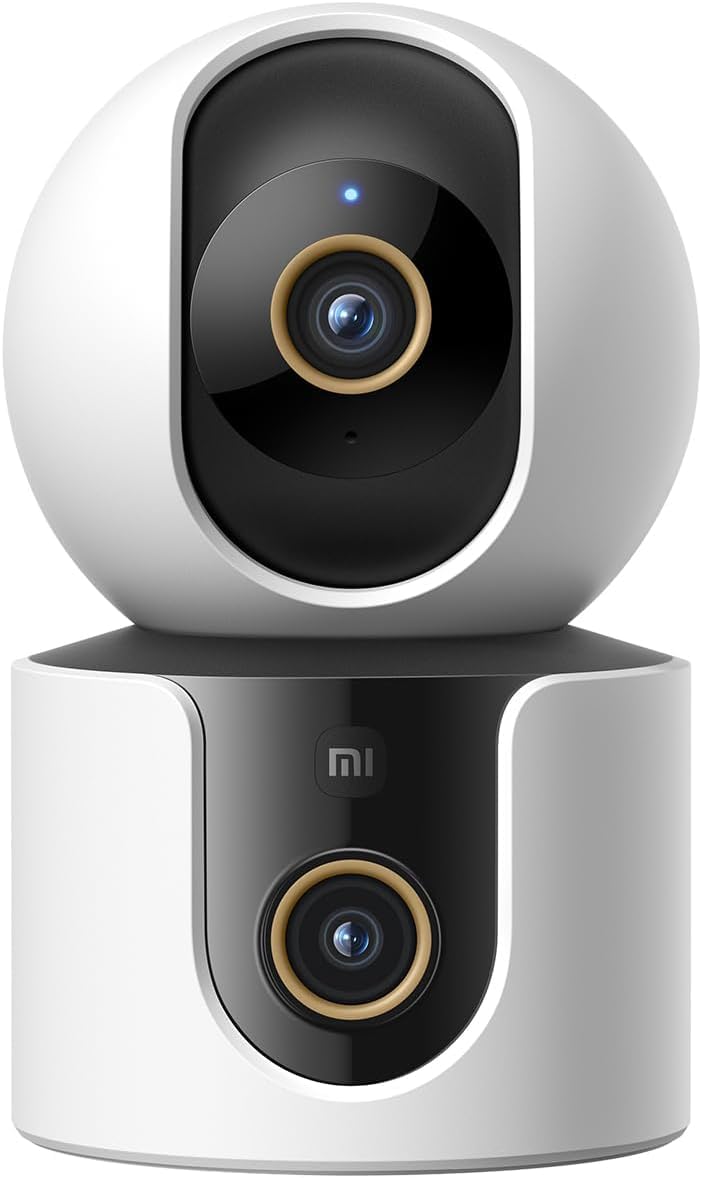
Figur 1: Foran view of the Xiaomi Smart Camera C500, showing its dual-lens design and white and black casing.

Figur 2: Ovenfra og ned view of the Xiaomi Smart Camera C500, highlighting its spherical upper section and ventilation holes.

Figur 3: Side view of the Xiaomi Smart Camera C500, showing the power input and other ports on the base.
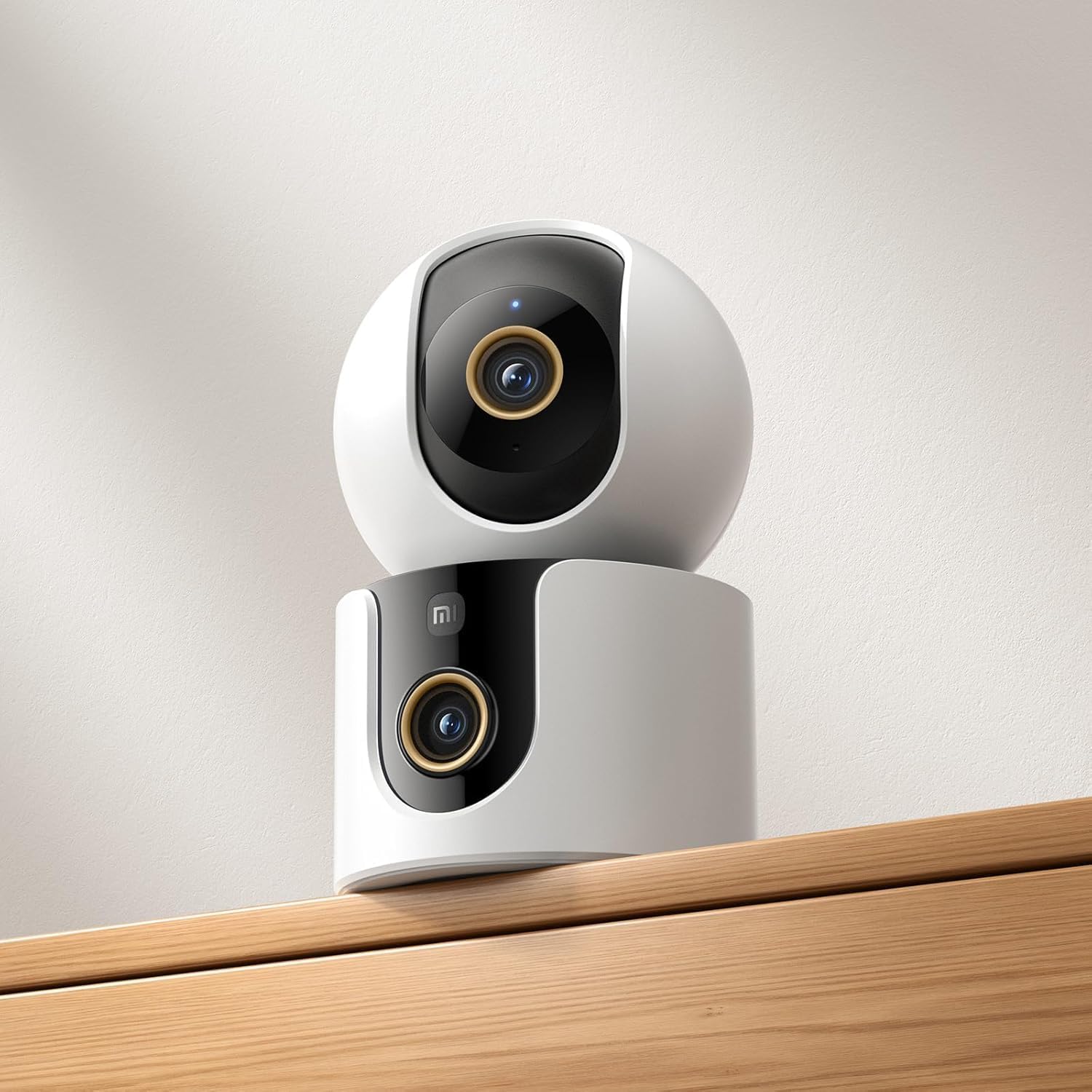
Figure 4: The Xiaomi Smart Camera C500 positioned on a wooden shelf, demonstrating its compact size and discreet placement.
Oppsett
1. Slå på
- Koble strømadapteren til kameraets strøminngang.
- Koble strømadapteren til en stikkontakt.
- The camera will automatically power on, and the indicator light will begin to flash, indicating it is ready for connection.
2. Appinstallasjon
- Last ned Xiaomi Hjem appen fra smarttelefonens appbutikk (Google Play Store for Android eller Apple App Store for iOS).
- Åpne appen og opprett en Xiaomi-konto eller logg inn hvis du allerede har en.
3. Paring med appen
- In the Xiaomi Home app, tap the "+" icon in the top right corner to add a new device.
- Velg Xiaomi Smart Camera C500 fra listen over tilgjengelige enheter.
- Follow the on-screen instructions to connect the camera to your Wi-Fi network. Ensure your phone is connected to a 2.4GHz or 5GHz Wi-Fi network (the camera supports dual-band Wi-Fi 6).
- Scan the QR code displayed on your phone screen using the camera lens. You will hear a voice prompt confirming successful scanning.
- Når du er tilkoblet, kan du gi kameraet et navn og tilordne det til et bestemt rom.
4. Montering av kameraet
The camera supports tabletop placement or ceiling/wall mounting.
- Bordfeste: Plasser kameraet på en flat, stabil overflate.
- Ceiling/Wall Mount: Use the provided mounting base and screws to secure the camera to a desired location. Ensure the camera is securely attached and has a clear field of view.
Bruksanvisning
1. Direkte View
Open the Xiaomi Home app and select your camera to view the live feed. You can pan and tilt the camera remotely using the controls in the app to achieve 360-degree coverage.
2. Opptak og avspilling
- Lokal lagring: Insert a microSD card (up to 256GB) into the camera's slot for continuous or event-triggered recording.
- Cloud Storage: Optional cloud storage services may be available through the Xiaomi Home app for secure backup of recordings.
- Avspilling: Få tilgang til innspilt footage through the app's playback feature, navigating by date and time.
3. Toveis lyd
Use the microphone and speaker icon in the live view interface to enable two-way communication. This allows you to speak through the camera and hear audio from its location.
4. Motion Detection and Human Tracking
The camera can detect motion and intelligently track human figures. Enable these features in the app settings to receive alerts and automatically record when activity is detected.
5. Crying Detection
For parents, the crying detection feature can be enabled to send instant notifications to your phone when a baby's cry is detected, allowing for quick response.
6. Sporing av kjæledyr
The camera can also track pets, providing alerts and recording their movements. This feature is useful for monitoring your furry companions throughout the day.
7. Nattesyn
The camera automatically switches to ultra-low light color mode or infrared night vision in dim conditions, ensuring clear visibility up to 15 meters even in complete darkness.
Vedlikehold
- Rengjøring: Tørk forsiktig av kameralinsen og kamerahuset med en myk, tørr klut. Ikke bruk sterke kjemikalier eller slipende rengjøringsmidler.
- Fastvareoppdateringer: Regularly check for and install firmware updates through the Xiaomi Home app to ensure optimal performance and access to new features.
- MicroSD-kort: If using a microSD card, periodically check its status and format it if necessary to maintain recording quality and prevent data corruption.
Feilsøking
| Utgave | Mulig løsning |
|---|---|
| Kameraet klarer ikke å koble til Wi-Fi | Ensure your Wi-Fi network is 2.4GHz or 5GHz. Check Wi-Fi password. Move camera closer to router. Reset camera and try pairing again. |
| Intet liv view eller opptak | Check power connection. Ensure Wi-Fi is stable. Verify microSD card is inserted correctly and not full. Check app permissions. |
| Dårlig videokvalitet | Clean the camera lens. Ensure adequate lighting. Check Wi-Fi signal strength. Adjust video resolution settings in the app. |
| Varsler ikke mottatt | Check app notification settings on your phone. Ensure motion/crying detection is enabled in the camera settings. Verify app has necessary permissions. |
| Toveis lyd fungerer ikke | Check microphone and speaker settings in the app. Ensure phone volume is up. Avoid placing camera in noisy environments. |
Spesifikasjoner
| Trekk | Detalj |
|---|---|
| Merkenavn | Xiaomi |
| Modellnavn | Overvåkingskamera |
| Modellnummer | C500 Dual |
| Anbefalt bruk for produktet | Innendørs sikkerhet |
| Tilkoblingsteknologi | Trådløs |
| Spesielle funksjoner | Høy definisjon |
| Innendørs/utendørs bruk | Innendørs |
| Kompatible enheter | Smarttelefon |
| Strømkilde | Elektrisk med ledning |
| Kommunikasjonsprotokoll | Wi-Fi-nettverk |
| Kontrollertype | Amazon Alexa |
| Monteringstype | Tabletop Mount, Freestanding |
| Farge | Hvit |
| Formfaktor | Kuppel |
| Materiale | Akrylnitrilbutadienstyren (ABS) |
| Vannmotstandsnivå | Ikke vannbestandig |
| Gjenstandsform | Kuppel |
| Alert Type | Lyd og bevegelse |
| Romtype | Kontor |
| Lyskilde | Infrarød |
| Bildesensoroppløsning | 4 megapiksler |
| Kontrollmetode | Via App |
| Voltage | 5.0 |
| Wattage | 10.0 |
| Batterier påkrevd? | Ingen |
| Antall kanaler | 2 |
| Videokoding | H.265 |
| Videoopptaksformat | MPEG-4 |
| Night Vision Range | 15 meter |
| Nattsyn | Nattfarge |
| Number of Infrared LED Lights | 10 |
| Flash-minnetype | Micro SD |
| Maximum Supported Flash Memory Size | 256 GB |
| Antall varer | 1 |
| Spesifikke produktbruksområder | 360 graders dekning, overvåking |
| Produsent | Xiaomi |
| Trådløs kommunikasjonsteknologi | Wi-Fi |
| Videoopptaksoppløsning | 1080p |
| Bildefrekvens | 25 bilder per sekund |
| Viewing vinkel | 360 grader |
| Fokus Type | Autofokus |
| Bildesensorteknologi | CMOS |
| Elementdimensjoner | 7.8 x 7.8 x 11.5 cm |
| Varevekt | 327 gram |
| Antall enheter | 1.0 telling |
Garanti og støtte
For garantiinformasjon, se garantikortet som følger med produktemballasjen eller besøk den offisielle Xiaomi-siden website. For technical support, troubleshooting assistance, or to report issues, please contact Xiaomi customer service through their official channels or the Xiaomi Home app.
You can find additional resources and FAQs on the Xiaomi official support page.