
Brook Gen5X
Brook Gaming Gen5X Fighting Board brukerhåndbok
Model: Gen5X
1. Introduksjon
The Brook Gaming Gen5X Fighting Board is an ultimate multi-platform PCB designed for fighting game enthusiasts and custom arcade stick builders. It offers lightning-fast response times and broad compatibility across various gaming consoles and PC, ensuring a superior gaming experience. This manual provides detailed instructions for setup, operation, maintenance, and troubleshooting to help you get the most out of your Gen5X Fighting Board.

Image: The Brook Gaming Gen5X Fighting Board, a black circuit board with blue terminal blocks and various connectors, designed for custom arcade stick builds.
2. Nøkkelfunksjoner
- Universal kompatibilitet: Seamlessly connect your favorite controllers across multiple platforms including PS5, XB Series, XS, NS (Nintendo Switch), and PC, transforming your gaming experience.
- Pro-Level Performance: Enjoy lightning-quick response times and reduced input lag, giving you the edge needed to dominate in fast-paced competitive games.
- Brukervennlig oppsett: Easily configure the Gen5X with a straightforward interface and included instructions, allowing you to start gaming within minutes.
- Future-Proof with Firmware Updates: Stay ahead of the game with regular firmware updates that ensure compatibility with the latest gaming titles and features.
- Express Yourself with a Vibrant RGB Design: Supports RGB-LED effects and lets you freely choose from 5 presets to showcase your individuality and create a unique gaming atmosphere.
3. Oppsett og installasjon
The Gen5X Fighting Board is designed for integration into custom arcade sticks or fight pads. Proper wiring and connection are crucial for optimal performance.
3.1. Kablingstilkoblinger
Connect your joystick and button inputs to the corresponding terminals on the Gen5X board. Ensure all connections are secure and follow the provided wiring diagrams for your specific arcade stick layout. The board features clearly labeled screw terminals for easy and reliable connections.
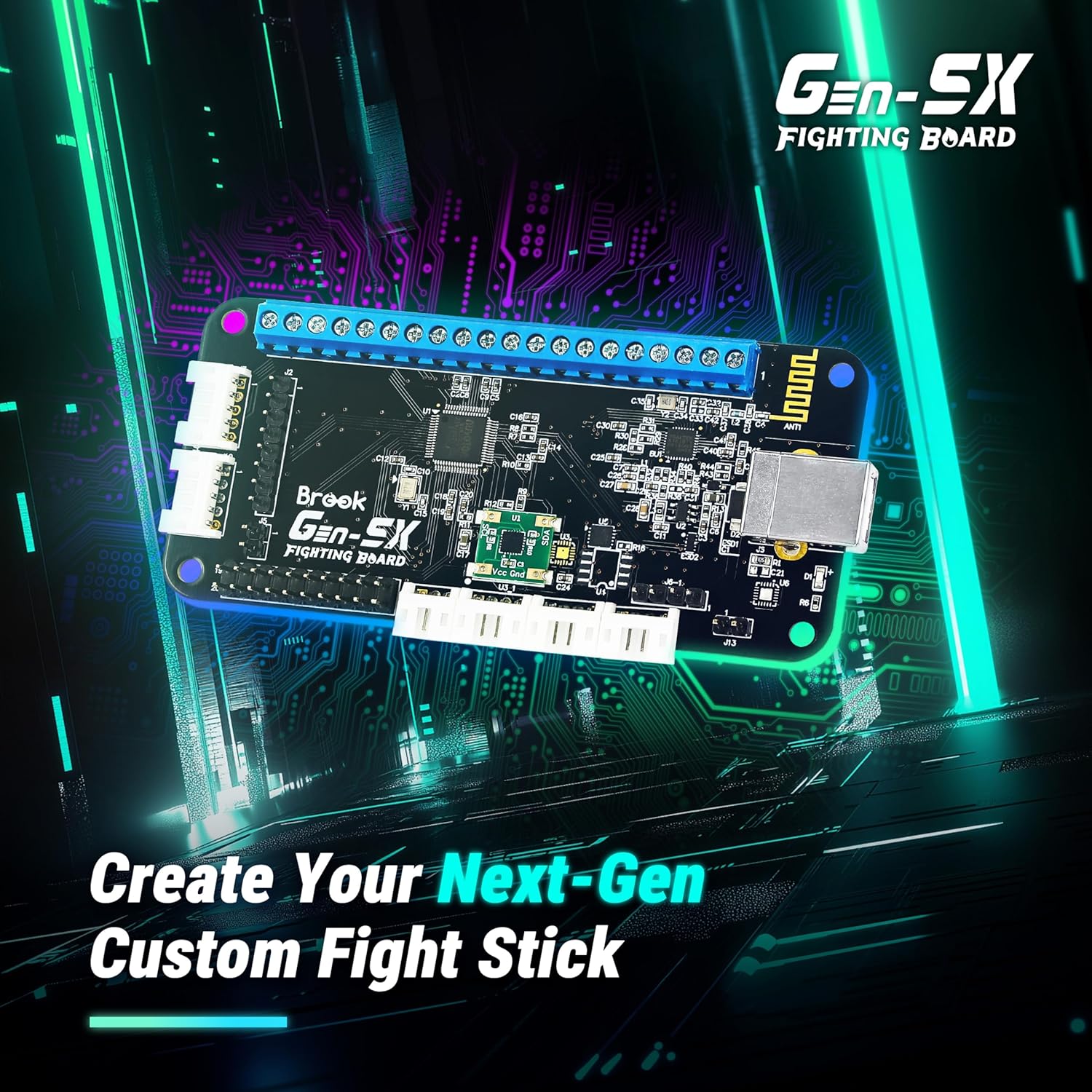
Image: The Gen5X Fighting Board shown on a circuit board background, illustrating its purpose in creating next-generation custom fight sticks.
3.2. Platform Connection
Once wired, connect the Gen5X Fighting Board to your desired gaming platform (PS5, Xbox Series, Nintendo Switch, or PC) via a standard USB cable. The board will automatically detect the platform in most cases. For specific platform modes or advanced configurations, refer to the official Brook website for detailed instructions and firmware updates.

Image: The Gen5X Fighting Board positioned near various gaming consoles (PS5, Xbox Series X/S, Nintendo Switch), highlighting its multi-platform compatibility.
4. Bruksanvisning
4.1. Grunnleggende betjening
After successful connection, your custom fight stick will function as a standard controller for the detected platform. All button and joystick inputs will correspond to their respective functions in games.
4.2. Tilpasning av RGB-belysning
The Gen5X Fighting Board supports RGB-LED effects, allowing you to personalize your fight stick's appearance. You can choose from 5 preset lighting effects to match your style or gaming setup. Refer to the official Brook documentation for specific button combinations or software tools to cycle through and select RGB presets.

Image: A custom arcade stick featuring illuminated buttons with vibrant RGB lighting, demonstrating the customization options of the Gen5X board.
4.3. Avanserte funksjoner
The Gen5X board includes several advanced features to enhance your gameplay:
- Turbofunksjon: Configure buttons for rapid-fire inputs with adjustable hit rates (e.g., 05, 10, 15, 20, 25 hits/sec).
- Joystick Control Modes: Switch between Left Stick (LS), D-Pad (DPAD), and Right Stick (RS) input modes for the joystick, offering flexibility for different games.
- Touchpad Emulation: Emulate touchpad functionality for compatible games, particularly useful for PlayStation titles.
- SOCD (Simultaneous Opposing Cardinal Directions) Modes: The board supports various SOCD cleaning modes to comply with tournament rules and personal preference. These modes determine how simultaneous opposite direction inputs (e.g., Left + Right) are processed.

Image: Icons representing Turbo, Joystick Control Mode (LS/DPAD/RS), and Touchpad emulation, highlighting the advanced assist features of the Gen5X Fighting Board.
SOCD Mode Table:

Image: A table illustrating different SOCD (Simultaneous Opposing Cardinal Directions) modes, showing how conflicting directional inputs are resolved by the Gen5X board.
5. Vedlikehold
To ensure the longevity and optimal performance of your Brook Gaming Gen5X Fighting Board, follow these maintenance guidelines:
- Hold rent: Regularly clean the board and connections with a soft, dry cloth. Avoid using liquid cleaners or solvents.
- Unngå fuktighet: Protect the board from moisture and extreme temperatures. Do not expose it to water or high humidity.
- Sikre tilkoblinger: Sjekk alle ledningsforbindelser med jevne mellomrom for å sikre at de er sikre og fri for korrosjon.
- Fastvareoppdateringer: Keep the firmware updated to ensure compatibility with new consoles, games, and to benefit from performance improvements. Visit the official Brook webnettsted for den nyeste fastvaren og oppdateringsinstruksjoner.
6. Feilsøking
If you encounter issues with your Gen5X Fighting Board, try the following troubleshooting steps:
- Ingen strøm/gjenkjenning:
- Ensure the USB cable is securely connected to both the board and the console/PC.
- Prøv en annen USB-port eller kabel.
- Verify that the console/PC drivers are correctly installed (for PC).
- Buttons/Joystick Not Responding:
- Check all individual button and joystick wiring connections on the board. Ensure they are firmly seated in the screw terminals.
- Test the buttons/joystick with a different controller or on another device to rule out component failure.
- Input Lag/Performance Issues:
- Ensure you are using a high-quality USB cable.
- Check for the latest firmware updates for the Gen5X board.
- Ensure no other background applications are consuming excessive resources on your PC.
- Platform Detection Issues:
- Some platforms may require specific button combinations to enter a particular mode upon connection. Refer to the official Brook website for platform-specific connection guides.
If problems persist after attempting these steps, please contact Brook customer support for further assistance.
7. Spesifikasjoner
| Spesifikasjon | Detalj |
|---|---|
| Merke | Brook |
| Modellnavn | Gen5X |
| Maskinvareplattform | Nintendo Switch, PC, PlayStation 5, Xbox Series S, Xbox Series X |
| Prosessor | ARMv7 |
| VÆR | LPDDR4 |
| Tilkoblingsteknologi | USB |
| Varevekt | 1.76 unser |
| Pakkedimensjoner | 4.8 x 3.03 x 1.14 tommer |
| Farge | Svart |
8. Garanti og støtte
Brook products are designed for reliability and performance. For information regarding warranty coverage, please refer to the warranty policy available on the official Brook Gaming webnettstedet. Ta vare på kjøpsbeviset for eventuelle garantikrav.
For technical support, firmware updates, detailed wiring diagrams, and frequently asked questions, please visit the official Brook Gaming support page:
Visit the Brook Official Store Page
Regularly checking the official website for firmware updates is highly recommended to ensure optimal performance and compatibility with the latest gaming systems and titles.