
1. Introduksjon
Thank you for choosing the LEKATO GA-02 5W Rechargeable Guitar Amplifier. This compact and portable amplifier is designed for electric guitar and bass practice, offering both clean and overdrive effects, Bluetooth connectivity, and multiple input/output options. Please read this manual carefully to ensure proper operation and to maximize your experience with the product.
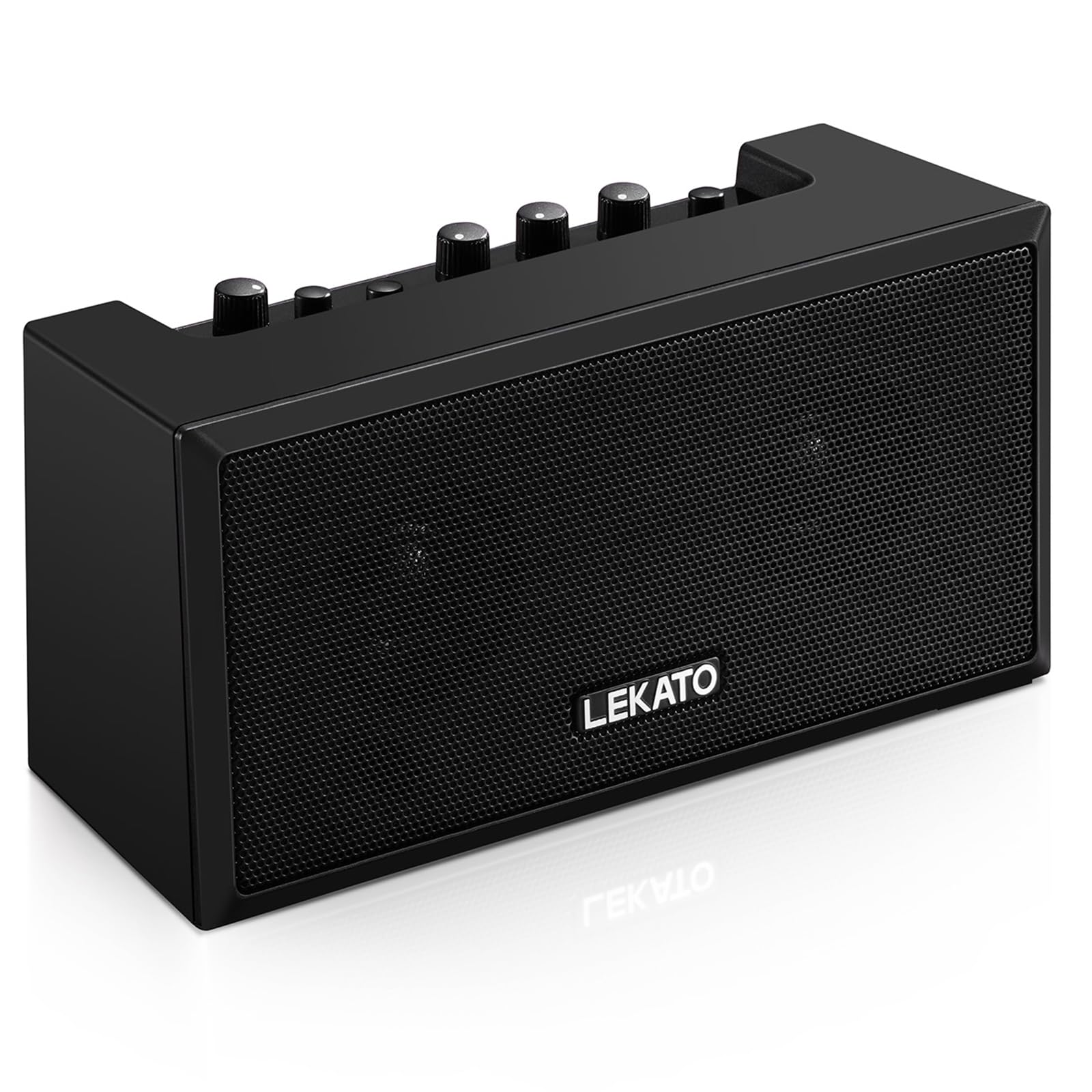
Figur 1: Foran view of the LEKATO GA-02 Guitar Amplivligere.
2. Nøkkelfunksjoner
- Dual Tone Channels: Easily switch between Clean and Overdrive effects with a single button.
- Kompakt og bærbar: 5W dual speakers in a mini size, ideal for practice anywhere.
- Bluetooth 5.0-tilkobling: Connect wirelessly to your smartphone or other devices for accompaniment.
- Rike grensesnitt: Includes 1/8" Aux input, 1/8" stereo headphone output, and 6.35mm instrument input.
- Oppladbart batteri: Built-in 3.7V/2000mA battery provides up to 6 hours of playtime on a single charge, rechargeable via Type-C USB.
3. Oppsett og tilkoblinger
3.1 Lading av Amplivligere
Før første gangs bruk, lad opp amplifier. Connect the included Type-C USB cable to the DC 5V charging port on the rear panel of the amplifier and to a standard USB power source (e.g., wall adapter, computer USB port).

Figure 2: Type-C USB charging port on the rear panel.
En full lading gir omtrent 6 timers spilletid.
3.2 Controls and Interfaces Overview

Figure 3: Front panel controls (top) and rear panel interfaces (bottom) of the amplivligere.
Kontroller på frontpanelet:
- B.T./AUX VOL: Adjusts the volume for Bluetooth and Aux input.
- B.T. Button: Aktiverer/deaktiverer Bluetooth-paringsmodus.
- OVERDRIVE Button: Toggles between Clean and Overdrive channels.
- GAIN-knapp: Adjusts the input sensitivity and distortion level (primarily for Overdrive channel).
- TONE-knapp: Justerer toneegenskapene (diskant-/bassbalanse).
- VOLUME -knapp: Adjusts the overall output volume of the guitar signal.
- På-knapp: Slår på amplivligere på eller av.
Grensesnitt på bakpanelet:
- INPUT (6.35mm Jack): Connect your electric guitar or bass.
- AUX (1/8" Jack): Connect external audio sources like smartphones or CD players.
- Headphone Output (1/8" Stereo Jack): Koble til hodetelefoner for stille øving.
- DC 5V (Type-C Port): Strøminngang for lading.
3.3 Koble til instrumentet
Insert your instrument cable (6.35mm jack) into the INNGANG port on the rear of the amplivligere.
3.4 Bluetooth-tilkobling
- Slå på ampkjøler ved hjelp av MAKT knapp.
- Trykk på B.T. button on the front panel. The Bluetooth indicator light will flash, indicating pairing mode.
- On your smartphone or Bluetooth-enabled device, search for "TOP-GT" in the Bluetooth settings.
- Select "TOP-GT" to pair. Once connected, the Bluetooth indicator light will remain solid.
- Adjust the Bluetooth/Aux volume using the B.T./AUX VOL knott.

Figur 4: Bluetooth-paringsprosess med en mobilenhet.
3.5 Aux Input Connection
Connect an external audio source (e.g., MP3 player, computer) to the AUX input jack on the rear panel using a 1/8" (3.5mm) stereo audio cable. Adjust the volume using the B.T./AUX VOL knott.
3.6 Hodetelefontilkobling
For silent practice, connect your headphones to the Hodetelefonutgang jack on the rear panel. This will mute the amplifier's internal speakers.
4. Bruksanvisning
4.1 Strøm på/av
Trykk på MAKT knappen for å vri på amplivligere på eller av.
4.2 Selecting Tone Channels
De amplifier features two tone channels: Clean and Overdrive.
- Trykk på OVERKJØRING button to switch between the Clean and Overdrive channels.
- When the Overdrive channel is active, the corresponding indicator light will illuminate.
- Rengjøre: Provides a pure instrument tone.
- Overdrive: Produces a distorted rock sound.

Figure 5: Pressing the OVERDRIVE button to switch channels.
4.3 Justering av lyd
- GEVINST: Rotate the GAIN knob to adjust the input signal level. Higher gain settings will increase distortion, especially in Overdrive mode.
- TONE: Use the TONE knob to shape the amplifier's frequency response, making the sound brighter or warmer.
- VOLUM: Adjust the overall output volume of your instrument using the VOLUME knob.
5. Vedlikehold
- Rengjøring: Tørk av amplifier with a soft, dry cloth. Do not use liquid cleaners or abrasive materials.
- Lagring: Lagre ampOppbevar væsken på et kjølig og tørt sted, unna direkte sollys og ekstreme temperaturer.
- Batteripleie: For optimal battery life, avoid fully discharging the battery frequently. Charge the amplifier regularly, even if not in use for extended periods.
- Håndtering: Unngå å miste eller utsette ampbeskytter mot sterke støt.
6. Feilsøking
| Problem | Mulig årsak | Løsning |
|---|---|---|
| Ingen lyd fra amplivligere. |
|
|
| Bluetooth kobler ikke til. |
|
|
| Sound is distorted (not desired). |
|
|
| Kort batterilevetid. |
|
|
7. Spesifikasjoner
| Trekk | Detalj |
|---|---|
| Modell | GA-02 |
| Utgang Wattage | 5 watt |
| Kanaler | Ren, overdrive |
| Tilkobling | Bluetooth 5.0 |
| Innganger | 6.35mm Instrument Jack, 3.5mm Aux Input |
| Utganger | 3.5 mm stereo hodetelefonutgang |
| Strømkilde | Batteridrevet (oppladbart) |
| Batteritype | 3.7V/2000mA Lithium Polymer (included) |
| Ladeport | Type-C USB (DC 5V) |
| Approx. Playtime | 6 timer |
| Produktdimensjoner | 7 x 11.5 x 8.2 cm (D x B x H) |
| Varevekt | 1.23 pund (0.56 kg) |

Figure 6: Dimensions of the LEKATO GA-02 Amplivligere.
8. Garanti og støtte
LEKATO products are designed for reliability and performance. For warranty information or technical support, please refer to the warranty card included with your product or visit the official LEKATO webnettstedet. Du kan også kontakte forhandleren din for å få hjelp.
For more information about LEKATO products, visit the LEKATO Brand Store.
9. Produktvideodemonstrasjon
Video 1: Official product demonstration of the LEKATO GA-02 Guitar Ampløft, showcasindens funksjoner og lydmuligheter.