
MANKIW X22
MANKIW Bone Conduction Swimming Headphones
Modell: X22
Brukerhåndbok
1. Introduksjon
Thank you for choosing the MANKIW Bone Conduction Swimming Headphones. This device is designed to provide a high-quality audio experience for various activities, including swimming, running, and daily use, thanks to its IPX8 waterproof rating, dual Bluetooth and MP3 modes, and innovative bone conduction technology. This manual will guide you through the setup, operation, and maintenance of your new headphones.
Hva er i esken
- MANKIW Bone Conduction Swimming Headphones (Model X22)
- Magnetisk ladekabel
- Ear Tips (for swimming)
- Brukerhåndbok
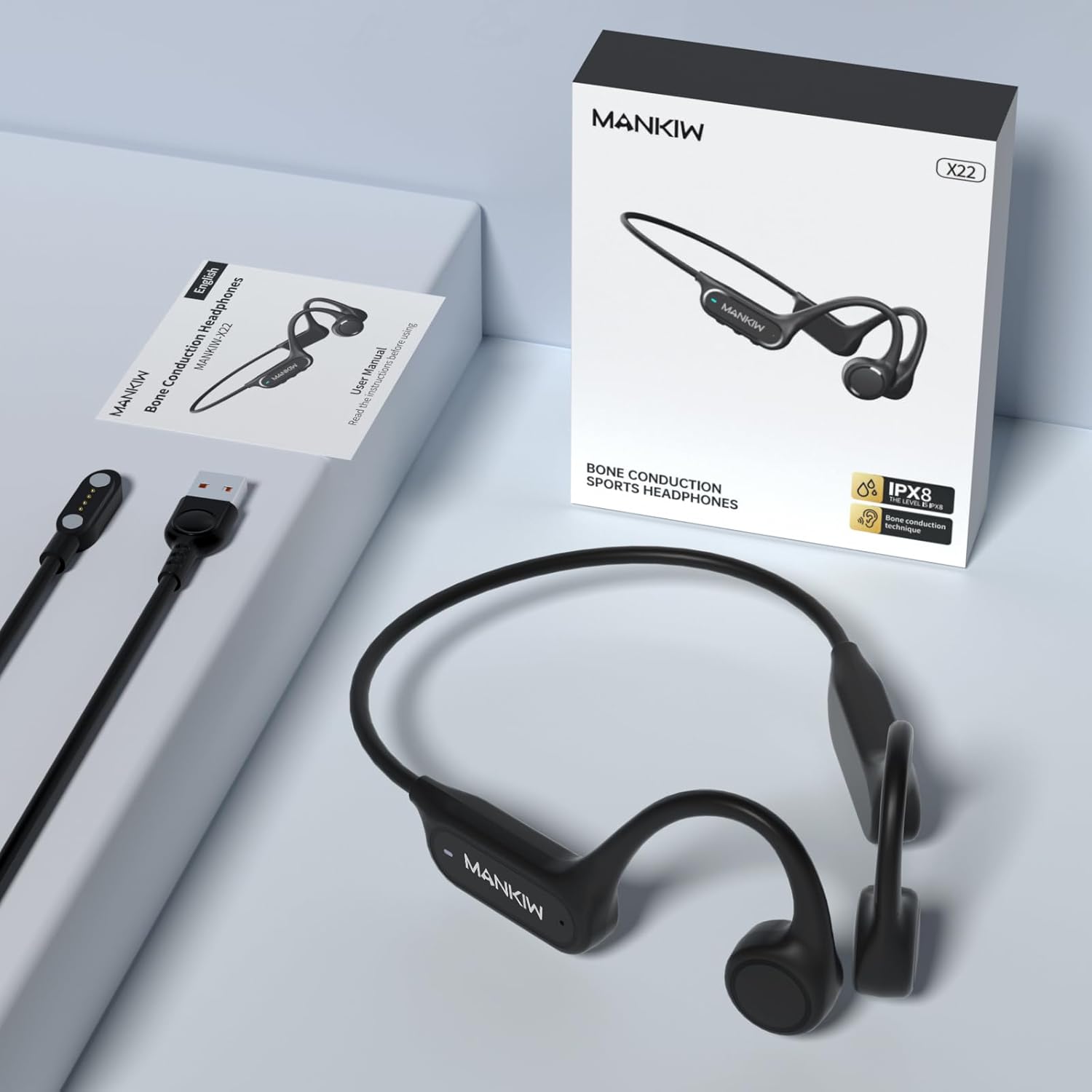
Image: MANKIW Bone Conduction Headphones, showing the product, its retail box, and the included magnetic charging cable.
2. Nøkkelfunksjoner
IPX8 Profesjonell Vanntetting
Certified with an IPX8 rating and tested to a depth of up to 9 feet (approximately 2.7 meters), these headphones are ideal for swimming, surfing, or showering. Please note that Bluetooth signals cannot be received underwater. For underwater use, download your favorite tracks in MP3 mode beforehand to enjoy uninterrupted audio.

Image: A woman swimming in a pool, wearing the MANKIW headphones, illustrating their IPX8 waterproof capability.
Dual Mode: Bluetooth and MP3
The headphones feature a built-in 32GB memory, providing space for up to 9000 songs or audiobooks. They also incorporate the latest Bluetooth 5.4 chip for a stable and low-latency connection, allowing seamless switching between modes.
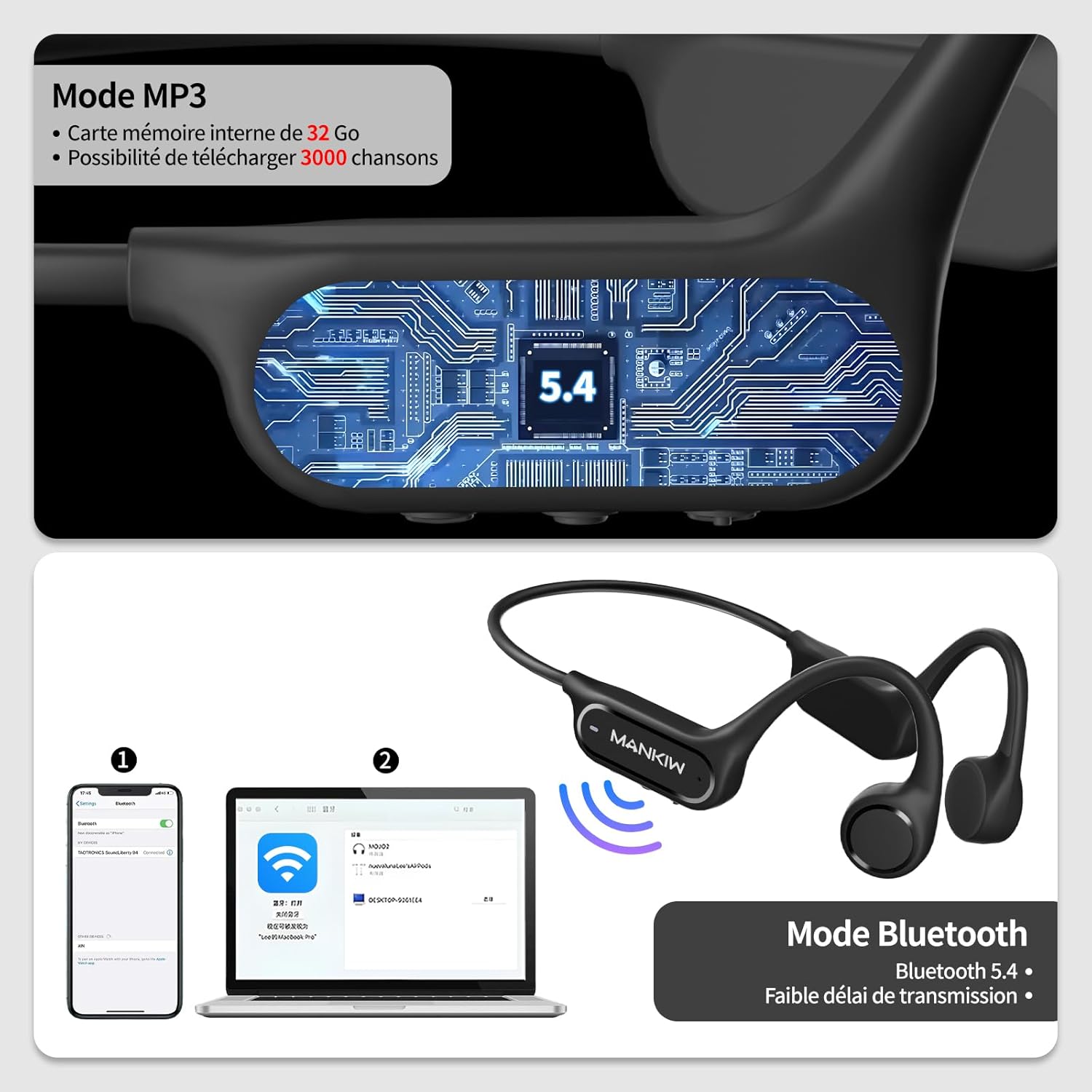
Image: A diagram illustrating the dual Bluetooth and MP3 modes, showing connectivity options with a smartphone and a laptop.
Advanced Bone Conduction Technology
Experience superior sound quality through sound transmission via your cheekbones. This technology keeps your ears open, enhancing listening comfort and allowing you to remain aware of your surroundings, which is ideal for increased safety during outdoor activities.

Image: A man on a skateboard wearing the headphones, demonstrating the open-ear design that allows awareness of surroundings.
Holdbarhet og fleksibilitet
Constructed from a 360° flexible titanium alloy, these headphones are exceptionally robust yet remarkably lightweight, weighing only 32 grams. With up to 8 hours of battery life and fast magnetic charging technology, they are ready for any adventure.

Image: A visual representation of the headphones' battery life (8 hours usage) and charging time (1.5 hours).
Maximum Comfort and Personalized Design
Thanks to their lightweight open-ear design with adjustable bands, the headphones adapt perfectly to all head shapes. They offer maximum all-day comfort without pressure, allowing you to listen to music while remaining aware of your environment.
3. Oppsettveiledning
Lader hodetelefonene
Connect the magnetic charging cable to the charging port on the headphones and plug the USB end into a power source (e.g., computer USB port, wall adapter). The LED indicator will show red during charging and turn blue when fully charged. A full charge takes approximately 1.5 hours.
Slå på/av
- Strøm på: Press and hold the Multi-Function Button (MFB) for 3 seconds until the LED indicator flashes blue.
- Slå av: Press and hold the MFB for 3 seconds until the LED indicator flashes red and then turns off.
Bluetooth-paring
- Sørg for at hodetelefonene er slått av.
- Press and hold the MFB for 5 seconds until the LED indicator flashes red and blue alternately. This indicates pairing mode.
- Aktiver Bluetooth på enheten din (smarttelefon, nettbrett, datamaskin) og søk etter tilgjengelige enheter.
- Select "MANKIW X22" from the list of found devices.
- Når den er tilkoblet, blinker LED -indikatoren sakte blått.
MP3-modus og File Overføre
- Bytter til MP3-modus: Double-click the MFB to switch between Bluetooth mode and MP3 mode.
- File Overføre: Connect the headphones to your computer using the magnetic charging cable. The computer will recognize the headphones as a removable disk. Drag and drop your audio files (MP3, WAV, FLAC, APE) into the headphone's storage. Ensure the headphones are in data transfer mode (LED flashing blue).
4. Bruksanvisning
Knappkontroller
The MANKIW X22 headphones feature intuitive button controls located on the side of the device. Familiarize yourself with the Multi-Function Button (MFB) and the Volume +/- buttons.
| Funksjon | Handling |
|---|---|
| Slå på/av | Trykk og hold MFB i 3 sekunder |
| Gå inn i paringsmodus | Press and hold MFB for 5 seconds (from off) |
| Switch Bluetooth/MP3 Mode | Dobbeltklikk på MFB |
| Spill av/pause musikk | Single-click MFB |
| Volum opp/ned | Single-click "+" / "-" button |
| Neste spor | Double-click "+" button |
| Forrige spor | Double-click "-" button |
| Besvar/avslutt samtale | Single-click MFB |
| Avvis anrop | Trykk og hold MFB i 2 sekunder |
| Aktiver stemmeassistenten (Siri) | Press and hold "+" for 3 seconds |
5. LED-indikatorstatus
The LED indicator provides visual cues about the headphone's status:
| Indikatorstatus | Betydning |
|---|---|
| Red and Blue alternately flashing | Paringsmodus |
| Slow Blue flash | Tilkoblet (Bluetooth) |
| Solid rødt | Lader |
| Helt blått | Fulladet |
| Blinker blått | Data Transfer Mode (when connected to PC) |
6. Stell og vedlikehold
- Rengjøring: After swimming or intense exercise, rinse the headphones with clean fresh water to remove chlorine or sweat. Wipe them dry with a soft cloth. Do not use harsh chemicals or abrasive materials for cleaning.
- Lagring: Store the headphones in a cool, dry place away from direct sunlight and extreme temperatures. Avoid placing heavy objects on top of them.
- Lader: Always use the provided magnetic charging cable. Do not attempt to charge the headphones if they are wet.
- Unngå innvirkning: While durable, avoid dropping the headphones or subjecting them to strong impacts.
7. Feilsøking
| Problem | Mulig årsak | Løsning |
|---|---|---|
| Hodetelefonene slår seg ikke på. | Lavt batteri. | Lad hodetelefonene helt. |
| Ingen lyd fra hodetelefonene. | Volume too low; Incorrect mode; Not connected. | Increase volume; Double-click MFB to switch modes; Re-pair Bluetooth or check MP3 files. |
| Bluetooth-tilkoblingen er ustabil eller feiler. | Too far from device; Interference; Pairing issue. | Move closer to the device; Avoid strong electromagnetic interference; Delete previous pairing and re-pair. |
| Kan ikke overføre files til MP3-spilleren. | Incorrect connection; Unsupported file format. | Ensure headphones are connected to PC and in data transfer mode; Check file formats (MP3, WAV, FLAC, APE are supported). |
| Lydkvaliteten er dårlig. | Improper fit; Low battery; Source quality. | Adjust headphones for optimal fit on cheekbones; Charge headphones; Ensure audio source quality is good. |
8. Tekniske spesifikasjoner
| Spesifikasjon | Verdi |
|---|---|
| Modellnavn | MANKIW-X22 |
| Tilkoblingsteknologi | Trådløs (Bluetooth 5.4) |
| Vanntett vurdering | IPX8 |
| Internt minne | 32 GB |
| Batterilevetid | Opptil 8 timer |
| Ladetid | Ca. 1.5 timer |
| Vekt | 32 gram |
| Frekvensområde | 20 Hz til 20,000 XNUMX Hz |
| Kontroll Type | Knappkontroll |
| Øreplassering | Åpent øre |
| Formfaktor | Sirkum-aural |
| Batteritype | Litium metall |
| Farge | Svart |
9. Garanti og støtte
For warranty information and customer support, please refer to the warranty card included with your product or contact the seller/manufacturer directly. Keep your purchase receipt as proof of purchase for any warranty claims.
If you encounter any issues not covered in this manual, please reach out to MANKIW customer service for assistance. Contact details are typically available on the product packaging or the official MANKIW webnettstedet.