
DEERC US-1611
DEERC 1/14 Fast Brushless RC Car Instruction Manual
Model: US-1611 | Brand: DEERC
Viktig sikkerhetsinformasjon
This product contains small parts and is not suitable for children under 14 years old as it may pose a choking hazard. Always operate the product under adult supervision, especially in areas with traffic or hazards.
Always ensure the RC car is operated in a safe environment, away from people, pets, and obstacles. Do not operate near public roads or in wet conditions unless specifically designed for it. Always turn off the vehicle and remote control when not in use.
Hva er i esken

Image: All components included in the DEERC 1/14 Fast Brushless RC Car package.
- 1*Brushless RC Truck
- 2*2S Battery
- Ladekabel
- Fjernkontroll
- Produktmanual
- Tools and Spare Parts (as pictured)
Oppsettveiledning
1. Lading av batteriene
The DEERC 1/14 RC Car comes with two 7.4V 2000mAh Li-ion batteries. Ensure both batteries are fully charged before first use.
- Koble ladekabelen til batteriet.
- Koble USB-enden av ladekabelen til en passende USB-strømadapter (ikke inkludert).
- The indicator light on the charging cable will show charging status (refer to charger's specific instructions for light indications).
- Når det er fulladet, kobler du batteriet fra laderen.
2. Installere batterier
RC Car Battery Installation:
Carefully remove the body clips and lift the car's shell. Insert a charged 7.4V battery into the designated battery compartment. Ensure the battery is securely connected to the car's power connector. Replace the shell and body clips.

Bilde: Internt view showing battery placement and other components.
Installasjon av fjernkontrollbatteri:
Open the battery compartment on the remote control. Insert 4 AA batteries (not included), ensuring correct polarity. Close the compartment.
3. Pare fjernkontrollen
Turn on the RC car first, then turn on the remote control. The remote and car should automatically pair. If pairing fails, turn both off and repeat the process. Ensure no other 2.4GHz devices are interfering.
Bruksanvisning
1. Grunnleggende kontroller
- Gassutløser: Trekk for å bevege deg fremover, skyv for å bremse/reversere.
- Ratt: Sving til venstre eller høyre for å styre kjøretøyet.
- Hastighetsjusteringsskive: Adjust the maximum speed of the car for different skill levels or terrains.
2. Terrain Handling
This 4x4 off-road RC truck is designed to conquer various terrains including dirt, gravel, sand, and grass. Its independent 4WD system and aluminum alloy oil-filled hydraulic shocks provide excellent stability and absorption over bumps and jumps.
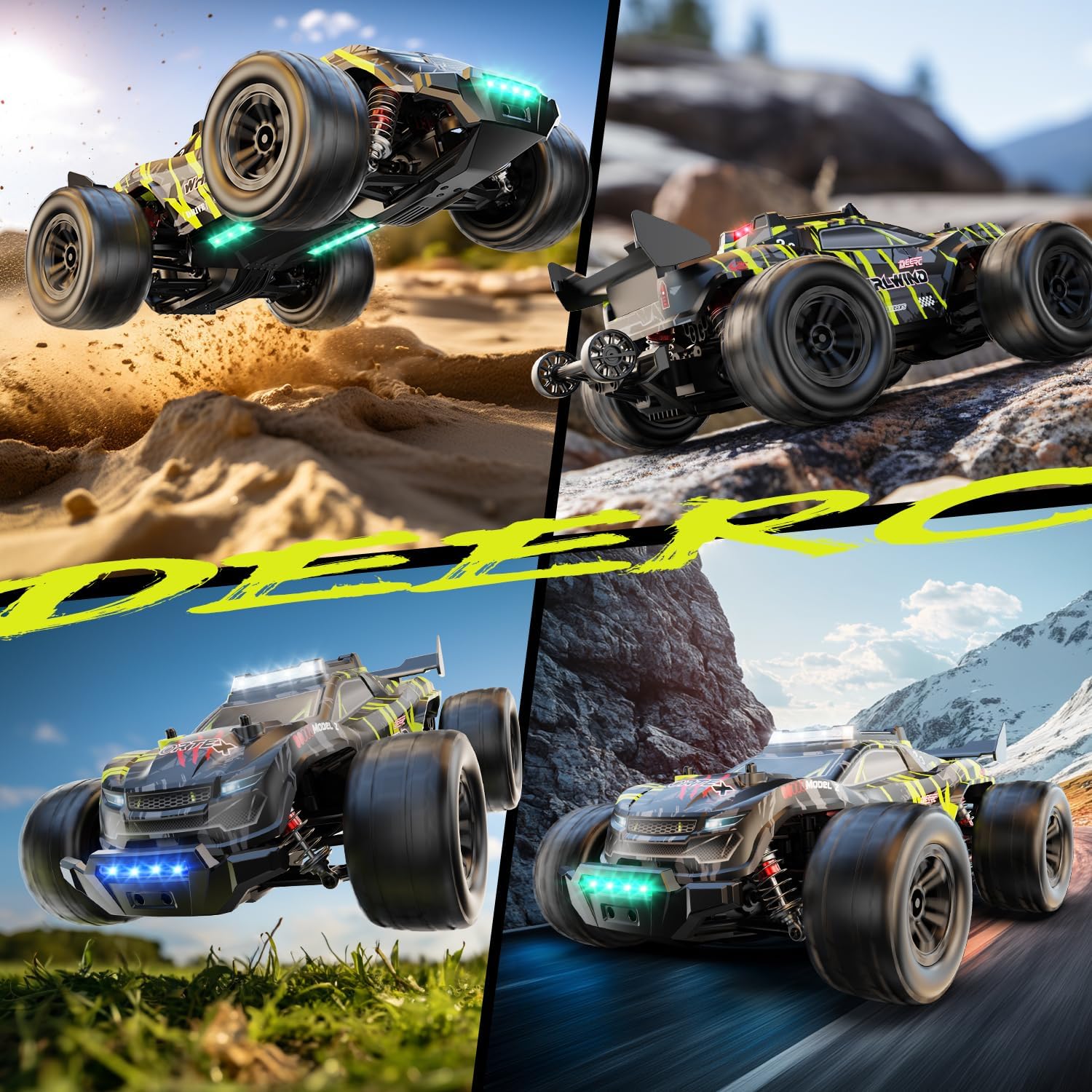
Image: The RC car demonstrating its all-terrain capabilities.
3. LED-belysningssystem
The RC car features a 7-color LED lighting system with 3 different light modes. These can be adjusted via the remote control, adding to the visual appeal and visibility during operation.
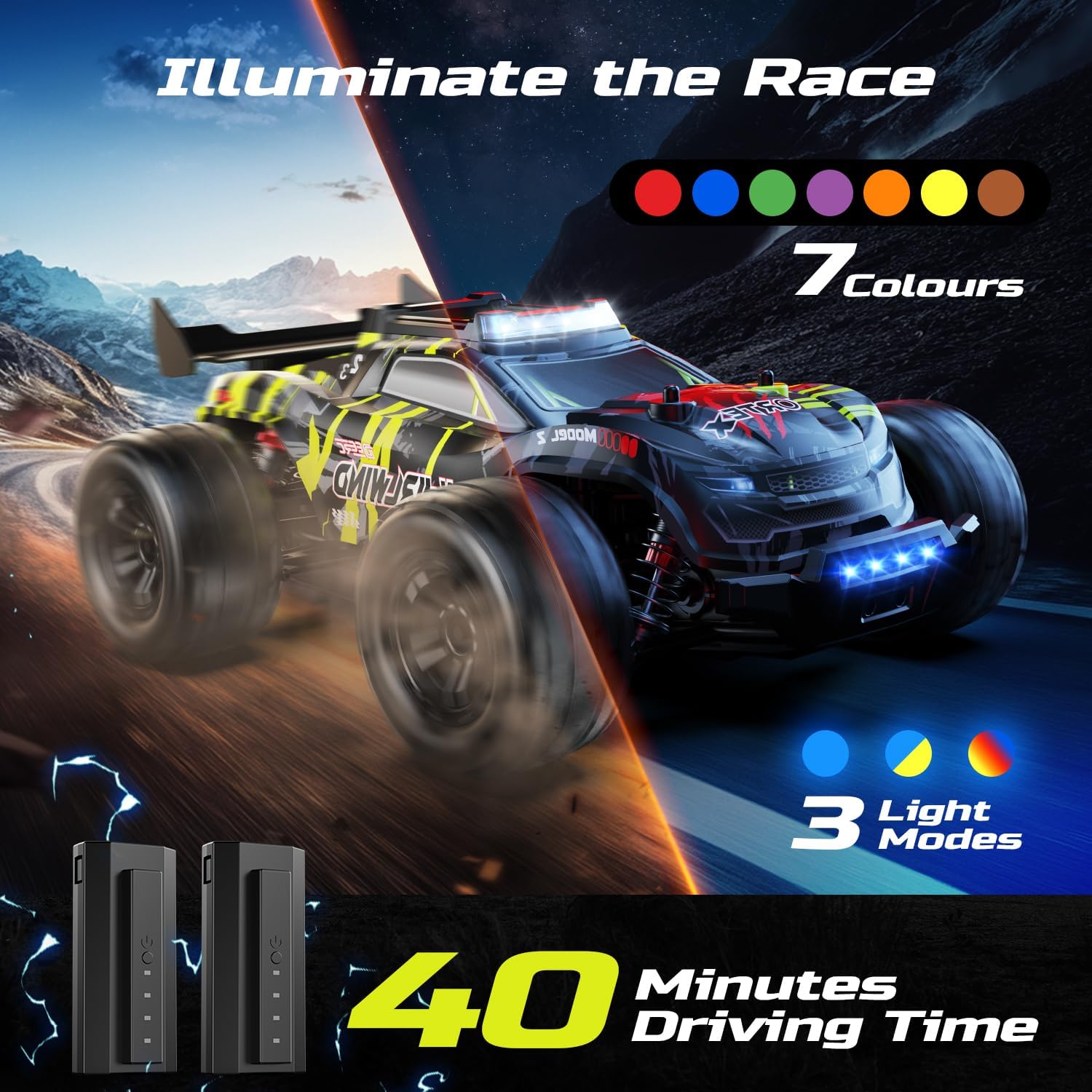
Image: The RC car's customizable LED lighting system.
4. Performance Tips
- For optimal speed (up to 43+ MPH), consider upgrading to a 3S LiPo battery (not included), as the ESC and drivetrain are compatible.
- Utilize the included wheelie bar for stable acceleration and to prevent flipping during high-speed starts.
- Practice in open areas to get accustomed to the car's high speed and responsive handling.

Image: The RC car demonstrating wheelie action and its rugged protection features.
Vedlikehold
1. Rengjøring
After each use, especially after running in dirt or sand, clean the car to remove debris. Use a soft brush or compressed air to clear dirt from moving parts, gears, and suspension components. A damp cloth can be used for the body shell, but avoid excessive moisture near electronics.
2. Batteripleie og oppbevaring
- Lad alltid batteriene helt opp før lagring hvis de ikke skal brukes over lengre tid.
- Oppbevar batteriene på et kjølig, tørt sted vekk fra direkte sollys og ekstreme temperaturer.
- Ikke overlad eller overutlad batterier.
3. Inspection and Lubrication
Regularly inspect the drivetrain, gears, and shocks for wear or damage. The CNC-machined all-metal drivetrain and gears are designed for durability, but periodic inspection is recommended. Lubricate moving parts as needed with RC-specific lubricants to ensure smooth operation and longevity.

Image: Key metal components for maximum durability.
Feilsøking
| Problem | Mulig årsak | Løsning |
|---|---|---|
| Bilen reagerer ikke på fjernkontrollen. | Low battery in car or remote; Not paired; Interference. | Charge/replace batteries. Re-pair car and remote. Move to an area with less interference. |
| Redusert hastighet eller kraft. | Low battery; Motor/ESC overheating; Debris in drivetrain. | Charge battery. Allow components to cool down. Clean drivetrain. |
| Bilen trekker til den ene siden. | Steering trim not adjusted; Damaged steering components. | Adjust steering trim on the remote. Inspect steering linkage and servo for damage. |
| Uvanlige lyder under drift. | Damaged gears; Debris in gears; Loose components. | Inspect and clean gears. Tighten any loose screws. |
Spesifikasjoner
- Modell: US-1611
- Skala: 1/14
- Motor: 4000KV 2840 børsteløs motor
- ESC: 45A vanntett ESC
- Topphastighet: Up to 50 KM/H (31 MPH) with included batteries; 43+ MPH with 3S LiPo (not included)
- Drivverk: 4x4 All-Metal Drivetrain with CNC Steel Pinion Gears and Differential System
- Sjokk: Aluminum Alloy Oil-Filled Hydraulic Shocks
- Batterier: 2 x 7.4V 2000mAh litiumionbatterier (inkludert)
- Driving Time: Approximately 40 minutes (with two batteries)
- Dimensjoner: 12 x 8.9 x 4.92 tommer
- Vekt: 3.8 pund
- Anbefalt alder: 14 år og oppover

Image: Performance features including speed and motor specifications.
Garanti og støtte
DEERC is committed to customer satisfaction. This high-speed RC car is backed by responsive customer support to help with any issues during use. If you need replacement parts or accessories, please reach out to DEERC customer service directly. Refer to the product packaging or the official DEERC webnettstedet for spesifikke garantivilkår og kontaktinformasjon.
For ytterligere hjelp, vennligst besøk DEERC-butikk på Amazon.
Ask a question about this manual
Ask about setup, troubleshooting, compatibility, parts, safety, or missing instructions. Manuals+ will review the question and use this page’s manual context to help answer it.