
ShanWan Q37XSP
Brukerhåndbok for ShanWan trådløs Bluetooth-kontroller
Model: Q37XSP | Brand: ShanWan
1. Produktet er overview
The ShanWan Q37 Wireless Bluetooth Controller is a versatile gaming accessory designed for multi-platform compatibility. It offers a rich gaming experience with features like customizable buttons, macro functions, motion controls, linear motor vibration, and precise joysticks and triggers. This manual provides detailed instructions for setup, operation, and maintenance of your controller.

Bilde: Foran view of the ShanWan Q37 Wireless Bluetooth Controller in blue.
2. Første oppsett
2.1 Lading av kontrolleren
Before first use, fully charge the controller. Connect the provided USB-C cable to the controller's charging port and the other end to a USB power source (e.g., computer, wall adapter). The indicator lights will show charging status and turn off when fully charged.
2.2 Paringsinstruksjoner
The ShanWan Q37 controller supports various platforms. Follow the specific pairing instructions for your device:
- Nintendo Switch/Switch 2: Turn on your Switch console. On the HOME Menu, select 'Controllers' > 'Change Grip/Order'. Press and hold the pairing button on the controller until the indicator lights flash rapidly. Once paired, the corresponding player LED(s) will light up.
- PC (Windows): Connect via Bluetooth in your PC's settings. Alternatively, connect directly using a USB-C cable for wired mode.
- Android/iOS/iPad/macOS: Enable Bluetooth on your device and search for 'ShanWan Q37'. Select it to pair.
- Dampdekk: Follow standard Bluetooth pairing procedures for Steam Deck.
2.3 Firmware Update for Switch 2 Compatibility
For full compatibility with Switch 2 and to customize buttons, you may need to download the official 'Gamepad Space' software to upgrade the controller's firmware. Visit the official ShanWan website for the latest software version and instructions.
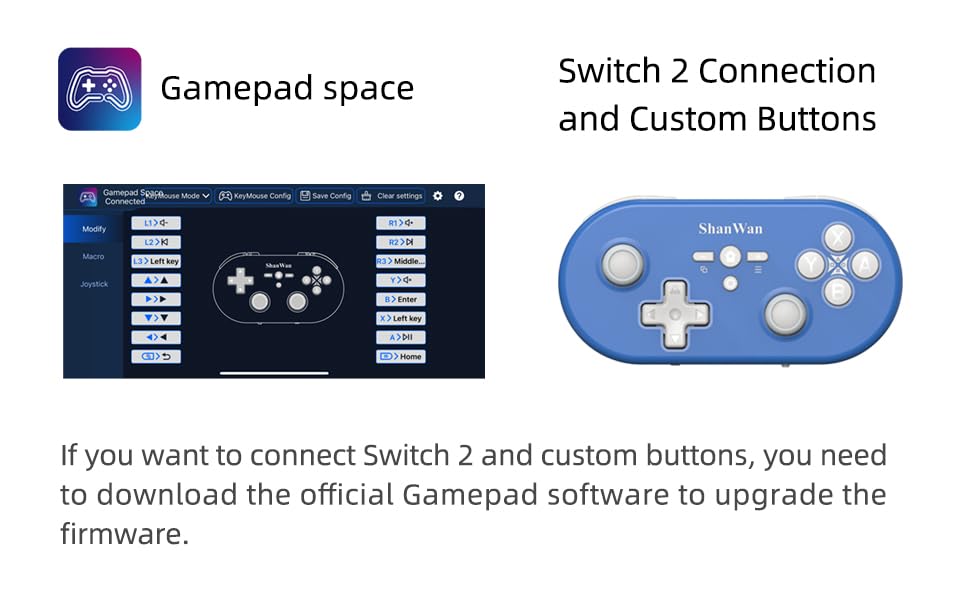
Image: Screenshot of the 'Gamepad Space' software interface for button customization and firmware updates, alongside the controller.
3. Bruksanvisning
3.1 Knappoppsett og funksjoner
The controller features standard gaming buttons including A/B/X/Y, D-pad, L/R, L2/R2, joysticks, and function buttons (e.g., Home, Share, Plus, Minus).
3.2 Three-Position Mode Switch
The controller is equipped with a three-position mode switch (X, S, P) allowing seamless switching between different platforms:
- X-blokk: For PC/Android/iOS Native Games.
- S-blokk: For Nintendo Switch.
- P-block: For PS4 Console (Note: PS4 compatibility may require specific setup or adapter, refer to official webnettstedet for detaljer).

Image: Diagram illustrating the three-position mode switch (X, S, P) and their corresponding platform functionalities.
3.3 Software Customization (Gamepad Space)
Download the official 'Gamepad Space' software to:
- Customize button mappings.
- Set macro functions for complex commands.
- Calibrate joysticks for optimal precision.
3.4 Spesialfunksjoner
- One-click Reconnection: Quickly reconnect to previously paired devices.
- Switch Screenshot: Dedicated button for capturing screenshots on Nintendo Switch.
4. Nøkkelfunksjoner
- 6-axis Gyro Motion Control: Provides precise motion sensing for compatible games, enhancing immersive gameplay.
- Adjustable Dual Motor Vibration: Experience immersive haptic feedback with customizable vibration intensity.
- Customizable Buttons and Macros: Personalize your gaming experience by remapping buttons and setting up complex macro sequences via the 'Gamepad Space' software.
- Soft Rubber Non-slip Grip: Designed for comfortable and secure handling during extended gaming sessions.
- Responsive berøringsknapper: Engineered for optimal tactile feedback and durability.

Image: Illustration of the 6-axis body gyroscope in action.

Image: Illustration of the dual motor vibration feature.
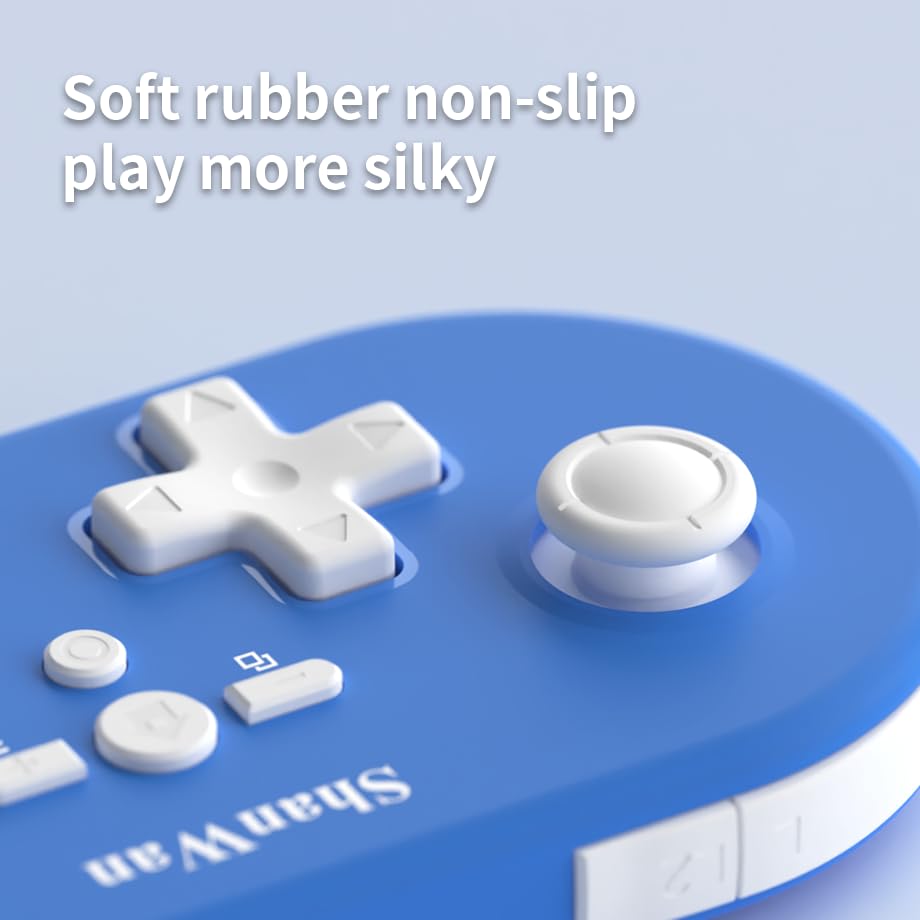
Bilde: Nærbilde view of the controller's joystick, highlighting the soft rubber non-slip material.
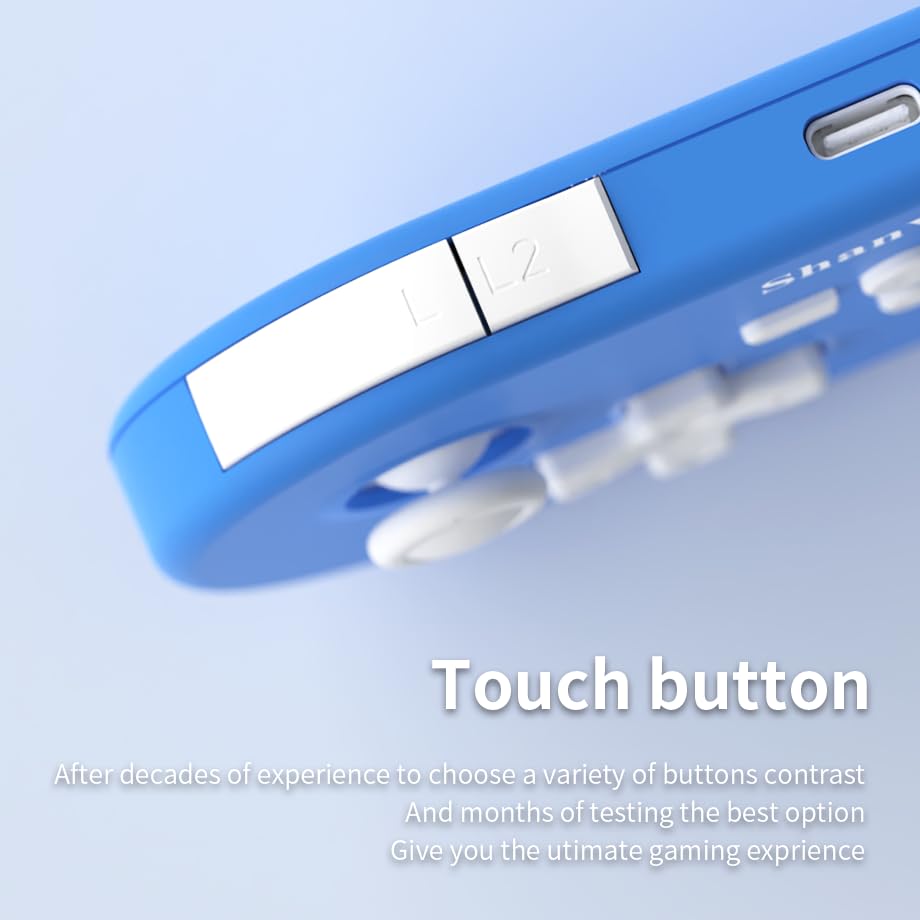
Bilde: Nærbilde view of the controller's L/L2 shoulder buttons, emphasizing their design.

Image: A visual summary of key features including 6-axis body gyroscope, one-touch reconnect/wake-up, one-touch pairing, one-touch screenshot, dual motor vibration, and Switch key printing.
5. Kompatibilitet
The ShanWan Q37 controller is compatible with a wide range of gaming platforms:
- Nintendo Switch / Switch 2 / Switch Lite / Switch OLED
- Steam dekk
- PC (Windows)
- Android-enheter
- iPhone / iPad (iOS / iPadOS)
- macOS devices
- PS4 Console (via P-block mode, specific setup may be required)
It supports simultaneous gameplay for up to 4 players on compatible systems.
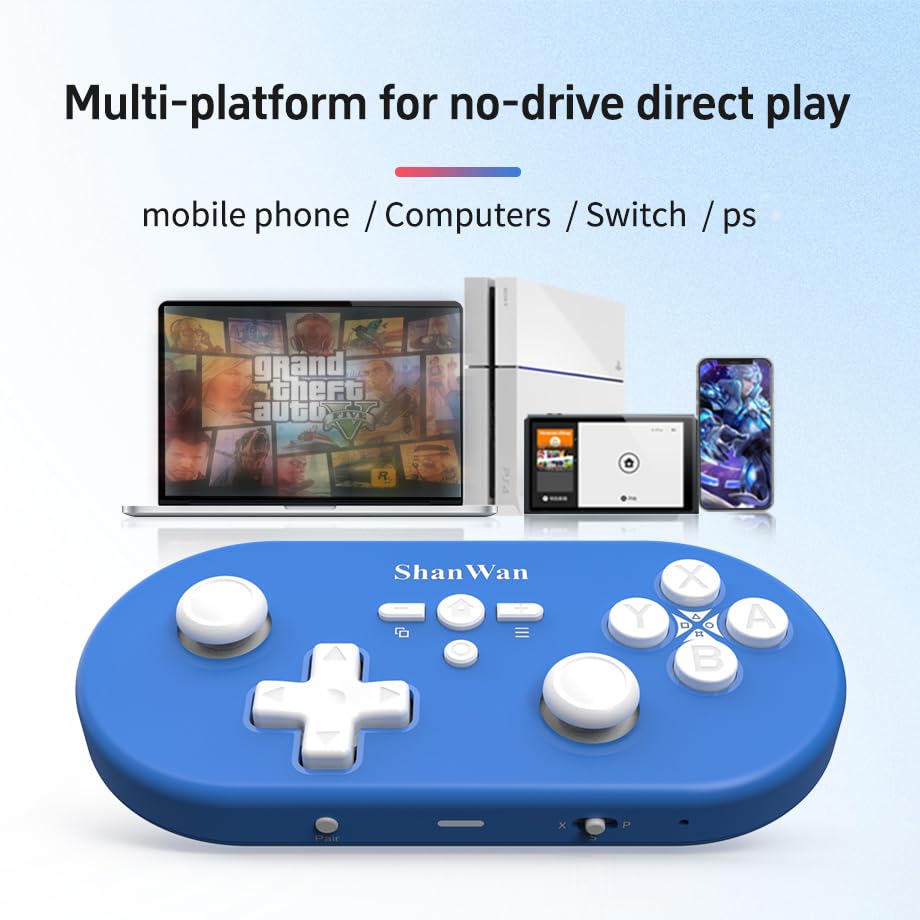
Image: Illustration showing the controller's compatibility with mobile phones, computers, Switch, and PS consoles.
6. Batteriinformasjon
The controller is equipped with a 500mAh large-capacity Lithium Polymer battery. This allows for extended play sessions and convenient portability. Battery life varies depending on usage and vibration settings.
Ladetid: Omtrent 2-3 timer for full lading.
Driftstid: Up to 8-10 hours on a full charge (may vary).
7. Tekniske spesifikasjoner
| Spesifikasjon | Detalj |
|---|---|
| Modellnummer | Q37XSP |
| Tilkobling | Wireless Bluetooth, USB-C (wired) |
| Batterikapasitet | 500mAh litiumpolymer |
| Produktdimensjoner | 4.92 x 2.44 x 0.81 tommer (12.5 x 6.2 x 2.05 cm) |
| Varevekt | 3.2 unser (90.7 gram) |
| Bevegelseskontroll | 6-akset gyroskop |
| Vibrasjon | Dual Motor Vibration (Adjustable) |

Image: Diagram showing the precise dimensions of the ShanWan Q37 controller.
8. Feilsøking
8.1 Kontrolleren kobler ikke til/parer ikke
- Sørg for at kontrolleren er fulladet.
- Verify the correct mode (X, S, P) is selected for your device.
- Make sure Bluetooth is enabled on your device and no other devices are interfering.
- Try restarting both the controller and your gaming device.
- If issues persist, try resetting the controller (refer to manufacturer's website for reset procedure, usually a small pinhole button).
8.2 Inndataforsinkelse eller frakoblinger
- Ensure you are within the effective range of your Bluetooth device.
- Minimize wireless interference from other devices (Wi-Fi routers, other Bluetooth devices).
- Ensure the controller's firmware is up to date using the 'Gamepad Space' software.
8.3 Buttons/Joysticks Not Responding
- Calibrate joysticks and test button functionality using the 'Gamepad Space' software.
- Sørg for at det ikke sitter fast rusk rundt knappene eller joystickene.
- If using wired connection, try a different USB-C cable or port.
9. Stell og vedlikehold
- Rengjøring: Bruk en myk, tørr klut til å rengjøre kontrolleren. For gjenstridig smuss, tørk littampRengjør kluten med vann eller et mildt rengjøringsmiddel. Unngå sterke kjemikalier eller slipende materialer.
- Lagring: Oppbevar kontrolleren på et kjølig og tørt sted, unna direkte sollys og ekstreme temperaturer.
- Batteripleie: Do not expose the battery to high temperatures or attempt to disassemble it. Charge the controller regularly, even if not in use, to maintain battery health.
- Unngå dråper: Beskytt kontrolleren mot fysiske støt og fall, som kan skade interne komponenter.
10. Garanti og støtte
For warranty information, technical support, or further assistance, please visit the official ShanWan webnettstedet eller kontakt kundeservicen deres. Ta vare på kjøpskvitteringen som kjøpsbevis.
Official ShanWan Store: https://www.amazon.com/stores/ShanWan/page/C625C726-C0DE-4DFB-8E9B-4AA41A6E200C
Relaterte dokumenter - Q37XSP
 |
Brukerhåndbok for ShanWan Q11A uttrekkbar håndkontroll Brukerhåndbok for den uttrekkbare gamepaden ShanWan Q11A, med detaljer om funksjoner, tilkoblingsalternativer (Bluetooth, USB), kompatibilitet med ulike plattformer (Android, iOS, PC, PS3/PS4, Switch), bruksanvisninger og spesifikasjoner. |
 |
Brukerhåndbok for ShanWan Q36 Pro trådløs spillkontroller Omfattende brukerhåndbok for ShanWan Q36 Pro trådløs spillkontroller, som dekker oppsett, tilkobling for Android, iOS, Windows og Nintendo Switch, PS4-kompatibilitet, fastvareoppdateringer og tekniske spesifikasjoner. |
 |
Brukerhåndbok for ShanWan Q36 trådløs gamepad En omfattende guide til ShanWan Q36 trådløs gamepad, som dekker oppsett, tilkobling for Android, iOS og Windows, og ladefunksjoner. Lær hvordan du parer enheten din og optimaliserer spillopplevelsen. |
 |
Brukerhåndbok og funksjoner for ShanWan Q38 trådløs spillkontroller Omfattende guide til den trådløse spillkontrolleren ShanWan Q38, som dekker oppsett, moduser (Android/iOS/Windows, Switch, PS4), fastvareoppgraderinger, tilleggsfunksjoner og spesifikasjoner. |
 |
ShanWan Q36 trådløs spillkontroller: Brukerveiledning og tilkoblingsmoduser Omfattende guide til den trådløse spillkontrolleren ShanWan Q36. Lær hvordan du kobler den til Android, iOS, Windows, Nintendo Switch (Pro- og Joycon-modus) og PS4. Inkluderer oppsett, fastvareoppdateringer og tekniske spesifikasjoner. |
 |
Brukerveiledning og tilkoblingsmoduser for ShanWan Q36-spillkontrolleren Omfattende guide til spillkontrolleren ShanWan Q36, som dekker X-Input-, HID- og ShootingPlus-moduser for Android, iOS og Windows. Inkluderer oppsett, lading og elektriske spesifikasjoner. |