
1. Introduksjon
Thank you for choosing the Auusda T156A 15.6-inch Business Laptop. This manual provides essential information for setting up, operating, and maintaining your new laptop. Please read this manual thoroughly before using the device to ensure proper function and longevity. This laptop is designed for productivity and portability, featuring a 4-core processor, 8GB DDR4 RAM, and a 512GB M.2 PCIe NVMe SSD, all running on Windows 11 Pro.
2. Pakkens innhold
Bekreft at alle varene er til stede i pakken:
- Auusda T156A Laptop
- Strømadapter og kabel
- Transparent Keyboard Cover
- Spanish Keyboard Cover
- Bruksanvisning (dette dokumentet)

Image: The laptop, power adapter, and keyboard covers as included in the package.
3. Produktet er overview
3.1 Nøkkelfunksjoner
- Kraftig ytelse: Equipped with a 4-core N95 processor (1.7-3.4 GHz) and 8GB DDR4 RAM for efficient multitasking.
- Ample lagring: Features a 512GB M.2 PCIe NVMe SSD for fast data access and sufficient storage.
- Vibrant Full HD Display: A 15.6" Full HD IPS LCD screen offers clear visuals with wide viewing vinkler.
- Praktiske funksjoner: Includes a backlit keyboard for low-light use and a fingerprint reader for secure access.
- Connectivity & Versatility: Offers Bluetooth, an SD card reader, and essential ports for various devices.

Bilde: En overview of the Auusda T156A laptop with its main features labeled.
3.2 Prosessor og minne
The laptop is powered by an Intel N95 4-core processor, capable of speeds up to 3.4 GHz, ensuring smooth operation for business and academic tasks. It comes with 8GB of DDR4 RAM and a 512GB M.2 PCIe NVMe Solid State Drive (SSD) for quick boot times and application loading.

Image: A visual representation of the 4-core N95 processor chip.

Image: The laptop highlighting its 8GB RAM and 512GB SSD configuration.
3.3 Skjerm
Experience clear and vibrant visuals on the 15.6-inch Full HD (1920x1080) IPS LCD display. The screen features a narrow bezel and supports 16 million colors, providing an immersive viewing experience. A privacy shutter is integrated for the webkamera.

Image: The laptop's 15.6-inch Full HD IPS LCD display and its features.
3.4 Tastatur og pekeplate
The laptop features a full-size backlit keyboard, allowing comfortable typing in various lighting conditions. The integrated touchpad includes a fingerprint sensor for secure and quick login.

Image: The backlit keyboard and the fingerprint ID sensor on the touchpad.
3.5 Porter og tilkobling
The Auusda T156A offers a range of connectivity options:
- DC-inngang
- USB-A Ports (multiple)
- HDMI-utgang
- microSD-kortleser
- Hodetelefonuttak
- Bluetooth and Wi-Fi (802.11ac, 802.11ax)
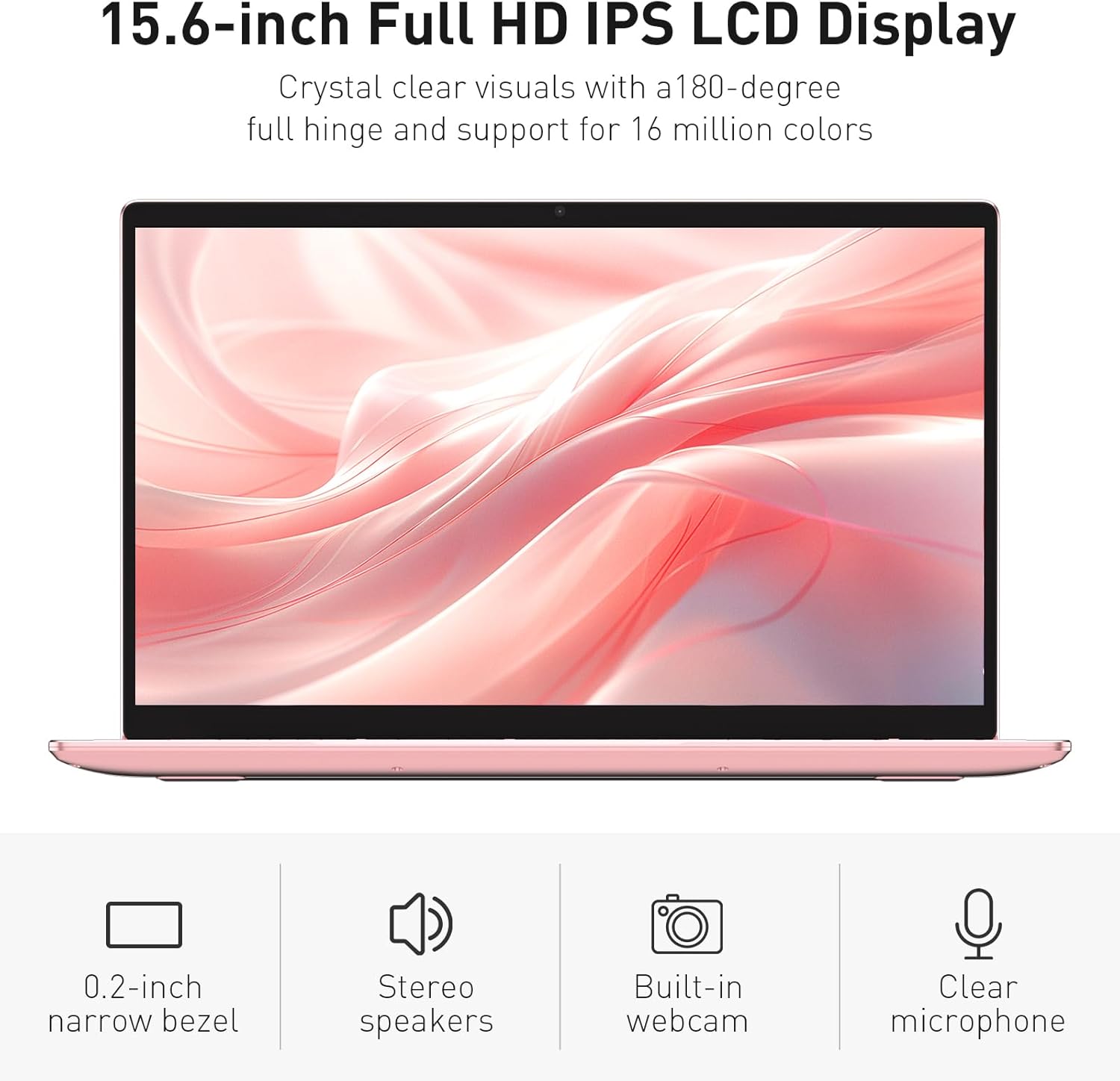
Image: The various ports available on the sides of the laptop.
4. Oppsett
4.1 Første gangs oppstart og lading
- Pakk den bærbare datamaskinen og strømadapteren ut av esken.
- Connect the power adapter to the DC power input port on the laptop and then to a power outlet.
- Allow the laptop to charge for at least 30 minutes before initial use, or until the charging indicator light shows a full charge.
- Trykk på strømknappen for å slå på den bærbare datamaskinen.
4.2 Windows 11 Pro-oppsett
Follow the on-screen instructions to complete the initial Windows 11 Pro setup. This will include:
- Velger region og tastaturoppsett.
- Kobler til et Wi-Fi-nettverk.
- Godtar lisensavtalen.
- Creating a user account or signing in with a Microsoft account.
4.3 Oppsett av fingeravtrykkssensor
For enhanced security, set up the fingerprint sensor:
- Once Windows is set up, navigate to Innstillinger > Kontoer > Påloggingsalternativer.
- Under «Windows Hello-fingeravtrykk» klikker du på Sett opp.
- Follow the on-screen prompts to register your fingerprint. You will be asked to lift and place your finger multiple times on the sensor until it is fully registered.
5. Bruk av den bærbare datamaskinen
5.1 Grunnleggende bruk
- Slå på/av: Trykk på av/på-knappen øverst til høyre på tastaturet for å slå den bærbare datamaskinen av eller på.
- Sove modus: Lukk lokket eller trykk kort på av/på-knappen for å sette den bærbare datamaskinen i hvilemodus.
- Restart/Shut Down: Access these options from the Start Menu in Windows.
5.2 Backlit Keyboard Control
The keyboard backlight can be adjusted or turned off using the function keys. Look for the key with a keyboard icon (often F5 or F6) to cycle through brightness levels or toggle the backlight on/off.
5.3 Webcam Privacy Shutter
Det integrerte webcam includes a physical privacy shutter. Slide the small cover located directly above the webcam lens to open or close it, ensuring your privacy when the camera is not in use.
5.4 Koble til eksterne enheter
Use the available ports to connect peripherals:
- USB-enheter: Plug USB drives, mice, or keyboards into the USB-A ports.
- Ekstern skjerm: Connect an external monitor or projector using the HDMI port.
- Lyd: Use the headphone jack for headphones or external speakers.
- MicroSD-kort: Insert a microSD card into the dedicated slot for additional storage or data transfer.
5.5 Spillytelse
The Auusda T156A is capable of handling light gaming and provides a smooth experience for many popular titles. For optimal performance, ensure your drivers are updated and close unnecessary background applications.
Video: Demonstration of the Auusda T156A laptop's light gaming capabilities.
Video: Et kort klipp som viserasing the laptop's performance during racing games.
6. Vedlikehold
- Rengjøring: Bruk en myk, lofri klut til å rengjøre skjermen og utsiden. For gjenstridige flekker, brukampRengjør kluten med vann eller et skjermsikkert rengjøringsmiddel. Unngå sterke kjemikalier.
- Batteripleie: To prolong battery life, avoid fully discharging the battery frequently. It is recommended to keep the battery charged between 20% and 80% when possible. Store the laptop in a cool, dry place.
- Programvareoppdateringer: Se etter og installer Windows-oppdateringer og driveroppdateringer regelmessig for å sikre optimal ytelse og sikkerhet.
- Ventilasjon: Sørg for at ventilasjonsåpningene på den bærbare datamaskinen ikke er blokkert for å forhindre overoppheting. Bruk den bærbare datamaskinen på en hard, flat overflate.
- Datasikkerhetskopiering: Sikkerhetskopier viktige data regelmessig til en ekstern harddisk eller skylagring for å forhindre datatap.
7. Feilsøking
This section addresses common issues you might encounter with your Auusda T156A laptop.
| Problem | Mulig løsning |
|---|---|
| Den bærbare datamaskinen slår seg ikke på. | Ensure the power adapter is securely connected and the outlet is working. Try charging the laptop for a while before attempting to power it on again. |
| Skjermen er blank eller svart. | Check if the laptop is powered on. Try pressing Fn + F1 (or the display toggle key) to ensure the display is not turned off. Connect to an external monitor to check if the issue is with the laptop's screen. |
| Problemer med Wi-Fi-tilkoblingen. | Ensure Wi-Fi is enabled in Windows settings. Restart your router and the laptop. Check for updated Wi-Fi drivers. |
| Fingeravtrykkssensoren fungerer ikke. | Ensure your finger is clean and dry. Re-register your fingerprint in Windows settings. Check for driver updates for the fingerprint sensor. |
| Baklyset på tastaturet fungerer ikke | Press the dedicated backlight function key (e.g., Fn + F5 or F6) to toggle or adjust brightness. |
| Den bærbare datamaskinen går sakte. | Close unnecessary applications. Check Task Manager for resource-intensive processes. Ensure sufficient free space on the SSD. Run a malware scan. |
8. Spesifikasjoner
Detailed technical specifications for the Auusda T156A laptop:
| Trekk | Detalj |
|---|---|
| Merke | Auusda |
| Modellnavn | T156A |
| Skjermstørrelse | 15.6 tommer |
| Harddiskstørrelse | 512 GB (SSD) |
| CPU modell | Intel N95 (4-Core, 1.7 GHz base, up to 3.4 GHz turbo) |
| Installert RAM-minnestørrelse | 8 GB DDR4 |
| Operativsystem | Windows 11 Pro |
| Spesielle funksjoner | Bakbelyst tastatur, fingeravtrykksleser |
| Grafisk koprosessor | UHD Graphics (Integrated) |
| Tilkoblingsteknologi | Bluetooth, Wi-Fi (802.11ac, 802.11ax) |
| Antall porter | 2 (USB-A, HDMI, microSD, Headphone Jack) |
| Battericelletype | Litiumpolymer (6000 mAh) |
| Varedimensjoner (L x B x Tykkelse) | 14 cm L x 9 cm B x 0.7 cm Tykkelse |
| Innfødt oppløsning | 1920 x 1080 piksler |
| Oppdateringsfrekvens | 60 Hz |
| Webcam Capability | Yes (with privacy shutter) |
9. Garanti og støtte
9.1 Produktgaranti
The Auusda T156A laptop comes with a 2 års produsentgaranti. Please retain your proof of purchase for warranty claims. For detailed warranty terms and conditions, refer to the documentation provided with your product or contact Auusda customer support.
9.2 Kundestøtte
For technical assistance, troubleshooting, or service inquiries, please visit the official Auusda Store or contact their customer support channels. You can find more information and support resources at the Auusda Official Store on Amazon.
Video: A short promotional video from the Auusda Official Store, showcasing the laptop's features for college students.