
1. Introduksjon
Thank you for choosing the Motast 1.96" HD Smart Watch. This manual provides essential information for setting up, operating, and maintaining your device. Please read it thoroughly to ensure optimal performance and a satisfying user experience.
2. Produktet er overview
The Motast Smart Watch features a 1.96-inch HD display, Bluetooth calling capabilities, and comprehensive health and fitness tracking. It is designed to be a versatile companion for daily activities and sports.
Nøkkelfunksjoner:
- 1.96" HD Touch Screen: Clear visuals and responsive interaction.
- Bluetooth-anrop og varsler: Answer/make calls and receive alerts from your smartphone.
- 110+ sportsmoduser: Track various indoor and outdoor activities.
- Helseovervåking døgnet rundt: Heart Rate, SpO2, and Sleep tracking.
- IP68 vanntett: Suitable for daily use, including hand washing and rain.
- Lang batterilevetid: Up to 7 days of daily use, 30 days standby.
- Tilpassbare urskiver: Personalize your watch face with 200+ options or your own photos.

Figur 1: Overview of the multifunctional features of the Motast Smart Watch.
3. Hva er i esken
- Smart Watch x1
- Ladekabel x1
- Bruksanvisning x1

Figure 2: Package contents and watch dimensions.
4. Oppsett
4.1 App Download & Pairing
- Last ned "GloryFit" App from Google Play Store (for Android) or Apple App Store (for iOS).
- Sørg for at Bluetooth er aktivert på smarttelefonen.
- Open the GloryFit App and follow the on-screen instructions to search for and bind your device (e.g., "Y66").
4.2 Bluetooth Calling Function Setup
- After successfully binding your watch to the GloryFit App, open the Bluetooth Call feature within the app.
- On your watch, open the Bluetooth Call menu.
- Find and connect to "Y66" in your phone's Bluetooth settings.
- Once connected, you can use your watch to answer and make calls.

Figure 3: Connection and Bluetooth calling setup guide.
Video 1: Demonstrates the 1.96" HD Smart Watch features, including answering and making calls, for men and women.
Video 2: Shows the Smart Watch's ability to answer and make calls.
5. Bruksanvisning
5.1 Grunnleggende navigering
The watch features a full touch screen. Swipe left, right, up, or down to navigate through menus and access different functions. Press the side button to return to the home screen or wake the device.
5.2 Tilpasse urskiver
The Motast Smart Watch offers over 200 watch faces through the GloryFit App. You can also upload your own photos to create personalized watch faces directly from your phone gallery.

Figure 4: Customizable watch faces and 1.96" HD color touch screen details.

Figure 5: Extensive collection of watch faces and DIY options.
5.3 Helseovervåking
- Pulsmåler: Continuously tracks your heart rate 24/7. Access detailed trends in the GloryFit App.
- SpO2 (Blood Oxygen) Monitor: Måler oksygennivået i blodet ditt.
- Søvnsporing: Monitors your sleep patterns (deep sleep, light sleep, awake time) and provides analysis to help improve sleep quality.

Figure 6: Health monitoring features including heart rate, SpO2, and sleep tracking.

Figure 7: Detailed heart rate monitoring interface.

Figure 8: Blood oxygen monitoring interface.

Figure 9: Sleep tracking data and analysis.
5.4 Sportsmoduser og aktivitetssporing
The watch supports over 110 sports modes. It tracks all-day activity data including steps, calories burned, and distance. Connect to your phone's GPS to track outdoor workout routes.

Figure 10: Sports modes and activity tracking interface.

Figur 11: Detaljert view of sports modes and activity tracking.
Video 3: Demonstrates the features of the Aycy Smart Watch, including fitness tracking.
5.5 Varsler
Receive intelligent notifications from apps like Facebook, Messenger, Instagram, Gmail, WhatsApp, and Twitter directly on your watch. Raise your wrist to view meldinger.

Figure 12: Bluetooth call and message notification display.

Figure 13: Message notification feature from connected apps.
5.6 Musikkkontroll
Styr musikkavspillingen på smarttelefonen din direkte fra klokken.
5.7 Kamerakontroll
Use your watch as a remote shutter to control your smartphone's camera.
5.8 Andre funksjoner
The watch includes additional practical functions:
- Alarm Clock: Still inn flere alarmer.
- Timer og stoppeklokke: For various timing needs.
- Værdisplay: Få væroppdateringer i sanntid.
- Stemmeassistent: Interact with your phone's voice assistant.
- Stillesittende påminnelse: Ber deg om å bevege deg etter perioder med inaktivitet.
- Kvinners helse: Specific tracking features for women.
- Pustetrening: Veiledede pusteøvelser.

Figure 14: Additional practical functions of the smartwatch.

Figure 15: Weather, music, camera, alarm, and voice assistant features.
Video 4: Instructions on how to turn off music playing on the P66D Smart Watch.
6. Batteri og lading
The Motast Smart Watch is equipped with a large-capacity battery, providing approximately 5-7 days of daily use and up to 30 days on standby mode. Charging takes 1.5-2 hours using the magnetic charging cable provided.
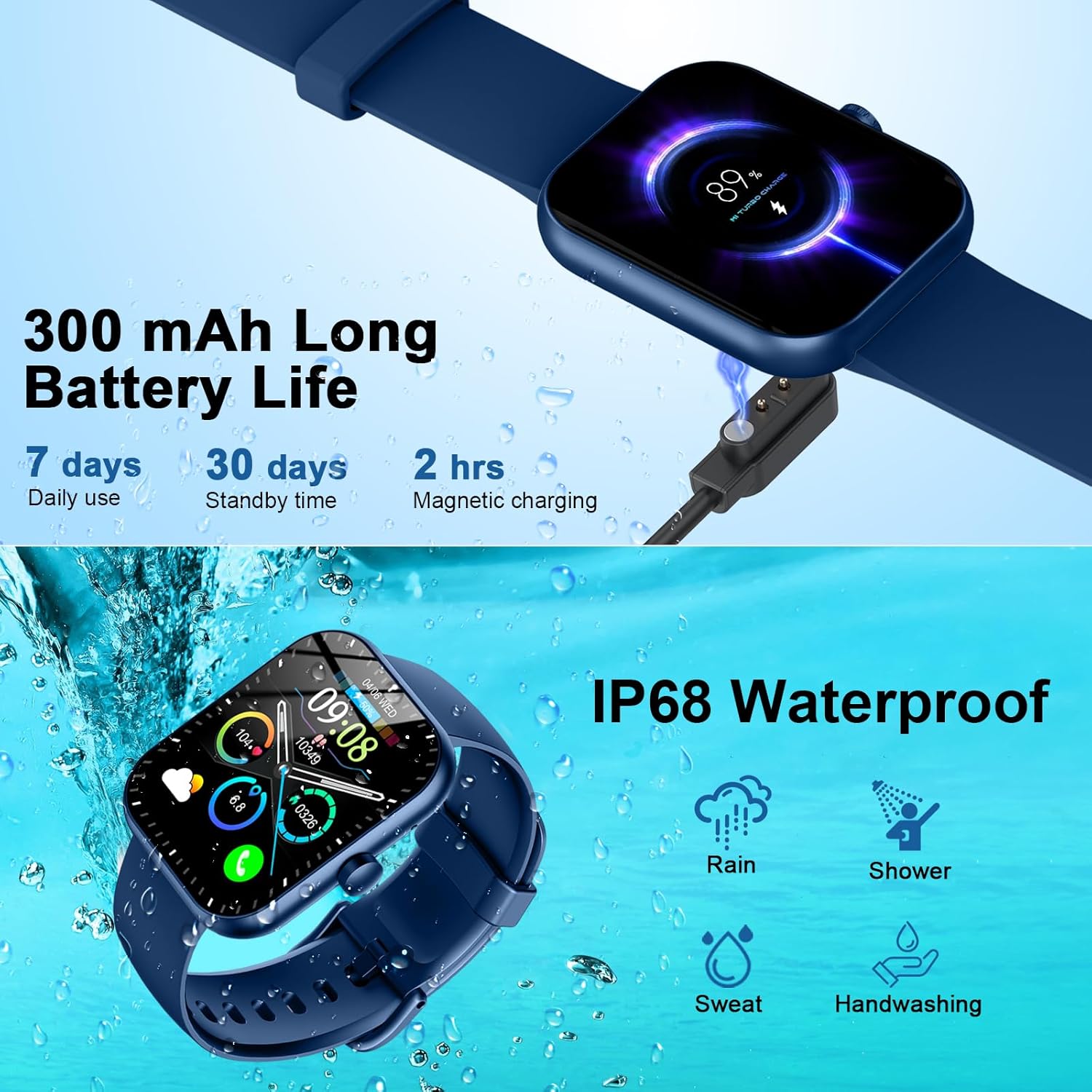
Figure 16: Battery life and magnetic charging details.

Figure 17: Battery capacity and charging method.
7. Vanntetting
The smartwatch is IP68 waterproof, meaning it is resistant to dust and can withstand immersion in water up to 1.5 meters for 30 minutes. You can wear it while washing hands or in the rain. Note: Do not use in showers, saunas, or hot tubs, as steam and hot water can damage the device.
Figure 18: IP68 Waterproof rating for the smartwatch.
8. Vedlikehold
- Keep the watch clean and dry. Wipe it with a soft, dry cloth regularly.
- Unngå å utsette klokken for ekstreme temperaturer eller direkte sollys over lengre perioder.
- Do not attempt to disassemble or repair the watch yourself. Contact customer support if issues arise.
- Ensure the charging contacts on the back of the watch and the charging cable are clean to prevent charging issues.
9. Feilsøking
- Klokken slår seg ikke på: Sørg for at klokken er fulladet. Koble den til den magnetiske laderen i minst 30 minutter.
- Kan ikke kobles til telefonen: Make sure Bluetooth is enabled on your phone and the watch is within range. Restart both devices and try pairing again through the GloryFit App.
- Varsler ikke mottatt: Check app notification settings on your phone and within the GloryFit App to ensure they are enabled for the watch. Ensure the watch is connected via Bluetooth.
- Unøyaktige helsedata: Sørg for at klokken sitter tett på håndleddet, ikke for stramt eller for løst. Hold sensoren ren.
- Ladeproblemer: Verify the magnetic charging cable is properly aligned with the contacts on the back of the watch. Try a different USB power source.
10. Spesifikasjoner
| Trekk | Detalj |
|---|---|
| Modellnummer | 6db02fca-707d-49d2-b627-85fa94df7f3f |
| Skjermstørrelse | 1.96 tommer |
| Visningstype | TFT HD Color Display (320*386 resolution) |
| Tilkobling | Bluetooth 5.3 |
| Vanntett vurdering | IP68 |
| Batterikapasitet | 300 mAh (1 A battery included) |
| Ladetid | 1.5-2 timer |
| Batterilevetid (daglig bruk) | 5-7 dager |
| Batterilevetid (standby) | 30 dager |
| Kompatibilitet | Android 6.0+ / iOS 10.0+ |
| Varevekt | 3.2 unser |
| Produsent | Motast |
11. Garanti og støtte
For warranty information and customer support, please refer to the contact details provided in your product packaging or visit the official Motast webnettstedet. Ta vare på kjøpskvitteringen for garantikrav.