
Introduksjon
Thank you for choosing the hOmeLabs 25 Pint Wi-Fi Dehumidifier. This manual provides essential information for the safe operation, maintenance, and troubleshooting of your new appliance. Designed for efficient moisture removal in spaces up to 3,500 sq ft, this dehumidifier features Wi-Fi smart control, quiet operation, and flexible drainage options to enhance your indoor environment.
Viktige sikkerhetsinstruksjoner
Please read all instructions carefully before using the dehumidifier. Failure to follow these instructions may result in electric shock, fire, or serious injury.
- Koble alltid avfukteren til en jordet stikkontakt.
- Ikke bruk enheten hvis strømledningen eller støpselet er skadet.
- Sørg for at enheten er plassert på en jevn og stabil overflate for å forhindre at den velter.
- Ikke blokker luftinntak eller -utløp. Hold minst 8 cm klaring rundt enheten.
- Trekk ut støpselet til avfukteren før rengjøring, flytting eller vedlikehold.
- Ikke bruk enheten i områder der det oppbevares brennbare væsker eller gasser.
- Dette apparatet er kun for boligbruk.
- Hold barn og kjæledyr unna enheten under drift.
Produkt overview
Familiarize yourself with the components of your hOmeLabs dehumidifier.

The hOmeLabs 25 Pint Wi-Fi Dehumidifier shown alongside its blue and white product packaging, highlighting its compact design and brand.

An illustration showing the dimensions of the dehumidifier: 19.6 inches high, 12.2 inches wide, and 8.2 inches deep, emphasizing its compact form factor.

A close-up of the dehumidifier's control panel, displaying buttons for Wi-Fi, fan speed, timer, comfort mode, and indicators for tank full and filter status.

The dehumidifier positioned in a gym setting next to a yoga mat, illustrating its compact design and emphasizing its ultra-quiet operation at 47 dB.
Nøkkelkomponenter:
- Kontrollpanel: Digital display and buttons for settings.
- Luftinntak/uttak: Where air enters and exits the unit.
- Vanntank: Removable bucket for collected moisture.
- Kontinuerlig dreneringsuttak: Port for connecting a drain hose for continuous operation.
- Caster Wheels & Handle: For enkel portabilitet.
- Vaskbart filter: Located at the back for air purification.
Oppsettinstruksjoner
- Utpakking: Ta avfukteren forsiktig ut av emballasjen. Ta vare på emballasjematerialene for senere oppbevaring eller transport.
- Plassering: Place the unit upright on a firm, level surface in the area where dehumidification is desired. Ensure there is at least 8 inches (20 cm) of space around all sides of the unit for proper airflow. Avoid placing it near heat sources or in direct sunlight.
- Strømtilkobling: Plug the power cord into a grounded 110-120V/60Hz electrical outlet. The unit will beep once, and the display will light up.
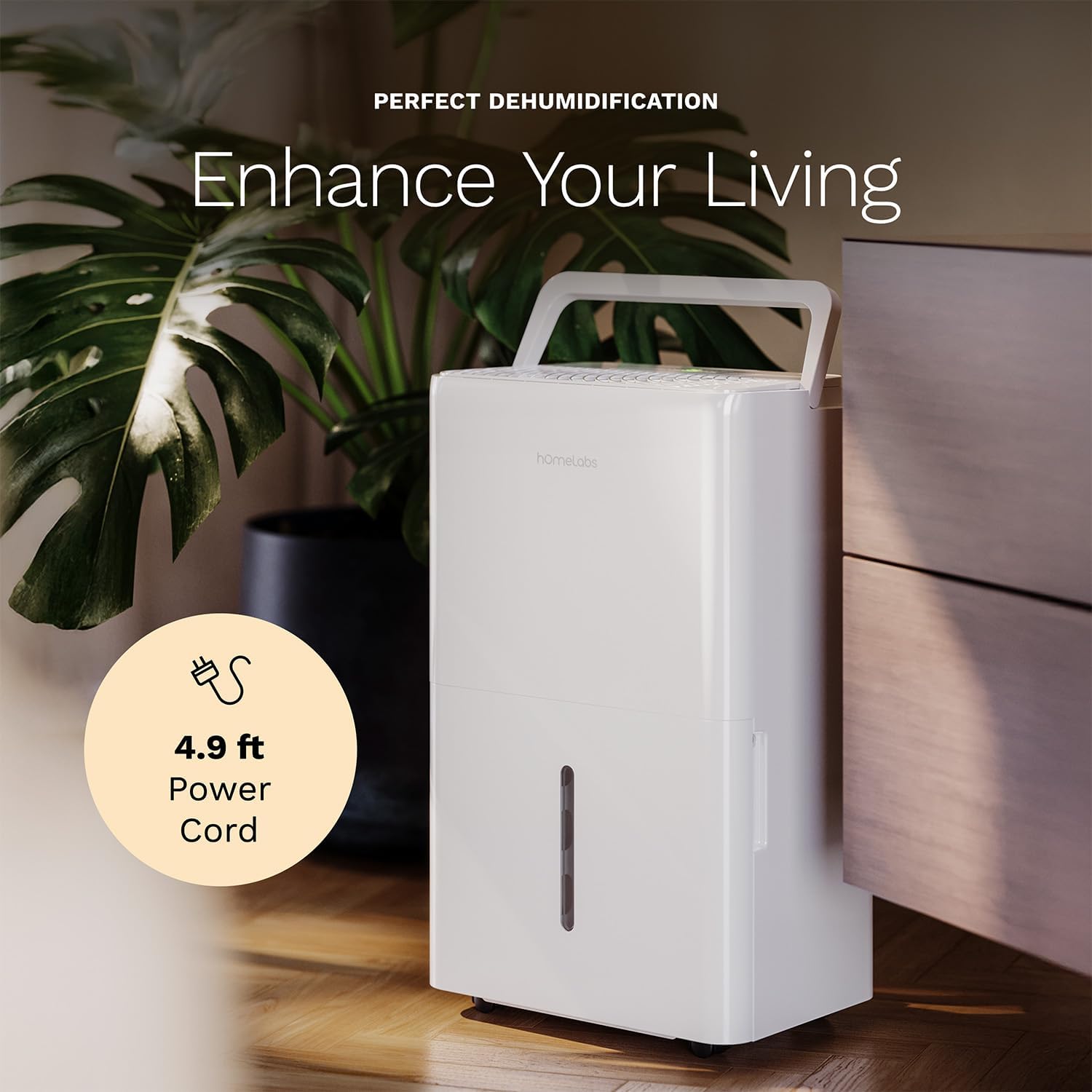
The dehumidifier positioned in a room, highlighting its 4.9 ft power cord for flexible placement.
- Drainage Option (Optional):

An image illustrating the two drainage options: using the built-in tank (manual emptying) or connecting a gravity drain hose for continuous drainage.
- Manuell drenering: The unit will collect water in the internal tank. When the tank is full, the unit will automatically shut off and indicate "Tank Full". Empty the tank as described in the Maintenance section.
- Kontinuerlig drenering: For continuous operation without emptying the tank, attach the included drain hose to the continuous drain outlet. Ensure the hose is sloped downwards to a suitable drain (e.g., floor drain, large bucket) to allow gravity drainage.
Bruksanvisning
Kontrollpanelfunksjoner:
- Strømknapp: Trykk for å slå enheten PÅ eller AV.
- Knapper for fuktighetsinnstilling (+/-): Adjust the desired humidity level from 35% to 85% relative humidity (RH) in 5% increments.
- Viftehastighetsknapp: Cycle through High, Medium, and Low fan speeds.
- Timerknapp: Set a timer for automatic ON/OFF operation (1-24 hours).
- Comfort Mode Button: Activates a preset humidity level for optimal comfort.
- Wi-Fi-knapp: Activates Wi-Fi pairing mode.
Wi-Fi smart kontroll:
Your dehumidifier can be controlled remotely via Wi-Fi using a smartphone app, Google Assistant, or Alexa.

The dehumidifier shown with icons indicating compatibility with Google Home and Alexa, along with a smartphone icon representing app control for remote operation.
- Last ned app: Download the hOmeLabs app from your smartphone's app store (iOS or Android).
- Paring: Follow the in-app instructions to pair your dehumidifier with your home Wi-Fi network. This typically involves pressing and holding the Wi-Fi button on the control panel until the indicator light flashes.
- Fjernkontroll: Once paired, you can adjust settings, monitor humidity levels, and set schedules from anywhere using your smartphone.
Vedlikehold
Regelmessig vedlikehold sikrer optimal ytelse og forlenger levetiden til avfukteren din.
Tømme vanntanken:
- When the water tank is full, the "Tank Full" indicator will illuminate, and the unit will stop operating.
- Trekk vanntanken forsiktig ut fra forsiden av enheten.
- Tøm det oppsamlede vannet i en vask eller et avløp.
- Skyv den tomme tanken tilbake i enheten til den klikker på plass. Enheten vil gjenoppta driften.
Rengjøring av luftfilteret:
The "Filter" indicator light will illuminate after 250 hours of operation, reminding you to clean the filter. Clean the filter every two weeks or more frequently depending on usage and air quality.
- Slå av avfukteren og trekk støpselet ut av stikkontakten.
- Fjern luftfilteret fra baksiden av enheten.
- Vask filteret med varmt såpevann. Skyll grundig.
- La filteret lufttørke helt før du monterer det på nytt. Ikke bruk tørketrommel eller direkte varme.
- Once the filter is reinstalled, press and hold the "Filter" button for 3 seconds to reset the filter timer.
Generell rengjøring:
- Tørk av utsiden av enheten med en myk, damp klut.
- Ikke bruk sterke kjemikalier, slipemidler eller løsemidler.
- Rengjør vanntanken regelmessig for å forhindre mugg- og soppvekst.
Feilsøking
Se denne delen for vanlige problemer og løsninger på disse.
| Problem | Mulig årsak | Løsning |
|---|---|---|
| Avfukteren slår seg ikke på. | Ingen strøm; Strømledningen er ikke koblet til; Tanken er full. | Check power supply; Plug in power cord securely; Empty water tank. |
| Enheten går, men samler ikke opp vann. | Humidity setting too high; Room temperature too low; Air filter clogged. | Lower desired humidity setting; Ensure room temperature is above 41°F (5°C); Clean air filter. |
| Enheten er støyende. | Enheten er ikke i vater; Luftfilteret er tett; Viften er blokkert. | Plasser på en jevn overflate; Rengjør luftfilteret; Sjekk for hindringer i vifteområdet. |
| Problemer med Wi-Fi-tilkoblingen. | Incorrect Wi-Fi password; Router too far; App issues. | Verify Wi-Fi password; Move unit closer to router; Restart app/unit. |
Spesifikasjoner
| Trekk | Detalj |
|---|---|
| Merke | hOmeLabs |
| Modellnavn | hOmelabs - Dehumidifier - 25 Pint - WIFI (HME0088) |
| Avfuktingskapasitet | 25 Pints per Day (at 80°F, 60%RH) / MAX 64 Pints (at 95°F, 90%RH) |
| Dekningsområde | Opptil 3,500 Sq Ft |
| Tankvolum | 1 gallon |
| Produktdimensjoner (D x B x H) | 8.2" D x 12.2" B x 19.6" H |
| Varevekt | 27.1 pund |
| Driftsmodus | Automatisk |
| Spesielle funksjoner | Adjustable Humidity Control, Automatic Defrost, Automatic Moisture Removal, Automatic Shutoff, Bucket Storage, Digital Display, Portable, Quiet Operation, Removable Tank, Timer, Washable Filter, Wi-Fi Enabled |
| Energieffektivitet | Energy Star Most Efficient 2024 Certified |
Garanti og støtte
Your hOmeLabs 25 Pint Wi-Fi Dehumidifier comes with a standard manufacturer's warranty. For detailed warranty information, please refer to the official warranty document provided with your purchase or visit the hOmeLabs webnettstedet.
Garantidokument: Last ned garanti (PDF)
For technical support, troubleshooting assistance, or to inquire about replacement parts, please contact hOmeLabs customer service. Contact information can typically be found on the hOmeLabs webnettstedet eller i produktemballasjen din.