
1. Introduksjon
This manual provides essential instructions for the safe operation, setup, maintenance, and troubleshooting of your ARRIS WPL C24-1 RC Rock Crawler. Please read this manual thoroughly before using the product to ensure proper function and longevity.

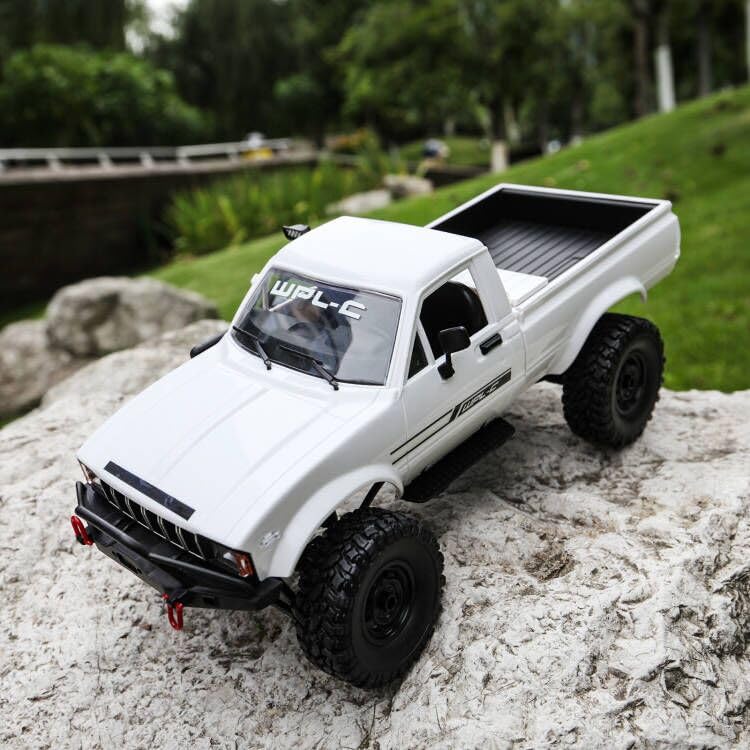
Image: The ARRIS WPL C24-1 RC Rock Crawler, showcasing its detailed design and robust tires.
2. Sikkerhetsinformasjon
Always operate the RC vehicle in a safe and responsible manner. Failure to follow these safety guidelines may result in injury or damage to the product or property.
- Hold hender, hår og løse klær unna bevegelige deler.
- Ikke bruk i nærheten av mennesker, kjæledyr eller hindringer.
- Avoid operating in wet conditions or near water unless the product is specifically designed for it.
- Sørg for at batteriene lades riktig og håndteres forsiktig.
- Voksentilsyn anbefales for brukere under 15 år.
3. Pakkens innhold
Bekreft at alle varene som er oppført nedenfor er inkludert i pakken din:
- ARRIS WPL C24-1 RC Rock Crawler (1 unit)
- Remote Control Transmitter (1 unit)
- Rechargeable Battery (1 unit, 7.4V 500mAh)
- Ladekabel (1 enhet)
- Bruksanvisning (dette dokumentet)
4. Oppsettveiledning
4.1. Lading av bilbatteriet
The vehicle battery (7.4V 500mAh) requires charging before first use. A full charge takes approximately 2 hours and provides about 30 minutes of operation.
- Locate the battery compartment on the underside of the RC crawler.
- Connect the rechargeable battery to the provided charging cable.
- Plug the charging cable into a suitable USB power source (e.g., computer USB port, USB wall adapter).
- The indicator light on the charging cable will show the charging status (refer to charger instructions for specific light patterns).
- Once fully charged, disconnect the battery from the charger and install it into the vehicle's battery compartment.
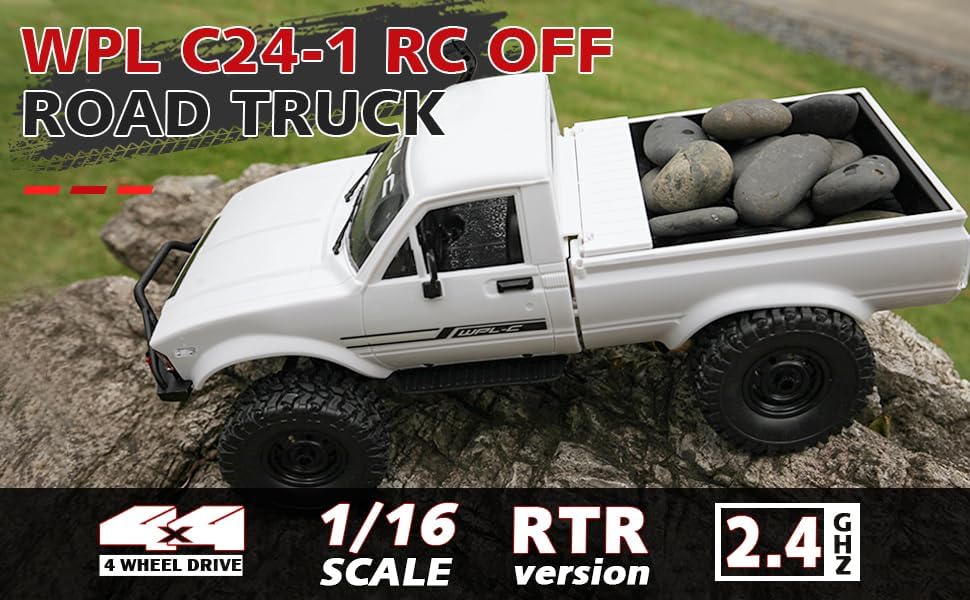
Image: Underside of the RC crawler, highlighting the battery and chassis components.
4.2. Installere fjernkontrollbatterier
The remote control requires 1 C battery (included). Ensure correct polarity when installing.
- Åpne batteridekselet på baksiden av fjernkontrollen.
- Insert the C battery according to the polarity markings (+/-).
- Lukk batteridekselet godt.
4.3. Pare fjernkontrollen
The RC crawler and remote control are typically pre-paired. If re-pairing is necessary:
- Turn on the RC crawler using the switch located on the chassis.
- Slå på fjernkontrollen.
- The indicator light on the remote control should stop flashing and remain solid, indicating a successful connection.
- If the connection fails, turn both devices off and repeat the process.
5. Bruksanvisning
5.1. Grunnleggende kontroller
- Gassutløser: Trekk for å bevege deg fremover, skyv for å bremse/reversere.
- Ratt: Sving til venstre for å svinge til venstre, sving til høyre for å svinge til høyre.
- Trimjusteringer: Use the trim dials on the remote to fine-tune steering and throttle if the vehicle pulls to one side or moves without input.
5.2. Kjøretips
The ARRIS WPL C24-1 is designed for off-road crawling. Its 4WD system and independent suspension allow it to navigate various terrains.
- For optimal crawling, use slow and controlled throttle inputs.
- Experiment with steering angles to overcome obstacles.
- The vehicle features highlight LED lights for improved visibility in low-light conditions.

Image: The RC crawler navigating a challenging rocky path, demonstrating its off-road capabilities.

Image: The RC crawler traversing sandy terrain, showcasing its 4WD design.
6. Vedlikehold
6.1. Rengjøring
After each use, especially in dusty or dirty conditions:
- Use a soft brush or compressed air to remove dirt and debris from the chassis, wheels, and suspension.
- Tørk av kroppen med annonseamp klut. Ikke bruk sterke kjemikalier.
- Ensure no moisture enters electronic components.
6.2. Batteripleie og oppbevaring
- Koble alltid batteriet fra kjøretøyet når det ikke er i bruk.
- Oppbevar batterier på et kjølig og tørt sted, unna direkte sollys og ekstreme temperaturer.
- Ikke overlad eller overutlad batterier.
6.3. Komponentinspeksjon
Regularly inspect the following components for wear or damage:
- Wheels and tires for damage or excessive wear.
- Suspension components (shocks, springs, linkages).
- Steering mechanism for smooth operation.
- All screws and fasteners for tightness.
7. Feilsøking
| Problem | Mulig årsak | Løsning |
|---|---|---|
| Vehicle does not respond. | Low vehicle battery; Low remote control battery; Not paired. | Charge vehicle battery; Replace remote control battery; Re-pair remote control. |
| Kjøretøyet beveger seg sakte eller ujevnt. | Low vehicle battery; Obstruction in drivetrain; Motor issue. | Charge vehicle battery; Clear obstructions; Contact support if motor issue persists. |
| Styringen er uregelmessig eller reagerer ikke. | Steering trim incorrect; Damaged servo; Obstruction. | Adjust steering trim; Inspect servo for damage; Clear obstructions. |
| Kort driftsrekkevidde. | Interference; Low remote control battery. | Move to an area with less interference; Replace remote control battery. |
8. Produktspesifikasjoner
| Trekk | Detalj |
|---|---|
| Modellnummer | WPL C24-1 |
| Merke | ARRIS |
| Skala | 1:16 |
| Produktdimensjoner | 12.2 x 5.78 x 4.44 tommer |
| Varevekt | 2.4 pund |
| Materiale | ABS + metall |
| Motor | 180 børstet motor |
| Batteri (kjøretøy) | 7.4V 500mAh (included) |
| Ladetid | Ca. 2 timer |
| Driftstid | Ca. 30 minutter |
| Frekvens for fjernkontroll | 2.4 GHz |
| Kontrollavstand | Over 35 meter |
| Maks hastighet | 20 km/t |
| Anbefalt alder | 15 år og oppover |
Bilde: Side view of the RC crawler with key dimensions indicated.

Bilde: Detaljert view of the RC crawler's chassis, showing components like the motor, suspension, and drive shafts.
9. Garanti og støtte
ARRIS products are manufactured to high-quality standards. For warranty information or technical support, please refer to the official ARRIS webnettstedet eller kontakt kundeservice via kjøpsplattformen din.
Ta vare på kjøpskvitteringen som kjøpsbevis for eventuelle garantikrav.
For ytterligere hjelp, vennligst besøk ARRIS-butikken på Amazon.