
1. Introduksjon
Thank you for choosing the ANJANK 4-in-1 Wireless Charging Station Alarm Clock. This device is designed to simplify your charging experience by providing a centralized solution for your iPhone, Apple Watch, and AirPods, along with an integrated digital alarm clock. Please read this manual carefully to ensure proper use and optimal performance.
2. Sikkerhetsinformasjon
- Ikke utsett enheten for vann, fuktighet eller ekstreme temperaturer.
- Unngå å miste eller utsette enheten for sterke støt.
- Ikke forsøk å demontere, reparere eller modifisere enheten.
- Use only the provided power adapter and cable.
- Ensure proper ventilation; do not cover the cooling vents.
- Viktig merknad: Denne enheten er not compatible with Samsung Watch modeller.
- For phone charging, remove any metal objects, magnetic pads, pop-out grips, built-in card slots, or extra-thick cases (exceeding 5mm) from your phone before placing it on the charging pad.
3. Pakkens innhold
Vennligst sjekk pakken for følgende varer:
- ANJANK 4-in-1 Wireless Charging Station
- 1.5m Type-C Charging Cable
- 18W strømadapter
- Brukerhåndbok
4. Produktet er overview

Image: The ANJANK 4-in-1 Wireless Charging Station, showcasing its ability to charge an iPhone, Apple Watch, and AirPods simultaneously, with the digital clock displaying the time.
The ANJANK 4-in-1 Wireless Charging Station integrates multiple functions into a compact design. It features dedicated wireless charging areas for your smartphone, Apple Watch, and AirPods, along with a digital alarm clock display. The device is powered by a single Type-C cable and an 18W power adapter.
5. Installasjonsinstruksjoner
- Connect the provided Type-C charging cable to the Type-C input port on the back of the charging station.
- Plug the other end of the Type-C cable into the 18W power adapter.
- Insert the power adapter into a standard wall outlet. The digital clock display will illuminate, indicating the device is powered on and ready for use.

Image: Illustration demonstrating how the ANJANK charging station helps reduce cable clutter on a desk.
6. Bruksanvisning
6.1. Ladeenheter
This station allows simultaneous wireless charging for your compatible Apple devices.

Image: The charging station actively charging an iPhone, Apple Watch, and AirPods, demonstrating its 3-in-1 capability.
- For iPhone: Place your iPhone vertically on the front charging stand. Ensure the phone is centered on the charging area. The charging indicator on your phone will confirm charging has begun. The device supports charging through phone cases up to 5mm thick.
- For Apple Watch: Place your Apple Watch on the magnetic charging module located at the top of the stand. The watch will magnetically snap into place, and charging will begin automatically.
- For AirPods: Place your AirPods case (with wireless charging capability) on the flat charging pad at the base of the stand. Ensure the case is centered. The charging indicator on your AirPods case will confirm charging.
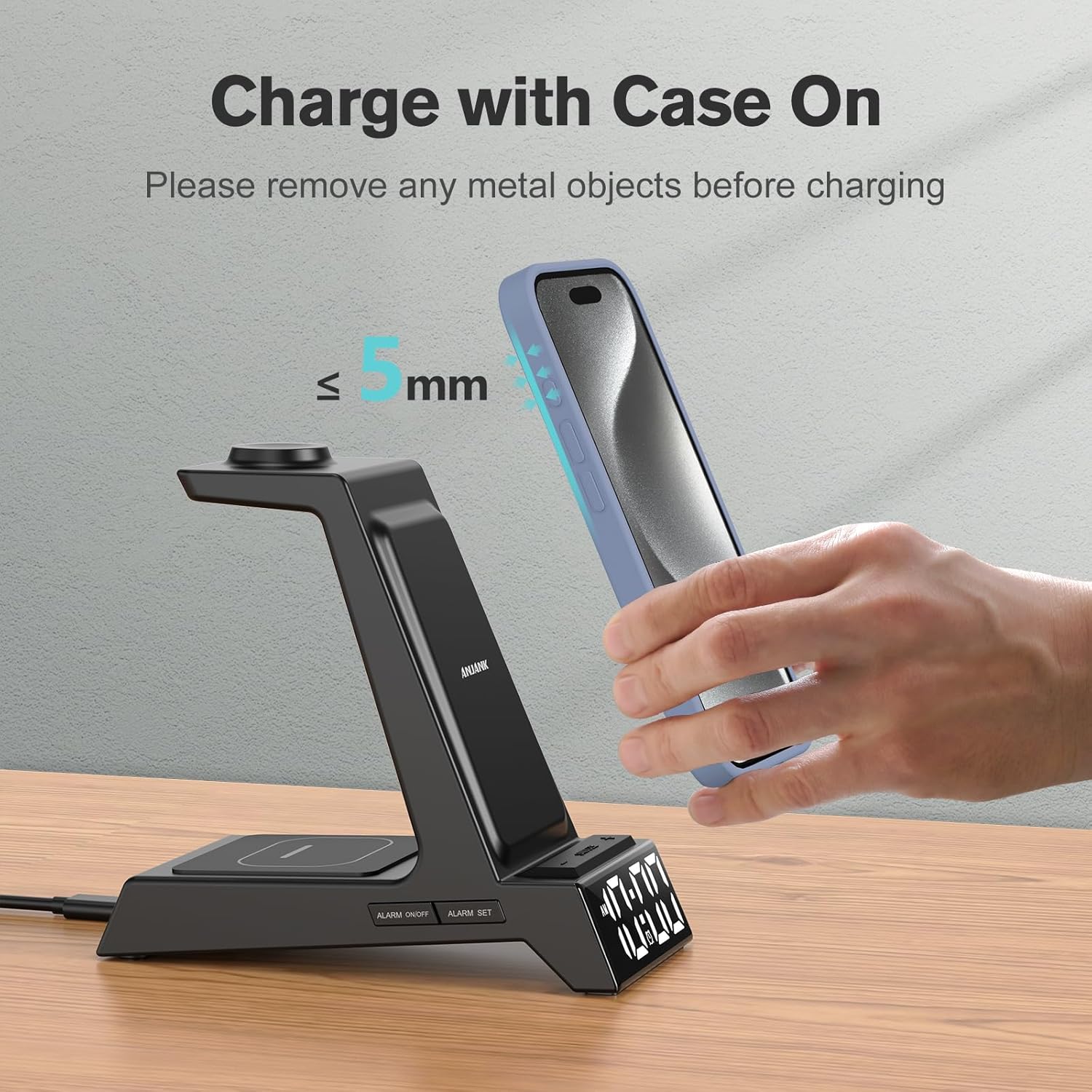
Image: Visual guide for charging a phone with a case, highlighting the 5mm case thickness limit.
6.2. Vekkerklokkefunksjoner
The integrated digital alarm clock offers customizable settings.

Image: The charging station functioning as a bedside alarm clock, illustrating its dimmable display and volume control features.
- Innstillingstid: Use the 'TIME' button to enter time setting mode. Use the '+' and '-' buttons to adjust hours and minutes. Press 'TIME' again to confirm. You can switch between 12-hour and 24-hour formats using the '12/24H' button.
- Stille inn alarm: Use the 'ALARM SET' button to enter alarm setting mode. Use the '+' and '-' buttons to set the desired alarm time. Press 'ALARM SET' again to confirm. The alarm icon will appear on the display.
- Snooze-funksjon: When the alarm sounds, press any button (except 'ALARM ON/OFF') to activate the 9-minute snooze function.
- Justering av alarmvolum: The alarm features 3 adjustable volume levels. Refer to the device controls for specific volume adjustment buttons (usually integrated with '+' and '-' or a dedicated volume button).
- Justering av skjermens lysstyrke: The LED display has 6 dimming levels. Use the 'DIMMER' button (or similar icon) to cycle through brightness settings, including a lowest setting for sensitive sleepers.
7. Kompatibilitet
The ANJANK 4-in-1 Wireless Charging Station is designed for wide compatibility with Apple devices and select other models:

Image: A visual representation of the wide compatibility of the charging station with various Apple devices.
- iPhone: iPhone 17/17 Pro/17 Pro Max/Air, iPhone 16/16 Plus/16 Pro Max/16 Pro, iPhone 15/15 Plus/15 Pro Max/15 Pro, iPhone 14/14 Plus/14 Pro Max/14 Pro, iPhone 13/13 Mini/13 Pro/13 Pro Max, iPhone 12 Pro/12/12 Mini, iPhone 11/11 Pro/11 Pro Max, iPhone XS/XS MAX/X/XR/8/8 Plus.
- Apple Watch: Apple Watch 11/10/9/8/7/6/5/SE/SE 2/SE 3/Ultra/Ultra 2/Ultra 3. (Note: Not compatible with Samsung Watch).
- AirPods: AirPods Pro 3/Pro 2/Pro, AirPods 4/3/2. (Note: Not compatible with AirPods 4 without Active Noise Cancellation).
- Other Compatible Devices (Wireless Charging): LG VS980/G3/G6/G6+/G7/G7 ThinQ/G7+ ThinQ/G8/G8 ThinQ; Google Pixel 3/3XL, Nexus 4/5/6; Sony Xperia Z3v(D6708), XZ2, XZ2 Premium, XZ3; Nokia Lumia 720/735/810/820/822/830; HTC PH98100/PG32100/PJ53100/PL83200/PM23100.
8. Vedlikehold
- Rengjøring: Koble fra strømmen før rengjøring. Bruk en myk, tørr klut til å tørke av overflaten på ladestasjonen. Ikke bruk slipende rengjøringsmidler eller løsemidler.
- Lagring: Når enheten ikke er i bruk over lengre tid, oppbevar den på et kjølig og tørt sted, unna direkte sollys.
- Ventilasjon: Ensure the back and bottom cooling vents remain clear and unobstructed to maintain optimal performance and safety.

Image: Illustration highlighting the bottom and back ventilation design for efficient heat dissipation.
9. Feilsøking
| Utgave | Mulig løsning |
|---|---|
| Device not powering on / Clock not displaying | Ensure the power adapter is securely connected to both the charging station and a working wall outlet. Verify the power outlet is active. |
| Enheten lader ikke |
|
| Alarmen går ikke | Verify that the alarm time is set correctly and the alarm function is activated (alarm icon visible on display). Check the alarm volume setting. |
| Skjermen er for lys/svak | Use the 'DIMMER' button to adjust the display brightness to your preference. |
| Overoppheting under lading | Ensure the cooling vents on the back and bottom of the device are not obstructed. Remove any phone cases that might trap heat. If overheating persists, discontinue use and contact customer support. |
10. Spesifikasjoner
| Trekk | Detalj |
|---|---|
| Modellnummer | AC199 |
| Merke | ANJANK |
| Inngang Voltage | 220 volt |
| Ampslette | 0.5 Amps |
| Varevekt | 10.6 unser |
| Pakkedimensjoner | 6.42 x 6.14 x 3.11 tommer |
| Koblingstype | Adapter, USB Type C |
| Spesielle funksjoner | Alarm Clock, Display Dimmer, Adjustable Volume, Snooze, 12/24H Time Mode, Space-Saving Design, Wireless Charging |
11. Garanti og støtte
ANJANK is committed to providing quality products and customer satisfaction. If you encounter any issues or have questions regarding your ANJANK 4-in-1 Wireless Charging Station, please do not hesitate to contact our customer service team. We aim to offer the best solution within 24 hours.
For support, please refer to the contact information provided with your purchase or visit the official ANJANK store page on Amazon: ANJANK Store