
MONSGA MS1 MAX

MONSGA MS1 MAX Robot Vacuum and Mop Combo User Manual
Model: MS1 MAX
1. Introduksjon
Thank you for choosing the MONSGA MS1 MAX Robot Vacuum and Mop Combo. This manual provides essential information for the safe operation, maintenance, and troubleshooting of your device. Please read it thoroughly before first use and keep it for future reference.

Figure 1.1: MONSGA MS1 MAX Robot Vacuum and Mop Combo with accessories.
2. Viktige sikkerhetsinstruksjoner
Følg alltid grunnleggende sikkerhetsregler når du bruker elektriske apparater for å redusere risikoen for brann, elektrisk støt eller skade.
- Les alle instruksjonene før du bruker apparatet.
- Do not operate the robot vacuum in areas with open flames or flammable liquids.
- Sørg for at ladedokken er plassert på en jevn overflate inntil en vegg, med klaring rundt den.
- Hold hår, løse klær, fingre og alle deler av kroppen unna åpninger og bevegelige deler.
- Do not allow children to play with the robot vacuum.
- Bruk kun som beskrevet i denne håndboken. Bruk kun produsentens anbefalte tilbehør.
3. Produktkomponenter
The MONSGA MS1 MAX includes the following main components:
- MONSGA MS1 MAX Robot Vacuum
- Self-Emptying Station/Charging Dock
- Fjernkontroll
- Dust Bags (3.5L capacity, 2 pre-installed, 3 extra included)
- Sidebørster
- Hovedbørste
- Mop Pad and Water Tank
- Strømadapter
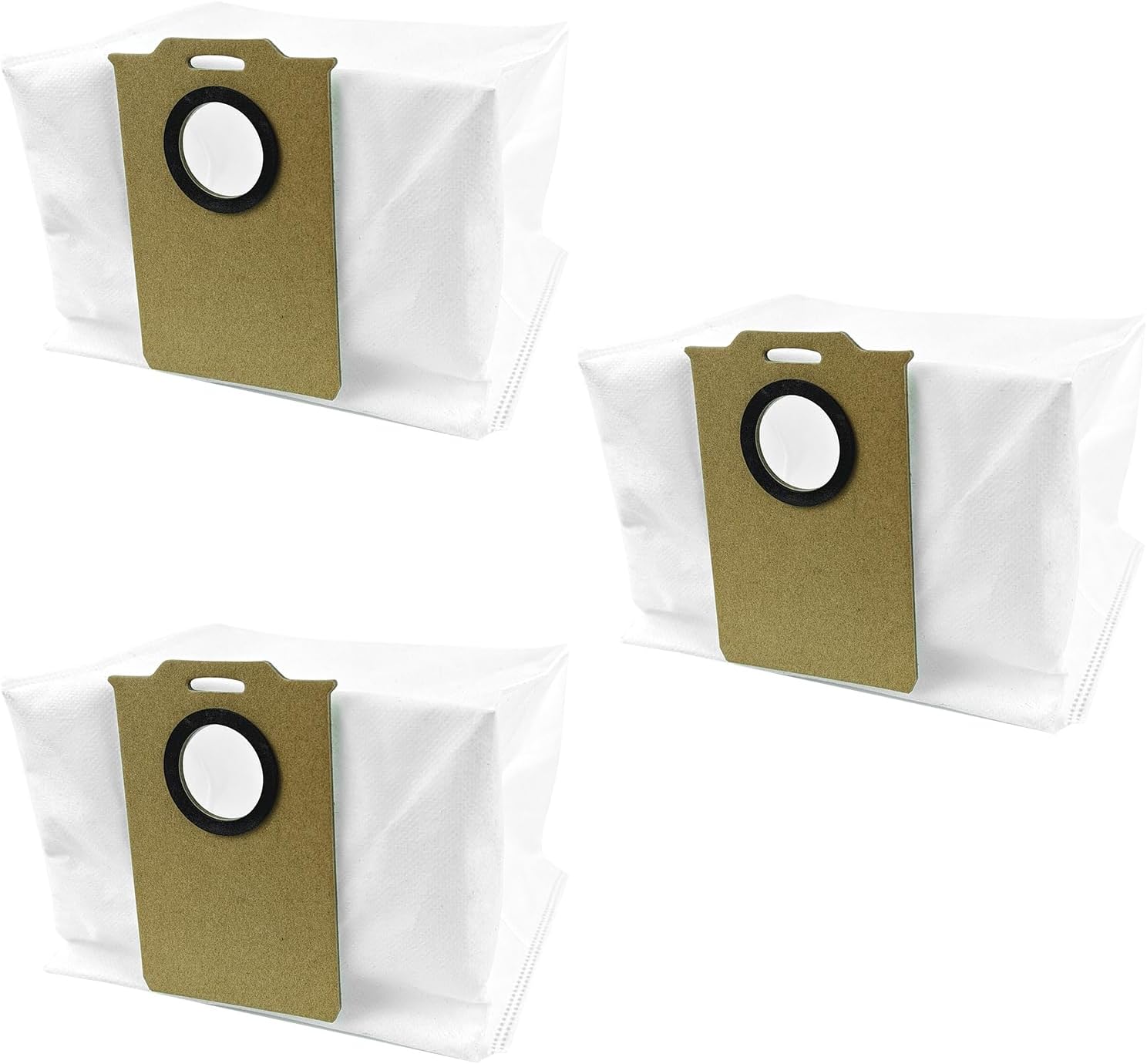
Figure 3.1: Included 3.5L replacement dust bags.
4. Oppsettveiledning
4.1 Utpakking
Fjern alle komponentene forsiktig fra emballasjen. Ta vare på emballasjen for senere oppbevaring eller transport.
4.2 Plassering av ladestasjon
Place the self-emptying station/charging dock against a wall in an open area. Ensure there is at least 0.5 meters (1.6 feet) of clear space on both sides and 1.5 meters (4.9 feet) in front of the dock for optimal navigation and return.

Figure 4.1: Robot vacuum interacting with the self-emptying station.
4.3 Innledende lading
Place the robot vacuum on the charging dock. Ensure the charging contacts align. The robot will begin charging automatically. For first use, it is recommended to fully charge the robot before operation.
4.4 Apptilkobling (valgfritt)
Download the "Smart Life" app from your mobile app store. Follow the in-app instructions to connect your MONSGA MS1 MAX to your home 2.4GHz Wi-Fi network. This enables advanced features like custom cleaning schedules, zone cleaning, and remote control.

Figure 4.2: Customizing cleaning with the Smart Life app.
5. Bruksanvisning
5.1 Starte en rengjøringssyklus
- Via robotknappen: Press the power button on the robot once to start an automatic cleaning cycle.
- Via fjernkontroll: Bruk fjernkontrollen til å starte, sette på pause eller styre roboten.
- Via mobilapp: Use the "Smart Life" app to initiate cleaning, select cleaning modes, or set schedules.
- Via stemmekontroll: Integrate with Apple Siri, Amazon Alexa, or Google Assistant for voice commands (requires app setup).

Figure 5.1: Multiple control methods for the robot vacuum.
5.2 Rengjøringsmoduser
The MONSGA MS1 MAX supports various cleaning modes:
- Kun støvsuger: For tørt rusk og generell gulvrengjøring.
- Kun mopp: For wet mopping hard floors (ensure water tank is filled and mop pad attached).
- Støvsuging og mopp: Samtidig støvsuging og mopping for omfattende rengjøring.

Figur 5.2: Tilgjengelige rengjøringsmoduser.
5.3 Navigasjon og kartlegging
The robot utilizes 360° efficient intelligent Lidar navigation for accurate room mapping and efficient cleaning paths. It can map multiple floors (up to 5F) and store these maps for customized cleaning.

Figure 5.3: Lidar navigation and multi-floor mapping.
5.4 Auto Recharge and Resume
When the battery is low, the robot will automatically return to the charging dock. Once sufficiently charged, it will resume cleaning from where it left off to complete the cleaning task.

Figure 5.4: Auto recharge and resume cleaning function.
6. Vedlikehold
Regular maintenance ensures optimal performance and extends the lifespan of your MONSGA MS1 MAX.
6.1 Self-Emptying Station Dust Bag Replacement
The 3.5L dust bag in the self-emptying station can hold up to 60 days of debris. Replace the dust bag when the indicator light on the station signals it is full, or approximately every 60 days, depending on usage.
- Open the lid of the self-emptying station.
- Carefully pull out the full dust bag. The bag's opening will automatically seal to prevent dust leakage.
- Kast den fulle støvposen.
- Sett en ny støvpose inn i sporet, og sørg for at den sitter ordentlig på plass.
- Close the lid of the self-emptying station.
6.2 Rengjøring av hovedbørste og sidebørste
Inspect and clean the main brush and side brushes weekly. Remove any tangled hair or debris using the cleaning tool provided.
6.3 Dustbin and Filter Cleaning (Robot)
Even with the self-emptying station, it is recommended to periodically check and clean the robot's internal dustbin and filter, especially if you notice reduced suction.
6.4 Rengjøring av moppepute
After each mopping session, remove the mop pad and wash it thoroughly. Allow it to air dry completely before reattaching.
6.5 Sensorrengjøring
Wipe the robot's sensors (cliff sensors, wall sensors, charging contacts) with a clean, dry cloth monthly to ensure proper navigation and charging.
7. Feilsøking
If you encounter issues with your MONSGA MS1 MAX, refer to the table below for common problems and solutions.
| Problem | Mulig årsak | Løsning |
|---|---|---|
| Roboten slår seg ikke på. | Lavt batteri; Strømmen er slått av. | Lad roboten; Sørg for at strømbryteren er PÅ. |
| Roboten kan ikke gå tilbake til ladestasjonen. | Dock obstructed; Robot too far from dock. | Clear obstacles around dock; Manually place robot closer to dock. |
| Redusert sugekraft. | Full dustbin/dust bag; Clogged filter/main brush. | Empty robot dustbin/replace station dust bag; Clean filter and main brush. |
| Roboten setter seg ofte fast. | Loose cables; Small objects on floor. | Clear floor of obstacles before cleaning. |
| Problemer med apptilkobling. | Incorrect Wi-Fi band (not 2.4GHz); Network issues. | Ensure 2.4GHz Wi-Fi; Restart router and robot; Re-attempt pairing. |
Hvis problemet vedvarer, vennligst kontakt kundestøtte.
8. Produktspesifikasjoner
| Trekk | Detalj |
|---|---|
| Modell | MS1 MAX |
| ASIN | B0F19637BZ |
| Navigasjonstype | 360° Intelligent Lidar |
| Støvposekapasitet (stasjon) | 3.5 Liters (up to 60 days hold) |
| Rengjøringsmoduser | Vacuum Only, Mop Only, Vacuum & Mop |
| Kontrollmetoder | Robot Button, Remote Control, Mobile App (Smart Life), Voice Control (Siri, Alexa, Google Assistant) |
| Wi-Fi-kompatibilitet | Bare 2.4 GHz |
| Første tilgjengelige dato | 12. mars 2025 |
9. Garanti og støtte
MONSGA is committed to providing high-quality products and excellent customer service.
- 24-Month Unlimited Warranty: Your MONSGA MS1 MAX is covered by a 24-month warranty from the date of purchase.
- 30-Day Hassle-Free Return: Nyt 30-dagers returrett for din trygghet.
- 24/7 kundestøtte: Our dedicated support team is available around the clock to assist you with any queries or issues.
- 5-Year Accessories Supply: We ensure the availability of replacement accessories for up to 5 years.

Figure 9.1: MONSGA customer promises.
For support, please visit the official MONSGA website or contact us via the details provided on your purchase receipt.
Ask a question about this manual
Ask about setup, troubleshooting, compatibility, parts, safety, or missing instructions. Manuals+ will review the question and use this page’s manual context to help answer it.