
1. Introduksjon
Thank you for choosing the Powerology Portable Air Compressor Jump Starter. This multi-functional device is designed to provide reliable assistance in various emergency situations, including jump-starting vehicles and inflating tires. Please read this manual thoroughly before use to ensure safe and optimal performance.

Figure 1.1: The Powerology Portable Air Compressor Jump Starter, showcasing its main unit, jump starter cables (red and black clamps), and the air inflation hose. The digital display is visible on the unit.
2. Sikkerhetsinformasjon
Følg alltid følgende sikkerhetsregler for å forhindre skade eller skade på enheten:
- Ikke utsett enheten for ekstreme temperaturer, direkte sollys eller fuktighet.
- Oppbevares utilgjengelig for barn.
- Sørg for tilstrekkelig ventilasjon under drift og lading.
- Ikke demonter eller modifiser enheten. Overlat all service til kvalifisert personell.
- Bruk kun det medfølgende tilbehøret og kablene.
- Avoid short-circuiting the jump starter clamps.
3. Produktet er overview
3.1 Komponenter
- Main Unit (Portable Air Compressor Jump Starter)
- Smart Jump Starter Cables
- Air Inflation Hose
- USB-C ladekabel
- Various Nozzle Adapters for inflation
3.2 Nøkkelfunksjoner
- Batterikapasitet: 8800mAh
- Toppstrøm: 800A (for jump starting)
- Maks. inflasjonstrykk: 150 PSI
- Inflasjonshastighet: 31.4 liter/minutt
- Motorkompatibilitet: Up to 5.0L Gasoline, 3.0L Diesel
- Power Bank funksjon: Dual USB Output, including 20W Power Delivery (PD) via USB-C
- Utstilling: Digital LED screen for real-time pressure and battery status

Figur 3.1: En detaljert view of the digital display on the Powerology unit, indicating battery charge, selectable pressure units (PSI, BAR, KPA, KG/CM²), and control buttons for mode selection and pressure adjustment.
4. Oppsett
4.1 Innledende lading
Before first use, fully charge the device. Connect the provided USB-C charging cable to the device's USB-C input port and the other end to a compatible USB power adapter (not included). The digital display will indicate the charging status. A full charge typically takes approximately 2 hours with a 20W PD charger.
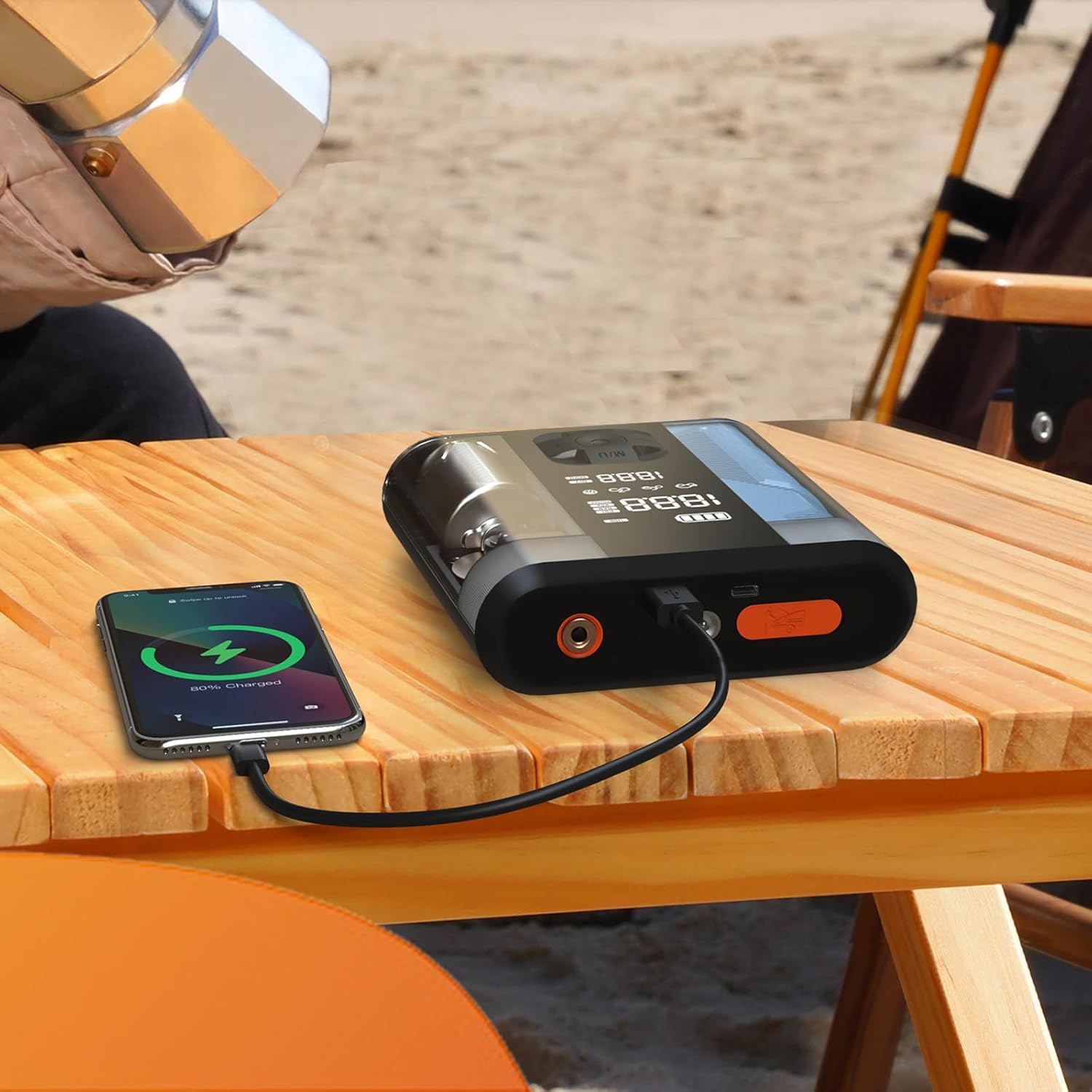
Figure 4.1: The Powerology device connected via USB-C cable to a smartphone, demonstrating its power bank functionality. The phone screen shows a charging indicator.
5. Bruksanvisning
5.1 Hoppstart av et kjøretøy
- Ensure the jump starter is at least 50% charged.
- Slå av bilens tenning og alt tilbehør.
- Koble til den røde (+) clamp til den positive (+) polen på kjøretøyets batteri.
- Koble til den svarte (-) clamp til den negative (-) polen på kjøretøyets batteri.
- Connect the smart cable connector to the jump starter port on the device.
- Start the vehicle. If it doesn't start immediately, wait 30 seconds and try again. Do not attempt more than 3 consecutive starts.
- Once the vehicle starts, disconnect the smart cable from the jump starter, then remove the black (-) clamp, followed by the red (+) clamp.
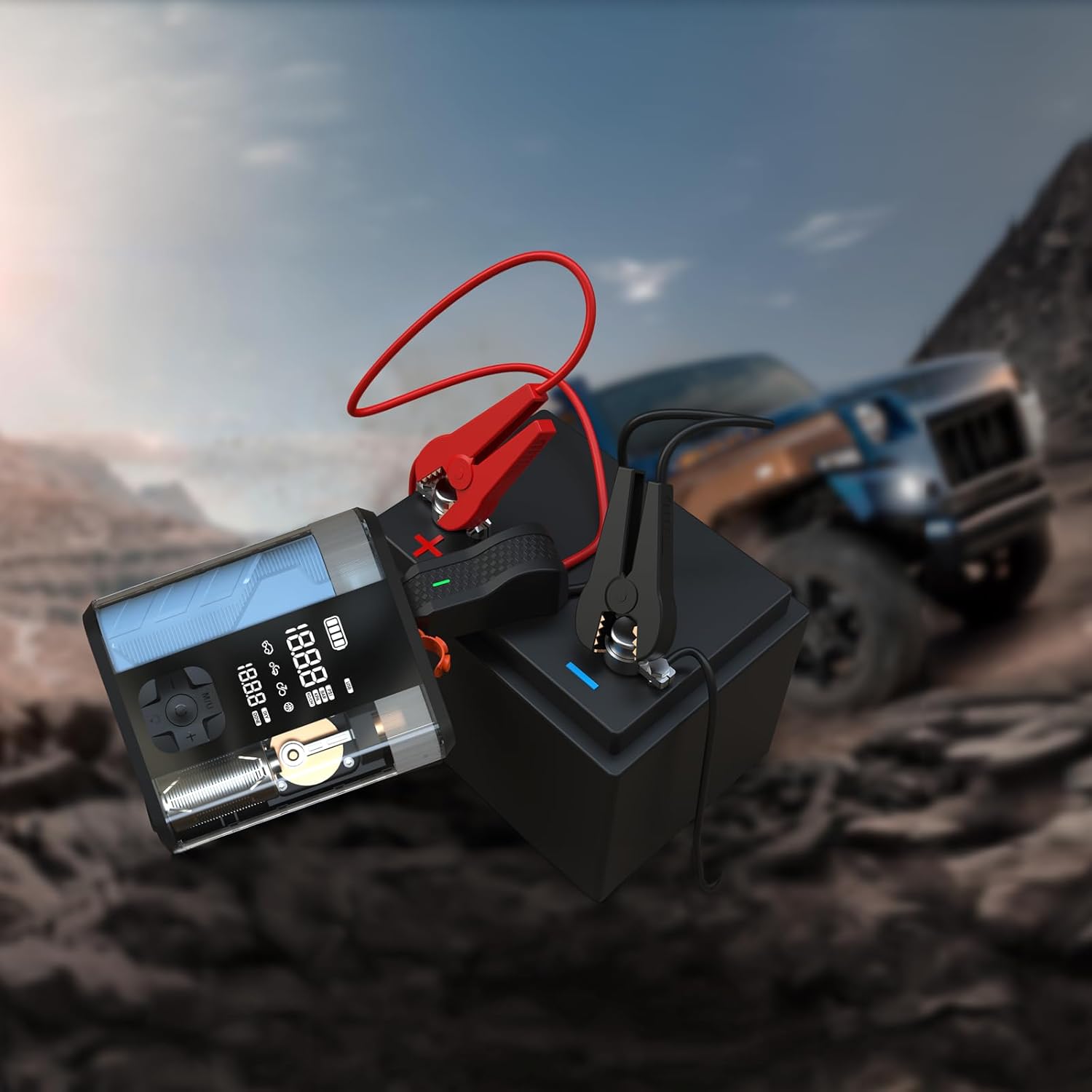
Figure 5.1: The Powerology device with its jump starter cables connected to a vehicle battery, illustrating the process of jump starting a car in an outdoor setting.
5.2 Inflating Tires
- Connect the air inflation hose to the device's inflation port.
- Attach the other end of the hose to the tire valve.
- Turn on the device. The digital display will show the current tire pressure.
- Bruk knappene '+' og '-' for å stille inn ønsket trykk.
- Press the start button to begin inflation. The device will automatically stop when the preset pressure is reached.
- Disconnect the hose from the tire valve and the device.

Figure 5.2: The Powerology device positioned next to a car tire, with the inflation hose connected, demonstrating its use as an air compressor for tire inflation.
5.3 Bruk som powerbank
Connect your electronic devices (e.g., smartphones, tablets) to the USB-A or USB-C output ports on the Powerology unit using a compatible charging cable. The device will automatically begin charging your connected device.
6. Vedlikehold
- Rengjøring: Tørk av enheten med en myk, tørr klut. Ikke bruk sterke kjemikalier eller slipende rengjøringsmidler.
- Lagring: Store the device in a cool, dry place away from direct sunlight and extreme temperatures. Ensure it is fully charged before long-term storage and recharge every 3-6 months to maintain battery health.
- Batteripleie: Unngå å utlade batteriet helt ofte for å forlenge levetiden.
7. Feilsøking
| Problem | Mulig årsak | Løsning |
|---|---|---|
| Enheten slår seg ikke på | Lavt batteri eller ingen lading | Lad enheten helt. |
| Vehicle does not jump start | Feil clamp connection; vehicle battery too low; engine too large | Check connections; ensure device is fully charged; verify engine compatibility. |
| Dekket pumpes ikke opp | Hose not securely connected; wrong pressure unit selected; hose kinked | Ensure hose is tight; check pressure unit; straighten hose. |
| Enheten overopphetes | Prolonged use; blocked vents | Allow device to cool down; ensure vents are clear. |
8. Spesifikasjoner
| Trekk | Detalj |
|---|---|
| Merke | Powerology |
| Modell | PPBCHA47 |
| Batteritype | Litium-ion |
| Batterikapasitet | 8800mAh |
| Toppstrøm | 800A |
| Maks. inflasjonstrykk | 150 PSI |
| Inflasjonshastighet | 31.4 l/min |
| USB-C-utgang | 20W PD |
| Produktdimensjoner | 4.1 x 13.6 x 15.7 cm |
| Produktvekt | 740 g |
9. Garanti og støtte
This Powerology product comes with a standard manufacturer's warranty. For detailed warranty information, technical support, or service inquiries, please refer to the warranty card included in your product packaging or visit the official Powerology webnettstedet. Ta vare på kjøpskvitteringen som kjøpsbevis.