
COCOCAM ZY-G1
COCOCAM 2PCS 4G Portable Magnetic Cellular Security Camera User Manual
Merke: COCOCAM | Modell: ZY-G1
1. Introduksjon
This manual provides instructions for the COCOCAM 2PCS 4G Portable Magnetic Cellular Security Camera. This device is designed for versatile surveillance, offering 2K 3MP image quality and suitable for both indoor and outdoor environments. It features a 300° panning capability, a 10000mAh rechargeable battery, PIR and AI human detection, and an IP66 waterproof rating. The camera operates via a built-in Nano-SIM card for 4G LTE connectivity, eliminating the need for Wi-Fi.
Please read this manual thoroughly before operating the camera to ensure proper setup and usage.

Image: Two COCOCAM 4G Portable Magnetic Cellular Security Cameras, illustrating their compact design and magnetic bases for flexible installation.
2. Pakkens innhold
Bekreft at alle varene som er oppført nedenfor er inkludert i pakken din. Hvis noen varer mangler eller er skadet, kan du kontakte kundestøtte.
- Sikkerhetskamera × 2
- Camera Stand × 2
- Round Sticker × 4
- Round Iron Sheet × 2
- USB-ladekabel × 2
- Rengjøringsverktøy × 2
- Bruksanvisning × 2

Image: The product packaging box, indicating 'Security Camera' and the COCOCAM brand logo.
3. Produktfunksjoner
3.1 4G LTE Connectivity with Built-in SIM Card
The camera includes a built-in Nano-SIM card, providing a secure and stable 4G LTE connection. This feature allows for surveillance in locations without Wi-Fi access, such as RVs, campsites, temporary construction sites, or remote farms. The SIM card supports a 7-day free unlimited data trial, with various data packages available for continued use.

Image: A COCOCAM camera mounted on an outdoor metal structure, demonstrating its 4G LTE connectivity for remote monitoring.
3.2 2K-oppløsning og fargenattsyn
Experience clear and detailed visuals with 2K resolution. The camera also features color night vision, providing visibility up to 20 meters (with white light) and 25 meters (with infrared) in low-light conditions, enhancing monitoring capabilities around the clock.

Image: A split image showing a camping scene in daylight and the same scene at night with clear color night vision, highlighting the camera's low-light performance.
3.3 300° Pan Capability
The camera offers a 300° panning capability, allowing you to remotely adjust the viewing angle and cover a wide area, ensuring comprehensive surveillance without blind spots.

Image: A COCOCAM camera with an arrow indicating 300° pan, positioned in front of an RV by the sea, demonstrating its wide viewing evne.
3.4 10000mAh Rechargeable Battery
Equipped with a robust 10000mAh rechargeable battery, the camera provides long-lasting performance. A full charge can support approximately 4000-5000 triggers, making it suitable for extended use in remote locations.

Bilde: En gjennomsiktig view of the COCOCAM camera, highlighting the large 10000mAh battery inside, indicating its power source.
3.5 PIR & AI Human Detection
The camera integrates Passive Infrared (PIR) and Artificial Intelligence (AI) human detection technology. This combination accurately identifies human movement, reducing false alarms from animals or environmental factors, and sends intelligent sound and light alerts to your device.

Image: A man walking in a grassy field with an RV and tent in the background, overlaid with a white box indicating AI human detection and a notification bubble for an alarm message.
3.6 Flexible Installation and IP66 Waterproof Rating
Installation is flexible with a magnetic base for metal surfaces, circular adhesive stickers for non-magnetic areas, or traditional drilling methods. The IP66 waterproof rating ensures the camera is protected against dust and powerful water jets, making it suitable for various outdoor conditions.
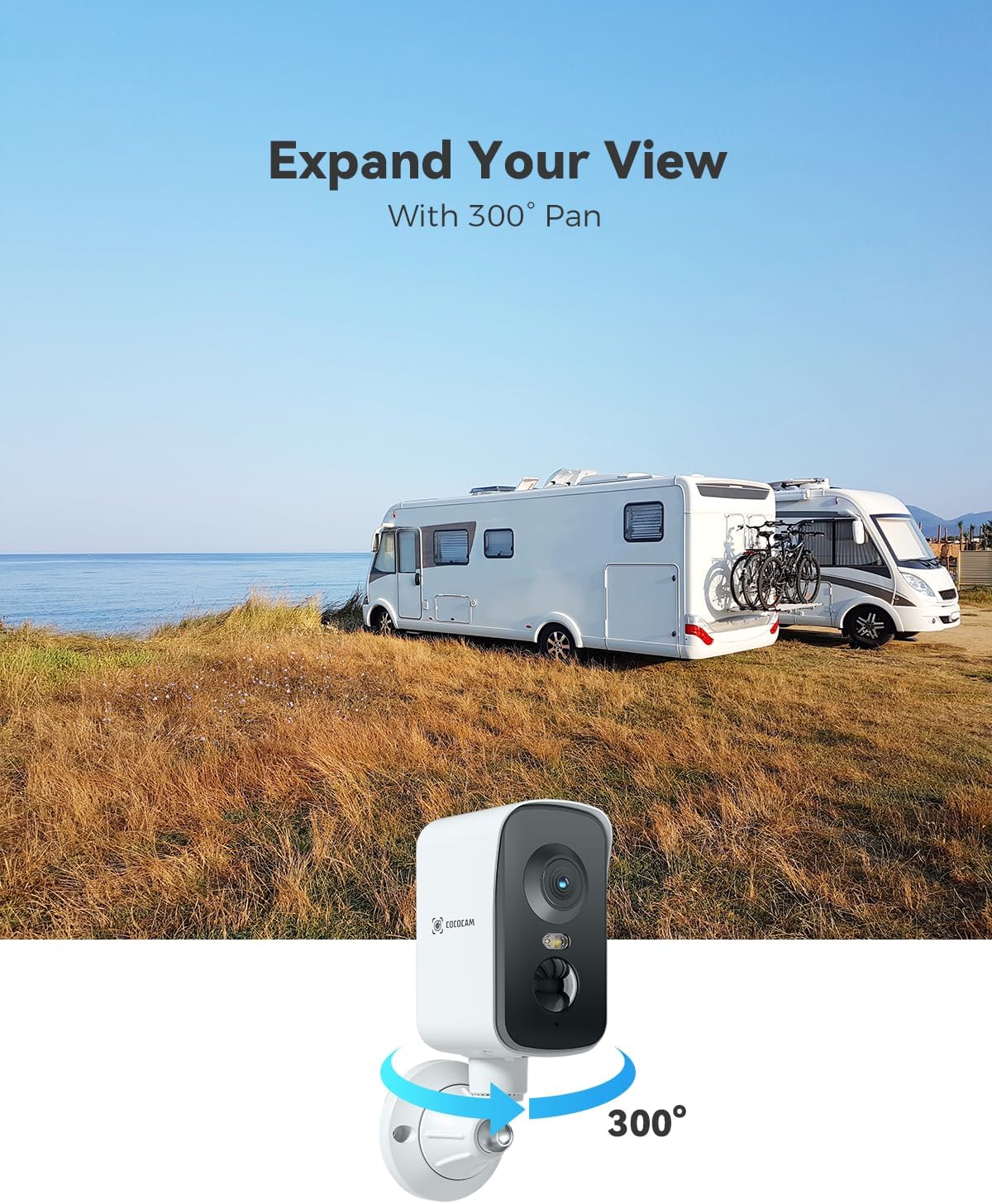
Image: A hand demonstrating the magnetic installation of the COCOCAM camera onto a wall, highlighting its ease of setup.

Image: A COCOCAM camera mounted on an outdoor wall, with water splashing on it, illustrating its IP66 waterproof capability.
4. Oppsettveiledning
4.1 Lade kameraet
Før første gangs bruk, må kameraet lades helt opp med den medfølgende USB-ladekabelen. Koble kabelen til kameraets ladeport og en standard USB-strømadapter (ikke inkludert). Ladeindikatorlampen viser ladestatusen.
4.2 Installasjon av SIM-kort og TF-kort
The camera comes with a built-in Nano-SIM card. Ensure it is properly seated. If you wish to use local storage, insert a TF card (up to 128GB, not included) into the designated slot. Format the TF card through the app before use.
4.3 Appnedlasting og paring
- Download the companion app (e.g., CloudEdge, check packaging for specific app name) from your smartphone's app store (iOS or Android).
- Opprett en konto og logg inn.
- Slå på kameraet.
- Følg instruksjonene i appen for å legge til kameraet ditt. Dette innebærer vanligvis å skanne en QR-kode på kameraet eller manuelt legge inn ID-en.
- Once paired, the camera will connect to the 4G network automatically.
4.4 Montering av kameraet
Choose an appropriate location for your camera, considering the desired viewing area and 4G signal strength. The camera offers multiple installation options:
- Magnetisk montering: Attach the camera's magnetic base directly to any metal surface.
- selvklebende montering: For non-magnetic surfaces, use the provided circular adhesive stickers to attach the camera stand.
- Screw-in Mounting: For a more permanent installation, use screws to fix the camera stand to a wall or ceiling.
5. Bruksanvisning
5.1 Live View
Open the app and select your camera to access the live video feed. You can view the surveillance area in real-time.
5.2 Pan Control
Innenfor live-delen view interface, use the on-screen controls to pan the camera horizontally up to 300° to adjust your field of view.
5.3 Bevegelsesdeteksjon og varsler
Configure PIR and AI human detection settings in the app. You can set sensitivity levels and define specific alert zones. When motion is detected, the camera will send instant notifications to your smartphone and can trigger sound and light alarms.
5.4 Opptak og lagring
The camera supports two storage options:
- TF-kortlagring: Recordings are saved locally on an inserted TF card (up to 128GB).
- Cloud Storage: Optional cloud storage plans are available for secure backup of recorded events (e.g., 6-second clips with 7-day loop coverage).
5.5 Toveis lyd
Utilize the two-way audio feature through the app to communicate with individuals near the camera or deter intruders.
6. Vedlikehold
6.1 Batteristyring
Monitor the battery level through the app. Recharge the camera when the battery is low to ensure continuous operation. Battery life varies based on usage frequency and environmental conditions.
6.2 Rengjøring
Rengjør kameralinsen og huset med jevne mellomrom med en myk klutamp cloth. Avoid using harsh chemicals or abrasive materials that could damage the camera's surface or lens. The included cleaning tool can be used for delicate areas.
6.3 Miljøhensyn
Despite its IP66 waterproof rating, avoid submerging the camera in water. Ensure the charging port cover is securely closed when not charging to maintain water resistance.
7. Feilsøking
- Camera not connecting to 4G: Ensure the SIM card is properly inserted and activated. Check for 4G network coverage in your location. Restart the camera.
- Dårlig bildekvalitet: Clean the camera lens. Ensure there is adequate lighting. Check the app settings for resolution options.
- Bevegelsesdeteksjon fungerer ikke: Verify that motion detection is enabled in the app settings. Adjust sensitivity levels. Ensure the camera's view er ikke hindret.
- Kort batterilevetid: Hyppige bevegelsesdeteksjonshendelser, live view streaming, and two-way audio use can drain the battery faster. Reduce detection frequency or recharge more often. Ensure the camera is fully charged.
- Appproblemer: Ensure your app is updated to the latest version. Restart the app or your smartphone.
If problems persist, please refer to the support section or contact COCOCAM customer service.
8. Spesifikasjoner
| Trekk | Detalj |
|---|---|
| Modellnavn | Portable Magnetic 4G Security Camera Wireless |
| Innendørs/utendørs bruk | Utendørs |
| Tilkoblingsteknologi | Wireless (Cellular 4G LTE) |
| Videoopptaksoppløsning | 2K |
| Effektiv stilloppløsning | 3 MP |
| Viewing vinkel | 300 grader (panorering) |
| Night Vision Range | 20 Meters (White Light), 25 Meters (Infrared) |
| Lite lysteknologi | Nattfarge |
| Strømkilde | Batteridrevet |
| Batterikapasitet | 10000 millioneramp Timer |
| Internasjonal beskyttelse vurdering | IP66 (vanntett) |
| Spesielle funksjoner | 2-Way Audio, 300° Pan, HD Resolution, Night Vision, Portable |
| Monteringstype | Tabletop Mount/Wall mount (Magnetic, Screw In, Self Adhesive) |
| Kompatible enheter | Smarttelefon, nettbrett |
| Kontrollmetode | App |
| Produktdimensjoner | 2.36 x 2.76 x 4.72 tommer |
| Varevekt | 11.3 unser (0.32 kilo) |
| Materiale | Akrylnitrilbutadienstyren (ABS) |
9. Garanti og støtte
9.1 Garantiinformasjon
COCOCAM is committed to providing high-quality products. For specific warranty details, please refer to the warranty card included in your package or visit the official COCOCAM website. Your privacy protection is a priority, with data saved on local servers or your own SD card, and transmitted securely with advanced encryption.
9.2 Kundestøtte
For technical assistance, product inquiries, or troubleshooting, please contact COCOCAM customer support. Professional technical support is available to assist you.
- E-post: service@cococam.com
- Offisiell Webnettsted: www.cococam.com

Image: An illustration emphasizing 100% privacy data security, showing support for both cloud storage and TF card storage up to 128GB, with a note to format the card before use.
Ask a question about this manual
Ask about setup, troubleshooting, compatibility, parts, safety, or missing instructions. Manuals+ will review the question and use this page’s manual context to help answer it.