Introduksjon
This manual provides detailed instructions for the setup, operation, and maintenance of your Lotus Smartwatch 50050/4. Please read this manual thoroughly before using your device to ensure proper functionality and to maximize its features.
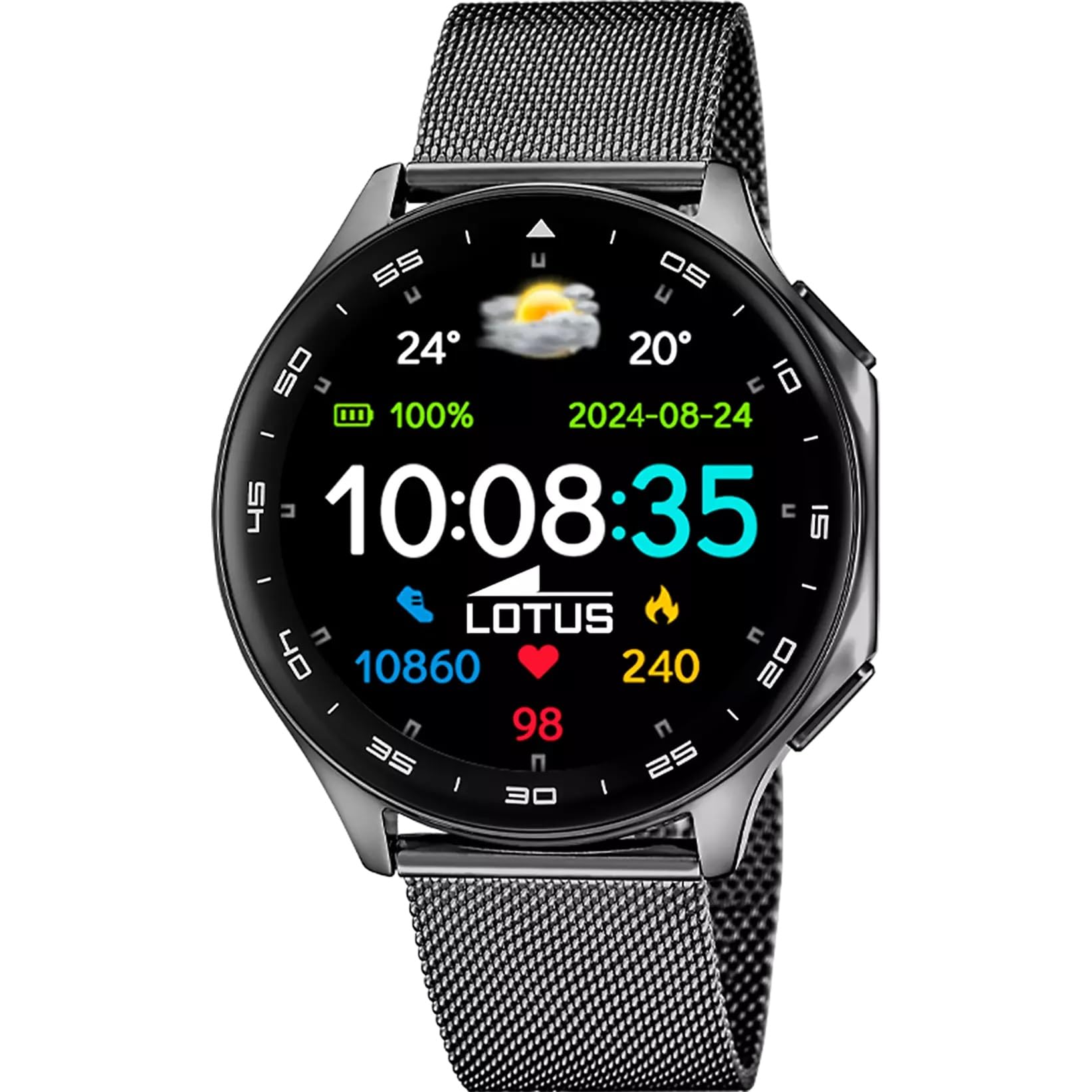
The Lotus Smartwatch 50050/4 is an outdoor sports watch designed for active lifestyles. It features a durable zinc alloy case, a black Milanese steel mesh strap, and a digital display. The watch offers a range of functions including sports tracking, health monitoring, and smart notifications.
Hva er i esken
- Lotus smartklokke 50050/4
- Ladekabel
- Brukerhåndbok (dette dokumentet)
- Ekstra stropp
Oppsett
1. Lading av smartklokken
Before initial use, fully charge your smartwatch. Connect the charging cable to the charging port on the back of the watch and plug the other end into a USB power adapter (not included) or a computer's USB port. The watch display will indicate charging status.
Note: Use a standard 5V/1A USB charger. Overcharging or using incompatible chargers may damage the device.
2. Slå på/av
- For å slå på: Press and hold the side button for a few seconds until the Lotus logo appears.
- Slik slår du av: Trykk og hold inne sideknappen, og velg deretter «Slå av» på skjermen.
3. Appinstallasjon og paring
To unlock the full potential of your smartwatch, download the official Lotus Smartwatch application on your smartphone. The app is compatible with Android devices.
- Søk etter the "Lotus Smartwatch" app in your smartphone's app store (Google Play Store for Android).
- Installer applikasjonen.
- Åpne appen og følg instruksjonene på skjermen for å opprette en konto eller logge på.
- Aktiver Bluetooth på smarttelefonen.
- In the app, navigate to the device pairing section and select your Lotus Smartwatch 50050/4 from the list of available devices.
- Bekreft paringsforespørselen på både smarttelefonen og smartklokken.
Once paired, the watch will synchronize time, date, and other settings with your smartphone.
Bruksanvisning
Grunnleggende navigasjon
- Berøringsskjerm: Swipe left, right, up, or down to navigate through menus and functions. Tap to select an item.
- Sideknapp: Press to return to the previous screen or to the watch face. Press and hold for power options.
Nøkkelfunksjoner
- Sportsmoduser: Access various sports modes (e.g., running, walking, cycling) to track your activity, including steps, calories burned, and distance.
- Helseovervåking:
- Hjertefrekvens: Overvåk pulsen din i sanntid.
- Blod oksygen: Mål oksygennivået i blodet ditt.
- Søvnsporing: Analyser søvnmønstrene dine (dyp søvn, lett søvn, våken tid).
- Pusteøvelser: Guidede pusteøvelser for avslapning.
- Varsler: Receive notifications for incoming calls, SMS messages, and app alerts directly on your watch. You can reject calls from the watch.
- Musikkkontroll: Control music playback on your connected smartphone (play, pause, skip tracks).
- Vær: View nåværende værforhold og værmeldinger.
- Alarmer og timere: Set alarms, use the stopwatch, or set a countdown timer.
- Fjernkontroll for kamera: Bruk klokken din som en fjernutløser for smarttelefonkameraet ditt.
- Video Calculator: Access a video calculator function.
- AI Voice Calculator: Utilize an AI voice-activated calculator.
- Telefonsøker: Finn den parede smarttelefonen din ved å få den til å ringe.
- Lommelykt: Activate the screen as a flashlight.
- Dial Customization: Change the watch face (dial) through the watch settings or the companion app.
- Fastvareoppdatering: Update the watch's software via the companion app to ensure optimal performance and access new features.
- Language, Time, and Date: Adjust these settings through the watch or the companion app.
Vedlikehold
Rengjøring og stell
- Wipe the watch screen and body with a soft, dry, lint-free cloth.
- For gjenstridige flekker, litt dampSkyll kluten med vann. Ikke bruk sterke kjemikalier eller slipende materialer.
- Sørg for at ladekontaktene er rene og tørre før lading.
Vannmotstand (IP65)
The Lotus Smartwatch 50050/4 has an IP65 rating, meaning it is protected against dust ingress and low-pressure water jets from any direction. This rating indicates resistance to splashes and light rain. It is not suitable for swimming, showering, or submersion in water. Exposure to high-pressure water or prolonged submersion may cause damage.
Bytte av reim
The watch comes with an additional strap. To replace the strap, locate the quick-release pins on the underside of the strap where it connects to the watch case. Slide the pin to detach the strap, then align the new strap and slide the pin back into place to secure it.
Feilsøking
Klokken slår seg ikke på
- Sørg for at klokken er fulladet. Koble den til laderen i minst 30 minutter.
- Prøv å trykke og holde inne sideknappen i 10–15 sekunder for å tvinge frem en omstart.
Kan ikke pares med smarttelefon
- Sørg for at Bluetooth er aktivert på smarttelefonen.
- Ensure the watch is within range of your smartphone (typically 10 meters).
- Start både smarttelefonen og smartklokken på nytt.
- Clear the Bluetooth cache on your smartphone (if applicable) and try pairing again.
- Ensure the Lotus Smartwatch app is updated to the latest version.
Unøyaktige helsedata
- Sørg for at klokken sitter tett på håndleddet, men ikke for stramt.
- Hold sensoren på baksiden av klokken ren og fri for rusk.
- Miljøfaktorer og individuell fysiologi kan påvirke sensorens nøyaktighet.
Fabrikkinnstilling
If you experience persistent issues, a factory reset may resolve them. This will erase all data on the watch and restore it to its original settings. Consult the watch's settings menu or the companion app for the factory reset option.
Spesifikasjoner
| Modellnummer | 50050/4 |
| Merke | Lotus |
| Skjermstørrelse | 46.7 mm |
| Form | Rund |
| Koffertmateriale | Sinklegering |
| Remmateriale | Milanese Steel Mesh |
| Vannmotstand | IP65 (Splash and dust resistant) |
| Tilkobling | Bluetooth |
| Kompatibel OS | Android (for companion app) |
| GPS | Ingen |
| Spesielle funksjoner | Advanced sport and health functions |
Garanti og støtte
The Lotus Smartwatch 50050/4 comes with a 3 års garanti from the date of purchase. This warranty covers manufacturing defects. It does not cover damage caused by misuse, accidents, unauthorized modifications, or failure to follow the instructions in this manual, including water damage beyond the specified IP65 rating.
For warranty claims or technical support, please contact your authorized Lotus retailer or visit the official Lotus webnettsted for kundeserviceinformasjon.
Returregler: If purchased from Amazon, the product is subject to a 30-day return policy for refund or replacement, as per Amazon's terms.
Produktbilde