
Introduksjon
The 1MORE P20 USB-C Wired Earphones are designed to provide a high-quality audio experience with powerful sound, clear call quality, and ergonomic comfort. This manual provides essential information for setting up, operating, maintaining, and troubleshooting your earphones.

Image: The 1MORE P20 USB-C Wired Earphones, showcasing their sleek black design and the Hi-Res Audio certification.
Oppsett
1. Valg og tilpasning av ørepropper
For optimal sound quality and comfort, select the ear tips that best fit your ears. The earphones come with various sizes of silicone ear tips. Gently insert the earphones into your ear canals at a 45° angle until they feel secure and comfortable. A proper seal is crucial for effective acoustic isolation and bass response.
2. Koble til enheten din
The 1MORE P20 earphones feature a USB-C connector for direct plug-and-play compatibility. Simply plug the USB-C connector into the USB-C port of your smartphone, tablet, iPad, or other compatible digital device. No additional drivers or software are typically required.
Bruksanvisning
1. Lydavspilling
Once connected, your device should automatically recognize the earphones. Begin playing audio from your preferred application. The earphones support Hi-Res Stereo Audio for a detailed and immersive listening experience.
2. Volumkontroll
The in-line remote control allows you to adjust the volume. Use the '+' button to increase volume and the '-' button to decrease volume. Short press the center button to play/pause music or answer/end calls.
3. Samtalebehandling
The earphones are equipped with an advanced MEMS microphone and AI ENC noise suppression technology for clear voice capture during calls. To answer an incoming call, short press the center button. To end a call, short press the center button again. To reject a call, long press the center button.
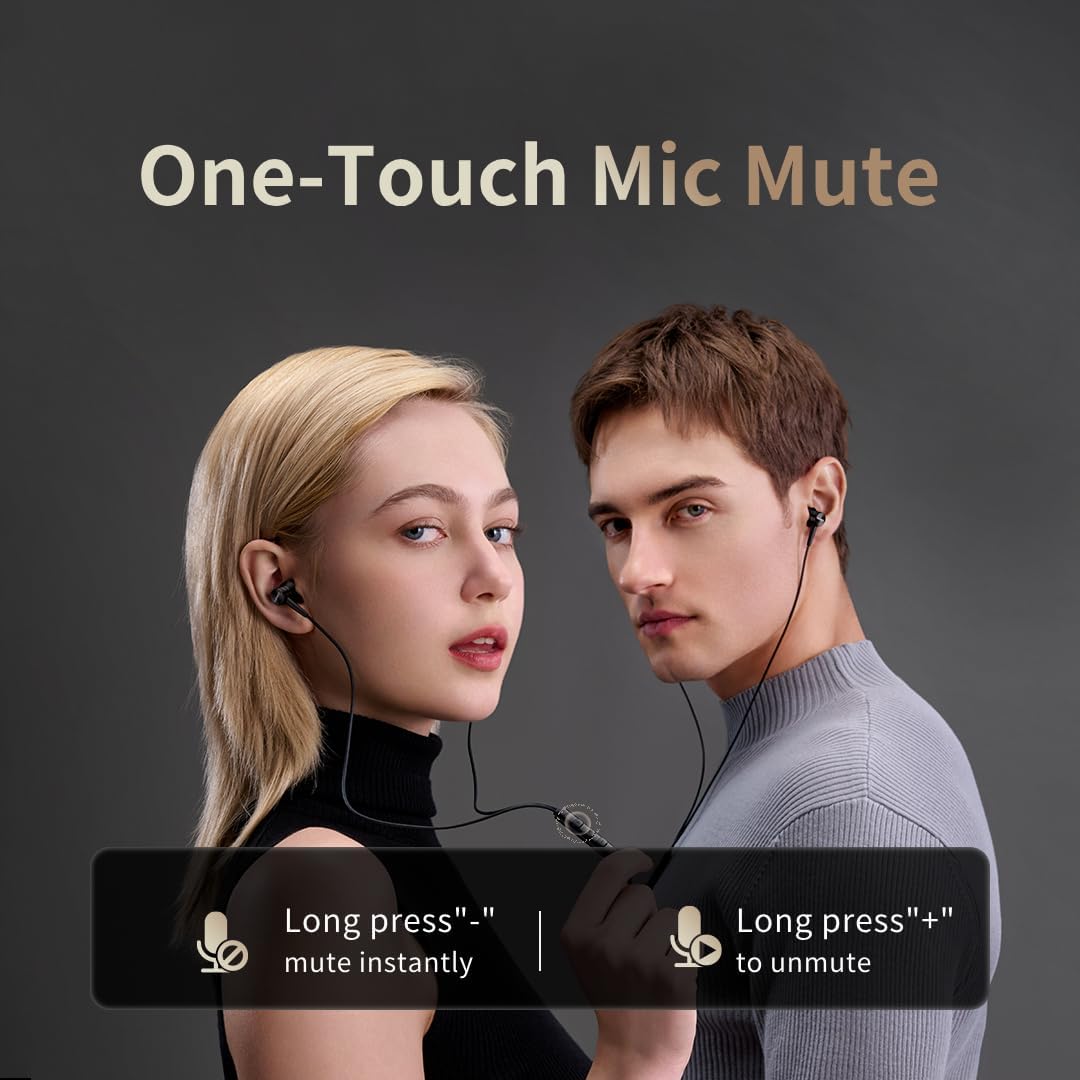
Image: Illustration of the one-touch microphone mute function. Long press '-' to mute instantly, long press '+' to unmute.
4. Microphone Mute Function
To instantly mute the microphone during a call, long press the '-' button on the in-line remote. To unmute, long press the '+' button.
Vedlikehold
1. Rengjøring
- Rengjør øreproppene regelmessig med en myk, tørr klut for å fjerne ørevoks og rusk.
- Wipe the earphone bodies and cable with a slightly damp klut, tørk deretter grundig.
- Ikke bruk sterke kjemikalier eller skurende materialer til rengjøring.
2. Oppbevaring
Når øretelefonene ikke er i bruk, oppbevar dem på et rent og tørt sted, helst i en beskyttende pose, for å forhindre floker og skade på kabelen eller driverne.
Feilsøking
- Ingen lyd:
- Sørg for at USB-C-kontakten er satt helt inn i enheten.
- Check the volume level on both your device and the earphone remote.
- Test the earphones with another device to rule out device-specific issues.
- Dårlig lydkvalitet:
- Ensure ear tips provide a proper seal in your ear canal. Try different sized ear tips.
- Clean any debris from the earphone nozzles.
- Sjekk om lydkildekvaliteten er høy.
- Mikrofonen virker ikke:
- Ensure the microphone is not muted (check the mute function using the in-line remote).
- Bekreft mikrofoninnstillingene på den tilkoblede enheten.
- Ensure the USB-C connection is secure.
Spesifikasjoner

Bilde: En eksplodert view illustrating the 10mm Diamond-Like Carbon (DLC) dynamic driver, responsible for the powerful and compact sound.
| Trekk | Spesifikasjon |
|---|---|
| Modellnavn | P20 Black EU |
| Tilkoblingsteknologi | Kablet |
| Hodetelefonuttak | USB-C |
| Øreplassering | In-Ear |
| Formfaktor | In-Ear |
| Impedans | 32 Ohm |
| Frekvensområde | 20 Hz–20 000 Hz |
| Type lyddriver | Dynamic (10mm DLC Diaphragm) |
| Støykontroll | Active Noise Suppression (AI ENC for microphone) |
| Kontrollmetode | Trykknapp |
| Kompatible enheter | Phone, Tablet, iPad |
| Vannmotstandsnivå | Ikke vannbestandig |
| Innvendig materiale | Aluminium |

Image: A woman enjoying music with the 1MORE P20 earphones, highlighting the Hi-Res Audio capability and immersive sound.
Garanti og støtte
For warranty information or technical support, please refer to the official 1MORE webnettstedet eller kontakt kundeservicen deres direkte. Ta vare på kjøpskvitteringen for garantikrav.