
1. Introduksjon
This manual provides essential information for setting up, operating, and maintaining your TCL 32V5C Smart QLED Full HD Android TV. Please read this manual thoroughly before using your television to ensure proper functionality and safety.
The TCL 32V5C series combines a sleek design with QLED and HDR image quality, powered by the advanced Android TV system. It offers a smart visual experience, allowing you to enjoy movies, streaming applications, and multiplayer games with ease.
2. Viktig sikkerhetsinformasjon
Følg alltid grunnleggende sikkerhetsregler når du bruker denne TV-en for å redusere risikoen for brann, elektrisk støt og skade.
- Ikke utsett TV-en for regn eller fuktighet.
- Ikke åpne skapet; overlat all service til kvalifisert personell.
- Sørg for god ventilasjon rundt TV-en.
- Bruk kun strømledningen som er levert av produsenten.
- Hold TV-en unna direkte sollys og varmekilder.
- Rengjør TV-en kun med en myk, tørr klut.
3. Hva er i esken
Kontroller at alle komponenter er til stede før du fortsetter med oppsettet:
- TCL 32V5C Smart QLED TV
- Fjernkontroll
- Strømkabel
- Brukerhåndbok (dette dokumentet)
- TV Stand and Support Screws
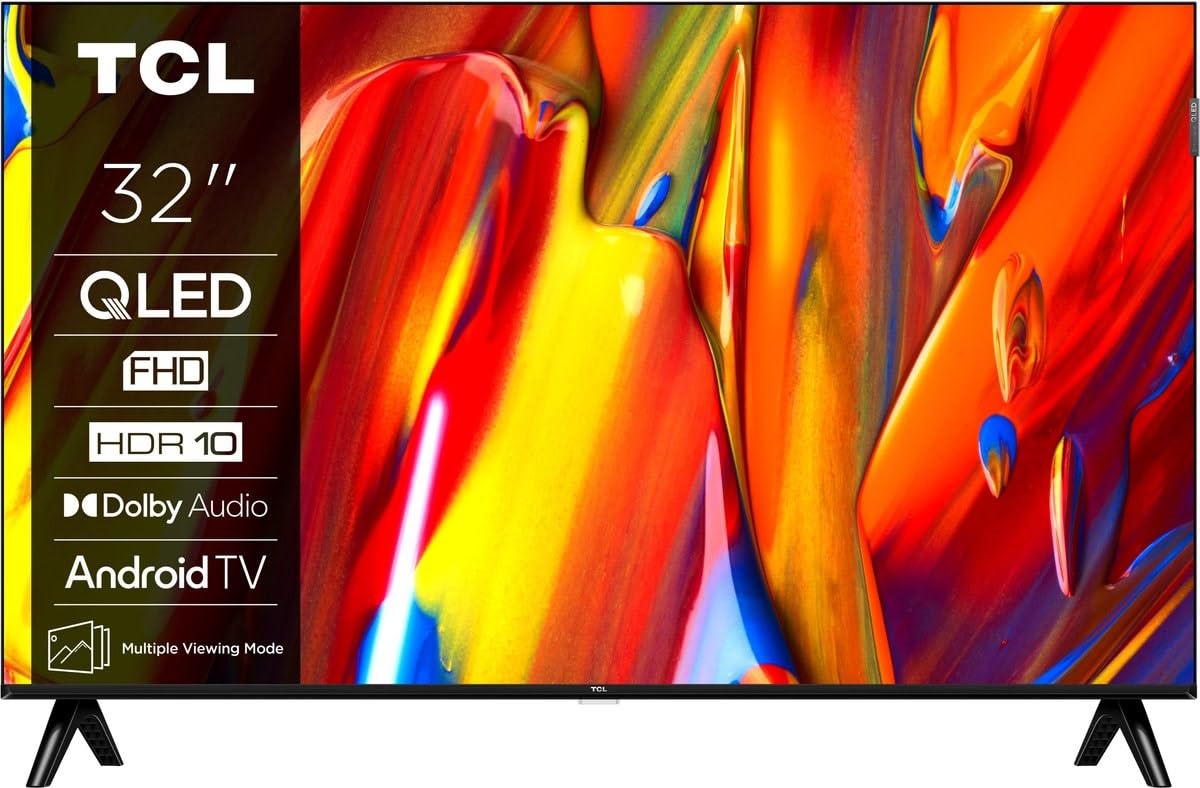
Bilde: Foran view of the TCL 32V5C Smart QLED Full HD Android TV, showcasing its slim design and display features.
4. Oppsettveiledning
4.1 Feste TV-stativet
To attach the included stand:
- Plasser TV-en med forsiden ned på en myk, flat overflate for å forhindre skade på skjermen.
- Juster stativkomponentene med monteringshullene på undersiden av TV-en.
- Fest stativet med de medfølgende skruene. Sørg for at alle skruene er strammet godt.

Image: Diagram showing the dimensions of the TCL 32V5C TV and the included remote control (RC733A).
4.2 Veggmontering (valgfritt)
If you choose to wall mount your TV, ensure you use a VESA-compatible wall mount (100 x 100 mm). Consult a professional for installation to prevent damage or injury.
4.3 Koble til strøm
Connect the power cable to the TV's power input and then plug it into a wall outlet. The TV is designed for 220-240V AC, 50/60Hz power supply.
4.4 Koble til eksterne enheter
Your TCL 32V5C TV offers various connectivity options:
- HDMI: Connect Blu-ray players, game consoles, or set-top boxes using one of the two HDMI ports.
- USB: Use the single USB port for media playback from USB drives.
- Ethernet: For en stabil kablet internettforbindelse, koble en Ethernet-kabel til LAN-porten.
- Wi-Fi: Koble til det trådløse hjemmenettverket ditt for å få internettilgang.
- Bluetooth: Pair wireless headphones, soundbars, or other Bluetooth-enabled devices.
5. Betjene TV-en
5.1 First-Time Setup and Android TV
Upon first power-on, the TV will guide you through the initial setup process. This includes selecting your language, connecting to Wi-Fi, and logging into your Google account to activate Android TV features.
Android TV provides access to over 400,000 movies and shows from various streaming services. Utilize Google Cast to transfer photos, videos, and music from your smart devices directly to your TV.
5.2 Fjernkontrollfunksjoner
Use the provided remote control to navigate menus, adjust volume, change channels, and access smart features. Refer to the remote control diagram for specific button functions.
5.3 Bilde- og lydkvalitet
Your TV features QLED technology, which uses quantum dot materials to deliver exceptional colors and optical properties, enhancing brightness and fine details for a realistic viewing experience. Direct LED backlighting further improves image quality and energy efficiency.
With HDR10 support, the TV displays a wider range of colors and contrasts, bringing more depth to compatible content. Dolby Audio processing ensures clear and immersive sound quality through the integrated speakers.
6. Vedlikehold
For å sikre at TV-en din varer lenge og har optimal ytelse:
- Rengjøring av skjermen: Tørk forsiktig av skjermen med en myk, lofri klut. Tørk forsiktig av gjenstridige flekker.ampRengjør kluten med vann eller et spesialisert skjermrensemiddel (ikke spray direkte på skjermen).
- Rengjøring av kabinettet: Use a soft, dry cloth to clean the TV cabinet. Avoid abrasive cleaners or solvents.
- Ventilasjon: Sørg for at ventilasjonsåpningene på baksiden av TV-en ikke er blokkert.
- Strømledning: Sjekk strømledningen regelmessig for skader.
7. Feilsøking
Hvis du støter på problemer med TV-en, kan du se følgende vanlige løsninger:
| Problem | Mulig løsning |
|---|---|
| Ingen strøm | Sjekk om strømkabelen er ordentlig koblet til både TV-en og stikkontakten. Sørg for at stikkontakten fungerer. |
| Ikke noe bilde, men lyd er til stede | Verify the correct input source is selected. Check external device connections (HDMI, etc.). |
| Ingen lyd, men bildet er der | Sjekk volumnivået og dempingsinnstillingene. Sørg for at eksterne lydenheter er riktig tilkoblet og valgt. |
| Fjernkontrollen fungerer ikke | Skift batteriene. Sørg for at det ikke er noen hindringer mellom fjernkontrollen og TV-ens IR-sensor. |
| Problemer med Wi-Fi-tilkobling | Restart your router and modem. Reconnect the TV to the Wi-Fi network in the settings menu. |
For ytterligere hjelp, vennligst kontakt TCLs kundestøtte.
8. Spesifikasjoner
| Trekk | Detalj |
|---|---|
| Merke | TCL |
| Modellnummer | 32V5C |
| Skjermstørrelse | 32 tommer |
| Skjermteknologi | QLED |
| Oppløsning | 1080p (Full HD) |
| Oppdateringsfrekvens | 60 Hz |
| Spesielle funksjoner | QLED & Android TV, HDR10, Google Cast |
| Tilkoblingsteknologi | Bluetooth, Ethernet, HDMI, USB, Wi-Fi |
| HDMI-porter | 2 |
| USB-porter | 1 |
| Aspektforhold | 16:9 |
| Produktdimensjoner (D x B x H) | 18P x 71.5l x 46.5H cm (with stand) |
| Vekt (uten stativ) | 3.1 kilo |
| VESA-monteringsstandard | 100 x 100 mm |
| Lydformat | Dolby Audio |
| Tuner Type | DVB-T2 |
| Farge | Svart |
9. Garanti og støtte
9.1 Garantiinformasjon
This product comes with a Limited Warranty. Please refer to the warranty card included in the packaging or visit the official TCL website for detailed terms and conditions regarding your specific region.
9.2 Kundestøtte
For technical assistance, troubleshooting not covered in this manual, or service inquiries, please contact TCL customer support through their official webnettstedet eller kontaktinformasjonen som er oppgitt i garantidokumentasjonen.
You can often find additional resources, FAQs, and software updates on the TCL-offisiell Webnettstedet.