
THOMSON B210
THOMSON B210 Bluetooth Soundbar User Manual
Modell: B210
1. Sikkerhetsinformasjon
Please read all safety instructions carefully before using this product. Retain this manual for future reference.
- Ikke utsett lydplanken for regn, fuktighet eller ekstreme temperaturer.
- Ikke blokker noen ventilasjonsåpninger.
- Bruk kun tilbehør/tilbehør spesifisert av produsenten.
- Unplug the soundbar during lightning storms or when unused for long periods.
- Overlat all service til kvalifisert servicepersonell.
2. Pakkens innhold
Bekreft at alle varene er til stede i pakken:
- THOMSON B210 Bluetooth Soundbar
- Fjernkontroll
- Strømadapter
- Brukerhåndbok
- Audio Cables (e.g., Optical, AUX - specific cables may vary)
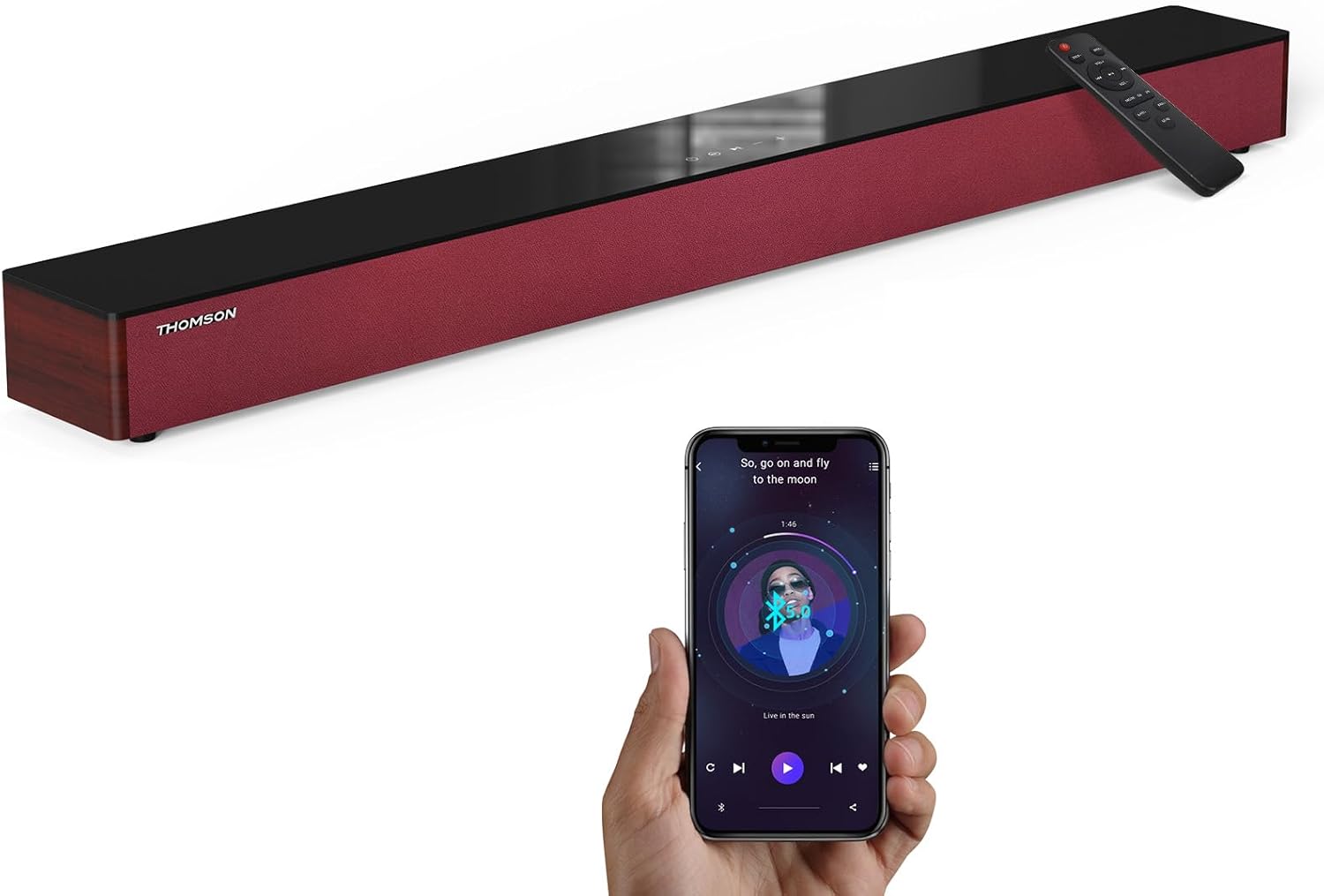
Image: The THOMSON B210 Soundbar, its remote control, and a smartphone demonstrating Bluetooth connectivity.
3. Produktet er overview
3.1 Front- og topppanel
The soundbar features intuitive controls on its top panel for easy access.
3.2 Tilkoblinger på bakpanelet
The rear panel provides various input ports for connecting to different audio sources.

Bilde: Detaljert view of the soundbar's rear connection ports, including AUX IN, COAXIAL, OPTICAL, HDMI ARC, USB, and DC IN.
3.3 Fjernkontroll
The included remote control allows for convenient operation of all soundbar functions.

Image: A hand operating the soundbar with its remote control, demonstrating wireless command over the device.
4. Oppsett
4.1 Plassering
Place the soundbar on a stable, flat surface directly in front of your television for optimal sound dispersion. Ensure there is adequate space around the soundbar for ventilation.
4.2 Strømtilkobling
- Connect the power adapter to the DC IN port on the rear of the soundbar.
- Koble den andre enden av strømadapteren til en stikkontakt.
5. Bruksanvisning
5.1 Strøm på/av
Press the Power button on the soundbar's top panel or the remote control to turn the unit on or off.
5.2 Volumkontroll
Bruk volum opp (+) og volum ned (-)-knappene på lydplanken eller fjernkontrollen for å justere lydnivået.
5.3 Inngangsvalg
Press the 'MODE' button on the soundbar or remote control to cycle through available input sources: ARC, Optical, AUX, USB, and Bluetooth.
5.4 Equalizer-moduser
The soundbar offers three distinct equalizer modes to optimize audio for different content types:
- Musikkmodus: Enhances musical clarity and bass.
- Filmmodus: Provides a more immersive cinematic experience.
- Nyhetsmodus: Optimizes dialogue for clear speech.
Press the corresponding EQ button on the remote control to select your desired mode.

Image: Visual representation of the soundbar's optimized audio modes for Music, Movie, and News content.
6. Tilkoblinger
The THOMSON B210 Soundbar supports multiple connection types for versatility.

Image: The soundbar demonstrating its compatibility with multiple devices such as projectors, PCs, game consoles, and smartphones.
6.1 HDMI ARC-tilkobling
For the best audio quality and control, connect your TV to the soundbar using an HDMI cable via the ARC port.
- Connect one end of an HDMI cable to the HDMI ARC port on your TV.
- Connect the other end to the HDMI ARC port on the soundbar.
- Select 'ARC' as the input source on the soundbar.
6.2 Optisk tilkobling
Use an optical cable for a high-quality digital audio connection.
- Connect one end of an optical cable to the Optical OUT port on your TV or audio device.
- Connect the other end to the OPTICAL port on the soundbar.
- Select 'Optical' as the input source on the soundbar.
6.3 AUX-tilkobling
For analog audio devices, use an AUX cable.
- Connect one end of a 3.5mm audio cable to the headphone jack or AUX OUT port on your device.
- Connect the other end to the AUX IN port on the soundbar.
- Select 'AUX' as the input source on the soundbar.
6.4 USB-tilkobling
Spill av lyd files direkte fra en USB -lagringsenhet.
- Sett inn en USB-stasjon i USB-porten på lydplanken.
- Select 'USB' as the input source on the soundbar.
- The soundbar will automatically begin playing compatible audio files.
6.5 Bluetooth-paring
Koble til smarttelefonen, nettbrettet eller annen Bluetooth-aktivert enhet trådløst.
- Turn on the soundbar and select 'Bluetooth' mode using the 'MODE' button. The Bluetooth indicator will flash.
- Aktiver Bluetooth på enheten din og søk etter tilgjengelige enheter.
- Select 'THOMSON B210' from the list.
- Once paired, the Bluetooth indicator will stop flashing and remain solid.

Image: A family enjoying entertainment with the soundbar, illustrating seamless Bluetooth connectivity from a smartphone.
7. Vedlikehold
For å sikre at lydplanken din varer lenge og har optimal ytelse, bør du følge disse vedlikeholdsretningslinjene:
- Rengjøring: Bruk en myk, tørr klut til å rengjøre overflaten på lydplanken. Ikke bruk flytende rengjøringsmidler eller slipende materialer.
- Lagring: If storing the soundbar for an extended period, unplug it from the power outlet and store it in a cool, dry place.
- Ventilasjon: Sørg for at ventilasjonsåpningene ikke er blokkert for å forhindre overoppheting.
8. Feilsøking
If you encounter issues with your THOMSON B210 Soundbar, refer to the following common problems and solutions:
| Problem | Mulig årsak | Løsning |
|---|---|---|
| Ingen strøm | Strømkabel ikke tilkoblet; Strømuttak ikke aktivt | Sørg for at strømkabelen er ordentlig tilkoblet; prøv en annen stikkontakt |
| Ingen lyd | Incorrect input source; Volume too low; Mute activated; Cable connection issue | Select correct input source; Increase volume; Deactivate mute; Check audio cable connections |
| Bluetooth-sammenkobling mislykkes | Soundbar not in pairing mode; Device Bluetooth off; Device too far | Ensure soundbar is in Bluetooth mode (flashing indicator); Enable Bluetooth on device; Move device closer to soundbar |
| Fjernkontrollen virker ikke | Batteriene er tomme; Hindring mellom fjernkontroll og lydplanke | Replace remote control batteries; Remove any obstructions; Ensure remote is pointed at the soundbar's sensor |
9. Spesifikasjoner
Detailed technical specifications for the THOMSON B210 Soundbar:
- Modell: B210
- Merke: THOMSON
- Produktdimensjoner: 92.7 cm D x 11.8 cm B x 7.3 cm H (36.5 cm D x 4.7 cm B x 2.9 cm H)
- Varevekt: 11 pund (omtrent 5 kg)
- Høyttaler Maksimal utgangseffekt: 50 watt
- Monteringstype: Bordfeste
- Bluetooth-versjon: 5.3
- Signal til støyforhold: 70dB
- Høyttalere: 4 Full Range Speakers, 2 Woofers (Advanced Bass Diaphragms)
- Inngangstilkoblinger: ARC (HDMI), Optical, AUX, USB, Bluetooth

Image: Physical dimensions of the soundbar, showing length, width, and height in centimeters, along with a view av de bakre portene.

Image: Internal component diagram of the soundbar, detailing its 4 high-performance drivers and 2 advanced bass diaphragms for enhanced audio.
10. Garanti og støtte
THOMSON products are manufactured to high-quality standards. For warranty information and technical support, please refer to the warranty card included with your product or visit the official THOMSON support webnettstedet.
For further assistance, please contact THOMSON customer service.
Ask a question about this manual
Ask about setup, troubleshooting, compatibility, parts, safety, or missing instructions. Manuals+ will review the question and use this page’s manual context to help answer it.