
Baseus Spacemate RD1 11-in-1(WIN)
Baseus Laptop Docking Station User Manual
Model: Spacemate RD1 11-in-1 (WIN)
Produkt overview
The Baseus 11-in-1 Triple 4K Display HDMI/DP Docking Station is designed to expand your laptop's connectivity and enhance productivity. It offers a comprehensive set of ports for various peripherals, multiple display outputs, fast data transfer, and power delivery.

Image: Baseus 11-in-1 Docking Station with included 100W GaN power adapter.
Nøkkelfunksjoner:
- High-Spec 11-in-1 Expansion: Includes 2 HDMI ports, 2 DisplayPorts, 1 USB-C and 2 USB-A 10Gbps data ports, an additional USB-A 2.0 port, 100W USB-C PD input, Gigabit Ethernet, and a 3.5mm AUX jack.
- Efficient Triple Display for Windows: Supports up to 3 monitors in 4K resolution via HDMI and DisplayPort. Note: macOS supports only one extended display by default.
- 100W PD hurtiglading: Provides up to 85W power output to your laptop via the 100W PD port, with a high-quality 100W GaN power adapter included.
- Ultrarask dataoverføring på 10 Gbps: Equipped with USB 3.2 Gen 2 ports (1 USB-C and 2 USB-A) for rapid data transfer speeds.
- Innovative Upright Design with Screen-Lock: Sleek aluminum finish, vertical stand with magnetic base, and an 80cm cable. Features a built-in LED screen for port status and a screen-lock button for privacy.
Oppsettveiledning
Pakkeinnhold:
- Baseus 11-in-1 Docking Station
- 100W GaN strømadapter
- USB-C til USB-C-kabel (80 cm)
- Brukerhåndbok (dette dokumentet)
Opprinnelig tilkobling:
- Koble til strøm: Plug the included 100W GaN power adapter into a wall outlet, then connect its USB-C cable to the 100W PD input port on the docking station. The LED screen on the docking station will illuminate.
- Koble til bærbar PC: Use the provided USB-C to USB-C cable to connect your laptop's USB-C port (which supports video output and power delivery) to the designated USB-C input port on the docking station.
- Installer drivere (om nødvendig): For optimal performance, especially with multi-display setups on Windows, ensure your laptop's graphics drivers are up to date. In most cases, the docking station is plug-and-play.

Bilde: Detaljert view of the 11-in-1 expansion ports on the Baseus docking station.
Bruksanvisning
Connecting External Displays:
The docking station supports multiple display configurations. Connect your monitors to the available HDMI and DisplayPort outputs.
- Windows-systemer: Supports triple display output (HDMI1+HDMI2+DP, or DP1+DP2+HDMI) for extended desktop functionality. You can extend your desktop across up to three external monitors at 4K resolution.
- macOS-systemer: Due to macOS limitations, only one extended display is supported. Other connected monitors will mirror the content of the extended display.

Bilde: Eksample of a triple display setup for Windows users, showcasing efficient multitasking.

Image: Comparison of triple display capabilities on Windows (extended) versus macOS (mirrored).
Data Transfer and Peripherals:
- USB-dataporter: Utilize the USB 3.2 Gen 2 (1 USB-C, 2 USB-A) and USB-A 2.0 ports for connecting external hard drives, USB drives, keyboards, mice, and other peripherals. The 10Gbps ports enable fast data transfer.
- Gigabit-Ethernet: Connect an Ethernet cable to the Gigabit Ethernet port for a stable and high-speed wired network connection.
- Lydkontakt: Use the 3.5mm AUX jack to connect headphones, speakers, or microphones.
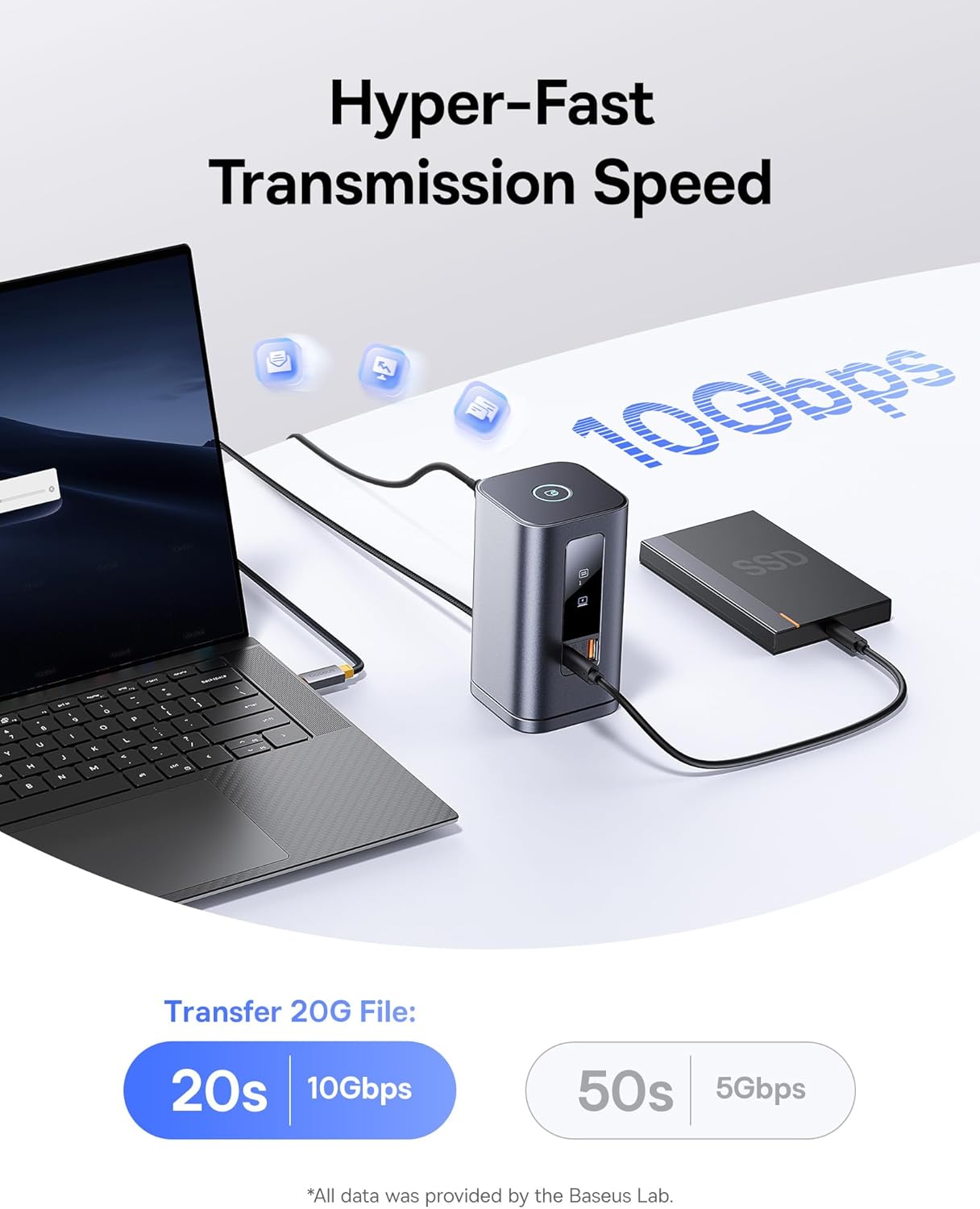
Image: Demonstrates the hyper-fast 10Gbps data transmission speed for large file overføringer.
Strømforsyning:
The 100W PD input port not only powers the docking station but also provides up to 85W pass-through charging to your connected laptop, ensuring your device remains charged during use.

Image: Illustrates the fast charging capability for laptops via the 100W Power Delivery port.
Screen Lock Function:
The docking station features a convenient screen-lock button on top. Press it once for Windows systems or twice for macOS to instantly lock your screen, protecting your privacy.
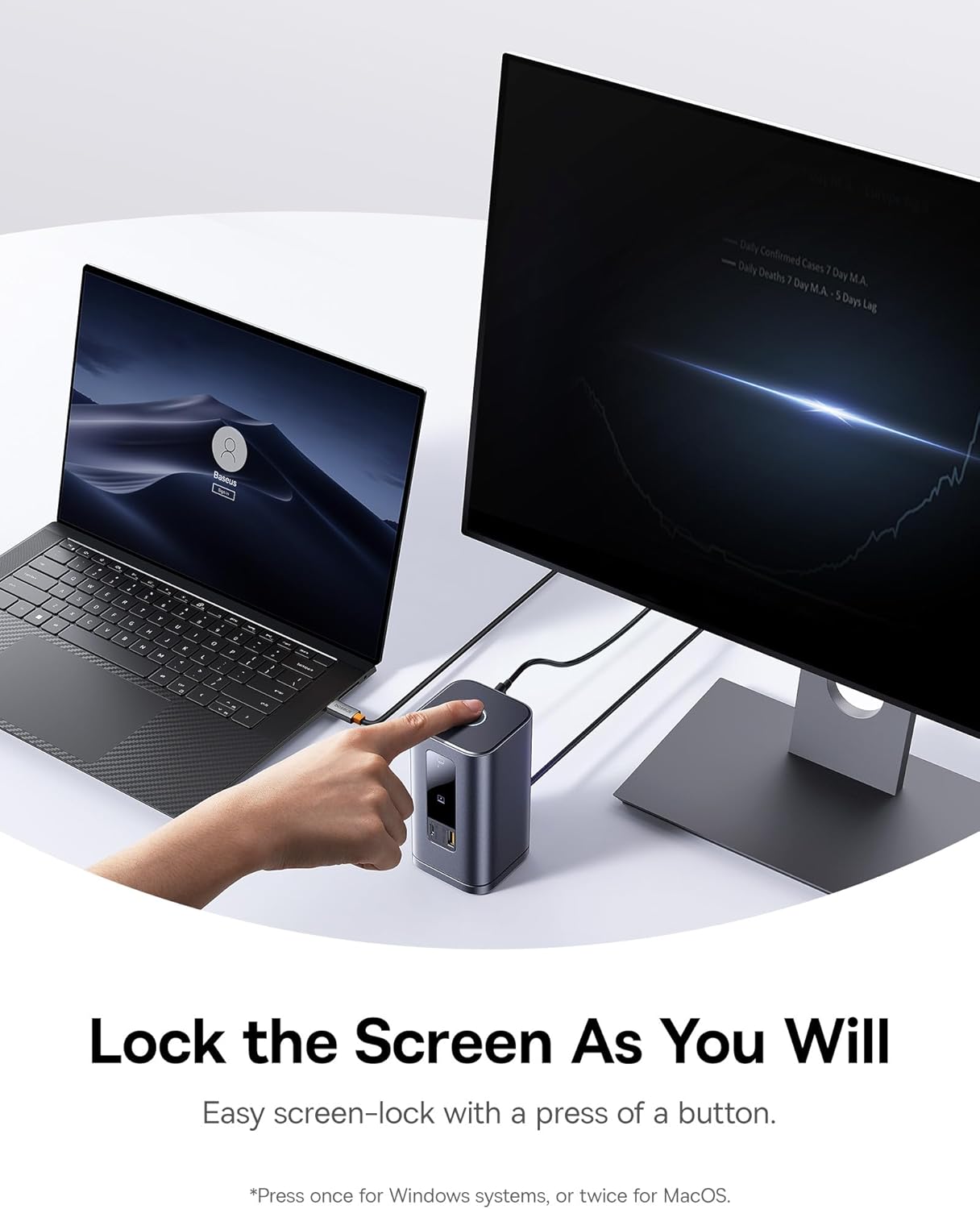
Image: Demonstrates the screen-lock button for quick privacy protection.
LED digital skjerm:
The built-in LED screen provides real-time status of connected ports, indicating which ports are actively in use.

Image: Close-up of the smart digital display showing the operation info of each port.
Vedlikehold
- Rengjøring: Use a soft, dry cloth to wipe the surface of the docking station. Avoid using liquid cleaners or aerosols.
- Lagring: Oppbevar dokkingstasjonen på et kjølig og tørt sted, unna direkte sollys og ekstreme temperaturer.
- Avtakbar base: The gel pad on the detachable base can be cleaned with water and reused if it loses its stickiness. Ensure it is dry before reattaching.
Feilsøking
- Problemer med HDMI-skjermprojeksjon: Velg riktig HDMI-signalkilde på skjermen/TV-en (f.eks. HDMI 1 eller 2). Se skjermens bruksanvisning for spesifikke trinn.
- Reminder About Heating: Det er normalt at det genereres varme under bruk. Dokkingstasjonens innebygde brikke og flere grensesnitt genererer varme, som metallskallet effektivt avleder for å forhindre overoppheting og opprettholde stabilitet.
- Begrensninger for flerskjermsbruk på Mac-er: Mac computers do not support Multi-Stream Transport (MST) due to the Apple OS system's lack of multi-screen display functionality. Only one extended display is supported; others will mirror.
- Problemer med dataoverføring med flere harddisker: Koble til en 100 W PD-lader hvis dokkingstasjonen er fulladet eller koblet til flere harddisker med høy effekt for å unngå problemer med strømforsyningen.
- Slik slår du av indikatorlampen: Trykk og hold inne den øverste knappen for å deaktivere den fremre indikatorlampen.
- Advarsel om strømforbruk for DELL-datamaskiner med tredjepartsladere: Noen DELL PD-protokoller er proprietære, noe som forårsaker lavt volumtage charging reminders with third-party chargers. This does not affect normal charging.
Spesifikasjoner
| Trekk | Detalj |
|---|---|
| Merke | Baseus |
| Modellnummer | Spacemate RD1 11-in-1 (WIN) |
| Produktdimensjoner | 6.61 x 2.76 x 9.53 tommer |
| Varevekt | 2.23 pund |
| Farge | Grå |
| Antall porter | 11 |
| Maskinvaregrensesnitt | Ethernet, HDMI, MicroSD, USB 2.0, USB 3.1 Type A, USB 3.1 Type C |
| Totalt HDMI-porter | 2 |
| Totalt USB-porter | 4 (1 USB-C 10Gbps, 2 USB-A 10Gbps, 1 USB-A 480Mbps) |
| Strømforsyning | 100W PD Input (up to 85W output to laptop) |
| Kompatible enheter | Windows/Dell/HP/Lenovo/Asus/Acer/Mac laptops, iPhone 15 Series, Samsung Galaxy S/Note series, ASUS ROG Ally / Steam Deck. (Note: macOS supports only one extended display) |
| UPC | 810196181885 |
Garanti og støtte
For garantiinformasjon og teknisk støtte, vennligst se den offisielle Baseus-versjonen webnettstedet eller kontakt kundeservicen deres direkte. Ta vare på kjøpskvitteringen for garantikrav.
Nettressurser:
- Baseus Official Webnettsted: www.baseus.com
- Produktstøtteside: (Sjekk offisiell website for specific product support page)
Ask a question about this manual
Ask about setup, troubleshooting, compatibility, parts, safety, or missing instructions. Manuals+ will review the question and use this page’s manual context to help answer it.