
1. Introduksjon
This manual provides essential instructions for the setup, operation, and maintenance of your Saiyin Sound Bar DS6401PB. Please read this manual thoroughly before using the product to ensure proper functionality and to prevent damage.

Image 1.1: The Saiyin Sound Bar DS6401PB positioned below a television.
2. Pakkens innhold
Bekreft at alle varene som er oppført nedenfor er med i pakken din. Hvis noen varer mangler eller er skadet, kan du kontakte kundestøtte.
- Two Tower Speakers (forming the sound bar)
- Fjernkontroll
- Tower Speaker Base (for vertical setup)
- Strømadapter
- Optisk kabel
- 3.5 mm lydkabel
- Veggmonteringssett
- Brukerhåndbok (dette dokumentet)
- Hurtigstartguide
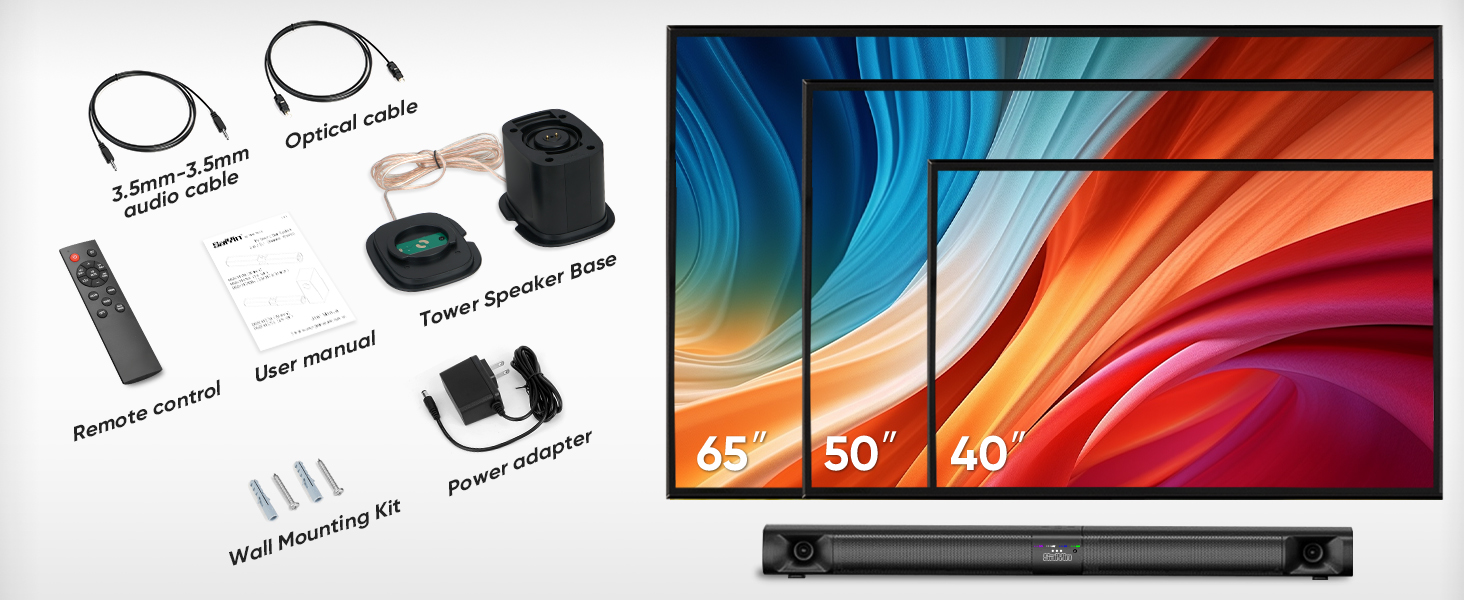
Image 2.1: All components included in the Saiyin Sound Bar DS6401PB package.
3. Produktet er overview
3.1. Funksjoner
- Avtakbar design: The 31-inch sound bar can be used as a single horizontal unit or split into two vertical tower speakers.
- Lydkomponenter: Features dual silk horn tweeters for clear high frequencies and four low-frequency drivers for extended bass response down to 65Hz.
- Tilkobling: Supports Bluetooth 5.3 for wireless audio, and wired connections via TV ARC, Optical, and AUX. Includes an extra subwoofer interface.
- Lydmoduser: Three optimized sound modes (News, Movie, Music) for various audio content.
- Plasseringsalternativer: Suitable for desktop placement or wall mounting.
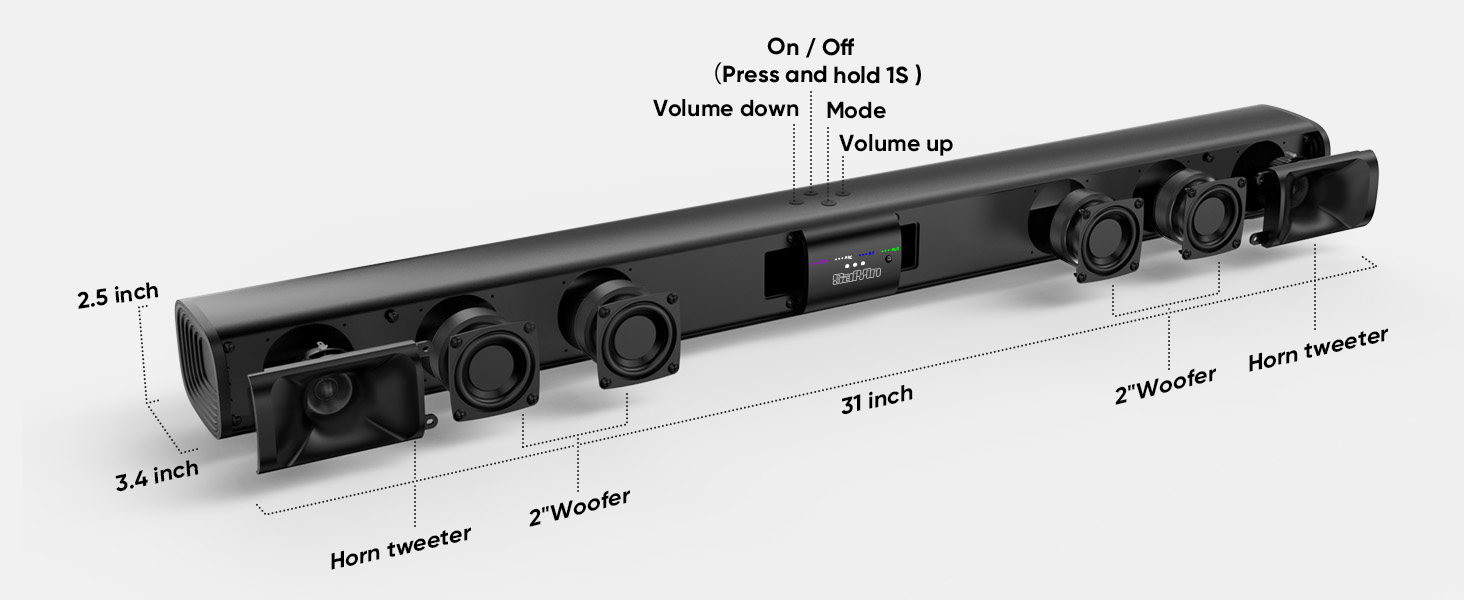
Bilde 3.1: Eksplodert view illustrating the internal components and control buttons of the sound bar.
3.2. Kontroller og indikatorer
The sound bar features intuitive controls and LED indicators for easy operation.
- Strømknapp: Press and hold for 1 second to turn on/off.
- Volumknapper: Juster volumet opp eller ned.
- Modusknapp: Cycle through input modes (Optical, ARC, Bluetooth, AUX).
- LED-indikatorer: Display the active input mode (OPT, ARC, BT, AUX).
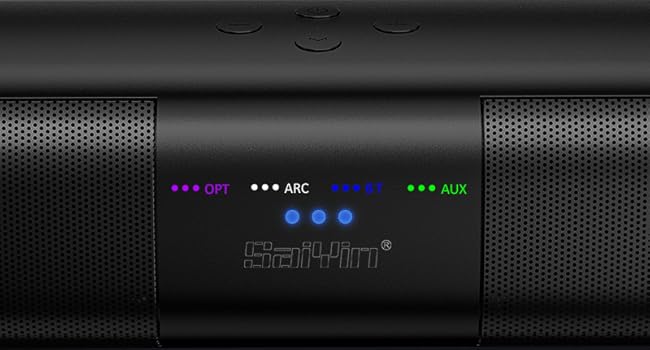
Bilde 3.2: Detaljert view of the LED indicators showing active input modes (OPT, ARC, BT, AUX).
3.3. Tilkoblinger på bakpanelet
The rear panel provides various ports for connecting to your audio sources.
- BUE: HDMI ARC input for TV connection.
- OPTISK: Optical audio input.
- SUB UT: Port for connecting an external powered subwoofer.
- DC IN: Strøminngang.
- AUX: 3.5 mm hjelpeinngang.
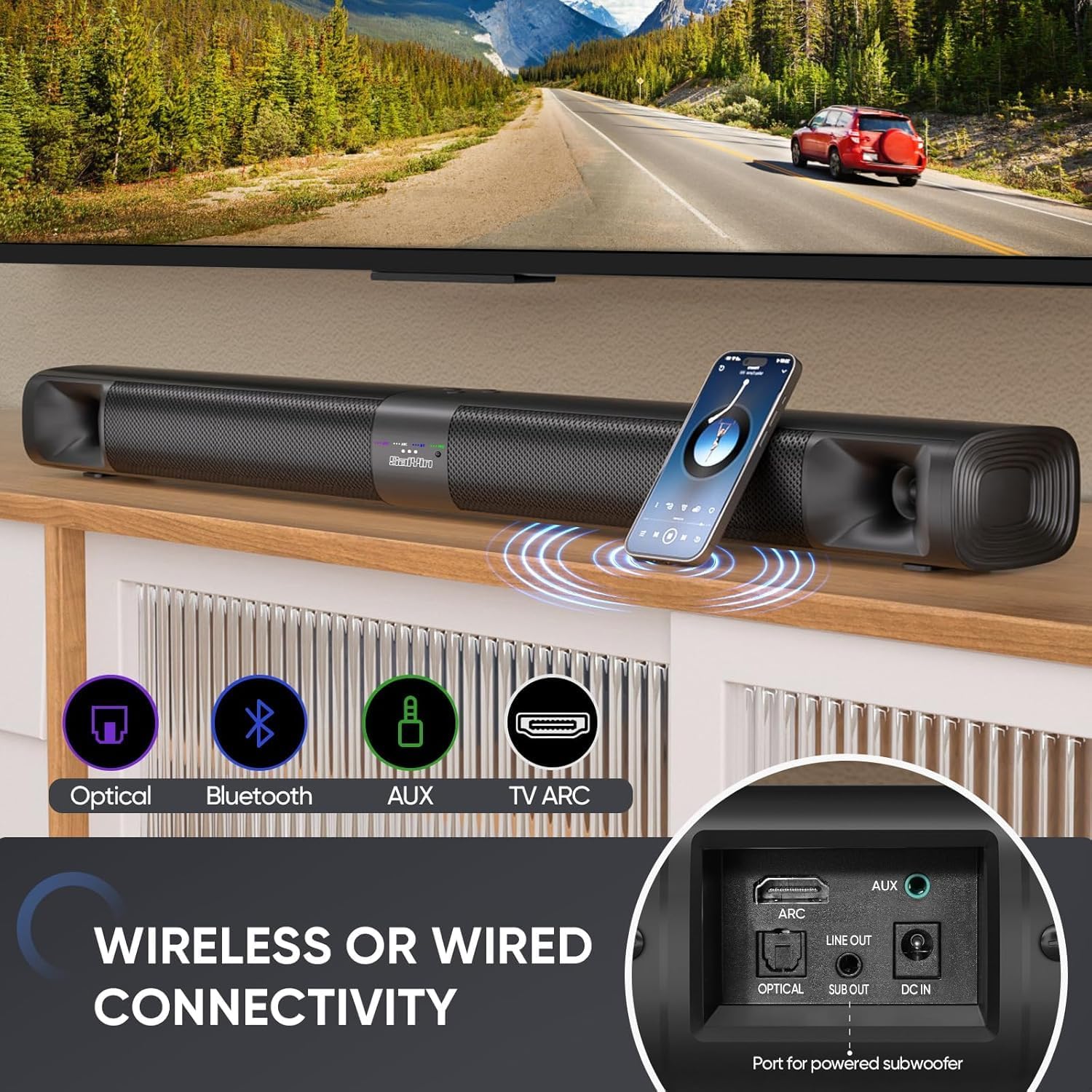
Bilde 3.3: Overview of the sound bar's connectivity ports, including Optical, Bluetooth, AUX, and TV ARC.
4. Oppsett
4.1. Assembly and Placement
The Saiyin Sound Bar DS6401PB offers flexible placement options: as a single horizontal sound bar or as two vertical tower speakers.
4.1.1. Detachable Assembly
To convert between the single sound bar and tower speaker configurations:
- Løsne: Gently twist and pull the two halves of the sound bar apart.
- Assembling Tower Speakers: Attach each half to its respective tower speaker base. Ensure the 'A' and 'B' markings align. Rotate until securely locked.
- Assembling Sound Bar: Align the two halves of the sound bar, ensuring the 'A' and 'B' markings align. Twist and merge them into one unit.
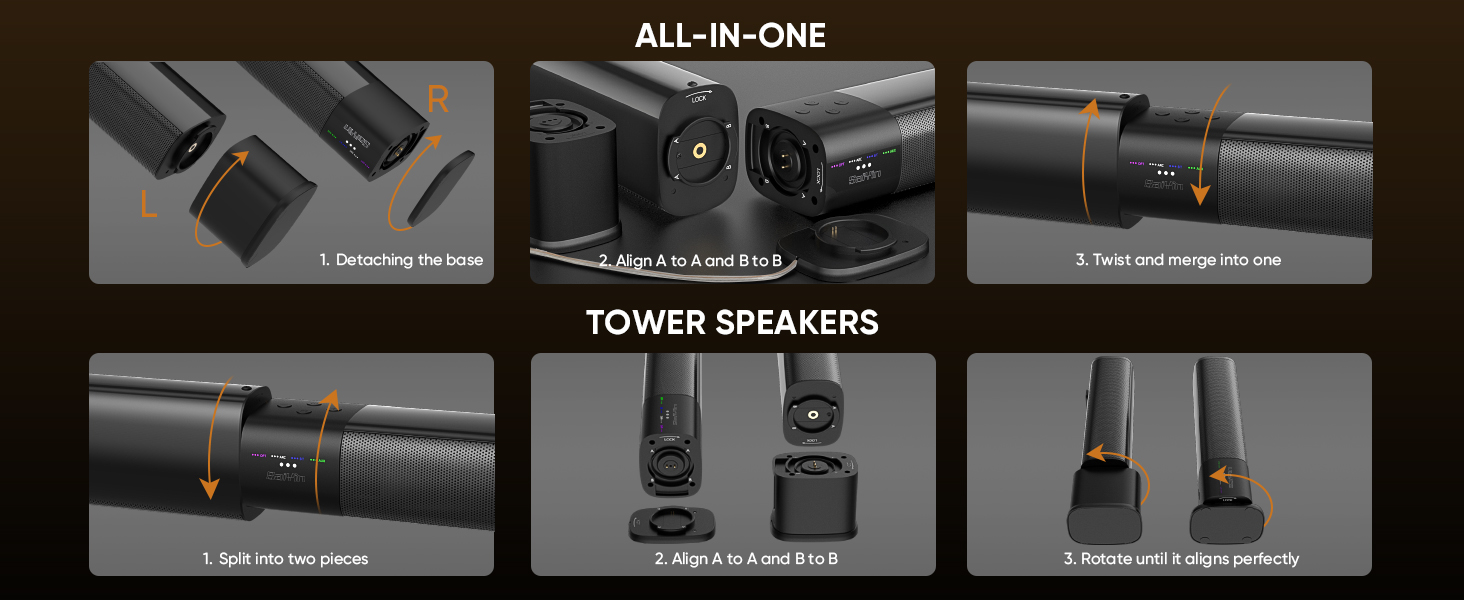
Image 4.1: Visual guide for converting the sound bar between its single unit and tower speaker configurations.
4.1.2. Plasseringsalternativer
Choose the placement that best suits your environment and audio preference.
- Desktop Placement (Sound Bar): Place the assembled sound bar horizontally on a stable surface below your TV.
- Wall Mount (Sound Bar): Use the provided wall mounting kit to secure the sound bar horizontally to a wall.
- Desktop Placement (Tower Speakers): Place the two assembled tower speakers vertically on either side of your TV or monitor. The widened base provides stability.
- Wall Mount (Tower Speakers): Use the provided wall mounting kit to secure the two tower speakers vertically to a wall on either side of your TV.
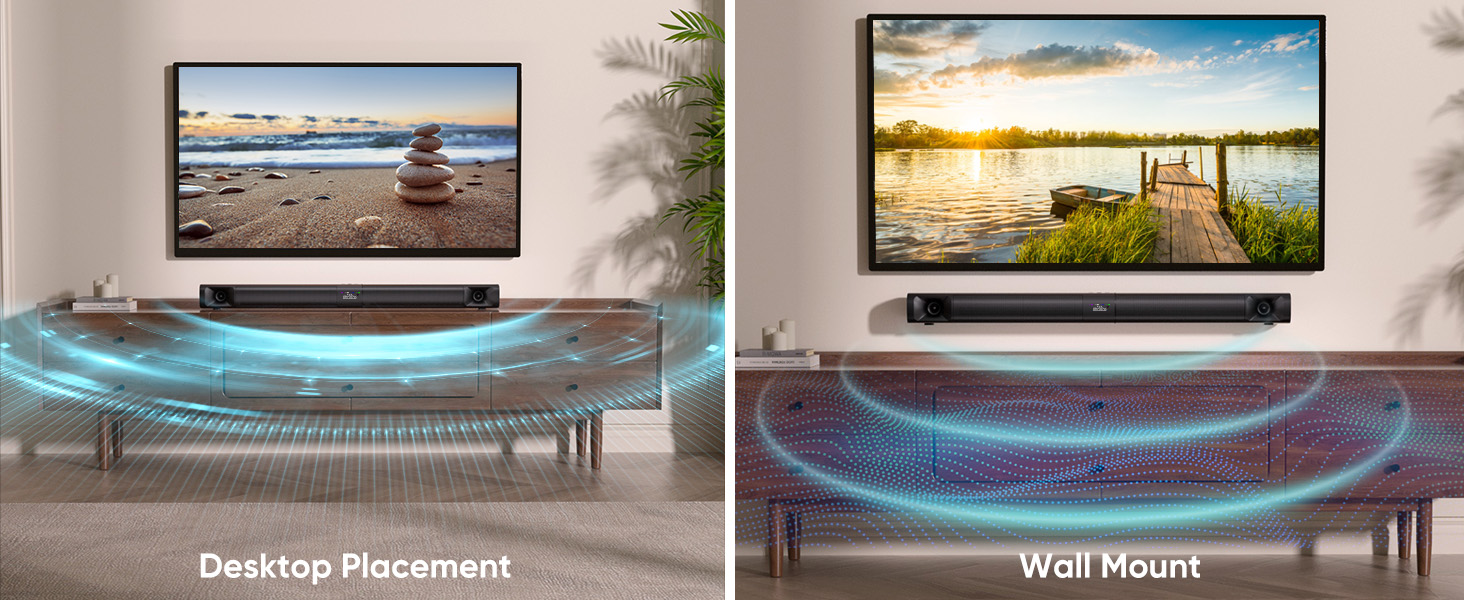
Image 4.2: Illustrates the sound bar in both desktop and wall-mounted horizontal positions.
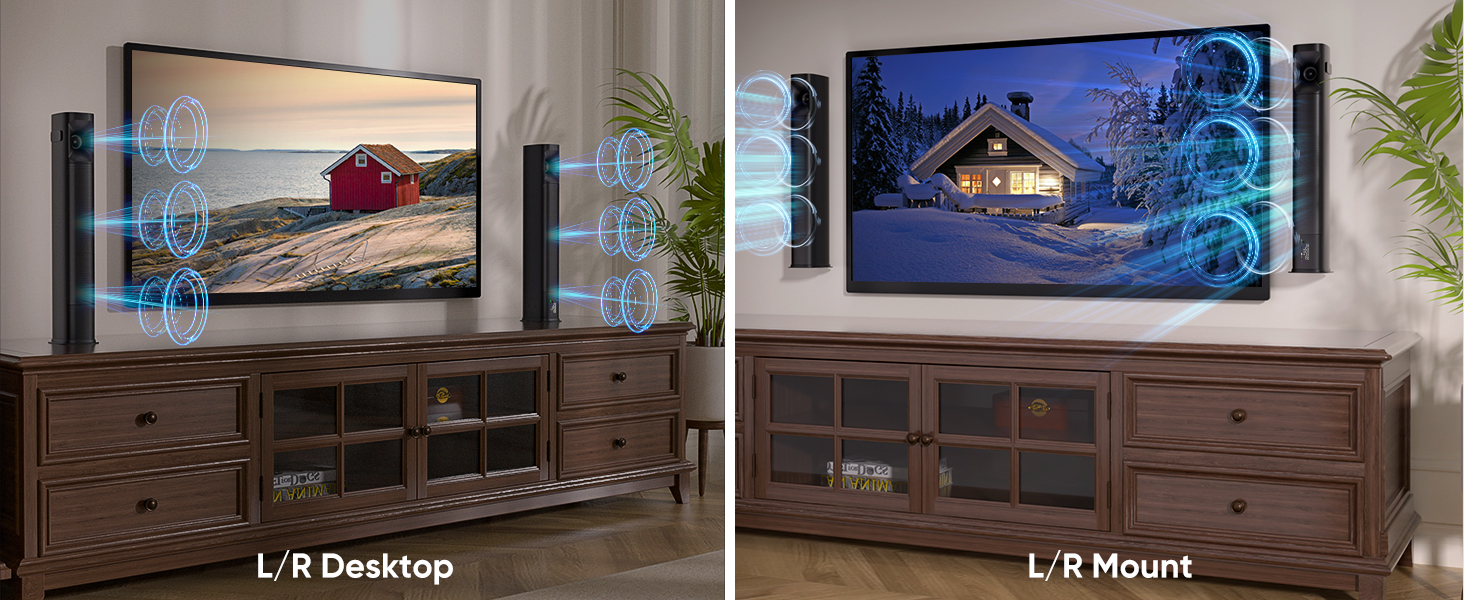
Image 4.3: Illustrates the tower speakers in both desktop and wall-mounted vertical positions.
4.2. Koble til lydkilder
Connect the sound bar to your TV or other devices using one of the available methods.
4.2.1. Optical Cable Connection
For high-quality digital audio, use the optical cable.
- Connect one end of the optical cable to the OPTICAL port on the sound bar.
- Connect the other end to the Optical Digital Audio Out port on your TV.
- På TV-en din, naviger til Settings > Sound Output > Optical.
- Adjust TV audio settings: Go to Settings > Sound > Expert Settings > Digital Output Audio Format og velg PCM/Stereo Sound.
- To avoid silent or noisy output, disable Dolby/DTS on your TV and streaming apps (e.g., Netflix, Amazon Prime Video, Hulu).
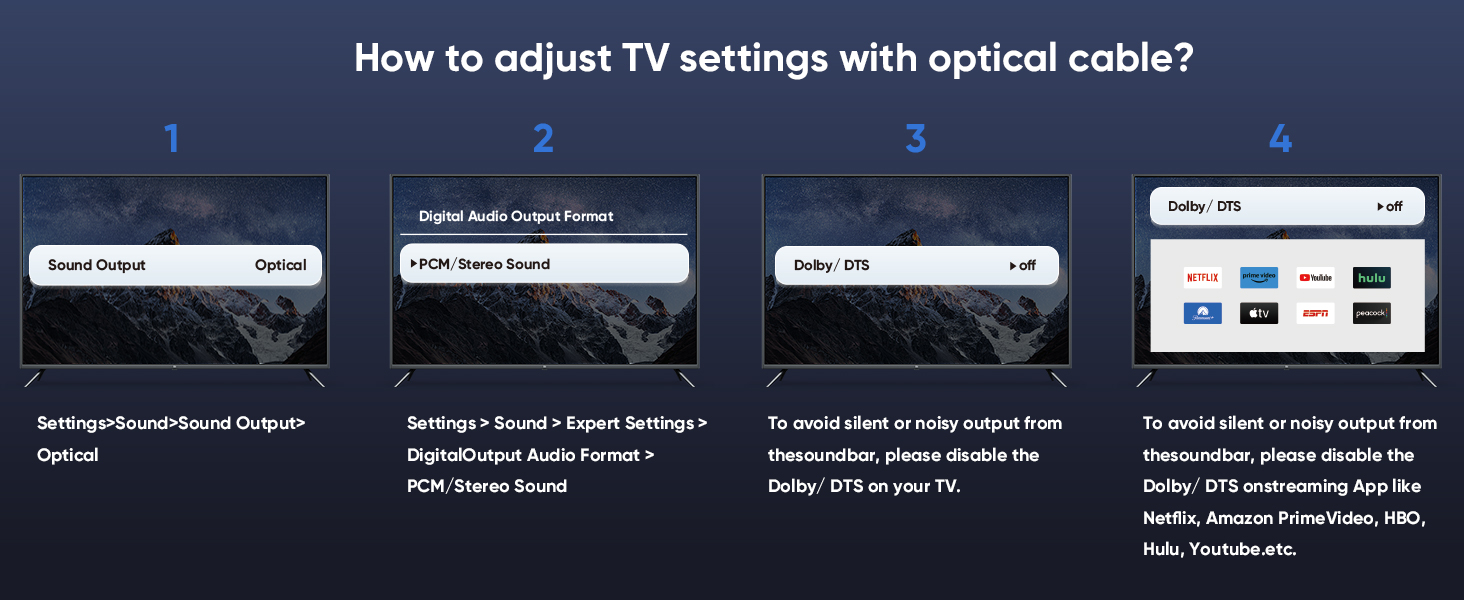
Image 4.4: Step-by-step guide for configuring TV audio settings when using an optical cable.
4.2.2. TV ARC Connection
Use an HDMI cable (not included) for TV ARC connection.
- Connect one end of an HDMI cable to the ARC port on the sound bar.
- Koble den andre enden til HDMI ARC-porten på TV-en.
- Select the ARC input on the sound bar using the remote or control panel.
4.2.3. AUX-tilkobling
For analog audio devices, use the 3.5mm audio cable.
- Connect one end of the 3.5mm audio cable to the AUX port on the sound bar.
- Connect the other end to the 3.5mm audio output port on your device.
- Velg AUX-inngangen på lydplanken.
4.2.4. Bluetooth-tilkobling
For trådløs lydstrømming fra kompatible enheter.
- Turn on the sound bar and select Bluetooth mode (BT). The BT indicator will flash.
- Aktiver Bluetooth på mobilenheten din (smarttelefon, nettbrett osv.).
- Søk etter "Saiyin DS6401PB" in the list of available devices and select it to pair.
- Once paired, the BT indicator will stop flashing and remain solid.
4.2.5. Subwoofer tilkobling
To enhance bass, connect an external powered subwoofer (not included) to the SUB OUT port on the sound bar.
4.3. Slå på
After connecting your audio source and power adapter:
- Connect the power adapter to the DC IN port on the sound bar.
- Koble strømadapteren til en stikkontakt.
- Press and hold the power button on the sound bar or remote control for 1 second to turn it on.
5. Bruksanvisning
5.1. Bruke fjernkontrollen
The included remote control allows full functionality of the sound bar.
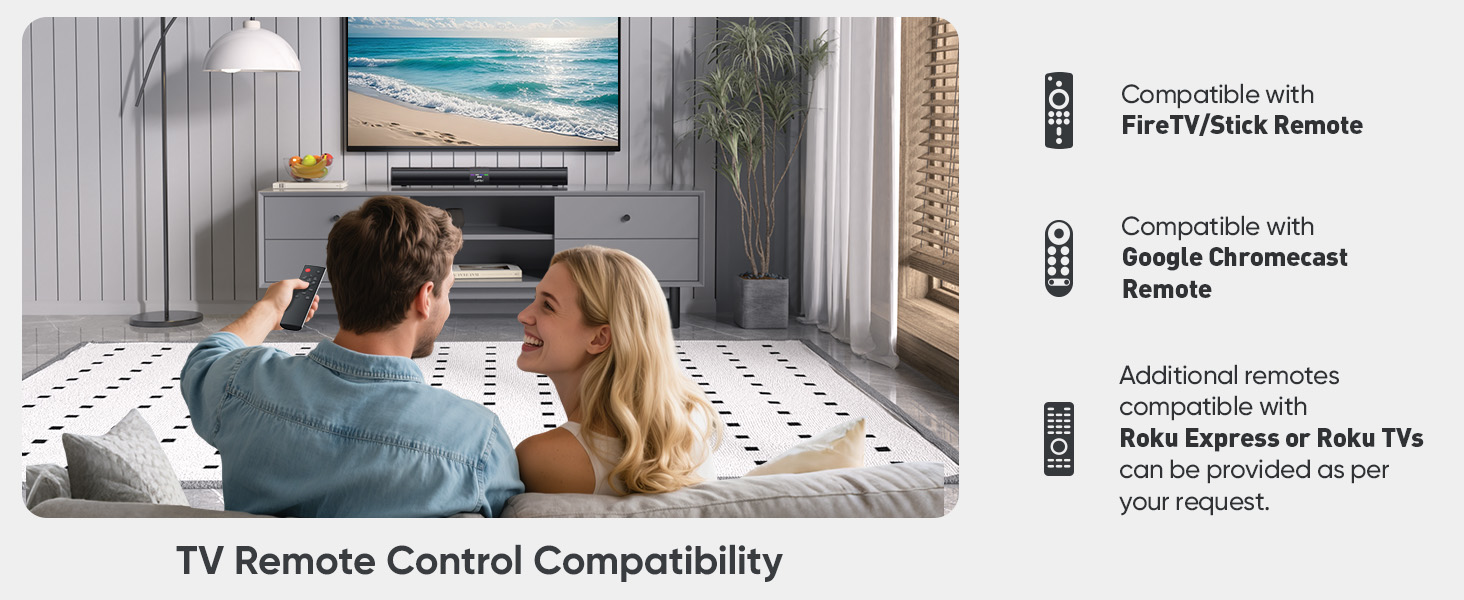
Image 5.1: The sound bar's remote control and its compatibility with FireTV/Stick, Google Chromecast, and Roku remotes.
5.2. Selecting Sound Modes
Optimize your audio experience by choosing one of the three preset sound modes.
- Nyhetsmodus: Enhances vocal clarity for dialogue-heavy content.
- Filmmodus: Provides a dynamic and immersive soundstage for filmer.
- Musikkmodus: Delivers balanced audio reproduction for music listening.
Press the corresponding button on the remote control to switch between modes.
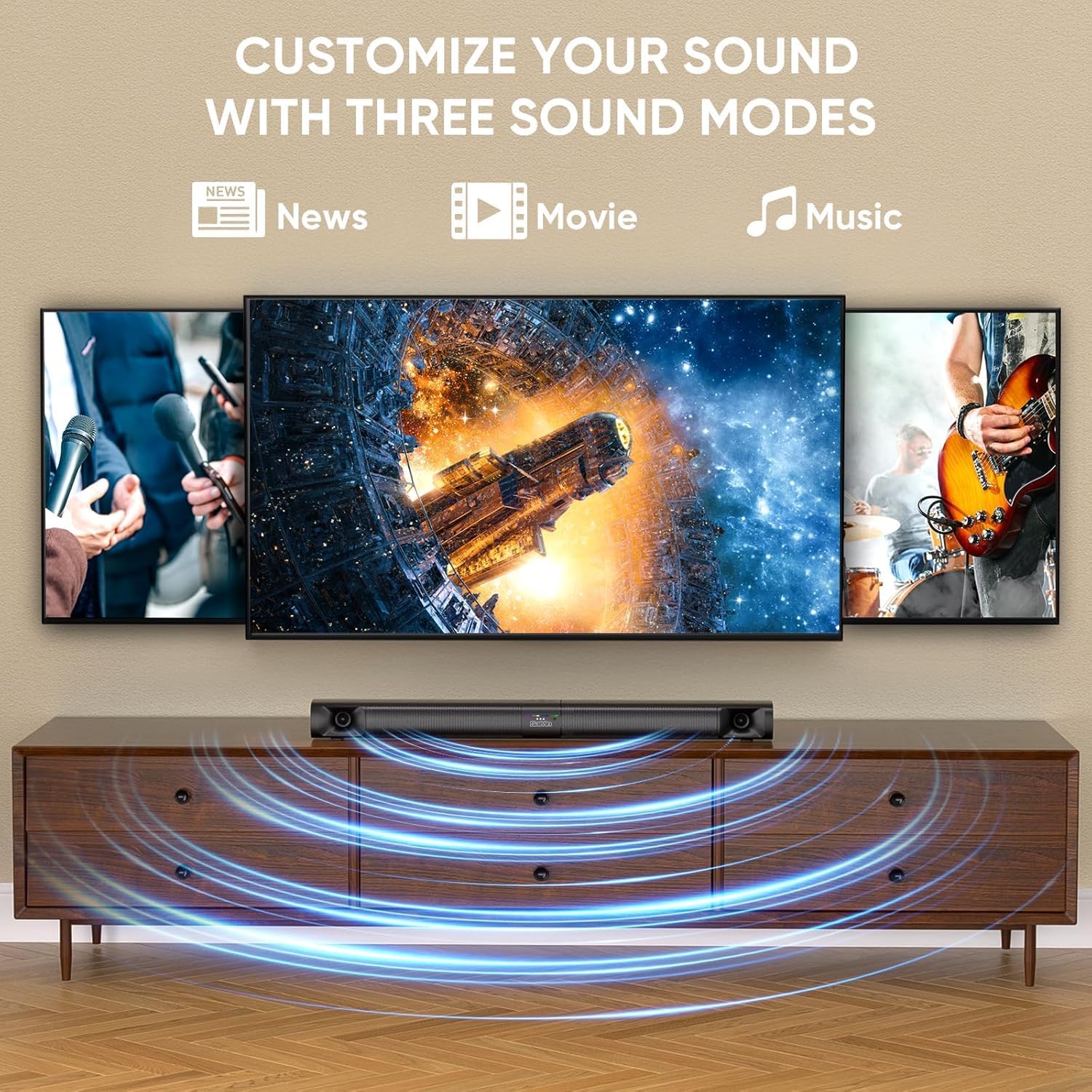
Image 5.2: Visual representation of the three customizable sound modes: News, Movie, and Music.
6. Vedlikehold
For å sikre at lydplanken din varer lenge og har optimal ytelse, bør du følge disse vedlikeholdsretningslinjene:
- Rengjøring: Bruk en myk, tørr klut til å rengjøre overflaten på lydplanken. Ikke bruk flytende rengjøringsmidler eller slipende materialer.
- Ventilasjon: Sørg for at ventilasjonsåpningene på lydplanken ikke er blokkert for å forhindre overoppheting.
- Lagring: Hvis du oppbevarer lydplanken over lengre tid, må du koble den fra strømmen og oppbevare den på et kjølig og tørt sted.
- Unngå fuktighet: Hold lydplanken unna vann og høy luftfuktighet.
7. Feilsøking
If you encounter issues with your sound bar, refer to the following common problems and solutions.
| Problem | Mulig årsak | Løsning |
|---|---|---|
| Ingen lyd |
|
|
| Frakobling av Bluetooth |
|
|
| Fjernkontrollen fungerer ikke |
|
|
| Forvrengt lyd |
|
|
8. Spesifikasjoner
| Trekk | Spesifikasjon |
|---|---|
| Modellnavn | Saiyin Soundbar DS6401PB |
| Høyttalertype | Soundbar (Detachable) |
| Tilkoblingsteknologi | Bluetooth 5.3, TV ARC, Optical, AUX |
| Lydutgangsmodus | Stereo (2.0-kanal) |
| Høyttaler Maksimal utgangseffekt | 90 watt |
| Frekvensrespons | Down to 65Hz (low-frequency drivers) |
| Kontrollmetode | Fjernkontroll, knapper på enheten |
| Monteringstype | Veggmontering, skrivebord |
| Produktmål (lydplanke) | 31 inches (Length) x 3.4 inches (Depth) x 2.5 inches (Height) |
| Varevekt | 5.02 pund |
| Produsent | Shenzhen Saiyin Electronics Co.,Ltd. |
9. Garanti og støtte
9.1. Garantiinformasjon
The Saiyin Sound Bar DS6401PB comes with a 12 måneders garanti from the date of purchase. This warranty covers manufacturing defects and workmanship under normal use. It does not cover damage caused by misuse, accidents, unauthorized modifications, or improper installation.
9.2. Kundestøtte
For technical assistance, warranty claims, or any questions regarding your Saiyin Sound Bar DS6401PB, please contact our customer support team. Refer to the contact information provided in your quick start guide or on the official Saiyin webnettstedet.