
1. Produktet er overview
The BUGANI Luster Bluetooth Speaker is a portable wireless stereo speaker designed for high-quality audio output with dynamic colorful lighting. It features Bluetooth 5.3 connectivity, IPX6 waterproofing, and extended playtime, making it suitable for various indoor and outdoor environments.

Image: The BUGANI Luster Bluetooth Speaker, showcasing its design and the vibrant light effects, surrounded by water splashes to highlight its waterproof capabilities.
2. Hva er i esken
- BUGANI Luster Bluetooth Speaker
- USB-C ladekabel
- AUX-inn kabel
- Hurtigstartguide
- Avtakbar snor
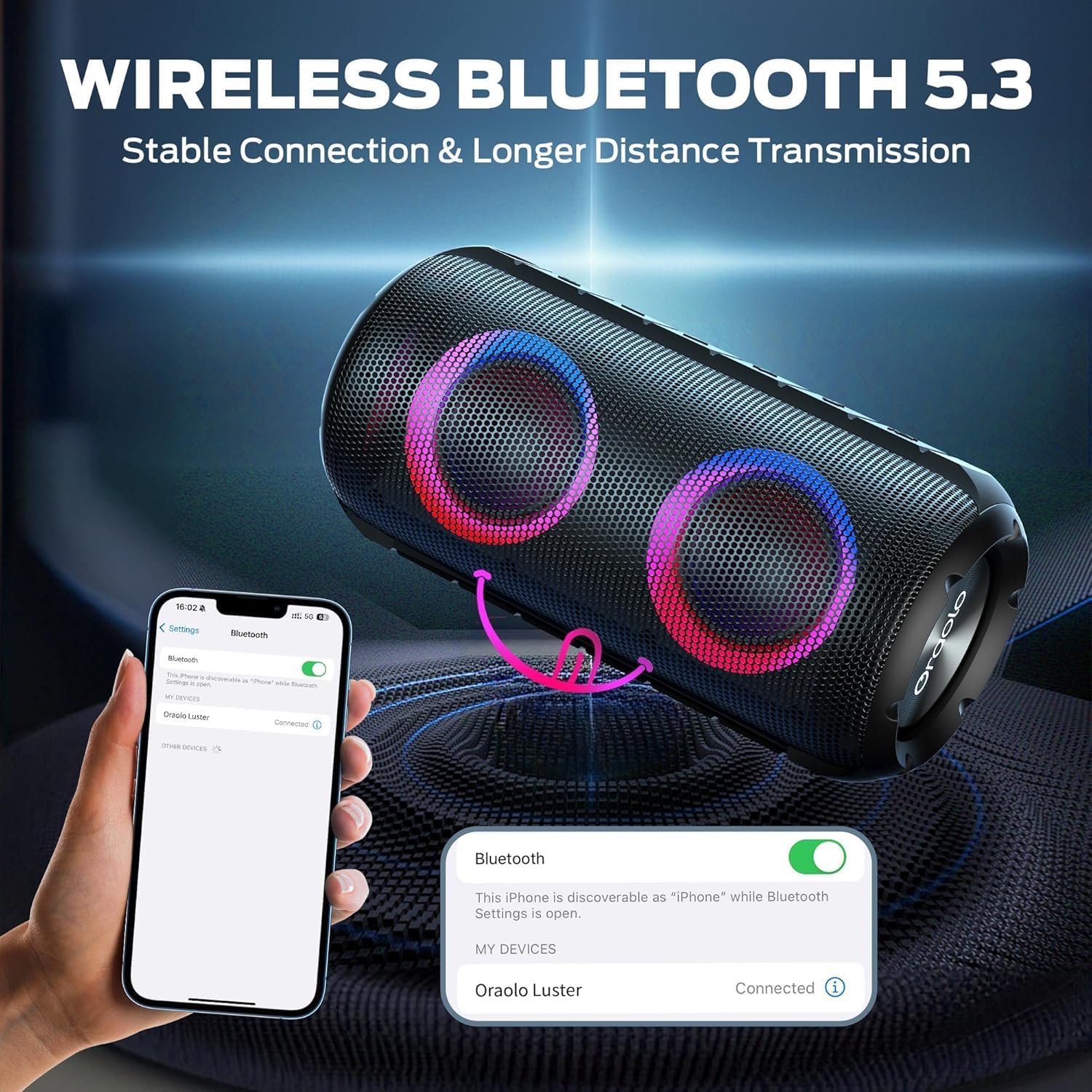
Image: The BUGANI Luster Bluetooth Speaker with its detachable lanyard, illustrating its portability and ease of carrying.
3. Oppsett
3.1 Innledende lading
Before first use, fully charge the speaker. Connect the provided USB-C cable to the speaker's charging port and the other end to a USB power adapter (not included) or a computer's USB port. The charging indicator light will show the charging status.
3.2 Strøm på/av
- Strøm på: Trykk og hold inne strømknappen (⏻) for 2-3 seconds until you hear an audible prompt and the lights illuminate.
- Slå av: Trykk og hold inne strømknappen (⏻) for 2-3 seconds until you hear an audible prompt and the lights turn off.
3.3 Bluetooth-paring
- Sørg for at høyttaleren er slått på og i Bluetooth-paringsmodus (indikeres med et blinkende blått lys).
- Aktiver Bluetooth på enheten din (smarttelefon, nettbrett osv.) og søk etter tilgjengelige enheter.
- Select "BUGANI Luster" from the list of devices.
- Once connected, you will hear a confirmation sound, and the Bluetooth indicator light will become solid blue.
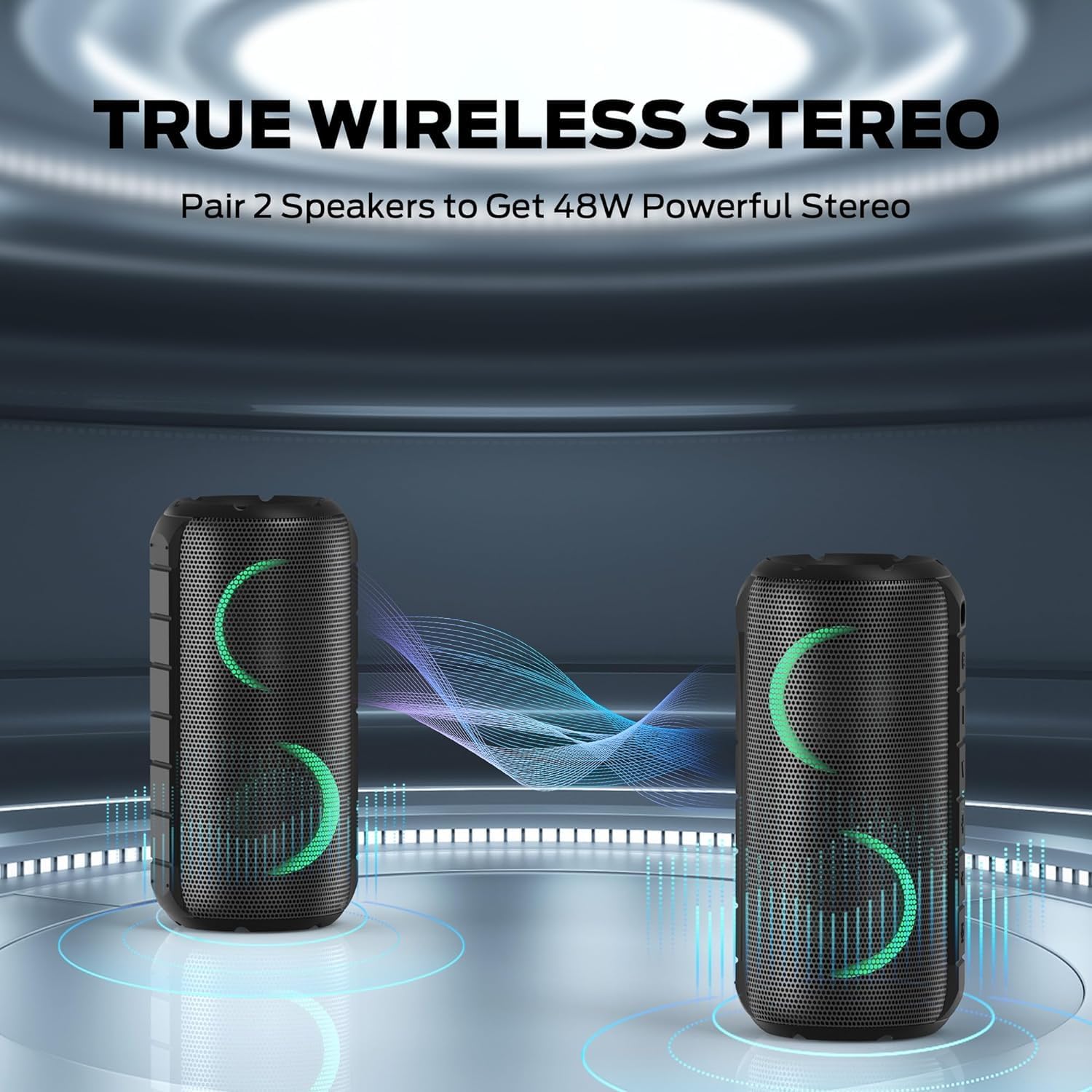
Image: A smartphone displaying its Bluetooth settings, showing a successful connection to the "Oraolo Luster" (BUGANI Luster) speaker, demonstrating the ease of Bluetooth 5.3 pairing.
3.4 Ekte trådløs stereo (TWS)-paring
To achieve a more immersive stereo sound, you can pair two BUGANI Luster speakers together.
- Sørg for at begge høyttalerne er slått på og ikke koblet til noen Bluetooth-enhet.
- On one speaker (this will be the primary speaker), press the TWS button (often indicated by two interlocking circles or a dedicated TWS icon). The speaker will enter TWS pairing mode.
- The primary speaker will automatically search for the secondary speaker. Once connected, you will hear a confirmation sound, and the lights on both speakers will synchronize.
- Koble nå enheten til hovedhøyttaleren via Bluetooth som beskrevet i avsnitt 3.3. Lyden spilles av gjennom begge høyttalerne i stereo.

Image: Two BUGANI Luster speakers positioned to illustrate their True Wireless Stereo (TWS) pairing capability, creating a wider soundstage.
3.5 AUX-inngangstilkobling
For non-Bluetooth devices, use the provided 3.5mm AUX-in cable.
- Connect one end of the 3.5mm AUX-in cable to the speaker's AUX-in port.
- Koble den andre enden til lydutgangskontakten på enheten din.
- The speaker will automatically switch to AUX-in mode.
4. Bruksanvisning
4.1 Knappefunksjoner

Bilde: Et nærbilde view of the BUGANI Luster speaker's top panel, clearly showing the control buttons for various functions.
| Knapp | Funksjon (kort trykk) | Funksjon (langt trykk) |
|---|---|---|
| ⏻ (Makt) | N/A | Slå på/av |
| + (Volum opp) | Volum opp | Neste spor |
| - (Volum ned) | Volum ned | Forrige spor |
| ▶‖ (Spill av/pause) | Spill av/pause; Besvar/avslutt samtale | Avvis anrop; Aktiver taleassistent |
| 💡 (Light Mode) | Cycle through Light Modes | Slå lysene på/av |
| TWS (TWS Pairing) | N/A | Gå inn i TWS-paringsmodus |
4.2 Colorful Light Show
The speaker features a dynamic RGB light system with 7 colors and 5 light modes. Press the Light Mode button (💡) to cycle through the available modes. Long press the button to turn the lights on or off.

Image: The BUGANI Luster speaker showcasing its vibrant and dynamic colorful light patterns, which enhance the listening experience.
4.3 Håndfri telefonering
When connected via Bluetooth, the speaker's built-in microphone allows for hands-free calls.
- Svar/avslutt samtale: Trykk kort på Spill av/Pause-knappen (▶‖).
- Avvis anrop: Long press the Play/Pause button (▶‖).
4.4 Aktivering av stemmeassistent
Long press the Play/Pause button (▶‖) to activate your phone's voice assistant (e.g., Siri, Google Assistant).
5. Vedlikehold
5.1 Rengjøring
Tørk av høyttaleren med en myk, damp klut. Ikke bruk slipende rengjøringsmidler, alkohol eller kjemiske løsemidler, da disse kan skade overflaten eller de indre komponentene.
5.2 Vanntetthetsbeskyttelse (IPX6)
The speaker has an IPX6 waterproof rating, meaning it is protected against powerful water jets. It is suitable for use in rainy conditions or near water bodies like pools and beaches. However, it is ikke designed for submersion in water. Ensure the charging port cover is securely closed before exposing the speaker to water.
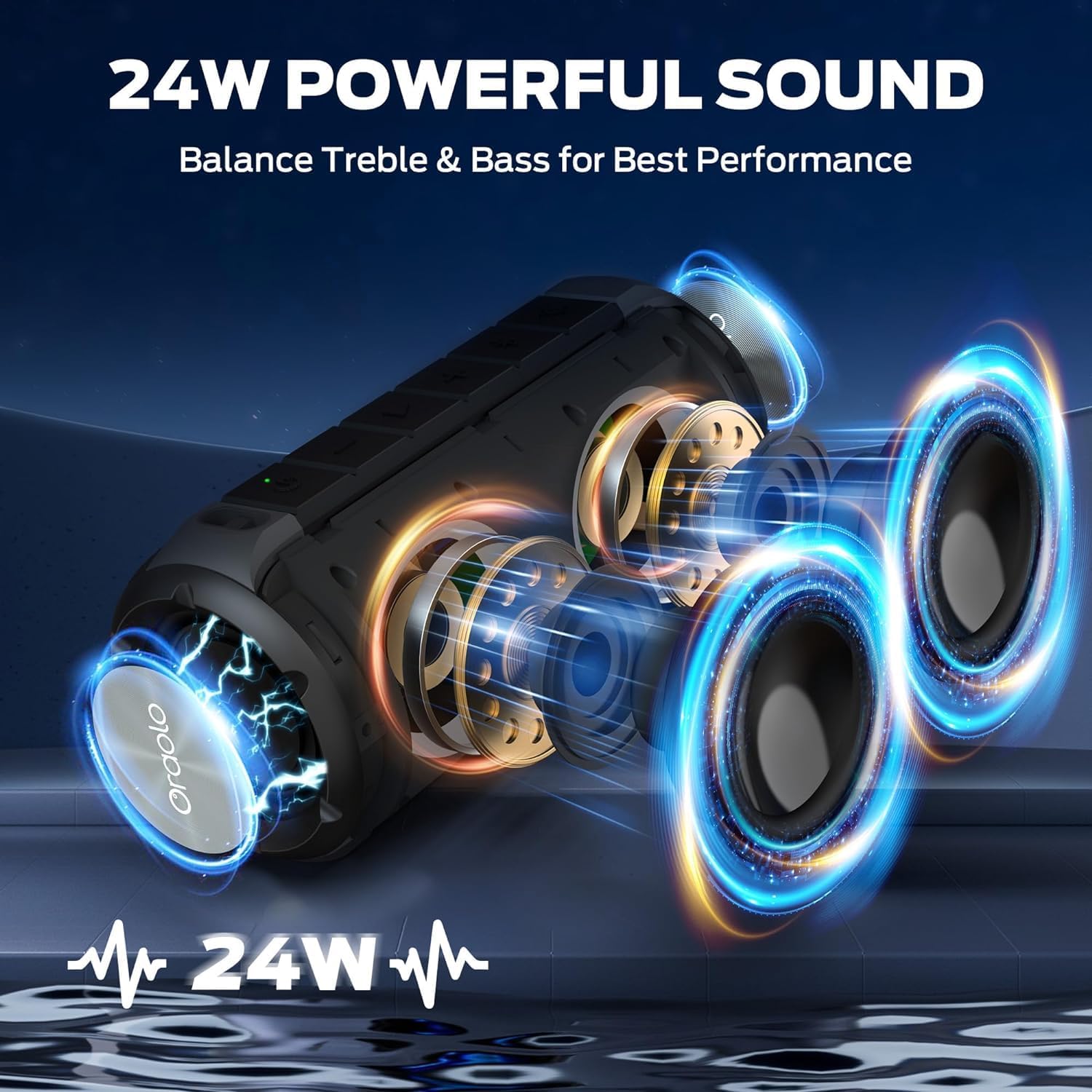
Image: The BUGANI Luster speaker resting on a wet rock with water droplets, visually confirming its IPX6 waterproof rating for outdoor use.
5.3 Oppbevaring
Oppbevar høyttaleren på et kjølig og tørt sted, unna direkte sollys og ekstreme temperaturer. Hvis du oppbevarer den over lengre tid, bør du lade batteriet til omtrent 50 % annenhver måned for å opprettholde batteristatusen.
6. Feilsøking
6.1 Ingen strøm
- Sørg for at høyttaleren er fulladet.
- Trykk og hold inne av/på-knappen i 2–3 sekunder.
6.2 Ingen lyd
- Sjekk volumnivået på både høyttaleren og den tilkoblede enheten.
- Ensure the speaker is correctly paired via Bluetooth or the AUX-in cable is securely connected.
- If using Bluetooth, try disconnecting and re-pairing the device.
6.3 Problemer med Bluetooth-paring
- Ensure the speaker is within the effective range (up to 33 feet/10 meters) of your device.
- Slett Bluetooth-paringsloggen på enheten din, og prøv å pare på nytt.
- Slå av og på både høyttaleren og enheten.
- Sørg for at ingen andre Bluetooth-enheter forstyrrer.
6.4 TWS Pairing Fails
- Ensure both speakers are fully charged and not connected to any other Bluetooth device.
- Place the speakers close to each other during the TWS pairing process.
- Follow the TWS pairing steps precisely as described in section 3.4.
7. Spesifikasjoner
| Trekk | Detalj |
|---|---|
| Merke | BUGANI |
| Modellnavn | M166 |
| Høyttalertype | Bærbar stereohøyttaler |
| Høyttaler Maksimal utgangseffekt | 24 watt |
| Tilkoblingsteknologi | Bluetooth 5.3, Auxiliary (3.5mm AUX-in) |
| Vanntett vurdering | IPX6 |
| Spilletid | Opptil 24 timer (ved 50 % volum, lysene av) |
| Produktdimensjoner | 4" D x 8" B x 4" H |
| Varevekt | 1.34 pund (0.61 kilo) |
| Batterier | 1 AA-batteri kreves (inkludert) |
8. Garanti og støtte
BUGANI products are manufactured to high-quality standards. For specific warranty information and support, please refer to the warranty card included with your product or visit the official BUGANI webnettstedet. Ta vare på kjøpskvitteringen som kjøpsbevis for garantikrav.
For technical assistance or customer service inquiries, please contact BUGANI customer support through their official channels.