
1. Introduksjon
This manual provides essential information for the proper setup, operation, and maintenance of your Piegricdiat SF3000 Portable Handheld HD Gaming Set. Please read this manual thoroughly before using the device to ensure optimal performance and user safety. The SF3000 is a versatile handheld device designed for gaming, multimedia playback, and emergency charging.
2. Produktet er overview
The SF3000 features a compact design with a 4.5-inch IPS HD display, dual-core processor, and a 3000 mAh battery. It supports multiple emulators for a wide range of retro games and offers additional functionalities such as an e-book reader, video player, and emergency power bank.
2.1 Enhetskomponenter

Figur 1: Foran view of the SF3000 Handheld Gaming Set.
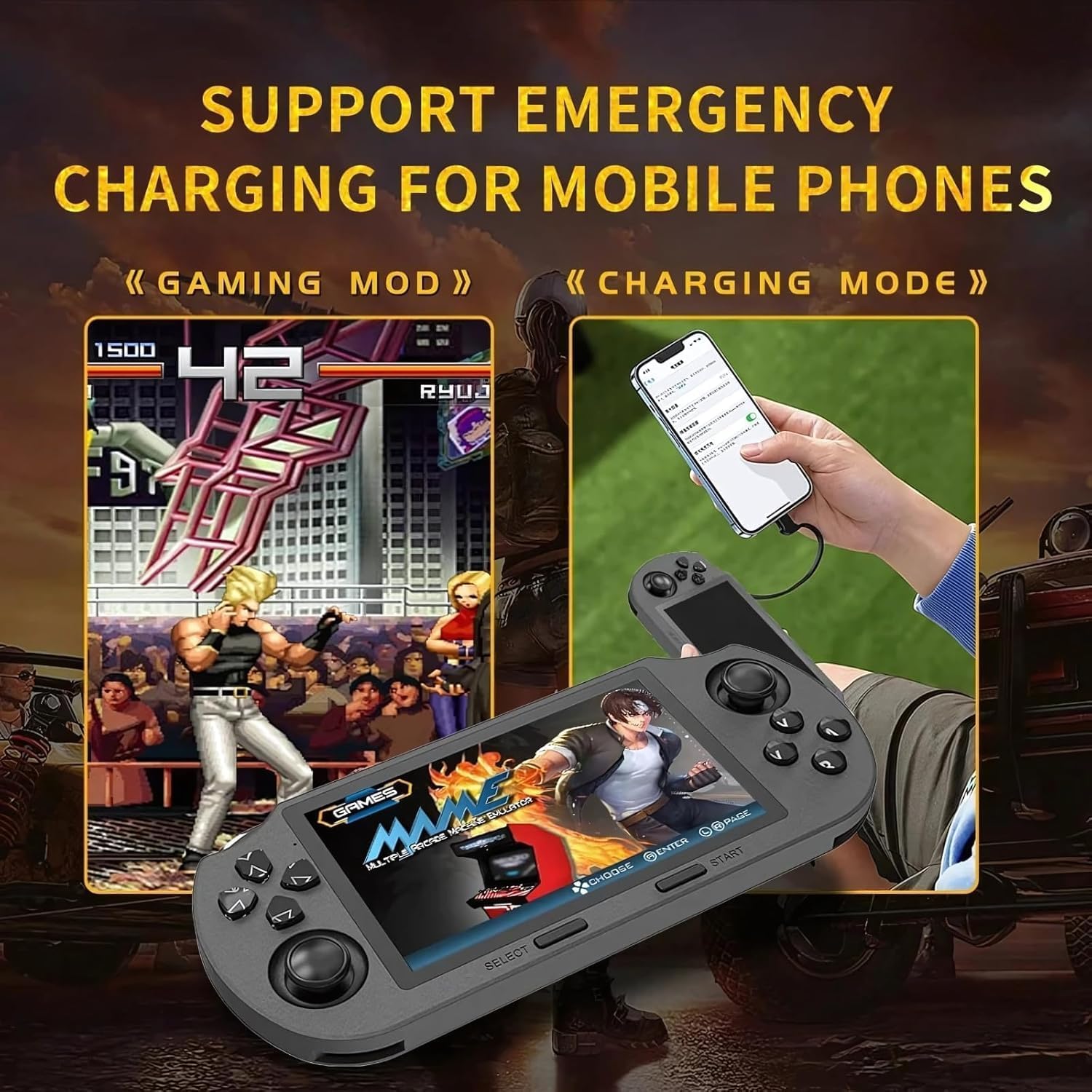
Figure 2: Labeled controls and ports on the SF3000.
- D-Pad: Directional input for navigation and gameplay.
- Analoge spaker: Two analog sticks for precise movement in games.
- Function Buttons (A, B, X, Y): Primære handlingsknapper for spilling.
- Velg-knapp: Used for menu selections and in-game functions.
- Startknapp: Used to start games and pause.
- Bumper Buttons (L, R): Located on the top edge for additional controls.
- Strømknapp: For å slå enheten på/av.
- TF-kortspor: For inserting the 64GB TF card containing games.
- Type-C-port: For lading og dataoverføring.
- Hodetelefonkontakt: 3.5 mm-port for lydutgang.
- Volum +/-: Buttons to adjust audio volume.

Figur 3: Bakside view of the SF3000, showing the integrated stand.
- Integrert stativ: Located on the back for hands-free viewing.
- L2/R2-knapper: Additional shoulder buttons on the back for extended control.
3. Oppsett
3.1 Innledende lading
Before first use, fully charge the SF3000. Connect the included USB Type-C cable to the device's Type-C port and the other end to a compatible USB power adapter (not included) or a computer's USB port. The charging indicator will show the charging status. A full charge typically takes 3-4 hours.
3.2 Slå på/av
- For å slå på: Slide the 'ON' switch located on the top edge of the device. The screen will illuminate, displaying the welcome screen.
- Slik slår du av: Slide the 'OFF' switch. The device will shut down.
4. Bruksanvisning
4.1 Navigering i menyer
Use the D-Pad or the left analog stick to navigate through the main menu and game lists. Press the 'A' button (or 'Enter' as indicated on-screen) to select an option or launch a game. Use the 'B' button (or 'Return') to go back to the previous menu.
4.2 Spille spill
The SF3000 supports various emulators including MAME, PS1, FC, SFC, and GBC. To play a game:
- From the main menu, select the desired emulator (e.g., 'PlayStation', 'Family Computer').
- Browse the list of available games using the D-Pad or analog stick.
- Select a game by pressing the 'A' button. The game will begin to load.
- Once loaded, use the D-Pad, analog sticks, and function buttons (A, B, X, Y, L, R, L2, R2) for gameplay. Refer to the specific game's controls for detailed instructions.
- To exit a game or access in-game menus (if available), press the 'Start' button.
4.3 Volumjustering
Adjust the game volume using the Volume +/- buttons located on the top edge of the device.
5. Multimediefunksjoner
Beyond gaming, the SF3000 offers additional multimedia functionalities:

Figure 4: Icons representing multimedia features including video playback, digital photo album, and e-book reading.
- E-bokleser: Access and read e-books directly on the device.
- Videospiller: Play compatible video files.
- Digital Photo Album: View lagrede bilder.
- Nødtelefonlader: The device can function as an emergency power bank for mobile phones. Connect your mobile phone to the SF3000 using a compatible USB cable via the Type-C port.

Figure 5: The SF3000 being used to emergency charge a mobile phone.
6. Vedlikehold
- Rengjøring: Bruk en myk, tørr klut til å rengjøre enheten. Unngå å bruke flytende rengjøringsmidler eller slipende materialer.
- Lagring: Oppbevar enheten på et kjølig og tørt sted, unna direkte sollys og ekstreme temperaturer.
- Batteripleie: For å forlenge batterilevetiden, unngå å utlade enheten helt ofte. Lad enheten regelmessig, selv om den ikke er i bruk over lengre tid.
7. Feilsøking
- Enheten slår seg ikke på: Ensure the device is fully charged. Check the power switch position.
- Games not loading: Verify that the TF card is properly inserted. Some games may require specific emulator settings (not user-adjustable in this manual).
- Skjermproblemer: If the screen is unresponsive or displays abnormalities, try restarting the device.
- Ladeproblemer: Ensure the Type-C cable and power adapter are functioning correctly.
8. Spesifikasjoner
| Trekk | Spesifikasjon |
|---|---|
| Skjermstørrelse | 4.5 tommer |
| Visningstype | IPS HD LCD |
| CPU | Dual-core 1.2 GHz |
| Minnelagringskapasitet | 64 GB (TF Card) |
| Batterikapasitet | 3000 mAh |
| Arbeidstid | 5–7 timer |
| Strømkilde | Batteridrevet |
| Grensesnitt | Type C |
| Materiale | Plast |
| Produktdimensjoner | 7.4 x 3.6 x 3.6 tommer |
| Støttede emulatorer | MAME, PS1, FC, SFC, GBC (and more) |
9. Sikkerhetsinformasjon
Barn bør bruke denne enheten under tilsyn av voksne.
10. Offisielle produktvideoer
SF3000 Portable Handheld HD Gaming Set Overview
Denne videoen gir en generell oversiktview of the SF3000 Portable Handheld HD Gaming Set, demonstrating its features and functionality. It highlights the device's design, screen quality, and game selection interface.