
1. Introduksjon
Thank you for choosing the TCL Gaming Monitor 25G54. This monitor is designed to provide an immersive gaming experience with its advanced display technology and high performance. This manual will guide you through the setup, operation, and maintenance of your new monitor.
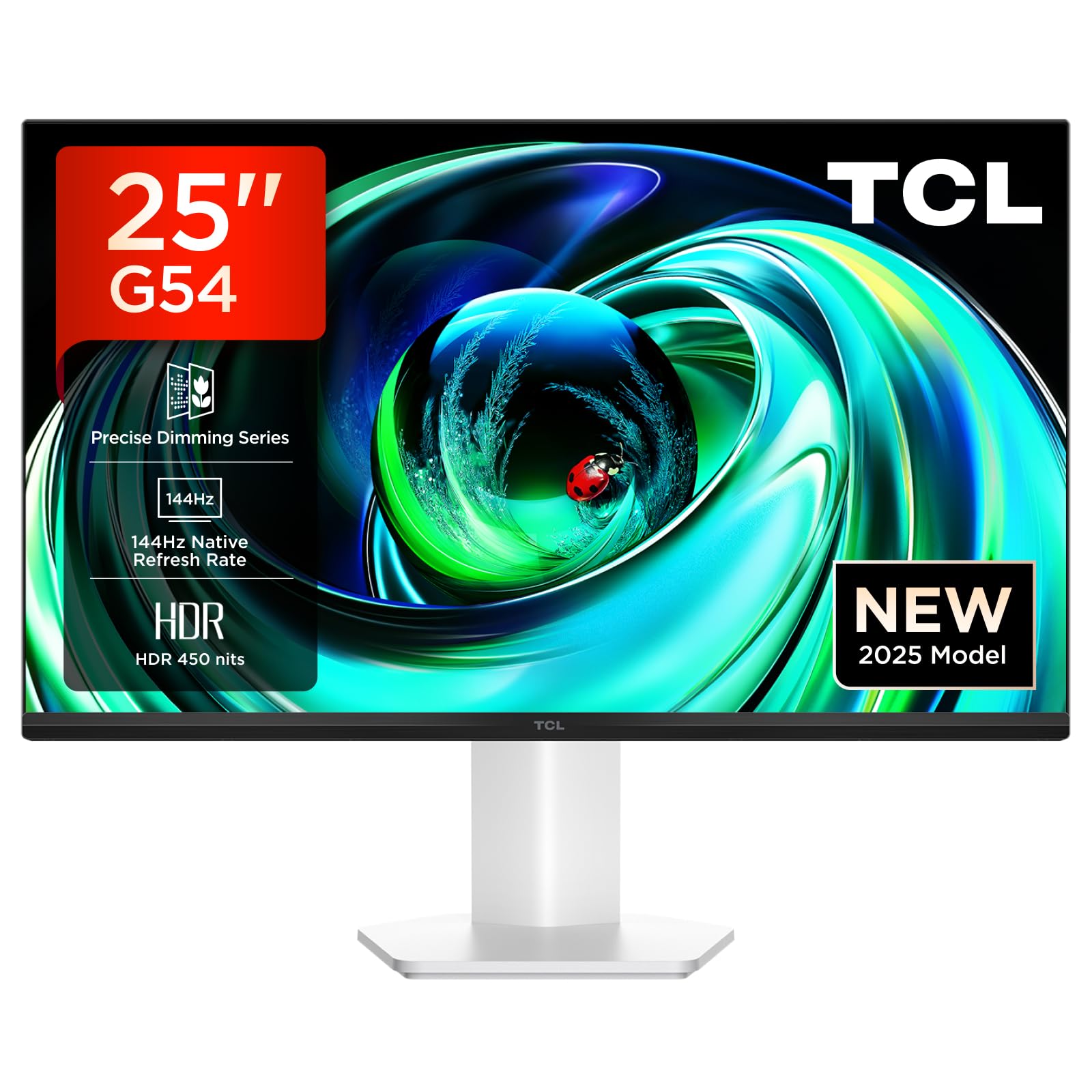
Figur 1: Foran view of the TCL Gaming Monitor 25G54.
2. Sikkerhetsinformasjon
Les alle instruksjonene nøye før du bruker skjermen. Ta vare på denne håndboken for senere referanse.
- Ikke utsett skjermen for regn eller fuktighet for å unngå brann eller elektrisk støt.
- Ikke åpne skjermen casing. Det er ingen deler inni som brukeren kan reparere. Overlat all service til kvalifisert personell.
- Plasser skjermen på en stabil, flat overflate for å hindre at den faller ned.
- Sørg for tilstrekkelig ventilasjon rundt skjermen. Ikke blokker ventilasjonsåpningene.
- Bruk kun strømadapteren og kablene som følger med fra produsenten.
- Trekk ut strømpluggen fra stikkontakten hvis skjermen ikke skal brukes over lengre tid.
3. Pakkens innhold
Bekreft at alle varene er til stede i pakken din:
- TCL Gaming Monitor 25G54
- Skjermstativ (base og hals)
- Strømkabel
- HDMI-kabel
- Brukerhåndbok og garantikort
Note: Specific cable types (e.g., DisplayPort) may vary by region or package.
4. Oppsett
4.1 Montering av stativet
- Ta forsiktig ut komponentene til skjermen og stativet fra emballasjen.
- Attach the stand neck to the monitor panel. Ensure it clicks securely into place or is fastened with screws as indicated in the quick start guide.
- Fest stativbasen til stativhalsen, og fest den med den medfølgende skruen.
- Plasser den monterte skjermen på et stabilt skrivebord.
4.2 Koble til skjermen
The monitor supports various input options. Connect the appropriate cable from your computer or gaming console to the monitor.
- HDMI-tilkobling: Use an HDMI cable to connect your device to the monitor's HDMI port.
- DisplayPort-tilkobling: Use a DisplayPort cable to connect your device to the monitor's DisplayPort.
- USB-tilkoblinger: Bruk USB-portene for å koble til eksterne enheter.

Figur 2: Bak view showing the monitor's connectivity ports including HDMI, DisplayPort, and USB.
4.3 Slå på
- Koble strømkabelen til skjermens strøminngang og deretter til en stikkontakt.
- Press the power button, usually located on the back or bottom of the monitor, to turn it on.
5. Bruksanvisning
5.1 On-Screen Display (OSD)-meny
The OSD menu allows you to adjust various monitor settings. Access it using the joystick button, typically located on the back of the monitor.

Figure 3: Illustration of the joystick button for OSD menu navigation.
Vanlige OSD-innstillinger:
- Lysstyrke/kontrast: Juster skjermens lysstyrke og kontrastnivåer.
- Fargeinnstillinger: Modify color temperature, gamma, and color space (e.g., DCI-P3, sRGB).
- Inndatakilde: Manually select the active input (HDMI, DisplayPort).
- Spillfunksjoner: Enable/disable FreeSync, adjust response time, and other gaming-specific enhancements.
- Bildemodus: Select preset display modes for different content types (e.g., Standard, Game, Movie).
5.2 Ergonomiske justeringer
Skjermstativet tilbyr ergonomiske justeringer for optimal viewkomfort.
- Tilt: Adjust the screen's vertical angle.
- Sving: Roter skjermen horisontalt.
- Høydejustering: Raise or lower the screen to eye level.
- Pivot: Roter skjermen til stående eller liggende retning.

Figure 4: Illustration of the monitor's ergonomic stand, showing tilt and height adjustment capabilities.
6. Funksjoner
The TCL Gaming Monitor 25G54 incorporates several key technologies for superior performance:
- Mini LED Technology: Combines QLED and OLED advantages for precise, pixel-level illumination, offering sharp contrast and a wide color gamut.
- Presis dimming-serie: Enhances overall image quality by optimizing light and shadow, providing a high-quality visual experience.
- HDR 400 nit Brightness: With a peak brightness of 450 nits and a contrast ratio of 4,500,000:1, it delivers extended dynamic range and vivid details in both dark and bright areas.
- 144Hz oppdateringsfrekvens: Ensures smooth and fluid images in all gaming scenes and actions, minimizing motion blur.
- 1ms (GTG) Response Time: An extremely fast response time reduces ghosting and blurring, allowing for quick target acquisition.
- 93% DCI-P3 Wide Color Gamut: Displays vibrant colors with professional-level accuracy, revealing an immersive world of color.
- TÜV Rheinland Flicker-Free & Low Blue Light: Certified for eye protection, this mode blocks harmful blue light and eliminates flicker for prolonged viewkomfort.

Figur 5: Overview of the TCL 25G54 Mini LED Monitor's key features.
7. Vedlikehold
Riktig vedlikehold sikrer skjermens levetid og optimale ytelse.
- Rengjøring av skjermen: Tørk forsiktig av skjermen med en myk, lofri klut. For gjenstridige merker, bruk en skjermspesifikk rengjøringsløsning på kluten, ikke direkte på skjermen.
- Rengjøring av Casing: Bruk en myk, tørr klut til å tørke av skjermenasing. Unngå slipende rengjøringsmidler.
- Ventilasjon: Ensure the ventilation openings are clear of dust and debris. Use compressed air to clean if necessary.
- Slå av: Always turn off and unplug the monitor before cleaning or if it will be unused for an extended period.
8. Feilsøking
Hvis du støter på problemer med skjermen, kan du se følgende vanlige løsninger:
| Problem | Mulig årsak | Løsning |
|---|---|---|
| Intet bilde på skjermen | Power cable disconnected, input cable loose, incorrect input source selected. | Check power and input cable connections. Select correct input source via OSD. |
| Bildet er uskarpt eller forvrengt | Incorrect resolution, faulty cable, graphics driver issue. | Set display resolution to 1920x1080. Try a different cable. Update graphics drivers. |
| Flimrende skjerm | Refresh rate mismatch, faulty cable, external interference. | Ensure refresh rate is set to 144Hz. Try a different cable. Check for nearby electronic devices. |
| Ingen lyd | Audio cable not connected, volume too low, incorrect audio output selected. | Connect headphones to the monitor's audio output. Adjust volume. Select monitor as audio output on your device. |
Hvis problemet vedvarer etter at du har prøvd disse løsningene, kan du kontakte TCLs kundestøtte.
9. Spesifikasjoner
| Trekk | Spesifikasjon |
|---|---|
| Merke | TCL |
| Modellnummer | 25G54 |
| Skjermstørrelse | 25 tommer |
| Oppløsning | 1920x1080 (FHD) |
| Paneltype | IPS |
| Oppdateringsfrekvens | 144 Hz |
| Responstid | 1 ms (GTG) |
| Lysstyrke | 450 nits |
| Kontrastforhold | 4,500,000:1 |
| HDR-støtte | VESA Display HDR 400 |
| Fargeskala | 93 % DCI-P3 |
| Viewing vinkel | 178 grader |
| Tilkobling | 1x HDMI, 1x DisplayPort, 4x USB, Headphone Output |
| Adaptiv synkronisering | FreeSync |
| Dimensjoner (DxBxH) | 18.2 x 55.6 x 43.9 cm |
| Vekt | 4.39 kg |
| Spesielle funksjoner | Mini LED, Flicker-Free, Low Blue Light |
10. Garanti og støtte
Your TCL Gaming Monitor 25G54 comes with a 2-year manufacturer's warranty. For warranty claims, technical support, or service inquiries, please visit the official TCL support webnettstedet eller kontakt din lokale forhandler.
For mer informasjon, besøk TCL-butikk på Amazon.
11. Gjenvinningsinformasjon
Please dispose of this product responsibly. Electronic waste should not be disposed of with household waste. Follow local regulations for the proper disposal of electronic devices. This helps protect the environment and human health.