
1. Introduksjon
The Contixo F28A Premium Drone is a high-performance quadcopter equipped with a 4K camera, 2-axis gimbal, and Electronic Image Stabilization (EIS). Designed for both beginners and experienced pilots, it offers intelligent flight modes, extended flight time, and a robust control range. This manual provides essential information for safe operation, setup, and maintenance of your drone.
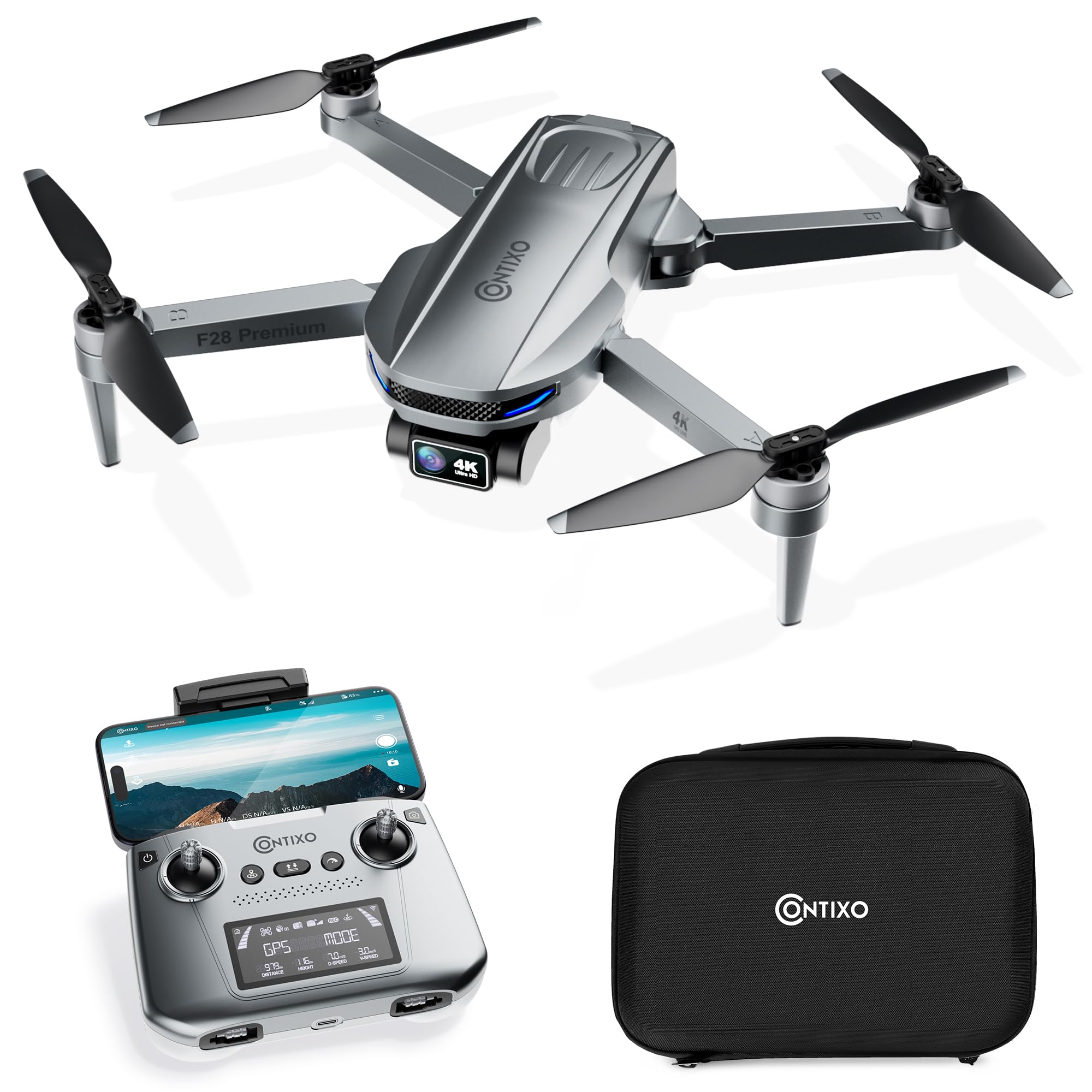
Image 1.1: The Contixo F28A Premium Drone in flight.
2. Hva er i esken
Kontroller at alle komponentene er tilstede i pakken din:
- Contixo F28 Premium Drone x1
- Battery x1 (7.7V 1820mAh Li-Po)
- Transmitter (Remote Control) x1
- Blades x8 (4 installed, 4 spare)
- Landing Gear x1
- Ladekabel x1
- Waterproof Carry Case x1
- Brukerhåndbok x1

Image 2.1: All items included in the Contixo F28A Premium Drone package.
3. Produktet er overview
The Contixo F28A drone features a compact, foldable design for portability. Key components include the 4K camera with a 2-axis gimbal, brushless motors, and an intelligent flight battery.

Image 3.1: Dimensions of the Contixo F28A drone in both folded and unfolded states.

Image 3.2: Illustration of the drone's compact design, brushless motor, and intelligent flight battery.
4. Oppsett
4.1 Utfolding av dronen
- Carefully unfold the front arms of the drone.
- Brett ut de bakre armene.
- Ensure all arms are securely locked into position.
4.2 Installasjon av batteri
- Insert the fully charged battery into the battery compartment on the rear of the drone until it clicks into place.
- Press the power button on the battery once to check the charge level, then press and hold for 2 seconds to power on the drone.
4.3 Fjernkontrolloppsett
- Install 4 AA batteries (not included) into the remote control.
- Power on the remote control by pressing and holding the power button.
- Attach your smartphone to the remote control holder.
4.4 App Connection and Linking
Download the Contixo F28 app from your smartphone's app store. Follow these steps to link the drone and remote:
- Slå på dronen og fjernkontrollen.
- On your smartphone, go to Wi-Fi settings and connect to the drone's Wi-Fi network (e.g., "Contixo-F28-Premium-XXXX").
- Open the Contixo F28 app. The app should display a live feed from the drone's camera once connected.
- Wait for the drone to acquire sufficient GPS satellites (indicated by solid green lights on the drone and GPS status on the remote).
Video 4.1: Official Contixo F28 Premium Drone Linking Guide. This video demonstrates the steps for unfolding the drone, installing the battery, powering on the remote, and connecting to the app via Wi-Fi.
5. Bruksanvisning
5.1 Sjekkliste før fly
- Sørg for at batteriene til dronen og fjernkontrollen er fulladet.
- Sjekk propellene for skader og sørg for at de er godt festet.
- Verify GPS signal strength before takeoff.
- Ensure you are in an open area, free from obstacles and people.
5.2 Grunnleggende flykontroller
Refer to the remote control diagram in the included manual for specific button functions. Common controls include:
- Venstre styrespak: Kontrollerer høyde (opp/ned) og giring (roter til venstre/høyre).
- Høyre styrespak: Kontrollerer bevegelse fremover/bakover og venstre/høyre.
- Avgang/landing med én nøkkel: Trykk på den angitte knappen for automatisk start eller landing.
- Nødstopp: Press and hold the emergency stop button to immediately cut power to the motors (use only in emergencies).

Image 5.1: Visual representation of the one-key takeoff and landing function.
5.3 Smart Flight Modes
The F28A drone offers several intelligent flight modes for enhanced control and creative shots:
- Følg meg: The drone automatically follows the remote controller or a designated subject.
- waypoint: Plan a custom flight path by setting multiple waypoints on the app map. The drone will fly along the specified route.
- Banemodus: The drone circles around a designated point of interest, maintaining a set distance and altitude.
- Automatisk retur til hjem (RTH): The drone automatically returns to its takeoff point in case of low battery, signal loss, or manual activation.

Image 5.2: The drone actively following a person in Follow Me mode.

Image 5.3: The drone flying a pre-programmed route using Waypoint mode.

Image 5.4: The drone performing a circular flight path in Orbit Mode.

Bilde 5.5: Overview of GPS Intelligent Return functions, including Signal Loss RTH, Low Battery RTH, and One-key RTH.
6. Kameradrift
The F28A is equipped with a 4K UHD camera featuring a 2-axis gimbal and Electronic Image Stabilization (EIS) for smooth, high-quality footage.
- Foto/videoopptak: Use the dedicated buttons on the remote control or within the app interface to take photos or start/stop video recording.
- Gimbal kontroll: Adjust the camera's tilt angle using the dedicated dial on the remote control.
- Bevegelseskontroll: Perform specific hand gestures for photo and video capture (refer to the app for details).

Image 6.1: Close-up of the 4K UHD camera with 2-axis gimbal and EIS, highlighting its 110° wide-angle lens and 90° adjustable angle.

Image 6.2: Comparison showing improved stability in pitch and roll with the 2-Axis Gimbal and EIS technology.

Image 6.3: Demonstrates hand gestures for initiating photo and video capture.
7. Vedlikehold
7.1 Rengjøring
- Regularly clean the drone body and camera lens with a soft, dry cloth.
- Remove any dust or debris from the motors and propellers.
7.2 Utskifting av propell
If a propeller is damaged, replace it immediately using the spare blades provided. Ensure you match the correct 'A' and 'B' propellers to their respective motor arms.
7.3 Batteristell
- Lad batteriet med den medfølgende ladekabelen.
- Ikke overlad eller utlad batteriet helt.
- Oppbevar batteriene på et kjølig, tørt sted vekk fra direkte sollys.
8. Feilsøking
- Dronen slår seg ikke på: Ensure the battery is fully charged and correctly installed. Press and hold the power button for 2 seconds.
- No live video feed in app: Verify that your smartphone is connected to the drone's Wi-Fi network. Restart the app and drone if necessary.
- Drone driver under flyturen: Ensure GPS mode is active and the drone has acquired enough satellites before takeoff. Calibrate the gyroscope if drifting persists.
- Fjernkontrollen kobler seg ikke til: Ensure both the drone and remote are powered on. Re-link the remote control following the instructions in the full manual.
- Kort flytid: Sørg for at batteriet er fulladet. Flytiden kan påvirkes av vindforhold og aggressiv flyging.
9. Spesifikasjoner
| Merke | Contixo |
| Modellnavn | F28 Premium |
| Videoopptaksoppløsning | 4K |
| Effektiv stilloppløsning | 8 MP |
| Tilkoblingsteknologi | Wi-Fi |
| Batterikapasitet | 1820 millioneramp Timer (7.7 V) |
| Maksimal rekkevidde | 3280 Feet (Control), 2600 Feet (Video Transmission) |
| Flytid | Opptil 23 minutter |
| Vekt | Less than 249g (0.55 lbs) |
| Materiale | ABS, plast |
| Dimensjoner (L x B x H) | 11.8 cm L x 12.6 cm B x 2.2 cm H (utbrettet) |
10. Sikkerhetsretningslinjer
Always prioritize safety when operating your drone:
- Fly in open areas, away from people, animals, and obstacles.
- Oppretthold siktlinjen med dronen til enhver tid.
- Ikke fly i nærheten av flyplasser eller begrenset luftrom.
- Unngå å fly i sterk vind eller ugunstige værforhold.
- Ensure propellers are clear before starting motors.
- Familiarize yourself with local drone regulations.
11. Garanti og støtte
For warranty information, technical support, or service inquiries, please refer to the official Contixo webnettstedet eller kontakt kundeserviceavdelingen deres. Ta vare på kjøpskvitteringen som kjøpsbevis for garantikrav.
Contixo is committed to customer satisfaction and provides support for their products. For further assistance, please visit the Contixo Store on Amazon.