
BNCF Bpad 11
BNCF Bpad 11 Android 15-nettbrett brukerhåndbok
Modell: Bpad 11
1. Introduksjon
This manual provides essential information for the proper use and maintenance of your BNCF Bpad 11 Android 15 Tablet. Please read this manual thoroughly before operating the device to ensure optimal performance and longevity.
2. Hva er i esken
Upon opening your BNCF Bpad 11 package, verify that all items listed below are present:
- Bpad 11 nettbrett
- Beskyttende etui
- Adapter
- USB Type-C-kabel
- SIM-kortutkaster-pin
- Brukerhåndbok (dette dokumentet)

This diagram illustrates the contents of the BNCF Bpad 11 package, including the tablet, gift box, user manual, protective case, SIM card ejector pin, and Type-C charging cable.
3. Produktet er overview
Familiarize yourself with the physical components and ports of your BNCF Bpad 11 tablet.

This diagram illustrates the location of the rear camera, power button, volume up/down buttons, 3.5mm headphone jack, front camera, SIM/MicroSD card slot, and speakers on the BNCF Bpad 11 tablet.
3.1 Fysiske komponenter
- Utstilling: 11-inch FHD IPS In-cell display (1920x1200 resolution, 90Hz refresh rate).
- Frontkamera: 5 MP for videosamtaler og selfier.
- Bakre kamera: 8 MP for å ta bilder og videoer.
- Strømknapp: Located on the side for turning the device on/off and locking/unlocking the screen.
- Volumknapper: Juster lydnivåene.
- Høyttalere: To høyttalere for lydutgang.
3.2 Porter og spor
- USB Type-C-port: For lading og dataoverføring.
- 3.5 mm hodetelefonkontakt: For tilkobling av kablede hodetelefoner.
- SIM-/MicroSD-kortspor: Supports 4G LTE connectivity and expandable storage up to 1TB via MicroSD card.
4. Oppsett
4.1 Første gangs strøm på
- Trykk og hold inne Strømknapp until the BNCF logo appears on the screen.
- Følg instruksjonene på skjermen for å velge språk, koble til et Wi-Fi-nettverk og konfigurer Google-kontoen din.
4.2 Sette inn SIM-/MicroSD-kort
- Finn SIM-/MicroSD-kortsporet på siden av nettbrettet.
- Sett inn SIM-kortutkaster-pin into the small hole next to the tray to eject it.
- Place your Nano-SIM card(s) and/or MicroSD card into the tray according to the diagram on the tray.
- Sett brettet forsiktig tilbake i nettbrettet.
5. Bruksanvisning
5.1 Android 15-operativsystem
Your Bpad 11 runs on the Android 15 operating system, offering an intuitive user interface and enhanced features.
- Secure Private Space: Utilize stricter app isolation with hidden notifications, supported by Google's security updates.
- Smarter Screen Recording: Focuses on single-app recording for enhanced privacy.
- Faster Multitasking with App Pairs: Quick split-screen functionality for efficient multitasking.
- Better Taskbar Customization: Easier pinning for faster app access.

This image highlights key features of the Android 15 operating system, including Secure Private Space, Smarter Screen Recording, Faster Multitasking with App Pairs, and Better Taskbar Customization.
5.2 Skjerm og ytelse
- 90Hz oppdateringsfrekvens: Provides a smooth and responsive visual experience, ideal for browsing and gaming.
- Helio G100 Processor: The MediaTek Helio G100 Octa-Core processor and Mali-G57 MC2 GPU ensure efficient performance for demanding applications.

The image emphasizes the 90Hz refresh rate of the tablet's display, indicating smoother visuals compared to standard 60Hz screens.
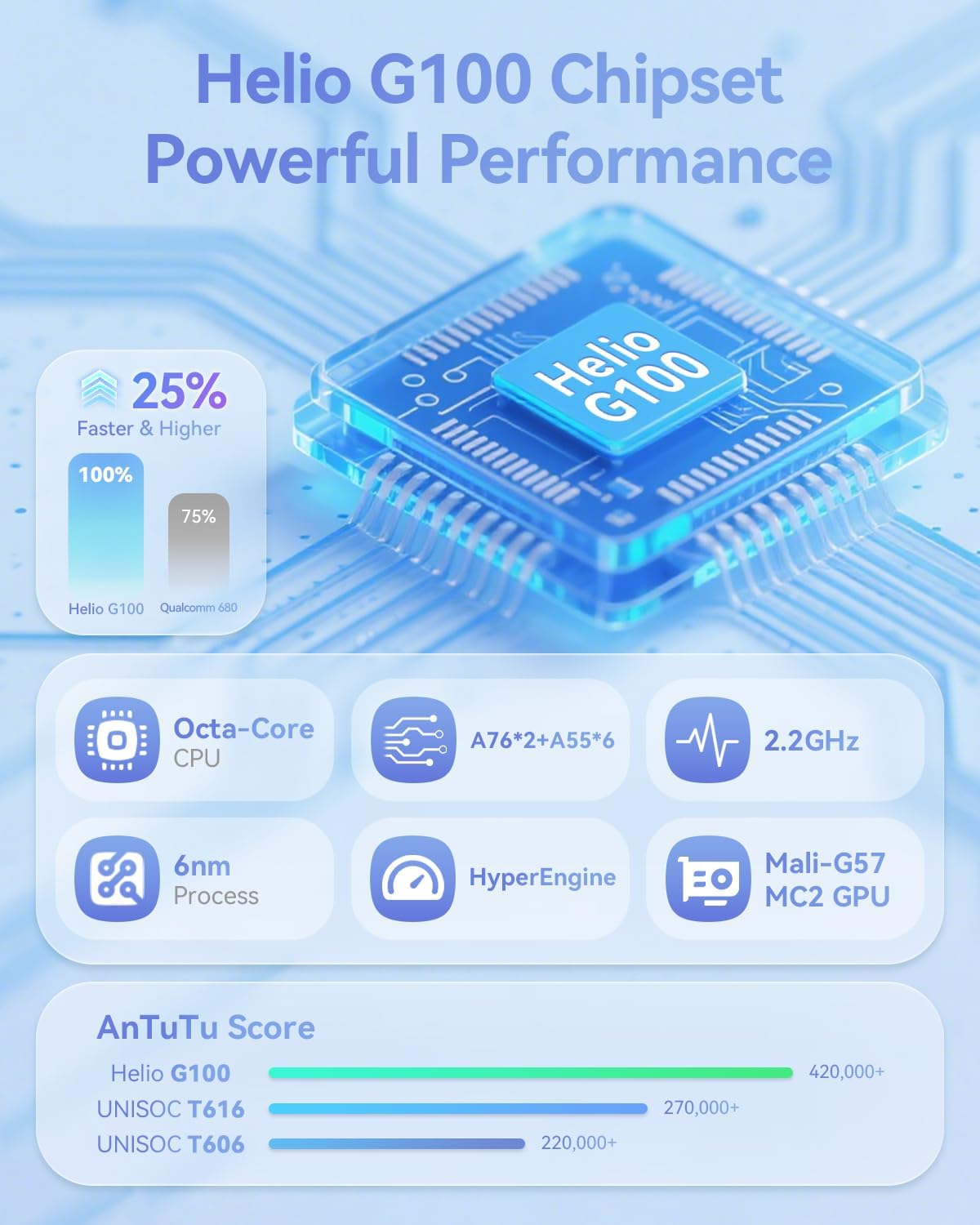
This image provides technical details about the Helio G100 chipset, including its Octa-Core CPU, 6nm process, 2.2GHz clock speed, and Mali-G57 MC2 GPU, along with AnTuTu benchmark scores.
5.3 Tilkobling
- 4G LTE: Supports mobile network connectivity for internet access on the go.
- Dobbeltbånds Wi-Fi (2.4G og 5G): For stable and fast wireless internet connections.
- Bluetooth 5.0: For pairing with wireless accessories like headphones and keyboards.
- GPS: Integrert for navigasjon og posisjonstjenester.
6. Multimediefunksjoner
6.1 Lyd og video
- Widevine L1-støtte: Enables streaming of high-definition content (1080P) from platforms like Netflix, Hulu, Prime Video, and Disney+.
- Doble høyttalere: Provides immersive audio for media consumption.

The image illustrates the tablet's Widevine L1 certification for high-definition streaming and its dual speaker setup for an enhanced audio experience.
6.2 Cameras and Face Recognition
- Frontkamera: 5 MP
- Bakre kamera: 8 MP
- Ansiktsgjenkjenning: Securely unlock your device using facial recognition technology.
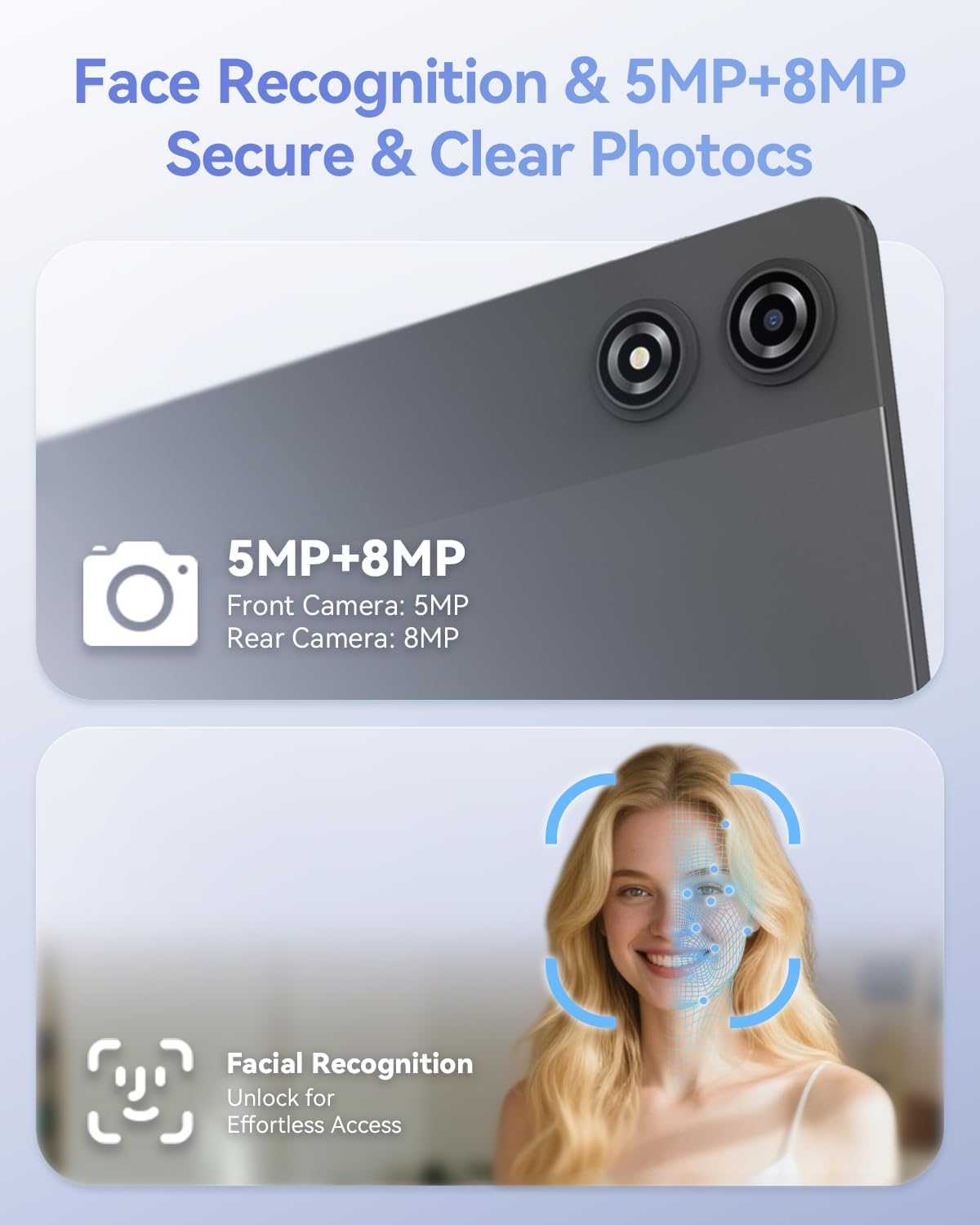
This image details the 5MP front camera and 8MP rear camera, along with the facial recognition feature for secure and effortless device access.
7. Lagring og batteri
- VÆR: 20 GB (8 GB fysisk + 12 GB virtuelt) for problemfri fleroppgavekjøring.
- Intern lagring: 128GB for apps and media.
- Utvidbar lagring: Supports up to 1TB via MicroSD card.
- Batteri: 7000mAh capacity for extended use.
- Rask lading: Supports PD 18W fast charging for quick recharges.

This image details the 20GB RAM (8GB physical + 12GB virtual), 128GB ROM, 1TB expandable storage, and the 7000mAh battery with PD 18W fast charging capabilities.
8. Feilsøking
If you encounter issues with your BNCF Bpad 11, refer to the common solutions below. For further assistance, please contact customer support.
| Problem | Mulig årsak | Løsning |
|---|---|---|
| Enheten slås ikke på. | Lavt batteri eller systemkrasj. | Lad nettbrettet i minst 30 minutter. Hvis det fortsatt ikke reagerer, trykk og hold inne av/på-knappen i 10–15 sekunder for å tvinge frem en omstart. |
| Berøringsskjermen reagerer ikke. | Midlertidig programvarefeil eller forstyrrelse av skjermbeskytteren. | Restart the tablet. Ensure the screen is clean and free of debris. If a screen protector is installed, check for proper application or try removing it temporarily. |
| Problemer med Wi-Fi-tilkoblingen. | Incorrect password, router issue, or tablet Wi-Fi module error. | Verify Wi-Fi password. Restart your router. Toggle Wi-Fi off and on in tablet settings. Forget the network and reconnect. |
| Apper er trege eller krasjer. | Too many apps running in the background, low storage, or outdated app versions. | Close unnecessary background apps. Clear app caches. Ensure apps are updated to their latest versions. Free up internal storage. |
9. Spesifikasjoner
| Trekk | Detalj |
|---|---|
| Merke | BNCF |
| Modellnavn | Bpad 11 |
| Operativsystem | Android 15 |
| Skjermstørrelse | 11 tommer |
| Skjermoppløsning | 1920 x 1200 piksler (FHD IPS) |
| Oppdateringsfrekvens | 90 Hz |
| Prosessor | MediaTek Helio G100 Octa-Core (2.2 GHz) |
| GPU | Mali-G57 MC2 |
| VÆR | 20 GB (8 GB fysisk + 12 GB virtuell) |
| Flash-minnestørrelse | 128 GB |
| Utvidbar lagring | Opptil 1 TB (MicroSD) |
| Batterikapasitet | 7000mAh |
| Lader | PD 18W Fast Charging (USB Type-C) |
| Bakre kamera | 8 MP |
| Frontkamera | 5 MP |
| Trådløs tilkobling | 4G LTE, 2.4G/5G WiFi (802.11ac, 802.11g), Bluetooth 5.0 |
| Navigasjon | GPS |
| Lydport | 3.5 mm hodetelefonutgang |
| Varevekt | 1.05 pund (ca. 475g) |
| Produktdimensjoner | 10.2 x 6.7 x 0.3 tommer |
10. Garanti og støtte
BNCF is committed to quality and customer satisfaction. For tablets purchased from the BNCF Official Flagship Store, a 12 måneders gratis reparasjonsgaranti is provided, along with lifetime technical support.
If you have any questions, encounter a software glitch, or have a hardware concern, please contact BNCF customer service. Our team aims to respond within 24 hours to assist you with solutions, returns, or exchanges.

An icon representing customer support, indicating availability for assistance and highlighting the one-year warranty and lifetime technical support.
For more information, visit the official BNCF Store: BNCF-butikk på Amazon