
1. Introduksjon
This manual provides detailed instructions for the proper use and maintenance of your OnePlus Buds 4 Wireless Earbuds. Please read this manual thoroughly before using the product to ensure optimal performance and longevity.
Pakkeinnhold
Bekreft at alle varene er til stede i pakken:
- OnePlus Buds 4 Earbuds (Left and Right)
- Ladeetui
- USB-C ladekabel
- Multiple Ear Tip Sizes (S, M, L)
- Brukerhåndbok (dette dokumentet)

Image: Contents of the OnePlus Buds 4 retail package, showing the earbuds, charging case, USB-C cable, and various ear tip sizes.
2. Oppsett
2.1 Innledende lading
Before first use, fully charge the OnePlus Buds 4 and their charging case. Connect the provided USB-C charging cable to the charging port on the case and a power source. The indicator light on the case will show charging status.
- A full charge provides extended playback time.
- The charging case has a 530mAh battery capacity.

Image: OnePlus Buds 4 earbuds in their open charging case, highlighting the extended battery life capability.
2.2 Paring med en enhet
- Sørg for at øreproppene er i ladeetuiet og at lokket er åpent.
- Trykk og hold inne funksjonsknappen på ladeetuiet til indikatorlampen blinker hvitt, som indikerer paringsmodus.
- On your device (smartphone, tablet, etc.), go to Bluetooth settings and select "OnePlus Buds 4" from the list of available devices.
- Once connected, the indicator light will turn solid white or off.
The OnePlus Buds 4 utilize Bluetooth 5.4 for stable connectivity and support Fast Pair for quick setup with compatible Android devices.

Image: OnePlus Buds 4 earbuds and charging case with a Bluetooth signal icon, illustrating stable connectivity via Bluetooth 5.4.
2.3 Bruk av øreproppene
Choose the ear tips that provide the best seal and comfort for your ears. A proper fit is crucial for optimal sound quality and effective Active Noise Cancellation.
- Før øreproppene forsiktig inn i øregangen.
- Roter dem litt til de føles trygge og komfortable.
3. Bruksanvisning
3.1 Berøringskontroller
The OnePlus Buds 4 feature intuitive touch controls on the stem of each earbud.
| Handling | Funksjon |
|---|---|
| Enkelttrykk | Spill/pause musikk, svar/avslutt samtale |
| Dobbelttrykk | Neste spor, Avvis anrop |
| Trippeltrykk | Forrige spor |
| Trykk og hold (venstre/høyre) | Switch Noise Control Mode (ANC/Transparency) |
| Swipe Up/Down (Stem) | Juster volumet |

Image: Close-up of OnePlus Buds 4 earbuds showing the area for volume swipe control on the stem.
3.2 Aktiv støydemping (ANC) og transparensmodus
The earbuds feature advanced Active Noise Cancellation to reduce ambient noise and a Transparency Mode to allow you to hear your surroundings.
- Aktiv støyreduksjon: Reduces external sounds for an immersive listening experience.
- Gjennomsiktighetsmodus: Ampdemper omgivelseslyder, slik at du kan holde deg oppmerksom på omgivelsene dine uten å måtte ta av øreproppene.
- Adaptiv modus: Intelligently switches between ANC and Transparency modes based on your environment.
Switch between these modes by pressing and holding the touch area on either earbud.

Image: A person wearing OnePlus Buds 4 earbuds outdoors, illustrating the effect of Active Noise Cancellation.
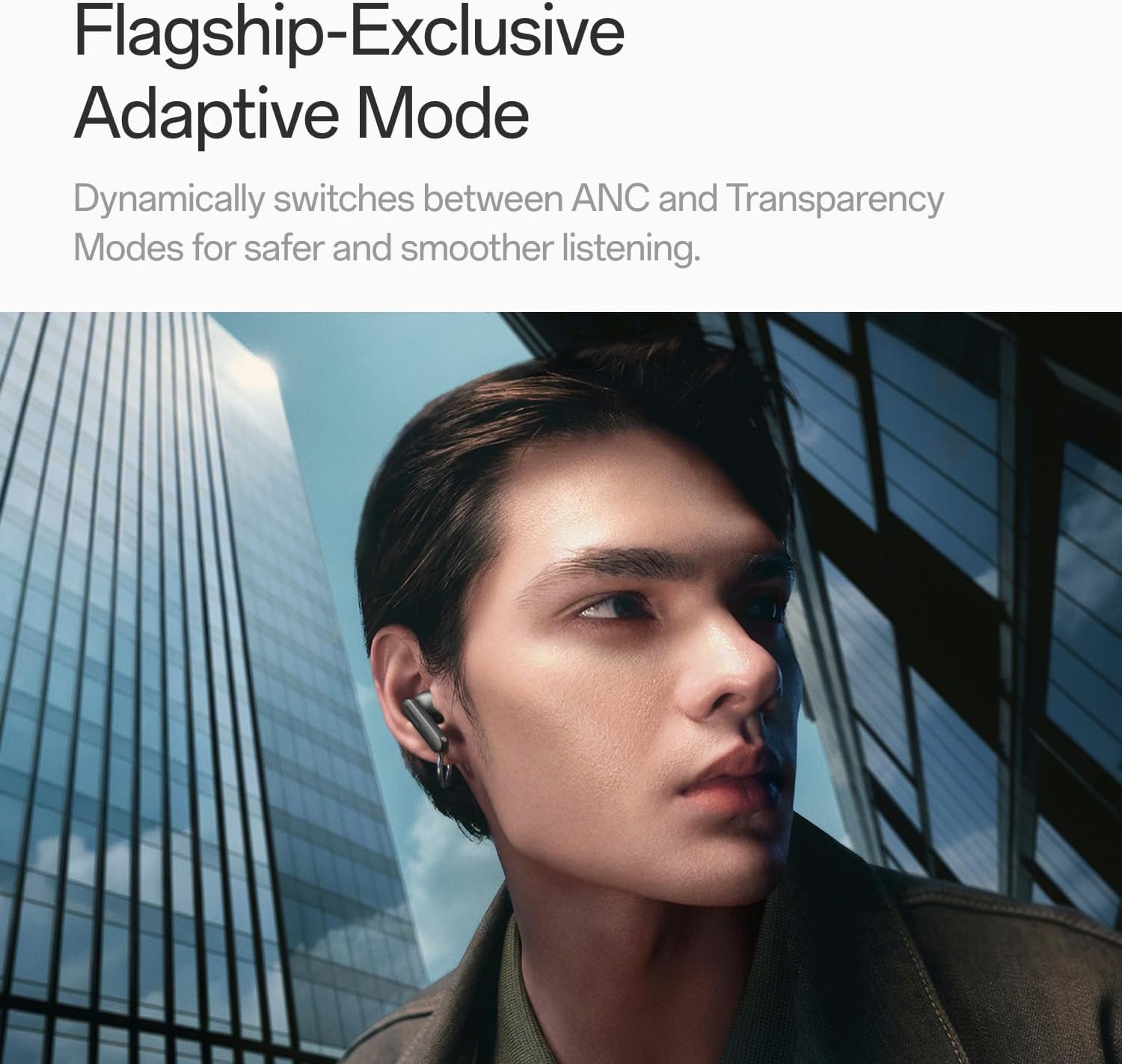
Image: A person wearing OnePlus Buds 4 earbuds in a city setting, highlighting the Adaptive Mode feature.
3.3 Lydfunksjoner
The OnePlus Buds 4 deliver high-quality audio with advanced technologies.
- 11 mm lyddrivere: Provide balanced, true-to-life acoustics.
- Hi-Res Audio & LHDC 5.0: For detailed, studio-grade sound reproduction.
- Immersive 3D Spatial Audio: Creates a richer, surrounding sound experience.

Image: OnePlus Buds 4 earbuds with Hi-Res Audio and LHDC 5.0 branding, emphasizing advanced audio capabilities.

Image: OnePlus Buds 4 earbuds depicted with a visual effect suggesting immersive 3D Spatial Audio.

Bilde: En eksplodert view diagram of a OnePlus Buds 4 earbud, highlighting its internal sound components and drivers.
3.4 Samtalefunksjoner
The earbuds are equipped with features to enhance call clarity.
- 3-mic AI Call Noise Cancellation: Filters out noise and wind for clear calls in various environments.
- 3x Voice Cancellation: Reduces vocal distractions in noisy settings like cafes or trains.

Image: A person lying down with OnePlus Buds 4 earbuds, representing the effect of voice cancellation for undisturbed listening.
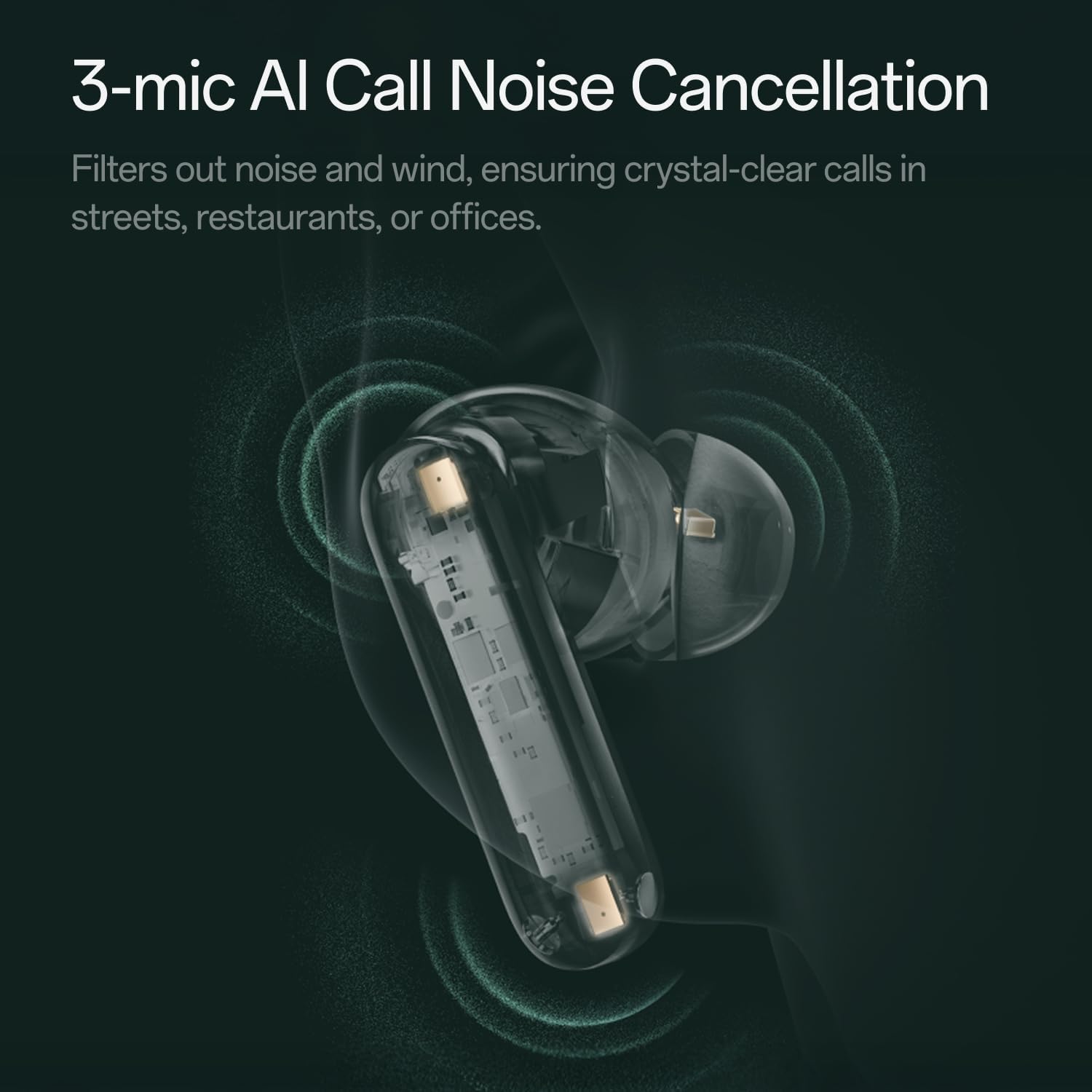
Bilde: En gjennomsiktig view of a OnePlus Buds 4 earbud, highlighting the 3-mic system for AI Call Noise Cancellation.
3.5 AI-oversettelse
With a compatible OnePlus phone, the earbuds can facilitate real-time conversations in multiple languages.

Image: OnePlus Buds 4 earbuds alongside a smartphone screen demonstrating AI translation functionality.
4. Vedlikehold
4.1 Rengjøring
- Rengjør øreproppene og ladeetuiet regelmessig med en myk, tørr og lofri klut.
- Fjern øreproppene og rengjør dem med vann og mild såpe om nødvendig. Sørg for at de er helt tørre før du setter dem på igjen.
- Ikke bruk slipende materialer eller sterke kjemikalier.
4.2 Vannmotstand
The OnePlus Buds 4 are water resistant. This means they can withstand splashes and sweat, making them suitable for workouts. However, they are not waterproof and should not be submerged in water.
4.3 Oppbevaring
Når de ikke er i bruk, oppbevar øreproppene i ladeetuiet for å beskytte dem og sikre at de holder seg ladet.
5. Feilsøking
If you encounter issues with your OnePlus Buds 4, refer to the following common solutions:
5.1 Problemer med paring
- Ensure the earbuds are charged and in pairing mode (flashing white light).
- Slå av og på Bluetooth på enheten din.
- Glem enheten i Bluetooth-innstillingene dine og prøv å pare på nytt.
- Try resetting the earbuds (refer to the full user manual for specific reset instructions).
5.2 Lydproblemer
- Check the earbud fit and try different ear tip sizes.
- Clean the ear tips and speaker meshes to remove any debris.
- Ensure the volume on both your device and earbuds is adjusted correctly.
5.3 Ladeproblemer
- Kontroller at ladekabelen er ordentlig koblet til både etuiet og strømkilden.
- Sørg for at ladekontaktene på øreproppene og inni etuiet er rene og fri for blokkeringer.
- Prøv en annen USB-C-kabel eller strømadapter.
6. Spesifikasjoner
| Trekk | Detalj |
|---|---|
| Modellnavn | OnePlus Buds 4 |
| Modellnummer | E513A |
| Merke | OnePlus |
| Farge | Zen Green |
| Øreplassering | In Ear |
| Formfaktor | In Ear |
| Støykontroll | Aktiv støyreduksjon |
| Lyddriverstørrelse | 11 millimeter |
| Type lyddriver | Dynamisk driver |
| Frekvensrespons | 40 Hz |
| Følsomhet | 100 dB |
| Impedans | 18 Ohm |
| Tilkoblingsteknologi | Bluetooth |
| Trådløs kommunikasjonsteknologi | Bluetooth |
| Bluetooth-versjon | 5.4 |
| Bluetooth-rekkevidde | 33 fot |
| Kontrollmetode | Røre |
| Kontrollertype | Trykk på kontroller |
| Kapasitet for ladeetui | 530mAh |
| Vannmotstandsnivå | Vannbestandig |
| Varevekt | 0.15 kilo (5.3 unser) |
| Inkluderte komponenter | Cable, Charging Case, Eartip, User Manual |
7. Garanti og støtte
7.1 Produsentens garanti
The OnePlus Buds 4 are backed by a one-year manufacturer warranty. This warranty covers defects in materials and workmanship under normal use. For specific terms and conditions, please refer to the warranty card included in your product packaging or visit the official OnePlus support webnettstedet.
7.2 Kundestøtte
For further assistance, technical support, or warranty claims, please contact OnePlus customer service through their official webnettstedet eller kontaktinformasjonen som er oppgitt i produktdokumentasjonen.
Official OnePlus Store: OnePlus Store on Amazon