
1. Overview
The TOWODE 2K Light Bulb Security Camera offers advanced surveillance features for your home. Designed for easy installation into standard E27 light sockets, this camera provides high-definition video, motion detection, two-way audio, and comprehensive area coverage. It is compatible with 2.4GHz Wi-Fi networks for wireless connectivity.
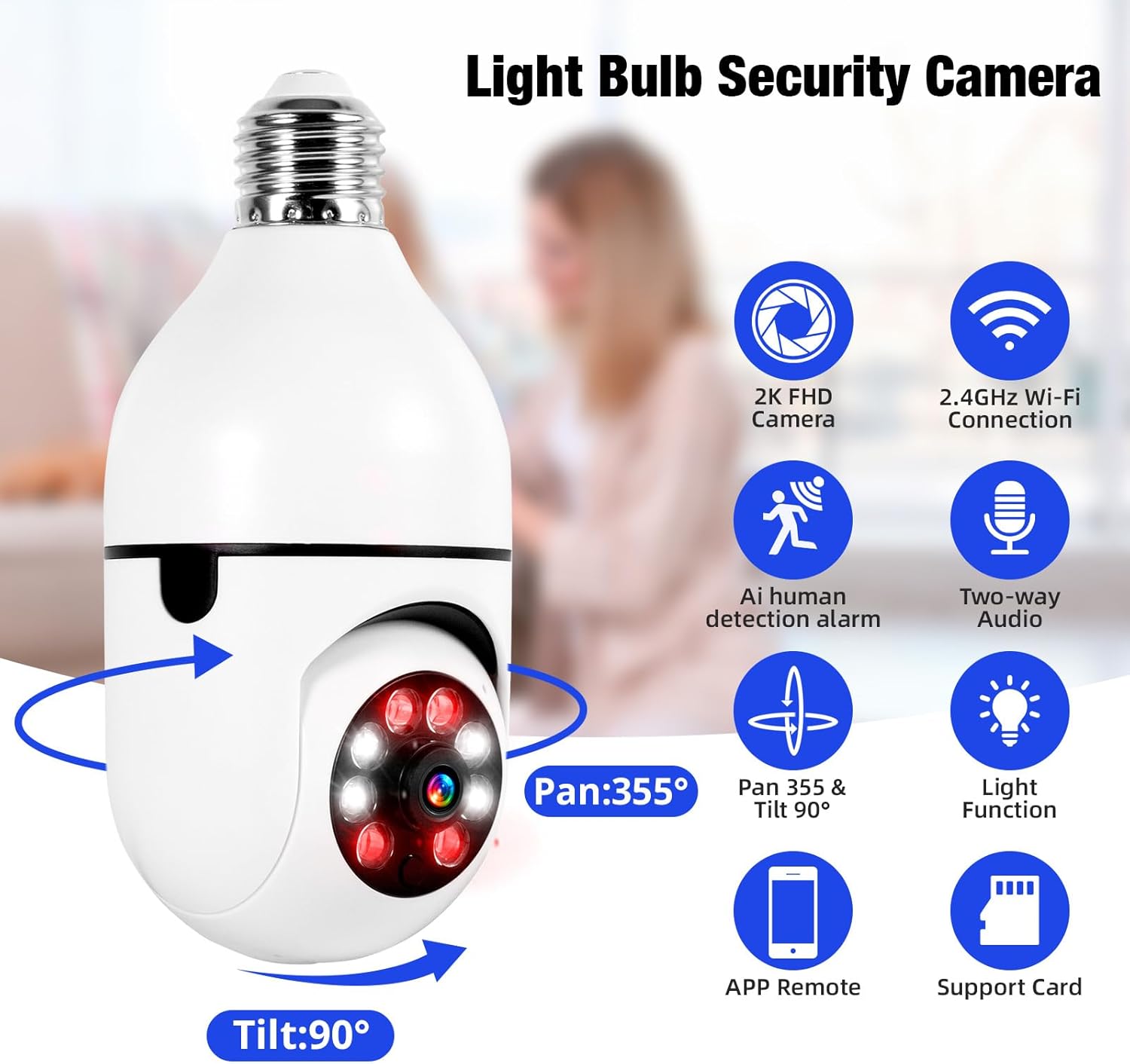
Image 1.1: The TOWODE 2K Light Bulb Security Camera, highlighting its 2K FHD camera, 2.4GHz Wi-Fi connection, AI human detection alarm, two-way audio, Pan 355° & Tilt 90° rotation, light function, APP remote control, and support for SD card storage.
2. Pakkens innhold
Bekreft at alle varene er til stede i pakken din:
- TOWODE 2K Light Bulb Security Camera (2 units)
- E27 Light Sockets (2 units)
- Bruksanvisning
3. Produktfunksjoner
- High-Definition Image Quality: Features ultra-clear 2K resolution, four built-in infrared lights, and four white lights. Infrared automatically switches to full-color mode at night, capturing clear details in dark environments.
- Enkel installasjon: Fits standard E27 light sockets (compatible with 110V-240V). Plug-and-play screw-in installation requires no drilling or wiring. An adapter is included for direct power source connection.
- AI Human Detection & Real-Time Alarm: Supports two-way voice chat for communication. Effectively filters out environmental disturbances like rustling leaves. Customizable voice alarms and real-time alerts are sent to your phone upon anomaly detection.
- 360 ° panoramisk View: Supports remote control with 355° horizontal rotation and 90° vertical pan. Provides nearly 360° panoramic monitoring without blind spots, handling wide-angle detection and precise tracking.
- Flere lagringsalternativer: Supports cloud storage, local Micro SD cards (up to 128GB), and cell phone memory for continuous 24/7 recording.
4. Oppsett og installasjon
The camera is designed for simple installation, similar to replacing a light bulb.
- Velg sted: Select a location with a standard E27 light socket (110V-240V compatible) or a power source where the included adapter can be used. Ensure the location provides adequate Wi-Fi signal strength.
- Skru inn kamera: Carefully screw the camera into the E27 light socket. If using the adapter, plug the adapter into a power source and then screw the camera into the adapter.
- Strøm på: Ensure the light socket or power source is switched on. The camera will power up and initiate its startup sequence.

Image 4.1: A person demonstrating the easy installation of the light bulb camera by screwing it into a standard E27 socket.
5. App-tilkobling
To operate your camera, download the companion mobile application and connect it to your Wi-Fi network.
- Last ned app: Søk etter the 'AJCloud' app in your smartphone's app store (iOS or Android) and install it.
- Registrer/Logg inn: Åpne appen og følg instruksjonene på skjermen for å opprette en ny konto eller logg inn hvis du allerede har en.
- Legg til enhet: Tap the '+' icon or 'Add Device' option within the app. Select 'Light Bulb Camera' or a similar option.
- Koble til Wi-Fi: Follow the app's prompts to connect the camera to your 2.4GHz Wi-Fi network. You may need to scan a QR code on the camera or enter your Wi-Fi password.
- Fullfør oppsett: Once connected, name your camera and complete any remaining setup steps. The camera feed should now be visible in the app.
Video 5.1: An official product video demonstrating the features and setup of the Light Bulb Camera, including app integration and functionality.
6. Bruksanvisning
6.1. Motion Detection & Tracking
The camera features advanced AI human detection and motion tracking capabilities.
- Sanntidsvarsler: When motion or a human figure is detected, the camera sends instant alerts to your connected smartphone.
- Bevegelsessporing: Kameraet kan automatisk spore bevegelige objekter innenfor sitt felt av view, ensuring continuous surveillance.
- Tilpassbare alarmer: Set up personalized voice alarms through the app to deter intruders.
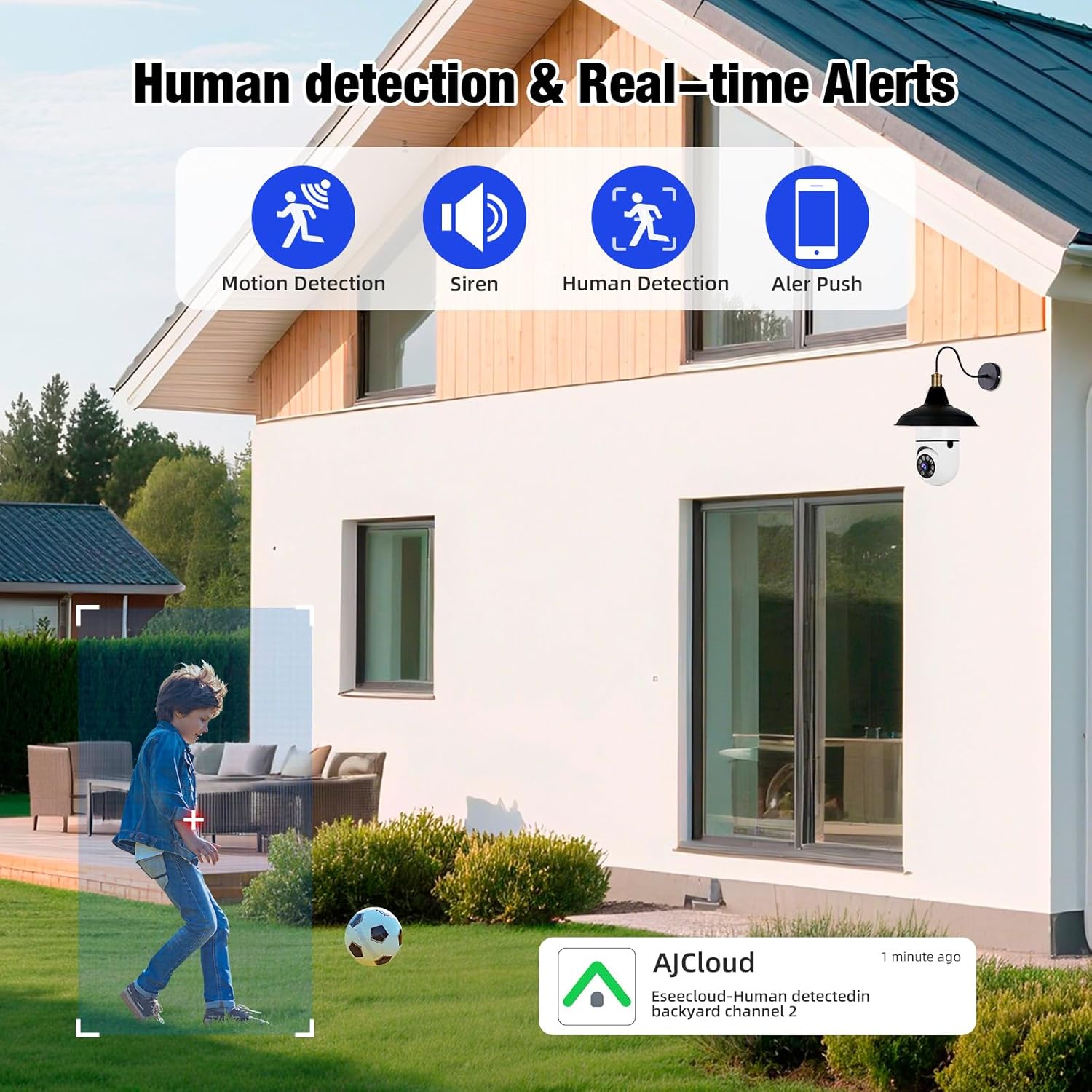
Image 6.1: The camera's human detection feature in action, showing an alert notification on a smartphone as a child is detected in the backyard.

Image 6.2: An illustration of the camera's real-time alarm and human detection at night, with a warning light activated and a notification on a smartphone.
6.2. Nattesyn
The camera provides clear visibility even in low-light conditions.
- Farge nattesyn: Utilizing its white lights, the camera can switch to full-color mode at night, providing detailed and vibrant images.
- Infrarød nattsyn: For discreet monitoring, the infrared lights provide clear black and white video in complete darkness.
6.3. Toveis lyd
Communicate directly through the camera using the two-way audio feature.
- Snakk og lytt: Use the app to speak to visitors or deter unwanted guests, and listen to audio from the camera's location.

Image 6.3: The two-way audio function, illustrating communication between a user via smartphone and a delivery person at the door through the camera.

Image 6.4: A visual representation of the two-way audio feature, showing a person interacting with a delivery driver at their doorstep via the camera.
6.4. Video Playback & Storage
Få tilgang til innspilt footage and manage storage options.
- Lokal lagring: Insert a Micro SD card (up to 128GB, not included) into the camera's slot for continuous local recording.
- Cloud Storage: Subscribe to cloud storage services through the app for secure, remote video backup.
- Mobile Storage: Save important video clips directly to your smartphone's memory.
- Avspilling: View innspilt footage directly from the app, with options to download or share.

Image 6.5: The camera highlighting its support for both Micro SD card (up to 128GB) and cloud storage solutions for video recording.
7. Vedlikehold
Regelmessig vedlikehold sikrer optimal ytelse og levetid for sikkerhetskameraet ditt.
- Rengjøring: Gently wipe the camera lens and body with a soft, dry cloth to remove dust and debris. Avoid abrasive cleaners.
- Fastvareoppdateringer: Periodically check the app for available firmware updates to ensure your camera has the latest features and security enhancements.
- Wi-Fi-tilkobling: Ensure a stable 2.4GHz Wi-Fi connection for uninterrupted operation.
- Lagringsadministrasjon: Regelmessig vedrview og administrer din innspilte footage, especially if using local SD card storage, to prevent it from becoming full.
8. Feilsøking
If you encounter issues with your TOWODE 2K Light Bulb Security Camera, refer to the following common solutions:
| Problem | Løsning |
|---|---|
| Kameraet kobler ikke til Wi-Fi | Ensure your Wi-Fi is 2.4GHz. Check Wi-Fi signal strength at the camera's location. Restart your router and the camera. Re-attempt the connection process in the app. |
| Dårlig bildekvalitet | Verify the camera lens is clean. Ensure adequate lighting for optimal performance. Check your internet speed; a slow connection can affect streaming quality. |
| Ingen bevegelsesvarsler | Check app notification settings and ensure they are enabled. Verify motion detection sensitivity settings in the app. Ensure the camera has a clear view av området som skal overvåkes. |
| Toveis lyd fungerer ikke | Check microphone and speaker settings in the app. Ensure your phone's volume is up. Verify the camera's microphone and speaker are not obstructed. |
| SD-kort tar ikke opp | Ensure the SD card is inserted correctly. Format the SD card through the app. Check if the SD card is full or corrupted. Replace the SD card if necessary. |
9. Spesifikasjoner
| Trekk | Detalj |
|---|---|
| Modellnavn | DPDZ02 |
| Videoopptaksoppløsning | 2K (implied from product title, specifications list states 1080p, but product title is 2K, so 2K is used as primary) |
| Tilkoblingsteknologi | Trådløst (Wi-Fi 2.4 GHz) |
| Innendørs/utendørs bruk | Outdoor (as per product title, specifications list states Indoor, but product title is Outdoor, so Outdoor is used as primary) |
| Strømkilde | Elektrisk med ledning |
| Pan/tilt-område | 355° horisontalt, 90° vertikalt |
| Nattsyn | Fargenattsyn, infrarødt nattsyn |
| Lagringsalternativer | Cloud Storage, Micro SD Card (up to 128GB), Cell Phone Memory |
| Spesialfunksjon | HD Resolution, AI Human Detection, Two-Way Audio |
| Dimensjoner (L x B x H) | 1.18 x 1.18 x 2.76 tommer |
| Varevekt | 15.8 unser |
10. Garanti og støtte
For warranty information or technical support, please refer to the contact details provided on the product packaging or visit the official TOWODE webnettstedet. Ta vare på kjøpskvitteringen for garantikrav.