
1. Introduksjon
This manual provides detailed instructions for the setup, operation, maintenance, and troubleshooting of your Tabwee T90 Android 16 Tablet. Please read this manual thoroughly before using your device to ensure proper functionality and to maximize your user experience.

Image: The Tabwee T90 tablet shown with its full suite of accessories, including a detachable keyboard, wireless mouse, stylus, protective case, charging adapter, and USB cable. This illustrates the complete package contents.
2. Pakkens innhold
Bekreft at alle varene er til stede i pakken:
- Tabwee T90 Tablet
- Bluetooth-tastatur
- Trådløs mus
- Stylus penn
- Beskyttende etui
- Screen Protector Film
- Power Adapter (Type-C)
- USB-datakabel (type C)
- Brukerhåndbok

Image: A visual representation of the Tabwee T90 tablet's dimensions and all components included in the retail package, such as the tablet, keyboard, mouse, stylus, and various cables and covers.
3. Første oppsett
3.1 Lade nettbrettet
Before first use, fully charge the tablet using the provided Type-C power adapter and USB cable. The charging port is located on the side of the tablet.

Image: The Tabwee T90 tablet being charged via its Type-C port, highlighting its 8000mAh battery and estimated usage times for various activities like web browsing, video playback, gaming, and music.
3.2 Slå på/av
- For å slå på: Trykk og hold inne strømknappen til skjermen lyser.
- Slik slår du av: Trykk og hold inne av/på-knappen, og velg deretter «Slå av» fra alternativene.
3.3 Innledende konfigurasjon
Følg instruksjonene på skjermen for å fullføre det første oppsettet, inkludert:
- Språkvalg
- Wi-Fi-nettverkstilkobling
- Pålogging for Google-konto
- Innstillinger for dato og klokkeslett
- Security settings (PIN, pattern, password, or face recognition)

Image: A collage of screenshots demonstrating key Android 16 features such as real-time notifications, robust security measures, access to the Google Play Store for app downloads, and options for regional language optimization.
3.4 Tilkobling av tilbehør
The Tabwee T90 comes with a Bluetooth keyboard and mouse. To connect them:
- Enable Bluetooth on your tablet via Settings > Connected devices > Bluetooth.
- Put the keyboard/mouse into pairing mode (refer to their individual manuals if needed).
- Select the accessory from the list of available devices on your tablet to pair.
The stylus pen does not require pairing.
4. Bruk av nettbrettet
4.1 Android 16-grensesnitt
The Tabwee T90 runs on Android 16, offering an intuitive and enhanced user experience with improved security and performance. Features include real-time notifications, efficient multitasking, and smart operational capabilities.
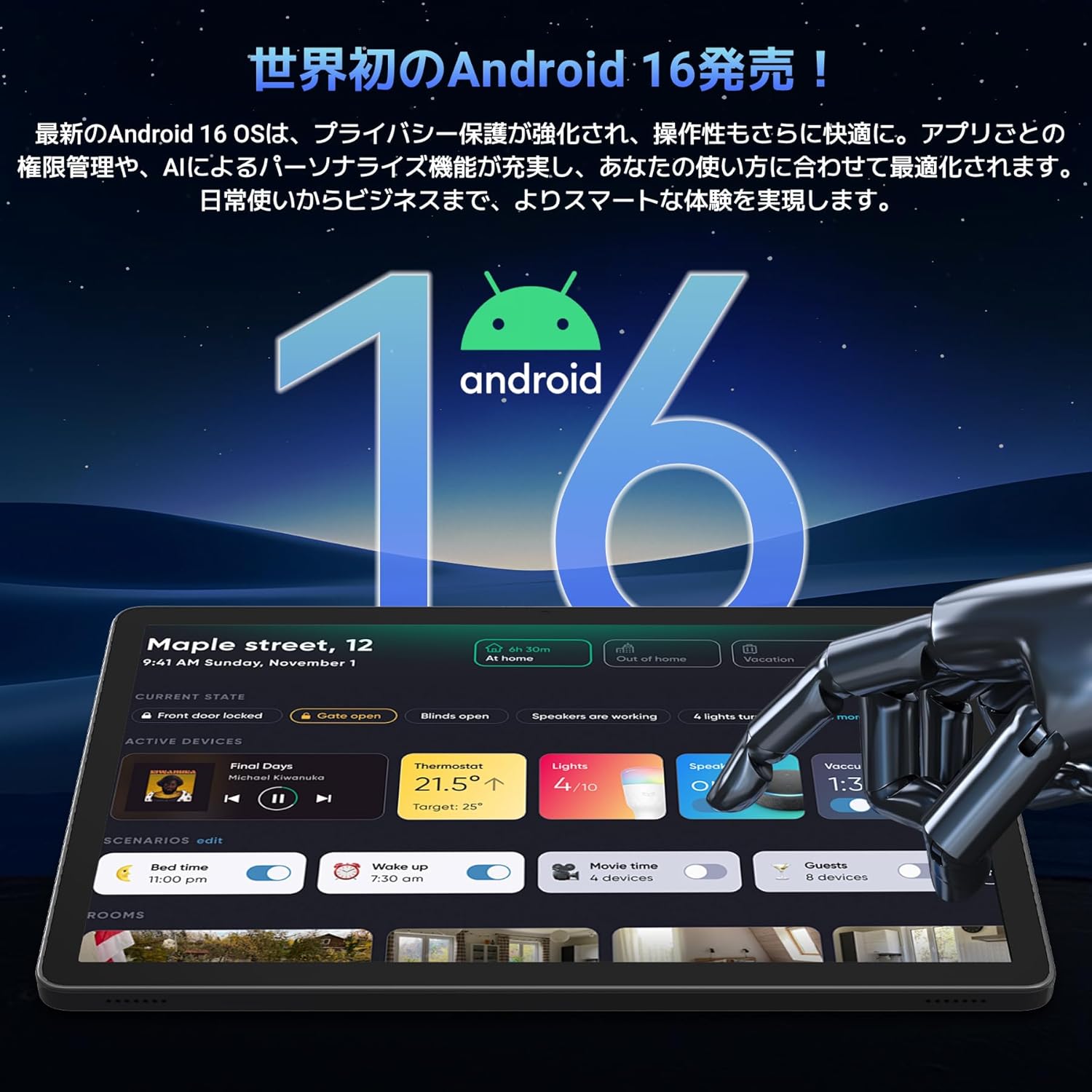
Image: A visual representation of the Android 16 operating system logo and its modern interface displayed on the Tabwee T90 tablet, emphasizing its new features and design.
4.2 Display and Media Playback
The 11-inch FHD IPS display (1920x1200 resolution) provides clear and vibrant visuals. With Widevine L1 support, you can stream high-definition content (1080p and above) from services like Netflix and Amazon Prime Video.

Image: The Tabwee T90 tablet showcasing a high-definition video of a baseball game, demonstrating its 11-inch FHD display and compatibility with streaming platforms like Netflix, YouTube, HBO, and Prime Video via Widevine L1.
4.3 Camera and Imaging
The tablet features a 5MP front camera for video calls and selfies, and a 13MP rear camera for capturing photos. Android 16's AI image processing enhances photo quality, and HEVC video encoding ensures stable editing and improved video quality. Google Lens integration allows for smart recognition, scanning, translation, and search functions.
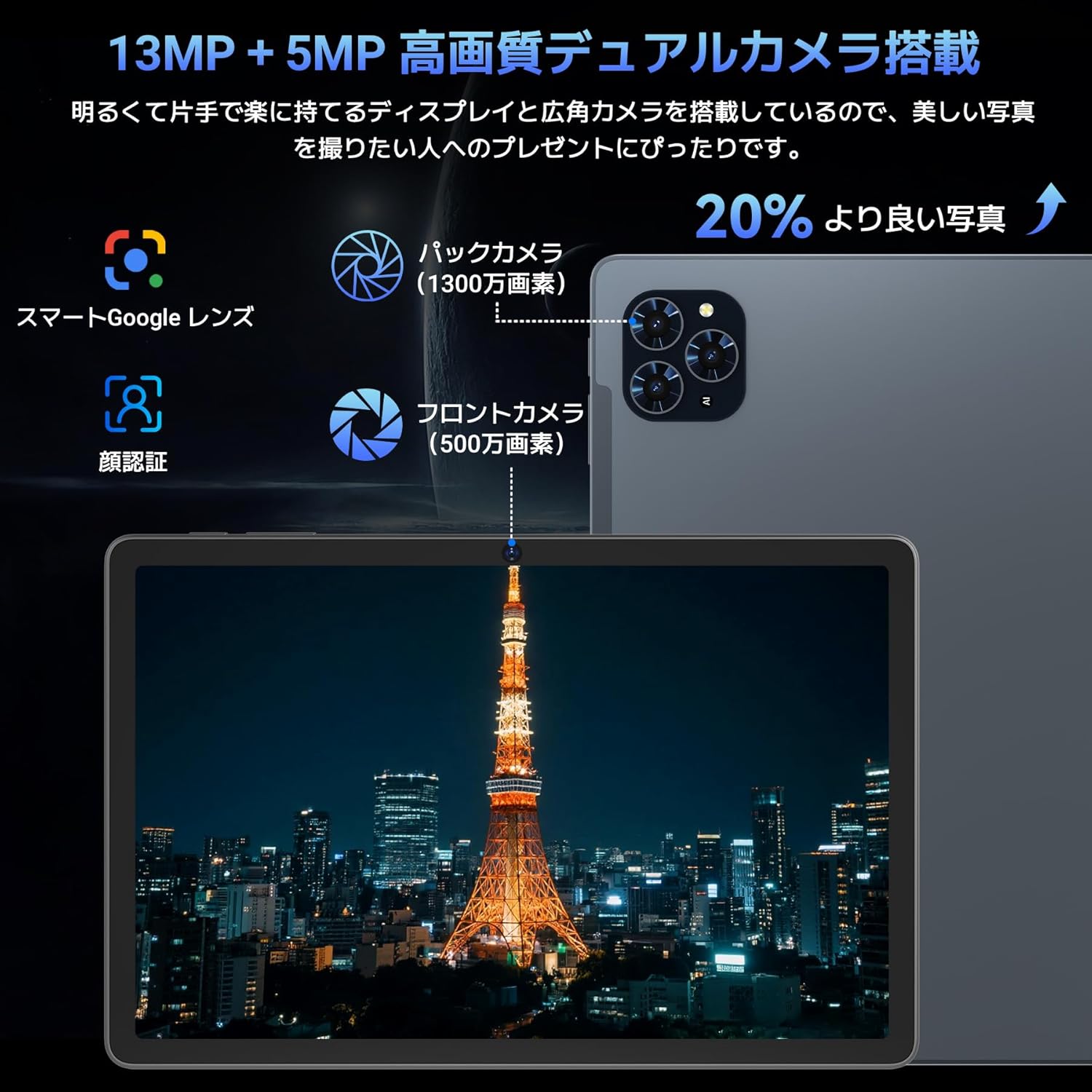
Bilde: En detaljert view of the Tabwee T90 tablet's camera system, indicating a 13MP rear camera and a 5MP front camera. An example photo of Tokyo Tower is displayed on the screen, illustrating image capture capabilities.
4.4 Ansiktsgjenkjenning
Utilize the face recognition feature for quick and secure unlocking of your tablet. Set it up in Settings > Security & privacy > Face unlock.
4.5 Gemini AI-integrasjon
The tablet integrates with Gemini AI, optimizing performance across various scenarios. This AI assists with content recommendations, image processing, and semantic understanding, enhancing daily operations.

Image: A conceptual image depicting Gemini AI as a robotic figure interacting with multiple tablet screens, symbolizing its ability to support various tasks like email composition, schedule management, and information retrieval, enhancing user productivity.
4.6 Custom Keyboard Shortcuts
After connecting a Bluetooth keyboard, you can set custom shortcut keys to launch frequently used applications with a single press. Navigate to Settings > System > Keyboard > Keyboard shortcuts to configure.
5. Vedlikehold
5.1 Rengjøring
- Bruk en myk, lofri klut til å rengjøre skjermen og nettbrettets kabinett.
- Unngå bruk av sterke kjemikalier eller slipende materialer.
- For gjenstridige flekker, litt dampRengjør kluten med vann eller en skjermrens beregnet for elektronikk.
5.2 Batteristell
- Unngå å utsette nettbrettet for ekstreme temperaturer.
- Ikke la batteriet bli helt utladet ofte.
- Bruk kun den medfølgende laderen eller en sertifisert kompatibel lader.
5.3 Programvareoppdateringer
Se etter og installer systemoppdateringer regelmessig for å sikre optimal ytelse og sikkerhet. Gå til Innstillinger > System > Systemoppdatering.
6. Feilsøking
6.1 Nettbrettet slår seg ikke på
- Sørg for at nettbrettet er tilstrekkelig ladet. Koble det til laderen i minst 30 minutter.
- Trykk og hold inne av/på-knappen i 10–15 sekunder for å utføre en tvungen omstart.
6.2 Problemer med Wi-Fi-tilkobling
- Start Wi-Fi-ruteren og nettbrettet på nytt.
- Glem nettverket i nettbrettinnstillingene og koble til på nytt.
- Sørg for at du er innenfor rekkevidden til Wi-Fi-signalet.
6.3 Accessories Not Connecting
- Ensure Bluetooth is enabled on the tablet.
- Check that the accessory is in pairing mode and has sufficient battery.
- Try restarting both the tablet and the accessory.
6.4 Treg ytelse
- Lukk unødvendige bakgrunnsapplikasjoner.
- Tøm hurtigbufferen for apper som brukes ofte (Innstillinger > Apper > [Appnavn] > Lagring og hurtigbuffer > Tøm hurtigbuffer).
- Sørg for at det er tilstrekkelig lagringsplass tilgjengelig.
- Start nettbrettet på nytt med jevne mellomrom.
7. Spesifikasjoner
| Trekk | Detalj |
|---|---|
| Merke | TABWEE |
| Modellnavn | T90 |
| Operativsystem | Android 16 |
| CPU | Unisoc T615 Octa-core (2x Cortex-A75 @ 2.0GHz, 6x Cortex-A55 @ 1.8GHz) |
| GPU | Mali-G57 |
| VÆR | 8 GB (kan utvides til 24 GB med virtuell RAM) |
| Intern lagring | 128 GB |
| Utvidbar lagring | Opptil 2 TB via microSD-kort (ikke inkludert) |
| Skjermstørrelse | 11 tommer |
| Visningstype | IPS FHD |
| Oppløsning | 1920 x 1200 piksler |
| Frontkamera | 5 MP |
| Bakre kamera | 13 MP |
| Batterikapasitet | 8000mAh |
| Ladeport | Type-C |
| Tilkobling | Wi-Fi (2.4G/5G, 802.11ac), Bluetooth 5.0 |
| Vekt | 1.37 kg (ca. 3.02 lbs) |
| Dimensjoner | 29.1 x 20 x 5.7 cm (emballasje) |
| Sertifiseringer | PSE, GITEKI, GMS |

Image: A detailed diagram illustrating the Unisoc T615 Octa-core CPU, highlighting its architecture with Cortex-A75 and Cortex-A55 cores, Mali-G52 MP1 GPU, and 12nm low power consumption, indicating its high performance.

Image: The Tabwee T90 tablet's screen showing multiple applications, emphasizing its 128GB internal storage and support for up to 2TB external storage, with examples of how many photos, songs, and videos can be stored.
8. Garanti og støtte
The Tabwee T90 Tablet comes with a 2 års garantiDenne garantien dekker produksjonsfeil og sikrer produktkvalitet.
8.1 Kontakte kundestøtte
If you encounter any issues or have questions, please contact customer support through your Amazon account:
- Go to your Amazon account > Order History > Select the relevant order.
- Click on the seller's name (TABWEE Official Store).
- Use the "Ask a question" option to send an email.
Support is available from 9:00 AM to 6:00 PM (excluding holidays). Inquiries will be responded to as quickly as possible.

Image: An illustration representing customer support, featuring a person wearing a headset and working on a laptop, symbolizing assistance for product inquiries and warranty claims.


