
1. Produktet er overview
The avedio links VHS to Digital Converter is a USB capture device designed to convert analog video signals from various sources into a digital USB format. This allows for the preservation and playback of older media on modern computers.
- Analog til digital konvertering: Converts analog video (RCA/Composite) to digital USB signals, supporting resolutions up to 1080p at 30Hz.
- Bred kompatibilitet: Ideal for connecting old camcorders, set-top boxes, DVD players, VHS recorders, and DVRs.
- Plug & Play: Designed for ease of use with most current laptops, ensuring stable video recording and transmission.
- Forlenget kabel: Features a 1-meter USB cable for flexible connection options.
- Systemstøtte: Kompatibel med Windows- og macOS-operativsystemer.
- Programvareintegrasjon: Works seamlessly with popular recording software such as OBS and PotPlayer for video capture and screen recording.

Image 1.1: The avedio links VHS to Digital Converter, showing its RCA (yellow, white, red) and S-Video input connectors, and the USB output connector. This device facilitates the conversion of analog audio and video to a digital format.
2. Pakkens innhold
Bekreft at alle varene er til stede i pakken:
- RCA and S-Video to USB Capture Adapter
- USB-A til USB-C-omformer
- Driver CD
- Bruksanvisning (dette dokumentet)
3. Installasjonsinstruksjoner
Follow these steps to set up your avedio links VHS to Digital Converter:
- Installer drivere: Insert the included Driver CD into your computer's CD/DVD drive and follow the on-screen instructions to install the necessary drivers. If your computer does not have a CD drive, drivers may be available for download from the avedio links support webnettstedet.
- Koble til analog kilde: Connect your analog video source (e.g., VCR, camcorder, DVD player) to the converter using the appropriate RCA (yellow for video, white for left audio, red for right audio) or S-Video cables. Ensure all connections are secure.
- Koble til datamaskin: Plug the USB connector of the capture device into an available USB 2.0 port on your laptop or PC. If your computer only has USB-C ports, use the provided USB-A to USB-C converter.
- Install Recording Software: Install your preferred video recording software (e.g., OBS Studio, PotPlayer). These applications are widely available and offer robust features for video capture.
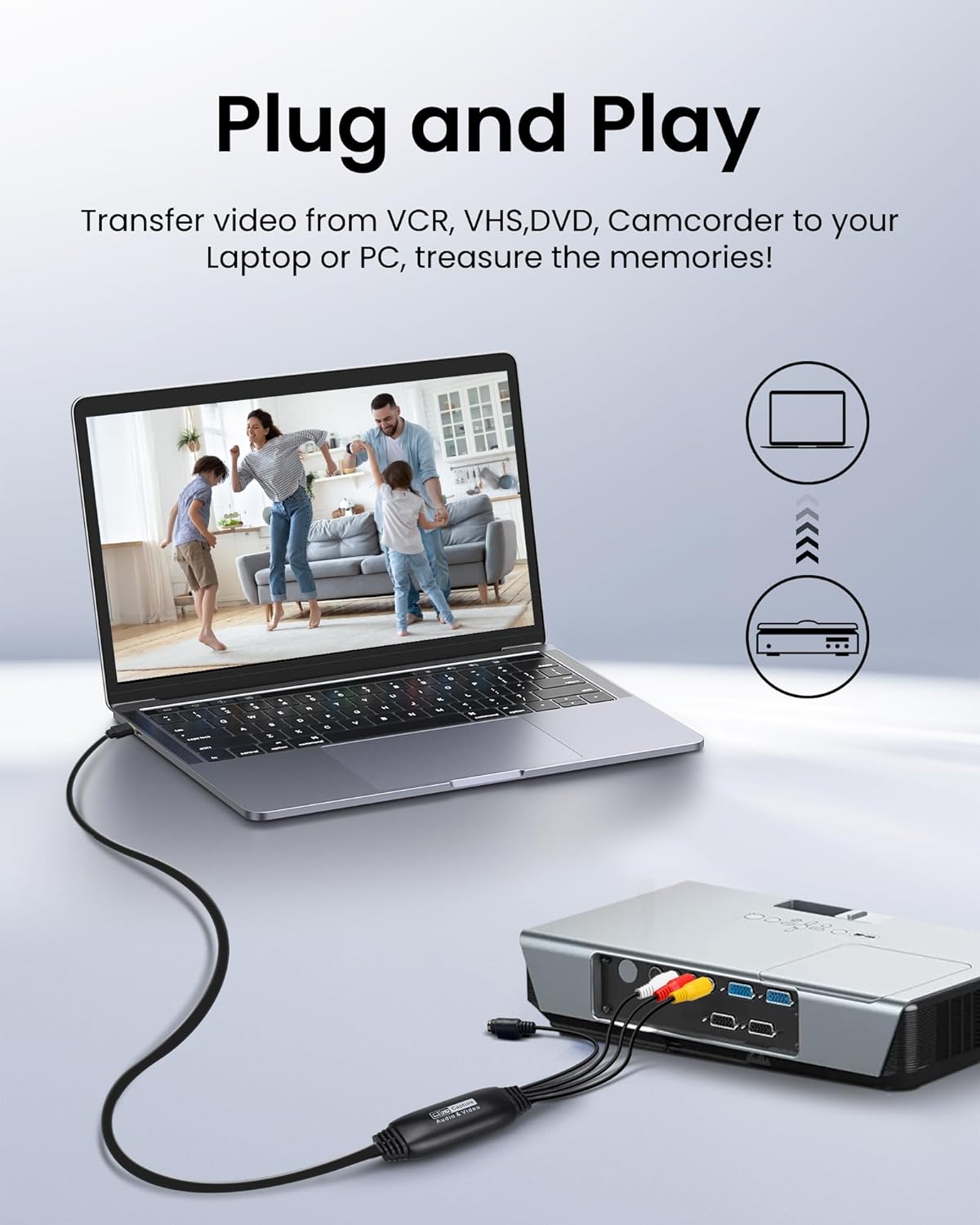
Image 3.1: Connection diagram illustrating how to connect an analog source (VCR) to the avedio links converter and then to a laptop for digital conversion.

Image 3.2: The converter is compatible with various operating systems including Mac OS, Windows, Android, and Linux, and supports software like OBS, Xsplit, VLC, and Skype for video capture.
4. Bruksanvisning
Once the setup is complete, follow these steps to capture video:
- Slå på enheter: Ensure your analog video source (VCR, camcorder) and computer are powered on.
- Start programvare: Open your chosen video recording software (e.g., OBS Studio).
- Select Video Input: In the software settings, locate the video input source selection. Choose the avedio links capture device (it may appear as 'USB Video Device' or similar).
- Velg lydinngang: Similarly, select the audio input source, which should also correspond to the avedio links capture device.
- Konfigurer innstillinger: Adjust video resolution, frame rate, and audio settings within the software as needed. For optimal quality, aim for 1080p at 30Hz if supported by your source and software.
- Start avspilling: Begin playing the video on your analog source device.
- Start opptak: In your software, click the 'Record' button to begin capturing the video. Monitor the preview window to ensure the signal is being received correctly.
- Stopp opptak: Once the playback is complete, stop the recording in your software. Save the captured video file til ønsket plassering på datamaskinen din.
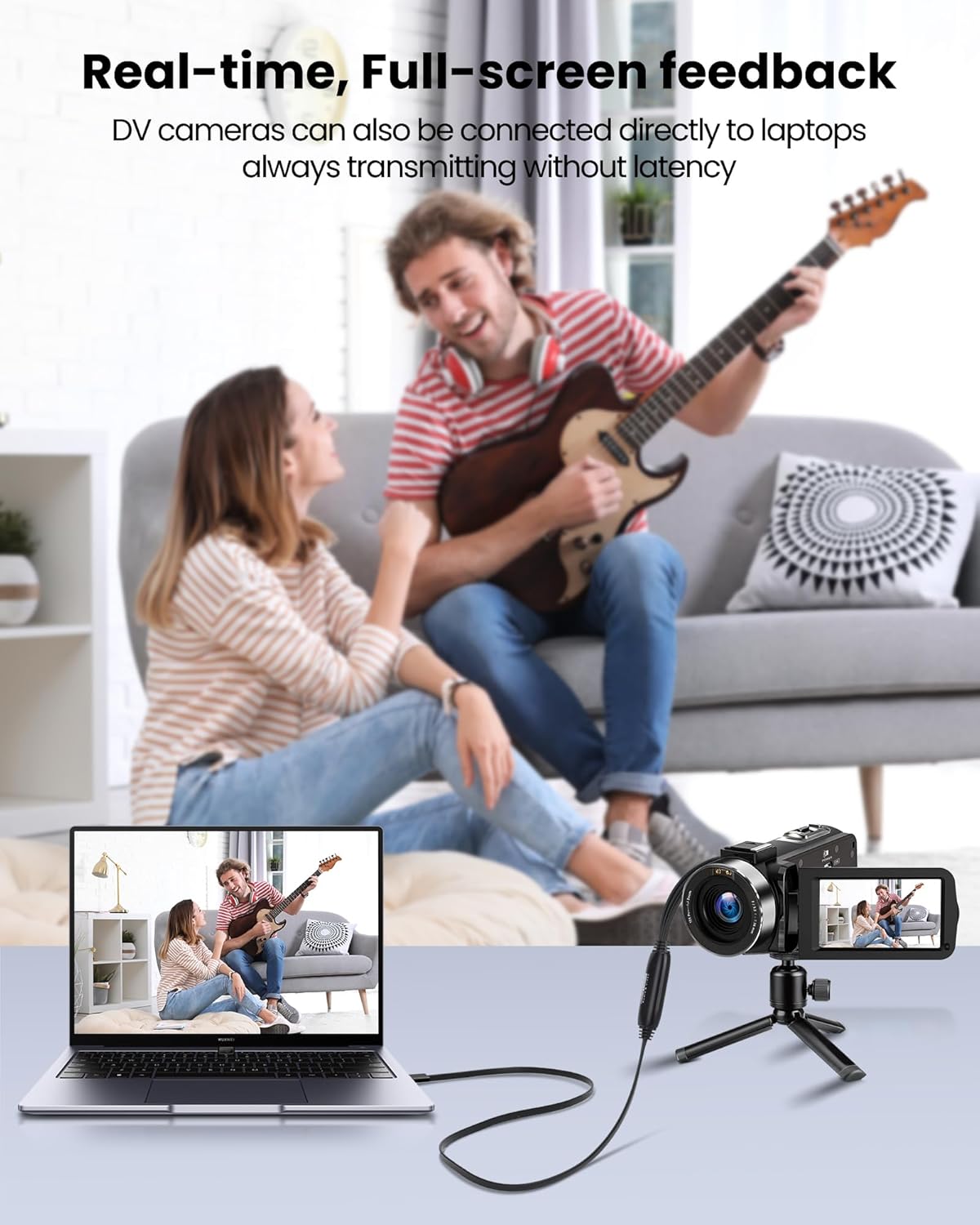
Image 4.1: Demonstrates real-time, full-screen feedback when a DV camera is connected directly to a laptop using the converter, ensuring no latency during transmission.

Image 4.2: The converter supports up to 1080P@30Hz output, as shown with a gaming console connected to a television.
5. Vedlikehold
To ensure the longevity and optimal performance of your avedio links converter:
- Rengjøring: Bruk en myk, tørr klut til å rengjøre enheten. Unngå flytende rengjøringsmidler eller slipende materialer.
- Lagring: Store the converter in a cool, dry place away from direct sunlight and extreme temperatures.
- Kabelpleie: Avoid bending or kinking the cables excessively. Do not pull on the cables to disconnect the device.
- Programvareoppdateringer: Periodically check for updated drivers or software for your operating system and recording application to ensure compatibility and performance.
6. Feilsøking
If you encounter issues, refer to the following troubleshooting tips:
- Ingen video-/lydsignal:
- Ensure all cables (RCA/S-Video, USB) are securely connected.
- Verify that the analog source device (VCR, camcorder) is powered on and playing content.
- Check if the correct video and audio input sources are selected in your recording software.
- Confirm that the drivers for the capture device are correctly installed. Reinstall if necessary.
- Dårlig video/lydkvalitet:
- Ensure the analog source is providing a clean signal. Test with a different tape or DVD if possible.
- Check cable quality. Damaged or low-quality cables can degrade the signal.
- Adjust resolution and bitrate settings in your recording software. Higher settings generally result in better quality but larger file størrelser.
- Programvare gjenkjenner ikke enheten:
- Ensure drivers are installed correctly. Try uninstalling and reinstalling them.
- Start datamaskinen på nytt etter at driveren er installert.
- Prøv en annen USB-port på datamaskinen.
- Update your recording software to the latest version.
- Software Installation Issues:
- If you experience issues installing software from the CD, try downloading the latest version directly from the software developer's website (e.g., OBS Studio).
- Sørg for at operativsystemet ditt oppfyller minimumskravene for programvaren.
7. Spesifikasjoner
| Merke | avedio-lenker |
| Modellnummer | 9799240a-5448-44ed-a7ce-1925c09da1aa |
| Produktdimensjoner | 16.3 x 13.1 x 1.5 cm |
| Vekt | 110 gram |
| Farge | Svart |
| Input Interface | RCA (Composite), S-Video |
| Utgangsgrensesnitt | USB 2.0 (with USB-A to USB-C converter) |
| Maks oppløsning | 1080p @ 30Hz |
| Kompatible enheter | Bærbar PC, PC |
| Operativsystemer | Windows, macOS (also compatible with Android, Linux) |

Image 7.1: The avedio links converter featuring its 1-meter extended USB cable, providing increased flexibility for connections.
8. Garanti og støtte
For technical support, driver updates, or warranty inquiries, please visit the official avedio links webnettstedet eller kontakt kundeservicen deres. Ta vare på kjøpskvitteringen for garantikrav.