
1. Produktet er overview
The PAXA Clipbuds 7 are open-ear wireless earbuds designed for comfort and situational awareness. They feature Bluetooth 5.4 connectivity, a dual LED battery display, touch controls, and IP45 water resistance.
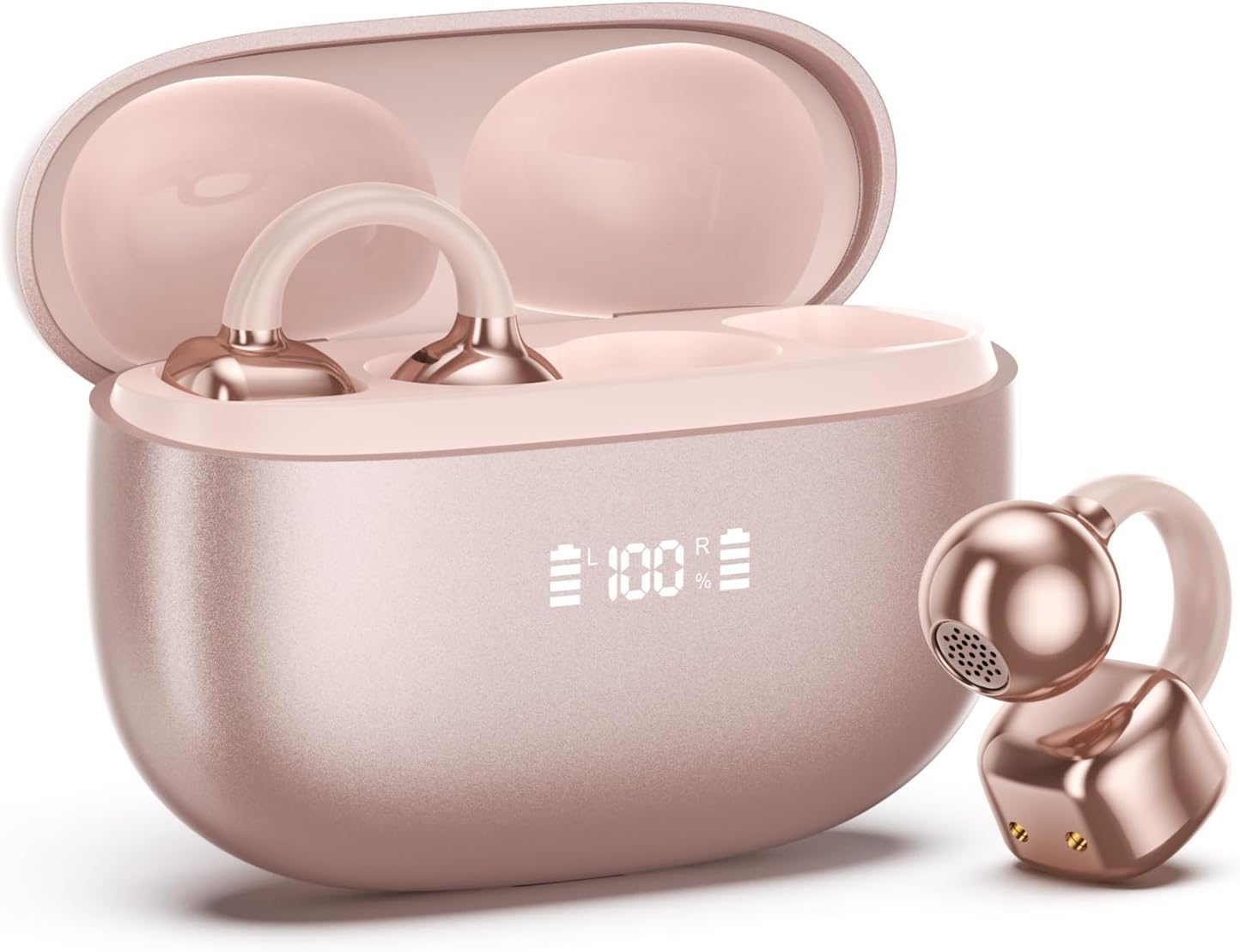
Image 1.1: PAXA Clipbuds 7 Rose Gold Earbuds and Charging Case. The earbuds are shown in their open charging case, which features an LED display indicating battery levels. One earbud is also shown outside the case.
Nøkkelfunksjoner:
- Open-ear design for comfort and environmental awareness.
- Bluetooth 5.4 for stabil og effektiv trådløs tilkobling.
- Dual LED display on charging case for battery status.
- Touch controls for music, calls, and voice assistant.
- Up to 44 hours total playtime with charging case.
- IP45 støv- og vannbestandighet.
- Ultra-lightweight design (4.5g per earbud).
2. Pakkens innhold
Sørg for at alle varene er til stede i pakken:
- Clip on Earbuds (1 pair)
- Trådløst ladeetui (1)
- Ladekabel (1)
- Brukerhåndbok (1)
3. Oppsett og paring
3.1 Innledende lading
Before first use, fully charge the earbuds and the charging case. Connect the provided charging cable to the Type-C port on the charging case and a USB power source. The LED display on the case will indicate the charging status.
3.2 Bruk av øreproppene
The Clipbuds 7 are designed to clip onto the thinnest part of your ear. Adjust the earbud tip to align with your ear canal for optimal sound and comfort.
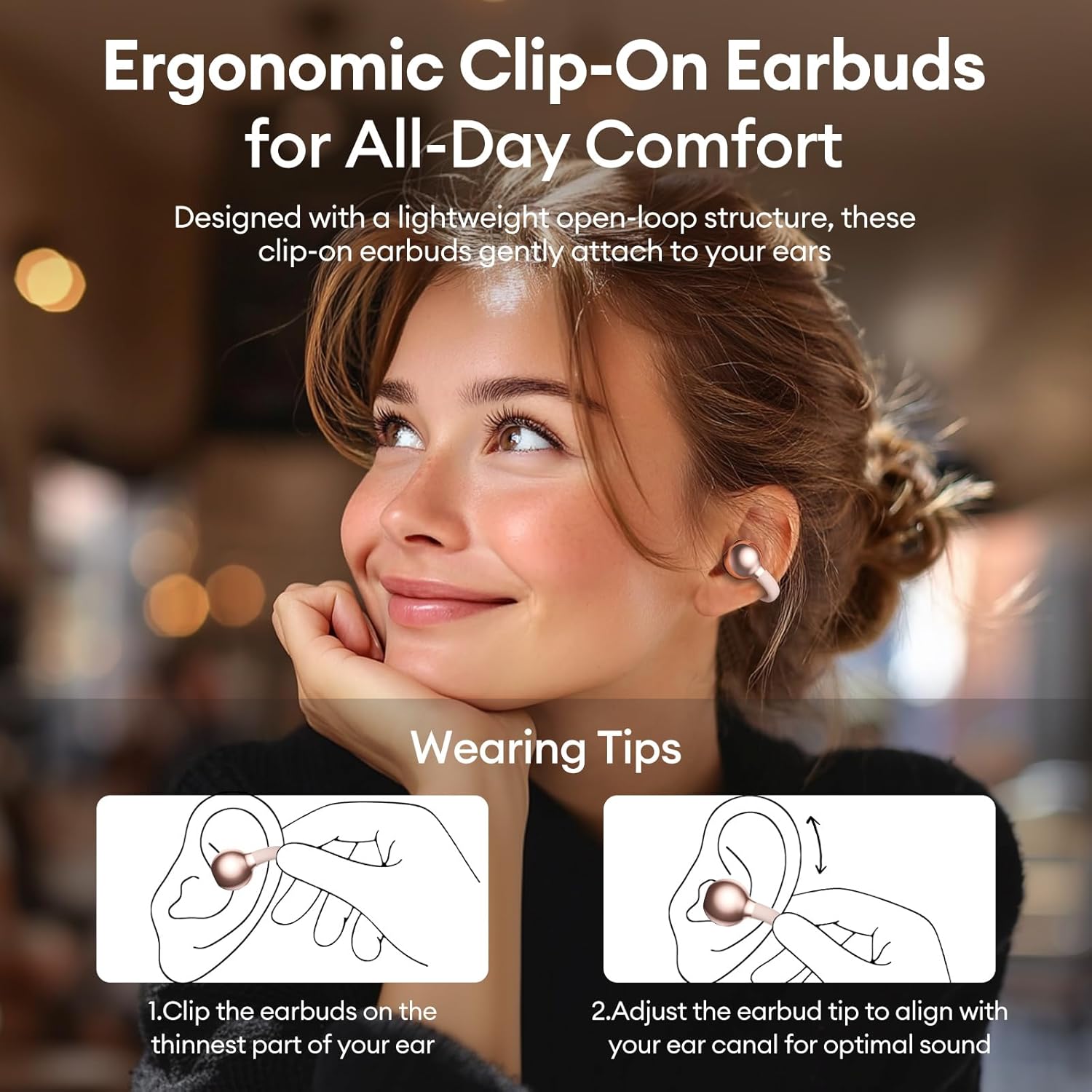
Image 3.2: Wearing instructions for PAXA Clipbuds 7. The diagram illustrates clipping the earbud onto the ear and adjusting for fit.
3.3 Bluetooth-paring
- Sørg for at øreproppene er ladet og i ladeetuiet.
- Åpne ladeetuiet. Øreproppene vil automatisk gå inn i paringsmodus.
- Gå til Bluetooth-innstillingene på enheten din (smarttelefon, nettbrett, bærbar PC).
- Søk etter "Clipbuds 7" in the list of available devices and select it to connect.
- Once connected, the earbuds will automatically pair with your device in the future when removed from the case.
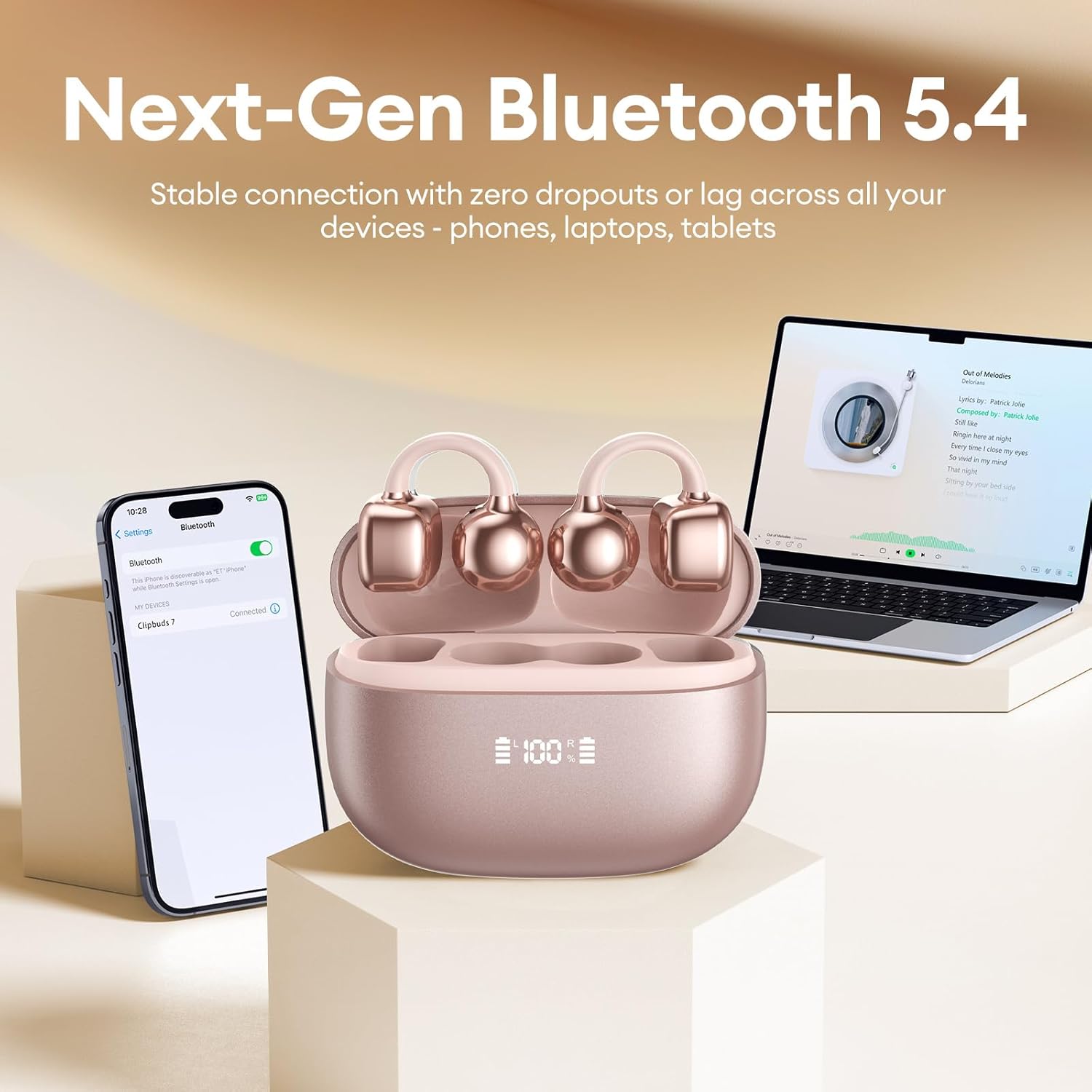
Image 3.3: PAXA Clipbuds 7 connected via Bluetooth to a smartphone and a laptop, demonstrating multi-device compatibility.
4. Bruksanvisning
4.1 Berøringskontroller
The Clipbuds 7 feature sensitive touch controls on each earbud. Refer to the following table for functions:

Image 4.1: Visual guide for PAXA Clipbuds 7 touch controls, showing actions for calls, music, and voice assistant.
| Funksjon | Handling |
|---|---|
| Besvar/avslutt samtale | Double-click either earbud |
| Avvis anrop | Trykk og hold en av øreproppene i 2 sekunder |
| Spill av/pause | Double-click either earbud |
| Forrige sang | Trippelklikk på venstre (L) ørepropp |
| Neste sang | Trippelklikk på den høyre (R) øreproppen |
| Volum + | Klikk på den høyre (R) øreproppen |
| Volum - | Klikk på venstre (L) ørepropp |
| Voice Assistant (Siri, Google Assistant) | Hold begge øreproppene i 2 sekunder |
4.2 LED Battery Display
The charging case features a dual LED display that shows the battery percentage of the case and each individual earbud (L and R).
4.3 Open-Ear Awareness
The open-ear design allows you to hear your audio while remaining aware of your surroundings. This feature is beneficial for activities like running, cycling, or commuting where situational awareness is important.

Image 4.3: Individuals using PAXA Clipbuds 7 during work, sports, and social gatherings, highlighting their versatility and open-ear design.
5. Batteri og lading
The Clipbuds 7 offer extended battery life for prolonged use.
- Spilletid for øreplugger: Opptil 8 timer på en enkelt lading.
- Total spilletid: Opptil 44 timer med ladeetuiet.
- Rask lading: 10 minutes of charging provides approximately 3 hours of playtime.

Image 5.1: Illustration of the PAXA Clipbuds 7 charging case, highlighting the 44-hour total battery life and fast charging capability.
6. Vedlikehold og stell
6.1 Vann- og støvmotstand
The Clipbuds 7 have an IP45 rating, making them resistant to dust and splashes of water. This means they can withstand sweat and light rain, making them suitable for workouts and outdoor activities. However, they are not designed for submersion in water.
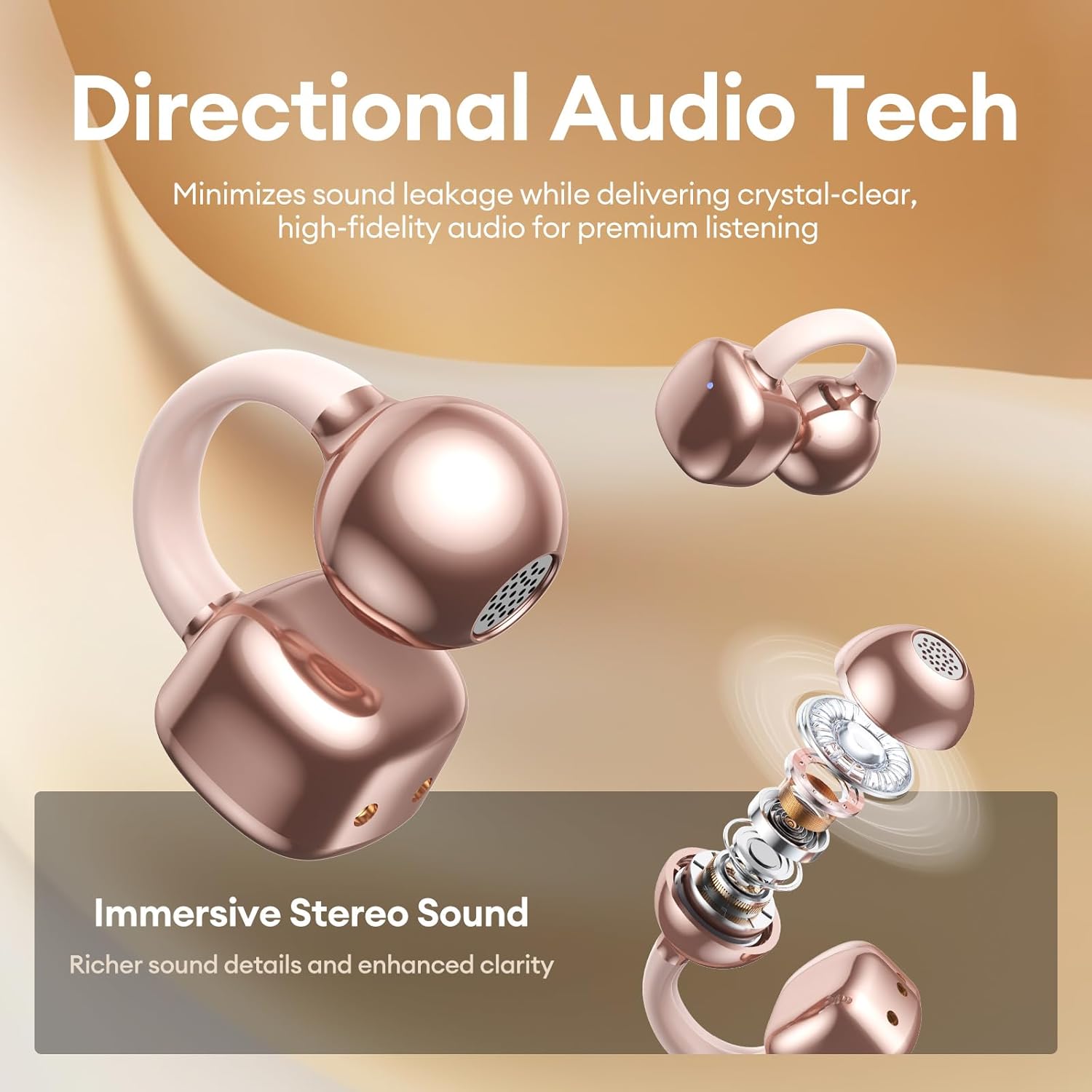
Image 6.1: A person wearing PAXA Clipbuds 7 during light rain, illustrating the IP45 water resistance feature.
6.2 Rengjøring
To maintain optimal performance and hygiene, regularly clean your earbuds and charging case with a soft, dry, lint-free cloth. Avoid using abrasive materials or harsh chemicals.
7. Feilsøking
If you encounter issues with your Clipbuds 7, try the following solutions:
- Ingen lyd-/tilkoblingsproblemer:
- Sørg for at øreproppene er ladet.
- Bekreft at Bluetooth er aktivert på enheten din.
- Forget "Clipbuds 7" from your device's Bluetooth list and re-pair.
- Ensure earbuds are within Bluetooth range (up to 50 feet).
- Øreplugger lader ikke:
- Sjekk om ladekabelen er ordentlig koblet til både etuiet og strømkilden.
- Sørg for at selve ladeetuiet har strøm.
- Rengjør ladekontaktene på både øreproppene og etuiet.
- Berøringskontroller svarer ikke:
- Sørg for at fingrene dine er rene og tørre.
- Start øreproppene på nytt ved å legge dem i etuiet og lukke det, og deretter åpne det igjen.
8. Spesifikasjoner
| Trekk | Detalj |
|---|---|
| Modellnavn | Clipbuds 7 |
| Merke | PAXA |
| Tilkoblingsteknologi | Trådløs (Bluetooth) |
| Bluetooth-versjon | 5.4 |
| Bluetooth-rekkevidde | Opp til 50 fot |
| Øreplassering | Åpent øre |
| Kontroll Type | Trykk på Kontroll |
| Batterilevetid (enkeltlading) | 8 timer |
| Total batterilevetid (med etui) | 44 timer |
| Vannmotstandsnivå | IP45 (Dust/Water Resistant) |
| Støykontroll | Hybrid Noise Cancellation (ENC for calls) |
| Materiale | Silicone Rubber + Plastic |
| Varevekt | 2.39 unser |
| Inkluderte komponenter | Clip on Earbuds, Wireless Charging Case, Charging Cable, User Manual |
9. Garanti og støtte
For warranty information and customer support, please refer to the contact details provided with your purchase or visit the official PAXA webnettstedet. Ta vare på kjøpsbeviset for eventuelle garantikrav.
10. Offisielle produktvideoer
The following videos provide additional information and demonstrations of the PAXA Clipbuds 7.
PAXA Clipbuds7 Open Ear Clip On Earbuds with LED Display
Video 10.1: This video from PAXA Direct showcases the features of the Clipbuds 7, including the LED display and open-ear design. It demonstrates the product's appearance and some functionalities.
PAXA High-Street Jewelry Open Ear Clip On Earbuds
Video 10.2: This video from PAXA Direct highlights the aesthetic and design aspects of the Clipbuds 7, emphasizing their jewelry-like appearance and comfortable fit.