
1. Introduksjon
The BLUETTI SolarX 4K MPPT Solar Charge Controller is designed to efficiently convert solar energy for charging compatible BLUETTI solar generators and batteries. It features a wide voltage input range, high efficiency, and smart monitoring capabilities via Bluetooth and Wi-Fi, making it suitable for various applications including RVs, off-grid homes, and outdoor use.

Image 1.1: The BLUETTI SolarX 4K MPPT Solar Charge Controller integrated into a home solar setup.
2. Sikkerhetsinformasjon
Please read and understand all safety instructions before installing or operating the SolarX 4K MPPT Solar Charge Controller. Failure to follow these instructions may result in electric shock, fire, or serious injury.
- Høy voltage Advarsel: Solcellepaneler kan produsere høy volumtages. Always disconnect solar panels from the controller before performing any wiring or maintenance.
- Riktig jording: Ensure the controller is properly grounded according to local electrical codes.
- Omvendt polaritetsbeskyttelse: The device includes reverse polarity protection, but always double-check wiring connections to prevent damage.
- Overstrømsbeskyttelse: The controller is equipped with overcurrent protection. Do not exceed the specified input or output current limits.
- Isolasjonsdeteksjon: The unit features insulation detection for enhanced safety.
- Kvalifisert personell: Installasjon og vedlikehold skal utføres av kvalifisert personell.
- Miljøforhold: Do not expose the controller to rain, moisture, or extreme temperatures outside its specified operating range.
3. Pakkens innhold
Bekreft at alle varene er til stede i pakken:
- BLUETTI SolarX 4K Solar Charge Controller
- DC output cable (XT60-F connectors)
- 8 festeskruer
- 3 jordingsskruer
- 9 OT-terminaler
- 8 ankere
- Knockout connector
- Hex socket wrench
- User Manual (Document)
4. Produktet er overview
The SolarX 4K MPPT Solar Charge Controller offers advanced features for efficient solar power management:
- High Solar Input: Supports up to 4200W solar power input (150V–500V), compatible with various solar panels.
- Eksepsjonell effektivitet: Achieves up to 99% MPPT efficiency, maximizing energy harvest even in low light conditions.
- Stabil utgang: Delivers 4000W DC power (58V/80A) to BLUETTI solar batteries such as the Apex 300 and B300K.
- Smart overvåking: Remote monitoring and control via the BLUETTI app using Bluetooth and Wi-Fi.
- Robust design: Operates reliably in temperatures from -20°C to 55°C (-4°F to 131°F).
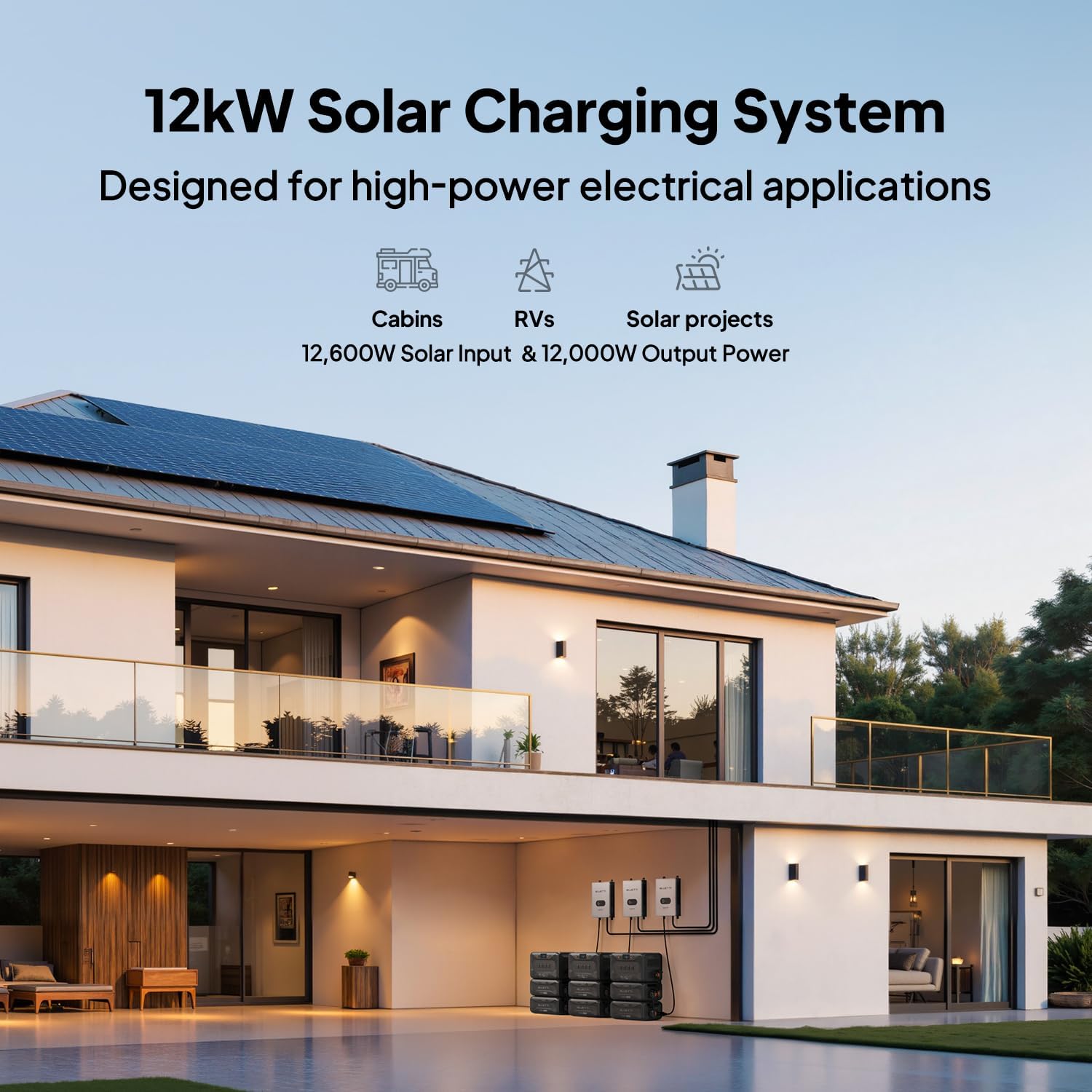
Image 4.1: Performance comparison highlighting the SolarX 4K's superior efficiency, input voltage, safety, and scalability.
5. Installasjonsinstruksjoner
Follow these steps for proper installation of your SolarX 4K MPPT Solar Charge Controller:
- Utpakking: Ta forsiktig alle komponentene ut av emballasjen og kontroller dem for eventuelle skader.
- Montering: Choose a suitable location for mounting the controller. Ensure it is in a well-ventilated area, protected from direct sunlight and moisture. Use the provided fixing screws and anchors to securely mount the unit.
- Jording: Connect the grounding screw to a reliable earth ground using appropriate wiring.
- Tilkobling til solcellepanel: Connect your solar panels to the input terminals of the SolarX 4K. Ensure correct polarity (+ to + and - to -) and that the total open-circuit voltage of your solar array is within the controller's specified input range (150V-500V).
- Battery/Generator Connection: Connect the DC output cable (XT60-F connectors) from the SolarX 4K to your compatible BLUETTI solar generator or battery (e.g., Apex 300, B300K). Ensure a secure connection. For optimal 4kW output performance, use with BLUETTI Apex 300 & B300K systems and a P090A cable.
- Første oppstart: Once all connections are secure, power on your BLUETTI solar generator or battery. The SolarX 4K will automatically detect the solar input and begin charging.

Image 5.1: Connection diagram for the SolarX 4K with BLUETTI Apex 300 and B300K units.

Bilde 5.2: Eks.ample of a 12kW solar charging system using multiple SolarX 4K controllers for high-power applications.
6. Bruksanvisning
The SolarX 4K is designed for automatic operation once properly installed. Monitoring and advanced settings are managed through the BLUETTI app.
- Automatisk lading: The controller will automatically begin charging your connected BLUETTI power station when sufficient solar input is available.
- BLUETTI App Monitoring: Download the official BLUETTI app from your device's app store. Connect to the SolarX 4K via Bluetooth or Wi-Fi to monitor real-time charging status, energy production, and system performance.
- Fastvareoppdateringer: The BLUETTI app allows for convenient over-the-air firmware updates to ensure your controller always has the latest features and optimizations.

Image 6.1: The BLUETTI app provides smart control and monitoring of your solar power system, including firmware updates and fault alerts.
7. Vedlikehold
To ensure optimal performance and longevity of your SolarX 4K MPPT Solar Charge Controller, perform the following maintenance:
- Regelmessig inspeksjon: Sjekk alle ledningsforbindelser med jevne mellomrom for å sikre at de er stramme og fri for korrosjon.
- Rengjøring: Keep the controller's exterior clean and free from dust and debris. Use a dry, soft cloth for cleaning. Do not use liquid cleaners.
- Ventilasjon: Sørg for at ventilasjonsåpningene ikke er blokkert for å forhindre overoppheting.
- Miljøsjekk: Confirm the operating environment remains within the specified temperature range (-20°C to 55°C).
8. Feilsøking
If you encounter issues with your SolarX 4K, refer to the following common troubleshooting steps:
- Ingen lading:
- Check all solar panel connections for proper polarity and secure fit.
- Verify that the solar panel voltage is within the controller's input range (150V-500V).
- Ensure the DC output cable is securely connected to the BLUETTI power station.
- Confirm that the BLUETTI power station is powered on and ready to receive charge.
- Low Charging Power:
- Check for shading on solar panels.
- Clean solar panels if dirty.
- Ensure solar panels are optimally angled towards the sun.
- Communication Issues (Bluetooth/Wi-Fi):
- Sørg for at kontrolleren er slått på.
- Check your mobile device's Bluetooth/Wi-Fi settings.
- Move closer to the controller to improve signal strength.
- Restart the BLUETTI app and/or your mobile device.
- Feilkoder: The BLUETTI app provides detailed fault alerts and error codes (15+ error codes). Consult the app for specific error messages and recommended actions.
If problems persist, contact BLUETTI customer support for assistance.
9. Spesifikasjoner
| Merke | BLUETTI |
| Modellnavn | SolarX 4K+XT60 |
| Solar input Power | Opptil 4200W |
| Solar Input Voltagog rekkevidde | 150V-500V |
| Utgangseffekt | 4000W DC |
| Utgangsstrøm | 80A |
| MPPT-effektivitet | 99 % |
| Driftstemperatur | -20 °C til 55 °C (-4 °F til 131 °F) |
| Tilkobling | Bluetooth, WiFi |
| Anbefalt bruk | Residential, Outdoor, RV, Off-Grid Living |
10. Garanti og støtte
Garanti: The BLUETTI SolarX 4K MPPT Solar Charge Controller comes with a 1-year warranty from the date of purchase. This warranty covers defects in materials and workmanship under normal use.
Kundestøtte: For technical assistance, warranty claims, or any questions regarding your product, please contact BLUETTI customer service. Refer to the official BLUETTI webnettsted for kontaktinformasjon og støtteressurser.