
1. Introduksjon
Thank you for choosing the Tacens AEROSLIM500 MicroATX PC Case. This slim mini-tower is designed for efficient and compact PC builds, supporting MicroATX and Mini-ITX motherboards. It features optimized airflow, an integrated 500W TFX power supply, and modern connectivity. This manual provides essential information for safe installation, operation, and maintenance of your new PC case.
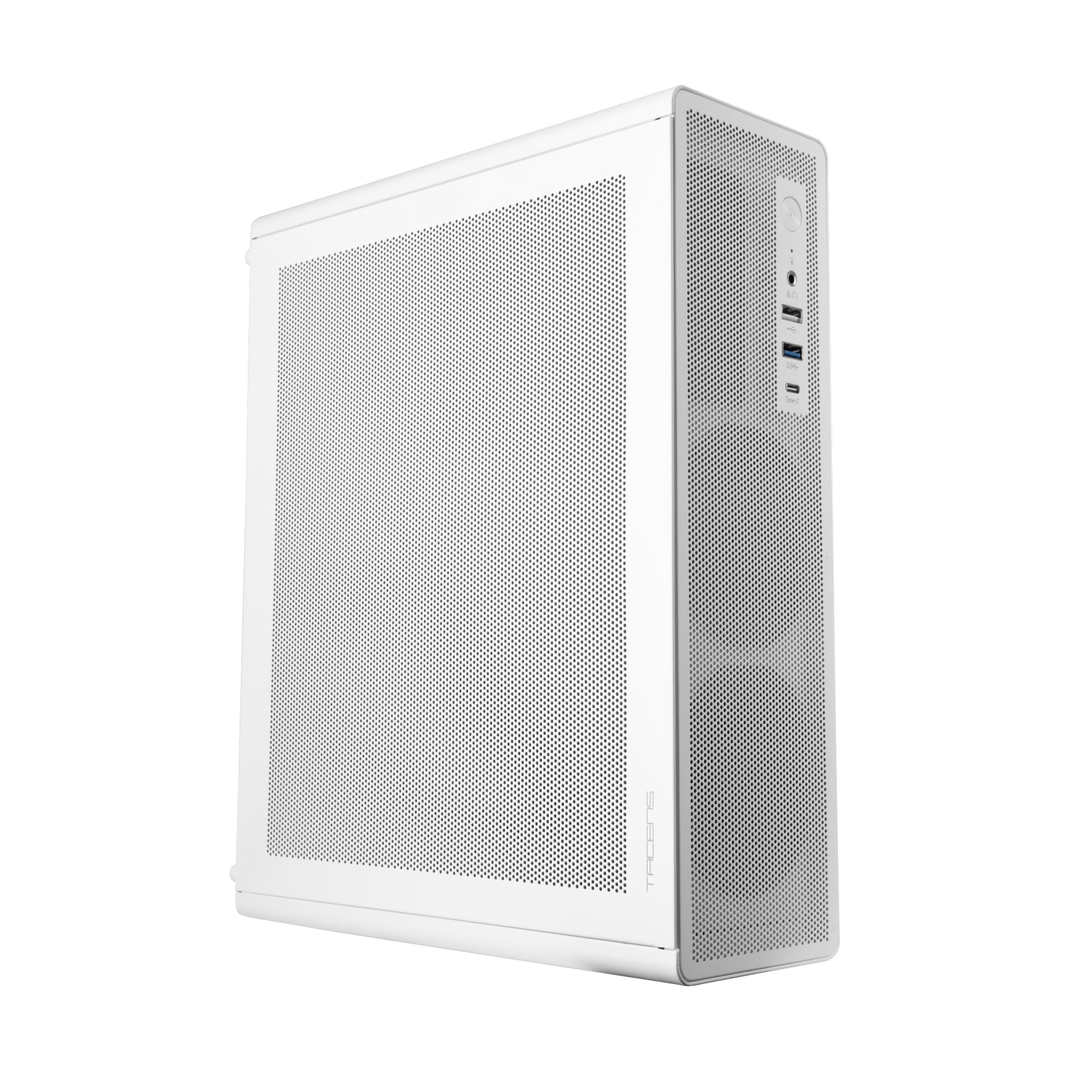
Figure 1: Tacens AEROSLIM500 MicroATX PC Case (Overall View)
2. Sikkerhetsinformasjon
Vennligst les og følg disse sikkerhetsreglene for å unngå skade på produktet eller deg selv.
- Strømfrakobling: Always disconnect the power cable from the wall outlet before opening the case or performing any installation/maintenance.
- Statisk elektrisitet: Discharge static electricity from your body before handling internal components. Use an anti-static wrist strap if available.
- Skarpe kanter: Be cautious of sharp edges inside the case during installation.
- Ventilasjon: Ensure proper ventilation around the case. Do not block air vents.
- Væske og fuktighet: Keep the case away from liquids and excessive moisture.
- Profesjonell installasjon: Hvis du er usikker på noen av installasjonstrinnene, bør du søke hjelp fra en kvalifisert tekniker.
3. Pakkens innhold
Kontroller at alle varene er i pakken. Hvis noen varer mangler eller er skadet, kontakt forhandleren din.
- Tacens AEROSLIM500 MicroATX PC Case with integrated 500W TFX Power Supply
- Pre-installed 90mm FDB Front Fan
- Accessory kit (screws, standoffs, cable ties)
- Brukerhåndbok (dette dokumentet)
4. Produktfunksjoner
The Tacens AEROSLIM500 PC case offers a range of features for a compact and efficient build:
- Integrated TFX 500W Power Supply: Ensures stable and efficient power delivery for your components.
- Avansert kjøling: Front and side ultra-fine mesh panels provide constant airflow and act as a dust barrier.
- Pre-installed Front Fan: Includes a 90mm FDB (Fluid Dynamic Bearing) fan for optimal cooling. Supports up to two 90mm front fans.
- Optimized Internal Space: Compatible with MicroATX (up to 210mm wide) and Mini-ITX motherboards.
- GPU Support: Accommodates low-profile GPUs up to 220mm long and 63mm wide.
- Lagringsalternativer: Features 5 x 2.5" SSD drive bays.
- Utvidelsesspor: Provides 3 expansion slots for MicroATX or 1-2 for Mini-ITX configurations.
- Komplett tilkobling: Front panel includes USB-C, USB 3.0, USB 2.0 ports, and HD audio/microphone jacks.
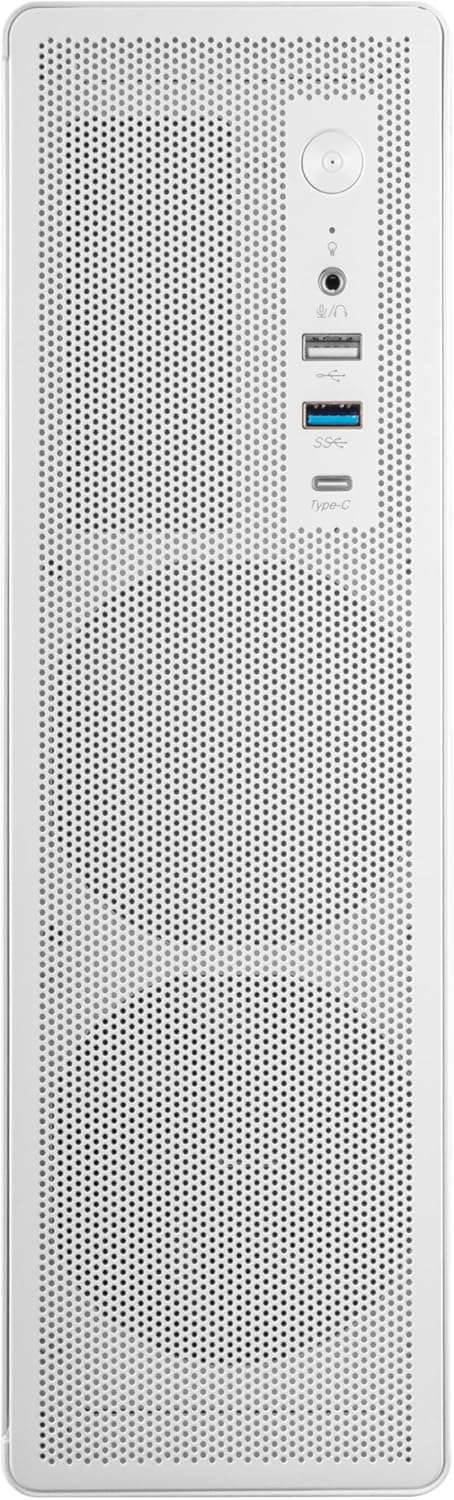
Figure 2: Front Panel Connectivity

Figur 3: Detaljert View of Front I/O Ports
5. Oppsett og installasjon
Follow these steps to install your components into the Tacens AEROSLIM500 PC case. Ensure the system is powered off and unplugged before beginning.
5.1. Åpning av saken
- Plasser etuiet på en flat, stabil overflate.
- Locate the thumbscrews or standard screws on the rear panel securing the side panel(s).
- Remove the screws and carefully slide the side panel(s) backward, then lift them off.

Figure 4: Case Interior View with Pre-installed Fan
5.2. Installasjon av hovedkort
- Install the CPU, CPU cooler (ensure it fits within the 73mm height limit), and RAM onto your MicroATX or Mini-ITX motherboard before placing it in the case.
- Align the motherboard with the pre-installed standoffs inside the case.
- Secure the motherboard using the appropriate screws from the accessory kit.

Figure 5: Motherboard Mounting Area
5.3. Storage Device Installation (2.5" SSD/HDD)
- Locate the 2.5" drive bays/mounting points. The case supports up to 5 x 2.5" drives.
- Secure your 2.5" SSDs or HDDs using the provided screws.
- Connect SATA data and power cables to the drives.

Figure 6: Power Supply and Drive Bay Area
5.4. Expansion Card (GPU) Installation
- Fjern de nødvendige dekslene til utvidelsessporene fra baksiden av kabinettet.
- Carefully insert your low-profile GPU (max 220mm length, 63mm width) into the PCIe slot on the motherboard.
- Fest utvidelseskortet med en skrue.
5.5. Tilkobling av frontpanelkabler
Connect the front panel cables (USB-C, USB 3.0, USB 2.0, HD Audio, Power Switch, Reset Switch, Power LED, HDD LED) to their corresponding headers on your motherboard. Refer to your motherboard manual for exact header locations.
5.6. Kabeladministrasjon
Route cables neatly to improve airflow and aesthetics. Use the provided cable ties to secure bundles of cables.
5.7. Closing the Case
- Once all components are installed and cables are managed, reattach the side panel(s).
- Secure the side panel(s) with the thumbscrews or standard screws.
6. Bruksanvisning
After successful assembly, connect your peripherals (monitor, keyboard, mouse) and the power cable to the integrated TFX 500W power supply.
- Strøm på: Press the power button located on the front panel to turn on your computer.
- USB-porter: Use the front USB-C, USB 3.0, and USB 2.0 ports for connecting external devices.
- Lydkontakter: Connect headphones or a microphone to the front audio jacks.
- Slå av: Shut down your computer through the operating system. For a hard shutdown, press and hold the power button for several seconds.
7. Vedlikehold
Regelmessig vedlikehold bidrar til å sikre optimal ytelse og levetid for PC-komponentene dine.
- Støvrengjøring: The mesh panels act as dust filters. Periodically clean the front and side mesh panels using compressed air or a soft brush to remove accumulated dust.
- Innvendig rengjøring: Every 6-12 months, open the case (after disconnecting power) and use compressed air to clean dust from internal components, especially CPU coolers and GPU fans.
- Kontroll av kabelhåndtering: Ensure cables remain neatly routed and do not obstruct airflow.
8. Feilsøking
Hvis du støter på problemer, kan du se følgende vanlige feilsøkingstrinn.
- Ingen strøm:
- Ensure the power cable is securely connected to both the wall outlet and the PC's power supply.
- Verify that the power supply switch (if present) is in the 'ON' position.
- Check all internal power connections (24-pin ATX, 8-pin CPU, GPU power) to the motherboard and components.
- Sørg for at kabelen til strømknappen på frontpanelet er riktig koblet til hovedkortets header.
- Ingen visning:
- Confirm your monitor is powered on and connected to the correct video output on your GPU or motherboard.
- Reseat your GPU and RAM modules.
- Overdreven støy:
- Check if any cables are obstructing fan blades.
- Clean dust from fans (CPU, GPU, case fans, PSU fan).
- Ensure all screws are tightened to prevent vibrations.
- Frontpanelporter fungerer ikke:
- Verify that the USB and audio cables from the front panel are correctly connected to the motherboard headers.
9. Spesifikasjoner
| Merke | Tacens |
| Modellnavn | AEROSLIM500 |
| Hovedkortkompatibilitet | Micro ATX, Mini ITX |
| Sakstype | Compact Desktop / Mini-Tower |
| Farge | Hvit |
| Materiale | Metall |
| Strømforsyning | Integrated TFX 500W |
| Kjølemetode | Air (Pre-installed 90mm FDB front fan) |
| Høydegrense for CPU-kjøler | Opp til 73 mm |
| GPU-lengdegrense | Up to 220mm (low-profile bare) |
| GPU Width Limit | Opp til 63 mm |
| Drive Bays | 5 x 2.5" SSD/HDD |
| Utvidelsesspor | 3 (MicroATX), 1-2 (Mini-ITX) |
| Front I / O-porter | 1x USB-C, 1x USB 3.0, 2x USB 2.0, HD Audio (Headphone/Microphone) |
| Varevekt | 2.25 kilo |
10. Garanti og støtte
Tacens products are manufactured to the highest quality standards. For information regarding warranty coverage, terms, and conditions, please refer to the warranty card included with your product or visit the official Tacens webnettstedet.
For technical support, troubleshooting assistance beyond this manual, or to inquire about replacement parts, please contact Tacens customer service through their official webnettstedet eller kontaktinformasjonen som er oppgitt i produktdokumentasjonen.
Official Tacens Webnettsted: www.tacens.com (Merk: Dette er en plassholder URL. Please refer to your product packaging for the correct official webnettstedet.)