
1. Introduksjon
Takk for kjøpetasing the Adelagnes AI Voice Recorder M3. This device is a revolutionary AI-powered voice recorder designed to enhance your productivity with advanced features such as real-time transcription, multi-language translation, and AI assistance. This manual provides detailed instructions on how to set up, operate, and maintain your device to ensure optimal performance.
Les denne håndboken nøye før du bruker produktet, og ta vare på den for senere referanse.
2. Produktet er overview
2.1 Nøkkelfunksjoner
- AI-Powered Transcription: Real-time audio-to-text conversion with speaker identification, available both online and offline.
- Flerspråklig oversettelse: Supports 15 languages offline and 134 languages online for voice translation. OCR text translation supports 12 languages offline and 71 languages online.
- Integrated AI Tools: Includes AI Q&A, AI Voice Assistant for hands-free operation, AI Writing for automatic document creation, and an AI Character for interactive learning.
- Stor lagringskapasitet: 2+16GB internal memory with a built-in 64GB TF memory card, allowing hundreds of hours of offline recording. Cloud storage is also supported.
- Brukervennlig grensesnitt: 4-inch high-definition touch screen displays real-time transcription for easy content verification.
- Støyreduksjon: Advanced noise reduction for clear audio capture up to 10 meters.
- Datasikkerhet: Encryption chip and startup password protection for personal information.
2.2 Pakkeinnhold
- Adelagnes AI Voice Recorder M3 Main Unit
- Type-C ladekabel
- Oppbevaringspose
- Bruksanvisning (japansk)

Image: Adelagnes AI Voice Recorder M3 package contents, showing the main unit, a Type-C charging cable, a grey storage pouch, and the instruction manual.
3. Oppsett
3.1 Lading av enheten
- Koble den medfølgende Type-C-ladekabelen til enhetens ladeport.
- Koble den andre enden av kabelen til en USB-strømadapter (ikke inkludert) eller en datamaskins USB-port.
- The battery indicator on the screen will show the charging status. A full charge typically takes approximately 2-3 hours.
The device has a 1500mAh rechargeable battery, providing 5-7 hours of continuous operation.
3.2 Slå på/av
- For å slå på: Trykk og hold inne av/på-knappen (vanligvis på siden) til skjermen lyser opp.
- Slik slår du av: Trykk og hold inne av/på-knappen til av/på-alternativene vises på skjermen, og velg deretter «Slå av».
3.3 Førstegangsoppsett og nettverkstilkobling
- Upon first power-on, follow the on-screen prompts to select your preferred language and region.
- To access online features (e.g., 134-language translation, cloud storage), connect the device to a Wi-Fi network via the settings menu.
- Set a startup password for enhanced data security, similar to a smartphone.
4. Bruksanvisning
4.1 Ta opp lyd
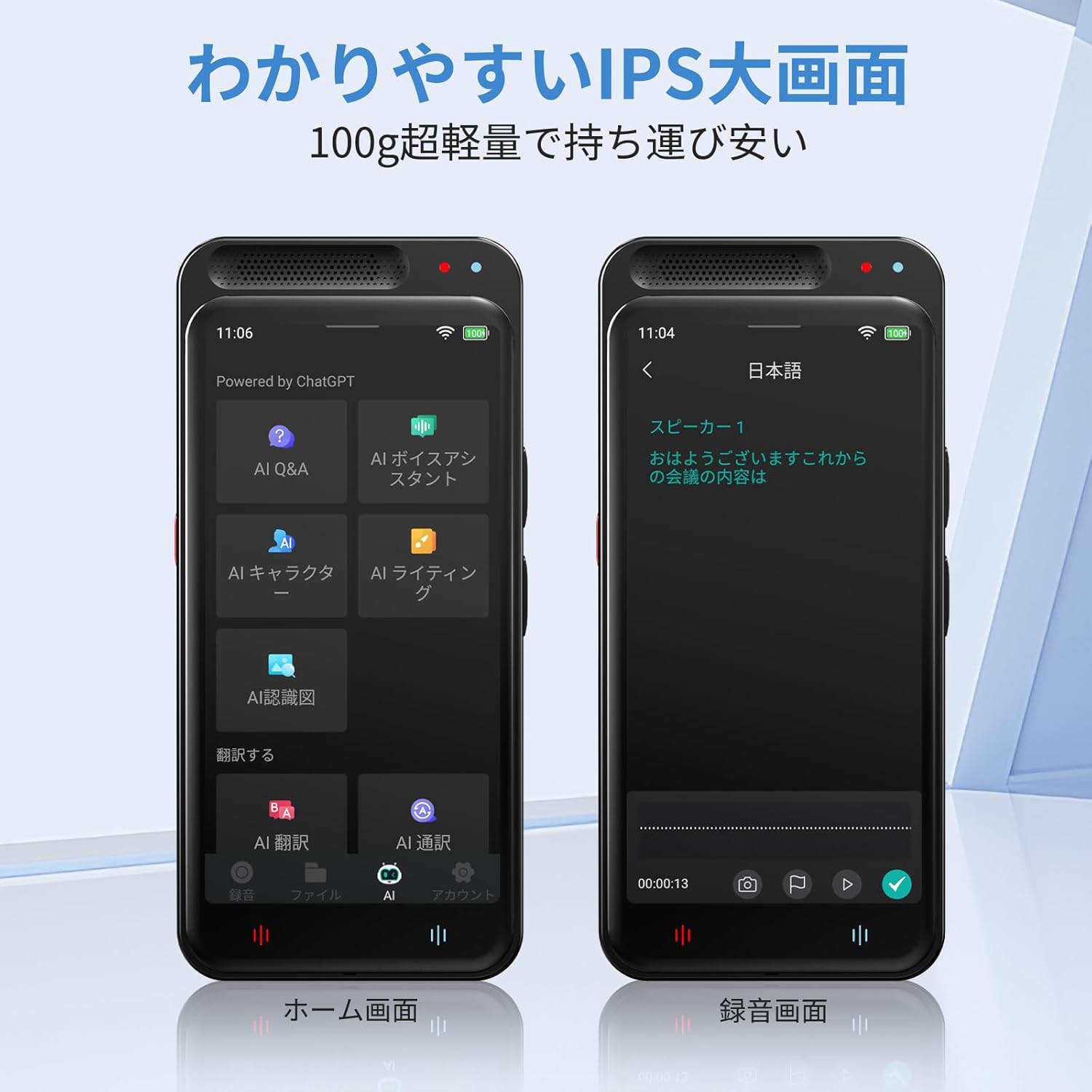
Image: The Adelagnes AI Voice Recorder M3 displaying its home screen on the left and a recording interface on the right, showing real-time transcription.
- From the home screen, tap the "Record" icon.
- To start recording, tap the red record button. The device will begin capturing audio and displaying real-time transcription on the 4-inch screen.
- To pause recording, tap the pause button. To resume, tap it again.
- To stop recording, tap the stop button. The recording will be saved automatically.
The device features high-sensitivity microphones with 360-degree pickup and noise canceling, effective up to 10 meters, ensuring clear recordings for meetings, lectures, and interviews.

Image: A person holding the Adelagnes AI Voice Recorder M3 during a business meeting, with text overlays indicating a 10-meter recording range and 360-degree sound pickup with noise cancellation.
4.2 Transcription and Speaker Identification

Image: The Adelagnes AI Voice Recorder M3 showing a transcribed conversation with distinct speaker labels, demonstrating its speaker identification feature. Two individuals are visible in the background, engaged in a discussion.
The device automatically transcribes recorded audio in real-time. After recording, the transcription can be reviewed and edited. The high-precision speech recognition technology can separate voices by speaker, making it ideal for creating meeting minutes or lecture notes.
Transcription is available for free, both online and offline.
4.3 Translation Functions
4.3.1 Voice Translation
- Access the "Translation" function from the home screen.
- Velg kilde- og målspråk.
- Speak into the microphone, and the device will provide a real-time translation.
Offline voice translation supports 15 languages, while online translation supports 134 languages.
4.3.2 OCR Text Translation
- The device features a 5-megapixel camera.
- Use the OCR function to scan text from documents, menus, or signs.
- The device will convert the scanned text and provide a translation in your chosen language.
Offline OCR supports 12 languages, and online OCR supports 71 languages.
4.4 AI Tools

Image: The Adelagnes AI Voice Recorder M3 showcasing its AI tools interface, including AI Q&A, AI Voice Assistant, AI Writing, and AI Character functions, designed to support daily tasks.
- AI Q&A: Ask questions and receive instant answers from the built-in AI, available 24/7.
- AI Voice Assistant: Use voice commands to manage meeting records, schedules, and send messages hands-free.
- AI-skriving: Automatically generate and proofread reports, emails, and blogs at an accelerated pace.
- AI Character: Engage with a learning conversational engine that evolves daily.
4.5 File Management and Data Transfer
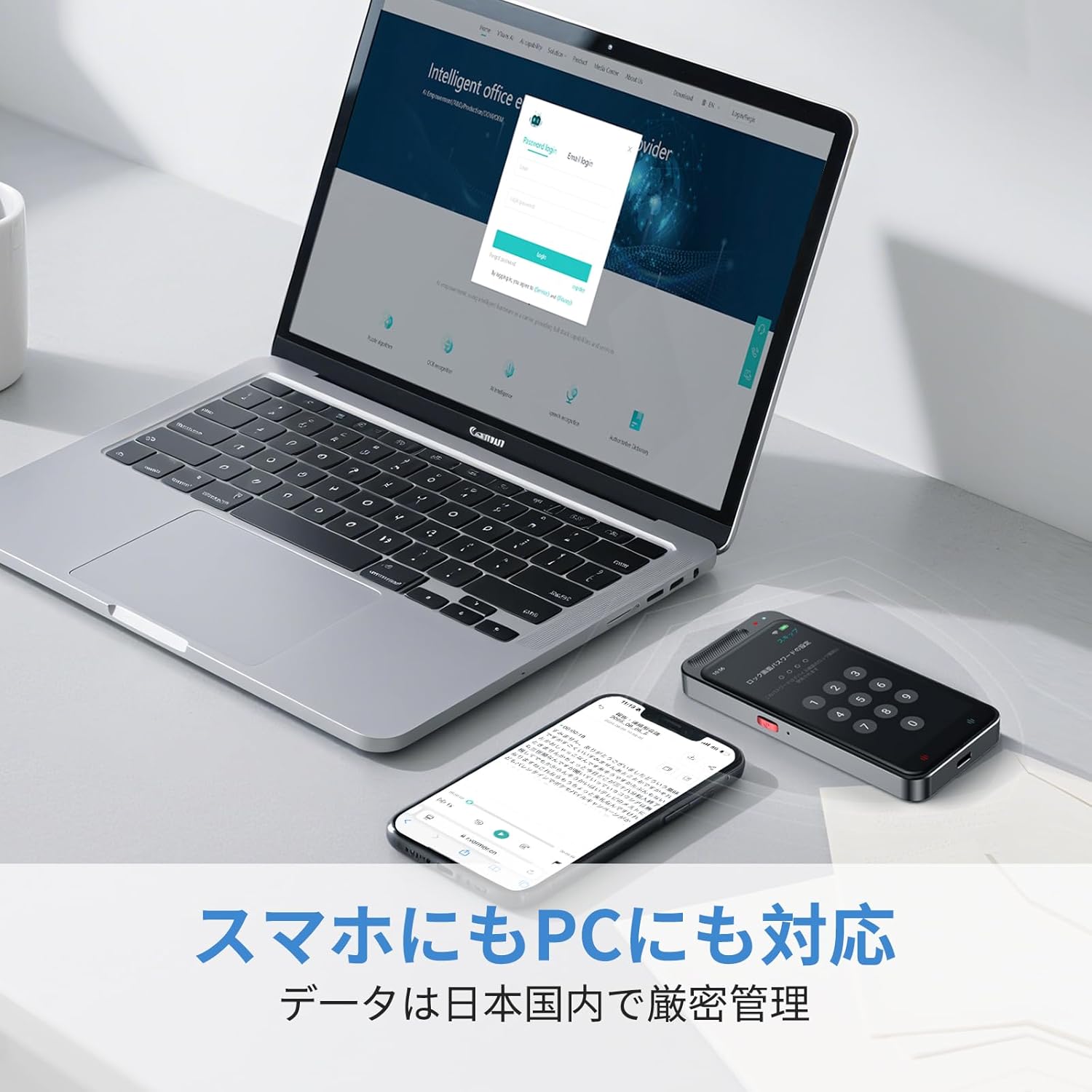
Image: The Adelagnes AI Voice Recorder M3 and a smartphone placed next to a laptop, illustrating the device's compatibility with PCs and smartphones for data transfer.
- Lokal lagring: Recordings are saved to the device's internal memory (2+16GB) or the 64GB TF memory card.
- Cloud Storage: The device supports cloud storage for real-time data transfer to PCs and smartphones.
- USB-overføring: Connect the device to a computer using the Type-C cable to transfer audio files and transcription texts. The device is recognized without special driver installation on Windows 11.
- Datasletting: Data can be permanently deleted with a single touch. All data transmission and storage require user permission.
5. Vedlikehold
- Rengjøring: Bruk en myk, tørr klut til å rengjøre enheten. Unngå å bruke flytende rengjøringsmidler eller slipende materialer.
- Lagring: Oppbevar enheten på et kjølig og tørt sted, unna direkte sollys og ekstreme temperaturer.
- Batteripleie: For å forlenge batterilevetiden, unngå å utlade batteriet helt ofte. Lad enheten regelmessig, selv om den ikke er i bruk over lengre tid.
- Programvareoppdateringer: Check for available software updates periodically to ensure optimal performance and access to new features.
6. Feilsøking
| Problem | Mulig årsak | Løsning |
|---|---|---|
| Enheten slås ikke på. | Lavt batteri; enheten har frosset. | Charge the device for at least 30 minutes. If still unresponsive, perform a hard reset (refer to manual for specific reset instructions if available, or hold power button for 10-15 seconds). |
| Dårlig opptakskvalitet. | Microphone obstructed; excessive background noise; device too far from sound source. | Ensure microphone is clear. Reduce background noise. Place the device closer to the speaker (within 10 meters). |
| Transcription errors. | Unclear audio; strong accents; specialized terminology; offline mode limitations. | Ensure clear audio input. Connect to Wi-Fi for higher accuracy online transcription. Manually edit the transcription if necessary. |
| Oversettelsen fungerer ikke. | No internet connection (for online translation); incorrect language selection. | Verify Wi-Fi connection for online translation. Check selected source and target languages. Ensure clear speech for voice translation. |
| Kan ikke overføre files til PC. | Faulty USB cable; incorrect connection mode. | Try a different Type-C cable. Ensure the device is connected in data transfer mode (if prompted). |
7. Spesifikasjoner
| Trekk | Spesifikasjon |
|---|---|
| Modellnummer | M3 |
| Skjermstørrelse | 4 tommer |
| Kontinuerlig brukstid | 7 timer |
| Kompatible enheter | Smartphones, PCs |
| Batterikapasitet | 1500mAh (oppladbar) |
| Internt minne | 2+16GB |
| Ekstern lagring | 64GB TF Memory Card (built-in) |
| Mikrofon | Built-in, 360-degree pickup, 10m range |
| Opptaksformat | WAV |
| Kamera | 5 Megapixels (for OCR) |
| Produktdimensjoner | 11 x 5 x 1 cm |
| Produktvekt | 100 g |
8. Garanti og støtte
For warranty information and customer support, please refer to the contact details provided with your purchase or visit the official Adelagnes webnettstedet. Ta vare på kjøpsbeviset for garantikrav.
Hvis du støter på problemer som ikke er dekket i denne håndboken, kan du kontakte kundesupportteamet vårt for å få hjelp.