
1. Introduksjon
This manual provides essential information for setting up, operating, and maintaining your Hisense PT1 Ultra Short Throw Triple Laser Projector. The PT1 is designed to deliver a premium home entertainment experience with its advanced features and high-quality projection capabilities. Please read this manual thoroughly before using the product to ensure proper function and safety.

Image 1: The Hisense PT1 Ultra Short Throw Triple Laser Projector.
2. Hva er i esken
Kontroller at alle varene som er oppført nedenfor er inkludert i produktemballasjen:
- Hisense PT1 Projector
- Strømledning
- Fjernkontroll
- Brukerhåndbok (dette dokumentet)
- Rengjøringssett
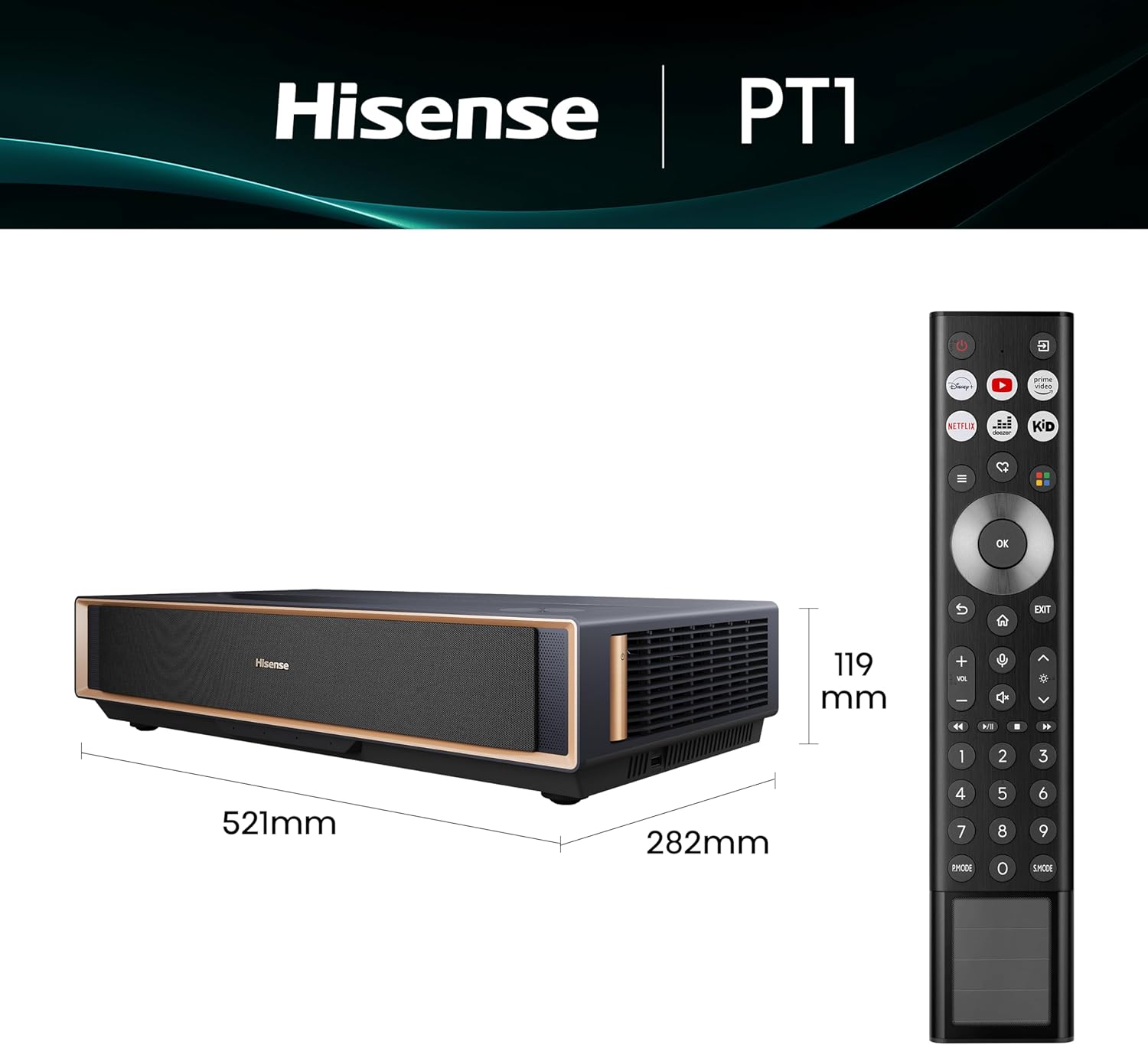
Image 2: Hisense PT1 Projector with its remote control, showing approximate dimensions.
3. Produktet er overview
3.1 Nøkkelfunksjoner
- Ultra Short Throw Technology: Projects large images from a minimal distance to the screen.
- Triple Laser Engine: Delivers vibrant colors and high contrast.
- 4K UHD-oppløsning: Provides sharp and detailed visuals (3840 x 2160 pixels).
- 2500 ANSI lumen lysstyrke: Ensures clear images in various lighting conditions.
- 3000:1 Kontrastforhold: Enhances depth and detail in dark and bright scenes.
- Google TV: Integrated smart TV platform for streaming and apps.
- Dolby Vision og Dolby Atmos: Supports advanced HDR video and immersive audio.
- IMAX forbedret: Certified for IMAX picture and sound quality.
- 3D Capable: Supports 3D content viewing.
- 240Hz høy oppdateringsfrekvens: Provides smooth motion, especially for gaming.
- AI Picture Quality Enhancements: Includes AI Upscaler, AI Brightness Control, and AI Color Technology.
- Innebygde høyttalere: Dual 15W front-firing and 8W up-firing speakers.
3.2 Fysisk beskrivelse
The Hisense PT1 features a sleek, compact design with a gunmetal finish. Its dimensions are approximately 20.5"L x 11.1"W x 4.7"H, and it weighs 15.9 pounds, making it suitable for tabletop placement.

Bilde 3: Flere views of the Hisense PT1 projector, showcasing dens design.
4. Oppsett
4.1 Plassering
The PT1 is an Ultra Short Throw projector, meaning it can project a large image from a very short distance to the screen. Place the projector on a stable, flat surface directly in front of your projection screen or wall. The optimal throw distance ranges from 0.31 feet to 1.32 feet for image sizes between 80 and 150 inches.

Image 4: A table illustrating projection sizes (80-150 inches) and corresponding distances from the wall for Ultra Short Throw setup.
4.2 Tilkoblinger
Connect your devices to the projector using the available ports:
- HDMI: Three HDMI ports are available, including one with eARC support for audio return.
- USB: Two USB ports (USB 2.0 and USB 3.0) for media playback or connecting accessories.
- Ethernet (LAN): For kablet nettverkstilkobling.
- Hodetelefoner: 3.5 mm lydutgang.
- Digital lydutgang: Optisk lydutgang.
- Wi-Fi og Bluetooth: For trådløs tilkobling.

Image 5: Rear panel of the Hisense PT1 projector, detailing the various input and output ports for connectivity.
4.3 Første gangs oppstart
After connecting the power cord and any desired input devices, press the power button on the projector or remote control. Follow the on-screen instructions for initial setup, including network connection and Google TV configuration. The projector features auto screen alignment for quick and perfect setup.

Image 6: Visual guide demonstrating the active auto screen alignment feature of the Hisense PT1, which automatically positions the image for a perfect fit.
5. Bruksanvisning
5.1 Google TV-funksjoner
The integrated Google TV platform provides access to a wide range of streaming services, apps, and live TV. Use the remote control for navigation, voice commands, and personalized recommendations.

Image 7: The Google TV home screen displayed on the Hisense PT1, showing various streaming applications and content recommendations.
5.2 Bildeinnstillinger
The PT1 offers advanced picture quality enhancements:
- AI-lysstyrkekontroll: Dynamically adjusts brightness based on ambient light and content for comfortable viewing.
- 4K AI-oppskalering: Enhances lower-resolution content to near 4K clarity.
- AI Color Technology: Optimizes color space and accuracy for vibrant, lifelike images.
- Filmskapermodus: Bevarer det opprinnelige sideforholdet, fargen og bildefrekvensen slik regissøren hadde til hensikt.

Image 8: Visual representation of the AI Brightness Control feature, showing how the projector adapts its output for optimal viewing in both day and night conditions.

Image 9: An image detailing the 4K Precision features, including AI Noise Reduction, AI 4K Upscaler, and AI HDR Upscaler, which work together to produce sharp, detailed visuals.
5.3 Lydinnstillinger
The PT1 features dual 15W front-firing and 8W up-firing speakers, supporting Dolby Atmos for an immersive audio experience. Adjust sound modes and output settings via the Google TV interface.

Image 10: A diagram illustrating the Dolby Atmos Audio setup with front-firing and top-firing speakers, creating an elevated, immersive sound experience.
5.4 Spilloptimalisering
For gamers, the PT1 offers a 240Hz high refresh rate and Auto Low Latency Mode (ALLM) with a 12ms input lag, ensuring smooth and responsive gameplay.

Image 11: A visual highlighting the Gaming Optimisation features of the PT1, including HSR 240 refresh rate and Auto Low Latency Mode for smooth, lag-free gaming.
5.5 3D-funksjonalitet
The projector is 3D capable, allowing you to enjoy compatible 3D content with appropriate 3D glasses (sold separately).
5.6 Smart hjemkontroll
The PT1 integrates with leading smart home systems like Control4, enabling control over channels, volume, inputs, and lighting for a connected entertainment experience.

Image 12: An illustration of the Smart Home Control feature, demonstrating how the PT1 can be integrated with systems like Control4 to manage various home entertainment aspects.
6. Vedlikehold
6.1 Rengjøring
Regularly clean the projector's exterior with a soft, dry cloth. Use the provided cleaning kit for the lens, following the instructions to avoid damage. Ensure the projector is powered off and unplugged before cleaning.
6.2 Laser Care
The laser light source has an operating life of 25,000+ hours. Avoid looking directly into the lens when the projector is on to prevent eye damage. The projector includes an eye protection feature that dims the laser if an object is detected too close to the lens.
7. Feilsøking
If you encounter issues with your Hisense PT1 projector, refer to the following common troubleshooting steps:
- Ingen strøm: Sørg for at strømledningen er ordentlig koblet til både projektoren og en fungerende stikkontakt.
- Ikke noe bilde: Check input source selection. Verify HDMI or other input cables are properly connected.
- Uskarpt bilde: Use the focus adjustment feature in the settings menu. Ensure the projector is placed at the correct distance from the screen.
- Image Not Aligned: Utilize the auto or manual keystone correction features in the settings menu.
- Ingen lyd: Check volume levels on both the projector and connected audio devices. Verify audio output settings.
- Fjernkontrollen fungerer ikke: Replace batteries. Ensure no obstructions between the remote and the projector.
For more detailed troubleshooting or persistent issues, please contact Hisense customer support.
8. Spesifikasjoner
| Trekk | Spesifikasjon |
|---|---|
| Merke | Hisense |
| Modellnavn | PT1 |
| Skjermoppløsning | 3840 x 2160 (4K UHD) |
| Lysstyrke | 2500 ANSI Lumens |
| Kontrastforhold | 3000:1 |
| Visningstype | Laser (Triple Laser) |
| Lyskildens levetid | 25000 timer |
| Maksimal bildestørrelse | 150 tommer |
| Minimum bildestørrelse | 80 tommer |
| Tilkoblingsteknologi | Bluetooth, Ethernet, HDMI, USB, Wi-Fi |
| Spesielle funksjoner | 3 Pure Color Lasers, Built-In Speaker, Ultra Short Throw, Google TV, IMAX Enhanced, Dolby Vision & Atmos, 3D, 240Hz Refresh Rate, 12ms Input Lag, AI Upscaler, AI Brightness, AI Color |
| Varedimensjoner (L x B x H) | 20.5 cm x 11.1 cm x 4.7 cm |
| Varevekt | 15.9 pund |
| Strømforbruk | 200 watt |
| UPC | 888143023595 |
9. Garanti og støtte
The Hisense PT1 Ultra Short Throw Triple Laser Projector comes with a 2 års produsentgaranti. For warranty claims, technical support, or service inquiries, please contact Hisense customer service through their official webnettstedet eller kontaktinformasjonen som er oppgitt i produktdokumentasjonen.
Always refer to the official Hisense support channels for the most accurate and up-to-date information.