
Introduksjon
Thank you for choosing the EUQQ YYK-Q10 AI Translator Earbuds. These earbuds are designed to provide seamless real-time language translation, high-quality audio, and effective noise cancellation, making them ideal for communication across language barriers, business meetings, and everyday use. This manual will guide you through the setup, operation, and maintenance of your new device to ensure optimal performance and user experience. Please read this manual thoroughly before using the product.
Pakkeinnhold
Vennligst sjekk pakken for følgende varer:
- EUQQ YYK-Q10 AI Translator Earbuds (L/R)
- Ladeetui
- USB ladekabel
- Flere størrelser på ørepropper
- Brukerhåndbok
Hvis noen varer mangler eller er skadet, vennligst kontakt kundestøtte.
Produkt overview
The EUQQ YYK-Q10 features a compact design with intuitive controls and a smart charging case. Familiarize yourself with the components below.
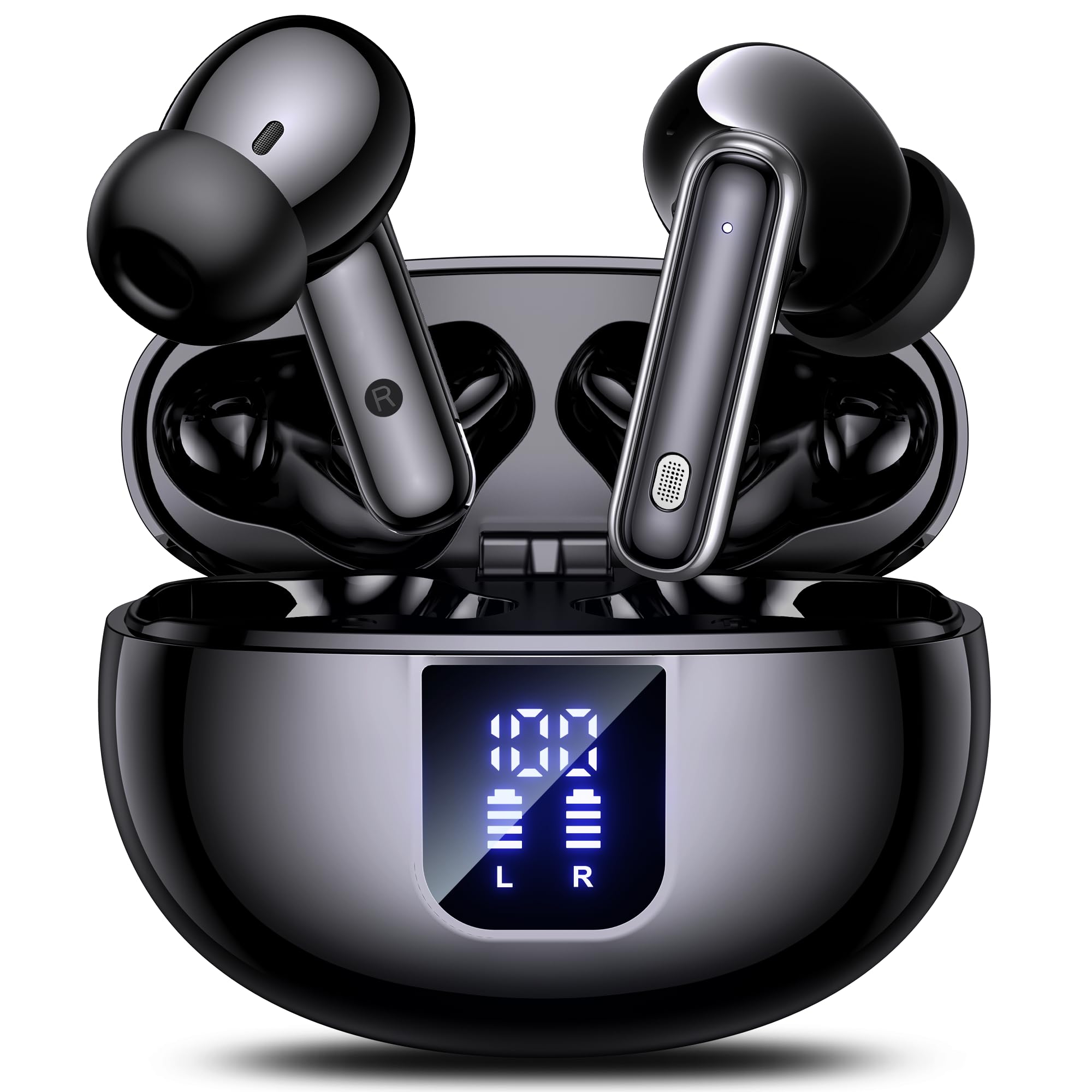
Image: The EUQQ YYK-Q10 AI Translator Earbuds are shown inside their open charging case. The case is black and features a digital display on the front, indicating battery levels for both the case and individual earbuds (L and R). The earbuds themselves are black with silver accents.
Nøkkelkomponenter:
- ørepropper: Venstre (V) og høyre (H) ørepropper med berøringskontrollområder og mikrofoner.
- Ladeetui: Stores and charges the earbuds. Features a digital display for battery status.
- Ladeport: USB-C port on the charging case for power input.
- LED-indikatorer: On earbuds and case to show charging status and connection.
Oppsett
1. Førstegangslading
- Plasser begge øreproppene i ladeetuiet.
- Koble USB-ladekabelen til ladeporten på etuiet og en strømkilde.
- The digital display on the case will show the charging status. Ensure both earbuds and the case are fully charged before first use (approximately 1-2 hours).
2. Bluetooth-paring
- Åpne ladeetuiet. Øreproppene vil automatisk gå inn i paringsmodus, indikert av blinkende LED-lys.
- Aktiver Bluetooth på smarttelefonen eller enheten din og søk etter tilgjengelige enheter.
- Select "EUQQ YYK-Q10" from the list of devices.
- Når de er tilkoblet, vil LED-lampene på øreproppene slutte å blinke, og en talemelding vil bekrefte tilkoblingen.
3. Appinstallasjon (for oversettelsesfunksjoner)
To utilize the real-time translation features, download the dedicated EUQQ translation app from your device's app store (iOS App Store or Google Play Store). Follow the in-app instructions to connect your earbuds and configure language settings.
Bruksanvisning
Slå på/av
- Strøm på: Åpne ladeetuiet, eller ta øreproppene ut av etuiet. De vil slå seg på automatisk.
- Slå av: Plasser øreproppene tilbake i ladeetuiet og lukk lokket. De slår seg av automatisk.
Music Playback Controls (Touch Controls)
- Spill av/pause: Ett trykk på begge øreproppene.
- Neste spor: Dobbelttrykk på den høyre ørepluggen.
- Forrige spor: Dobbelttrykk på venstre ørepropp.
- Volum opp: Trippeltrykk på den høyre ørepluggen.
- Volum ned: Trippeltrykk på venstre ørepropp.
Call Management (Touch Controls)
- Svar/avslutt samtale: Ett trykk på begge øreproppene.
- Avvis anrop: Trykk og hold en av øreproppene i 2 sekunder.
Translation Mode
Activate translation mode through the dedicated EUQQ app. The app will guide you through selecting source and target languages. Depending on the app's features, you may use different modes:
- Samtalemodus: Speak into your earbud's microphone, and the translation will be played through the other person's earbud or your phone's speaker.
- Interpreter Mode: One person wears an earbud, the other speaks into the phone.
- Touch-to-Speak Mode: Tap an earbud to speak, release to translate.
Refer to the EUQQ app's help section for detailed instructions on specific translation modes and features.
Støyreduksjon
The earbuds feature dual-mic noise cancelling. This feature is typically active by default or can be toggled via the companion app. It helps reduce ambient noise during calls and translation sessions for clearer communication.
Vedlikehold
- Rengjøring: Rengjør øreproppene og ladeetuiet regelmessig med en myk, tørr og lofri klut. Ikke bruk sterke kjemikalier eller slipende materialer.
- Øretips: Remove and clean ear tips periodically with water and mild soap. Ensure they are completely dry before reattaching.
- Ladekontakter: Rengjør forsiktig ladekontaktene på både øreproppene og etuiet med en tørr bomullspinne for å sikre riktig lading.
- Lagring: Når øreproppene ikke er i bruk, bør de oppbevares i ladeetuiet for å beskytte dem og holde dem ladet. Unngå ekstreme temperaturer og fuktighet.
Feilsøking
| Problem | Løsning |
|---|---|
| Øreplugger kan ikke pares |
|
| Ingen lyd eller lite volum |
|
| Ladeproblemer |
|
| Oversettelsen fungerer ikke |
|
Spesifikasjoner
| Trekk | Detalj |
|---|---|
| Merke | EUQQ |
| Modellnavn | YYK-Q10 |
| Tilkoblingsteknologi | Trådløs |
| Hodetelefonformfaktor | In-Ear |
| Farge | Svart |
| Inkluderte komponenter | Instruction Manual (and other standard accessories like earbuds, case, cable, ear tips) |
| Antall varer | 1 (product unit) |
| Batterier påkrevd | No (built-in rechargeable) |
| Produsentens modellnummer | YYK-Q10 |
| Pakkedimensjoner | 0.1 x 0.1 x 0.1 cm; 45.36 g |
| ASIN | B0FN3WC8LW |
Garantiinformasjon
The EUQQ YYK-Q10 AI Translator Earbuds come with a standard manufacturer's warranty. For detailed information regarding warranty coverage, terms, and conditions, please refer to the warranty card included in your package or visit the official EUQQ webnettstedet. Vennligst ta vare på kjøpsbeviset for garantikrav.
Kundestøtte
If you encounter any issues or have questions regarding your EUQQ YYK-Q10 AI Translator Earbuds, please do not hesitate to contact our customer support team. You can find contact information on the official EUQQ website or through the support section of the EUQQ translation app.
Nettressurser:
- Official EUQQ Webnettsted: Visit EUQQ Store on Amazon
- EUQQ Translation App (for in-app support)