
1. Introduksjon
The OUKITEL P5000 Pro Portable Power Station is a high-capacity, high-output solar generator designed to provide reliable power for various applications, from home backup during outages to outdoor camping and off-grid living. Featuring a robust LiFePO4 battery and multiple charging options, it ensures your essential devices remain powered.
Hva er i esken
- 1 x P5000 Pro Power Station
- 1 x 500W Solar Panel (if purchased as a bundle)
- 1 x AC-ladekabel
- 1 x Solar Charging Cable
- 1 x billader
- 1 x brukerhåndbok
Note: Due to the product's weight, the power station and solar panels may be delivered in separate packages.
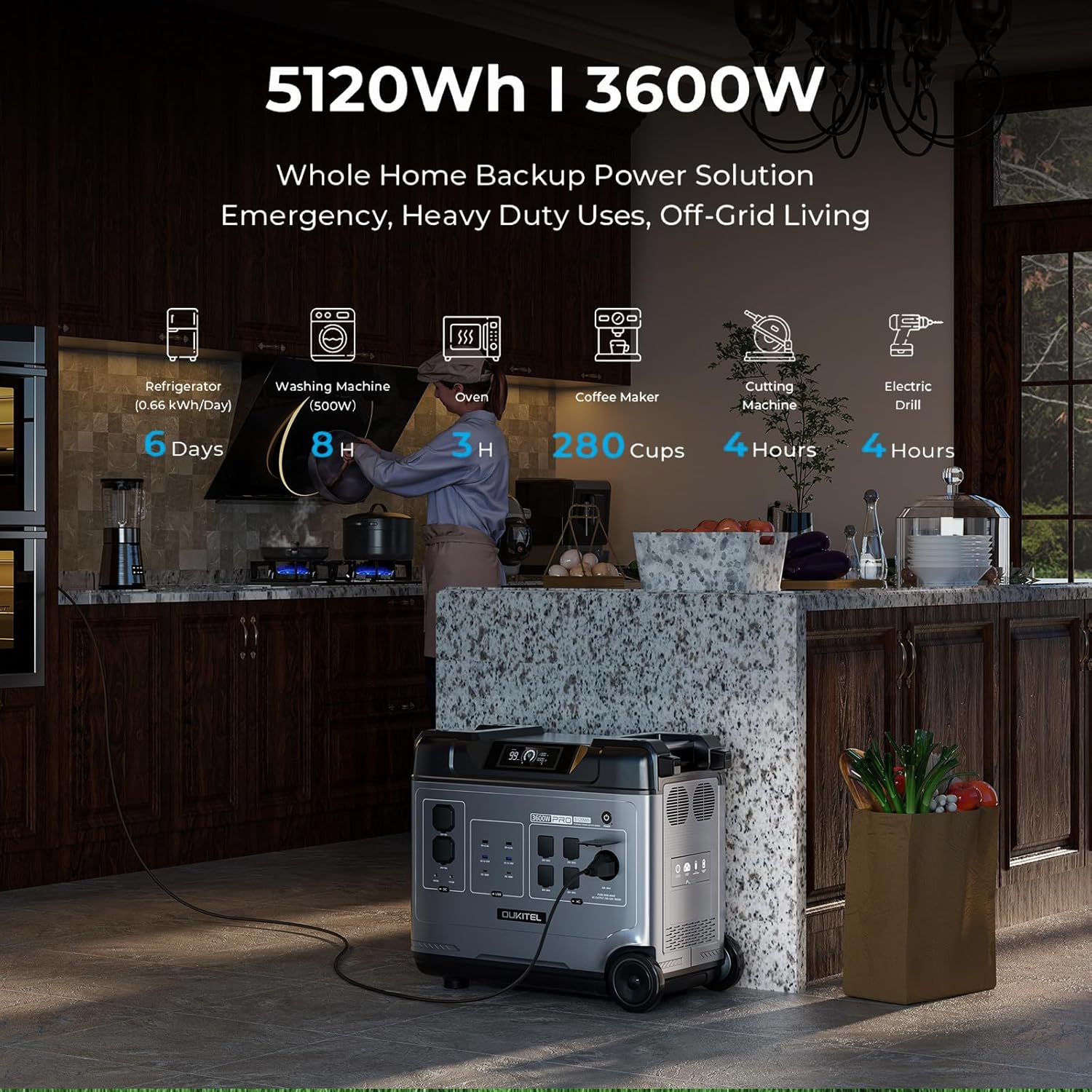
Image: OUKITEL P5000 Pro Portable Power Station with its various ports and accessories.
2. Sikkerhetsinstruksjoner
Les alle sikkerhetsadvarsler og instruksjoner nøye før du bruker dette produktet. Unnlatelse av å følge disse instruksjonene kan føre til elektrisk støt, brann eller alvorlig skade.
- Ikke demonter, reparer eller modifiser enheten.
- Hold enheten unna ild, varmekilder og direkte sollys.
- Do not use or store the unit in a bathroom or in an area exposed to water or moisture.
- Bruk kun originale eller sertifiserte kabler og tilbehør.
- Sørg for god ventilasjon under bruk for å unngå overoppheting.
- Oppbevares utilgjengelig for barn og kjæledyr.
- Kast produktet i henhold til lokale forskrifter.
3. Oppsett og første lading
Initial AC Charging
Before first use, fully charge the P5000 Pro using the provided AC charging cable. The unit supports 1800W fast charging, allowing a full charge in approximately 2.5 hours.
- Koble AC-ladekabelen til AC-inngangsporten på strømstasjonen.
- Koble den andre enden av kabelen til en standard stikkontakt.
- The display will show the charging status and estimated time to full charge.
Video: Demonstrates connecting the AC charging cable to the OUKITEL P5000 Pro for fast charging.
Lading av solcellepanel
The P5000 Pro features a built-in MPPT controller for optimized solar charging. It supports up to 1000W solar input, allowing a full charge in approximately 5 hours when combined with AC hybrid charging.
- Brett ut solcellepanelene og plasser dem i direkte sollys.
- Connect the solar charging cable to the solar input port on the power station.
- Koble den andre enden av solcellekabelen til solcellepanelene.
- Displayet vil vise solenergiens tilførselswatttage og ladestatus.
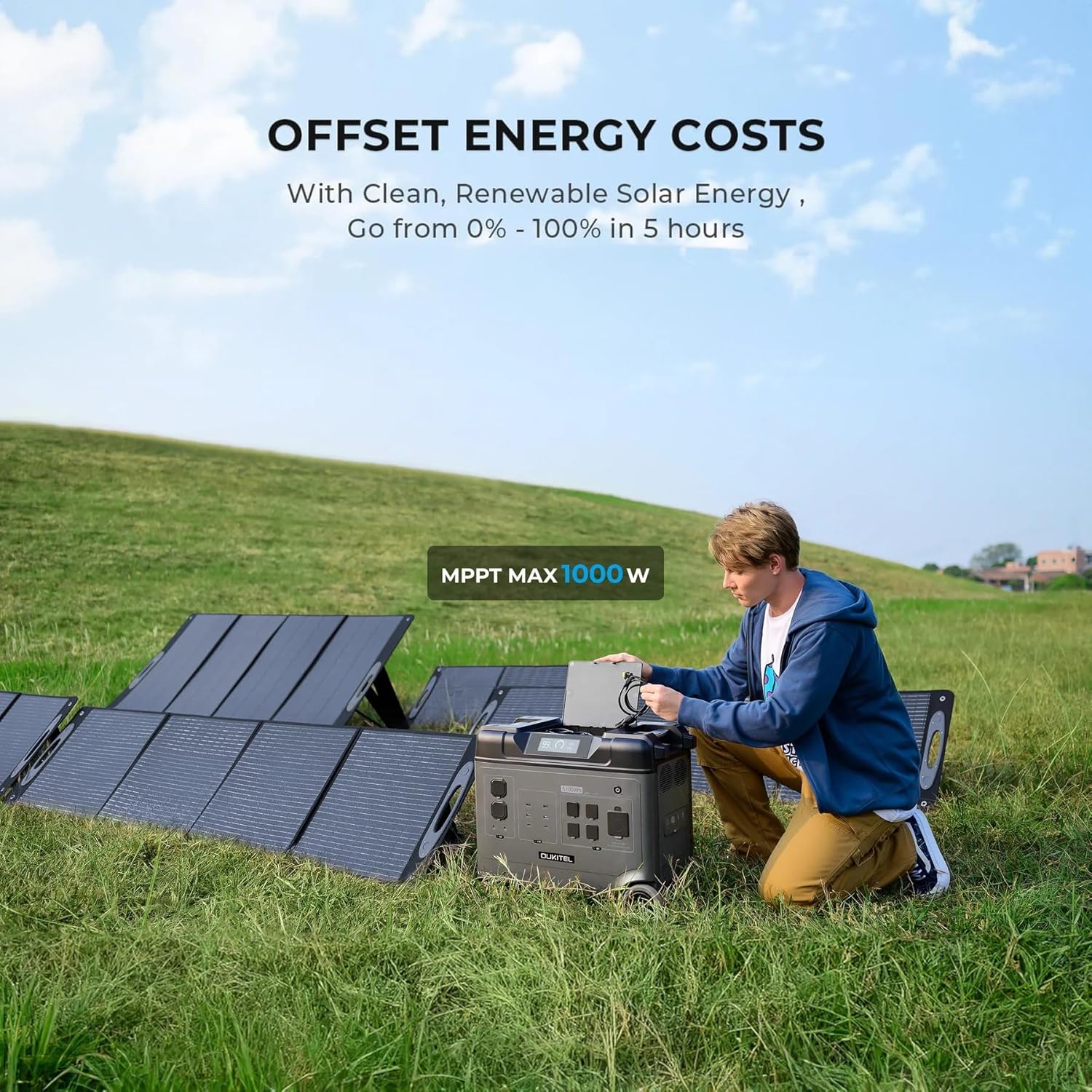
Image: OUKITEL P5000 Pro connected to solar panels for charging in an outdoor setting.
4. Drift
Slå på enheter
The P5000 Pro offers 15 versatile outlets to power a wide range of devices simultaneously.
- AC-uttak (5x): For high-wattage appliances like refrigerators, space heaters, power tools, microwaves, and electric kettles.
- USB-A-porter (4x): For lading av smarttelefoner, nettbrett og andre USB-drevne enheter.
- USB-C-porter (2x): For hurtigladingskompatible enheter.
- DC-porter (2x): For likestrømsdrevne enheter.
- Cigarette Lighter Port (1x): For biltilbehør.
- Airline Port (1x): For spesifikke høyeffekts likestrømsapplikasjoner.

Image: The OUKITEL P5000 Pro with various cables connected, illustrating its ability to charge multiple devices simultaneously.
Smart appkontroll
Monitor and control your P5000 Pro remotely via the mobile app. Connect using Bluetooth or Wi-Fi to check battery levels, manage input/output, and schedule charging.
- Download the OUKITEL app from your device's app store.
- Ensure the P5000 Pro is powered on.
- Open the app and follow the instructions to connect via Bluetooth or Wi-Fi.
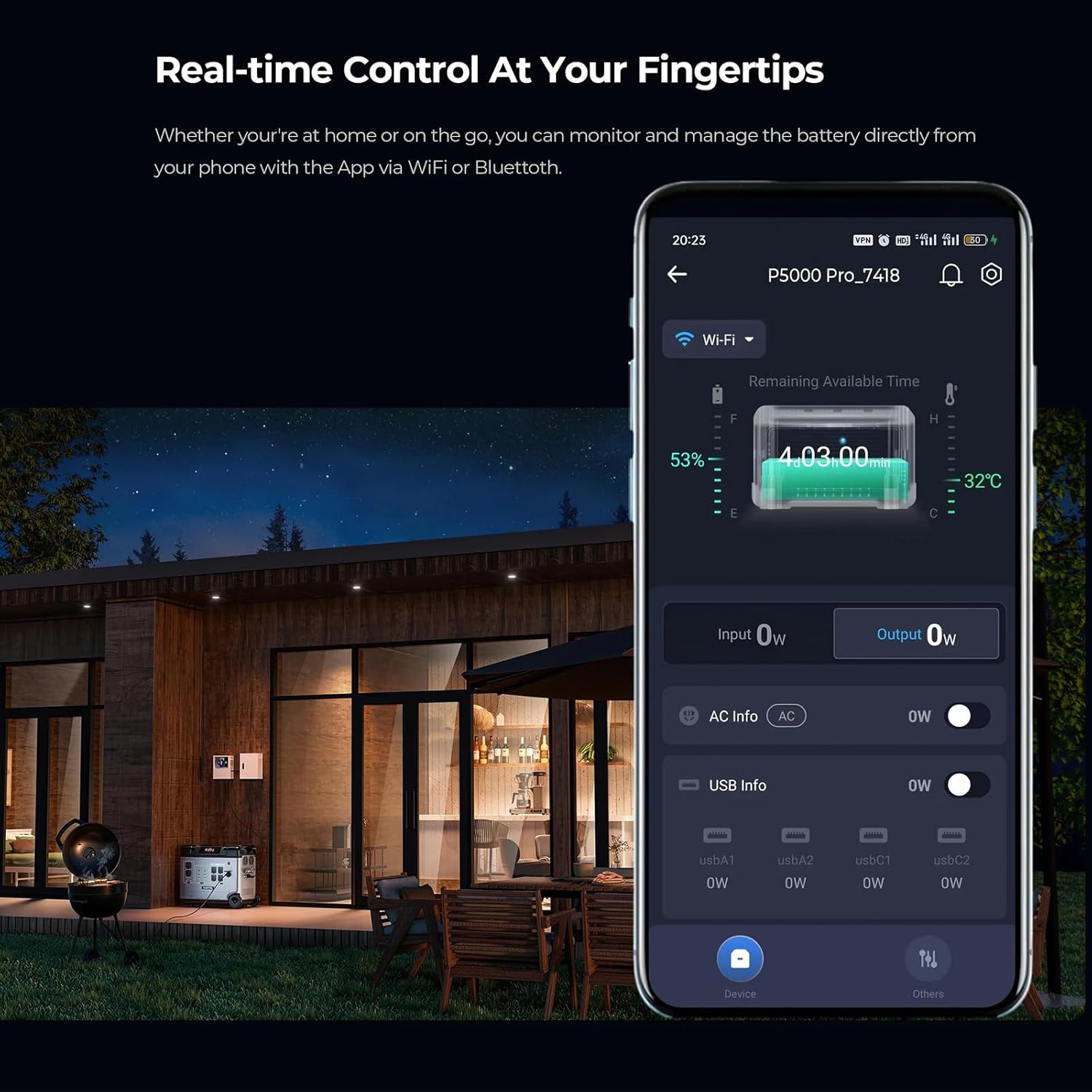
Image: A smartphone displaying the OUKITEL P5000 Pro app, showing real-time control and monitoring features.
Uninterruptible Power Supply (UPS) funksjon
The EPS function provides seamless power transition (<0.01s) during power outages, protecting sensitive electronics like computers, Wi-Fi routers, and medical equipment.
- Connect the P5000 Pro to a wall outlet using the AC charging cable.
- Connect your devices to the AC output ports of the P5000 Pro.
- I tilfelle av en strøm outage, the P5000 Pro will automatically switch to battery power, ensuring continuous operation for connected devices.
Video: Illustrates the seamless UPS function of the OUKITEL P5000 Pro during a power outage, keeping devices running.
Electric Vehicle (EV) Charging
The P5000 Pro can provide emergency power to electric vehicles, offering approximately 24 miles of range for a Tesla.
- Ensure the P5000 Pro is adequately charged.
- Connect the appropriate EV charging cable (not included) to the P5000 Pro's AC output and your EV's charging port.
- Monitor the charging status on both the power station and your vehicle's display.
Video: Shows the OUKITEL P5000 Pro being used to charge an electric vehicle, highlighting its versatility.
5. Vedlikehold
Batteripleie
The P5000 Pro uses a LiFePO4 battery, known for its longevity (6000+ cycles, 10-year lifespan). Proper care ensures maximum performance and lifespan.
- Vanlig lading: For optimal battery health, fully charge the unit at least once every 3-6 months, even if not in use.
- Lagring: Store the power station in a cool, dry place, away from direct sunlight and extreme temperatures. Maintain a charge level between 50% and 80% for long-term storage.
- Rengjøring: Use a dry, soft cloth to clean the exterior of the unit. Do not use harsh chemicals or abrasive materials.
6. Feilsøking
If you encounter issues with your OUKITEL P5000 Pro, refer to the following common problems and solutions:
| Problem | Mulig årsak | Løsning |
|---|---|---|
| Enheten slår seg ikke på | Lavt batteri; Av/på-knappen er ikke trykket riktig inn | Lad enheten; Trykk og hold inne av/på-knappen i 3 sekunder. |
| AC-utgang fungerer ikke | AC output not enabled; Overload protection triggered | Press the AC output button; Reduce connected load, then restart AC output. |
| Solcellelading fungerer ikke | Insufficient sunlight; Incorrect connection; Damaged solar panel/cable | Ensure direct sunlight; Check cable connections; Test with another solar panel/cable if possible. |
| Problemer med apptilkobling | Bluetooth/Wi-Fi off; App not updated; Interference | Ensure Bluetooth/Wi-Fi is on; Update app to latest version; Move closer to the unit. |
Hvis problemet vedvarer, vennligst kontakt kundestøtte.
7. Spesifikasjoner
| Trekk | Detalj |
|---|---|
| Merke | Keenergy (OUKITEL) |
| Modellnavn | P5000 Pro |
| Kapasitet | 5120Wh |
| AC-utgang (klassifisert) | 3600W (ren sinusbølge) |
| AC-utgang (topp) | 6000W |
| Batteritype | LiFePO4 |
| Levetid | 6000+ Cycles (to 80% capacity) |
| AC-inngang (hurtiglading) | 1800W |
| Solenergiinngang (maks.) | 1000W (MPPT) |
| UPS-funksjon | Seamless transition (<0.01s) |
| Kontroll | Smart App (Bluetooth/Wi-Fi) |
| Dimensjoner (L x B x H) | 22 cm L x 12 cm B x 19 cm H |
| Varevekt | 48 pund |
| Totalt strømuttak | 15 (5x AC, 4x USB-A, 2x USB-C, 2x DC, 1x Cigarette Lighter, 1x Airline Port) |
8. Garanti og støtte
The OUKITEL P5000 Pro Portable Power Station comes with a 5 års produsentgaranti, noe som sikrer trygghet når det gjelder produktkvalitet og ytelse.
For technical assistance, troubleshooting, or warranty claims, please contact OUKITEL customer service through the official webnettstedet eller forhandleren din.
Please have your purchase receipt and product model number (P5000 Pro) ready when contacting support.