
1. Introduksjon
This manual provides essential information for the safe and efficient operation of your RUIZU 163GB Android MP3 Player. Please read it thoroughly before using the device.
The RUIZU Android MP3 Player is a versatile portable media device running on Android 13, offering extensive music and video playback capabilities, Wi-Fi and Bluetooth connectivity, and parental control features.
2. Pakkens innhold
Bekreft at alle varene er til stede i pakken:
- 1 x RUIZU 163GB Android MP3 Player with Bluetooth and WiFi
- 1 x USB-C cable for charging & file overføre
- 1 x 3.5 mm kablede stereohodetelefoner
- 1 x Beskyttelsesveske
- 1 x Screen protector
- 1 x User Manual (English & Japanese)

Image: Contents of the RUIZU MP3 Player package, showing the device, USB-C cable, wired headphones, protective case, and screen protector.
3. Oppsett
3.1 Innledende lading
Before first use, fully charge the device. Connect the provided USB-C cable to the player and a compatible USB power adapter (not included) or a computer's USB port. The charging indicator will show progress.
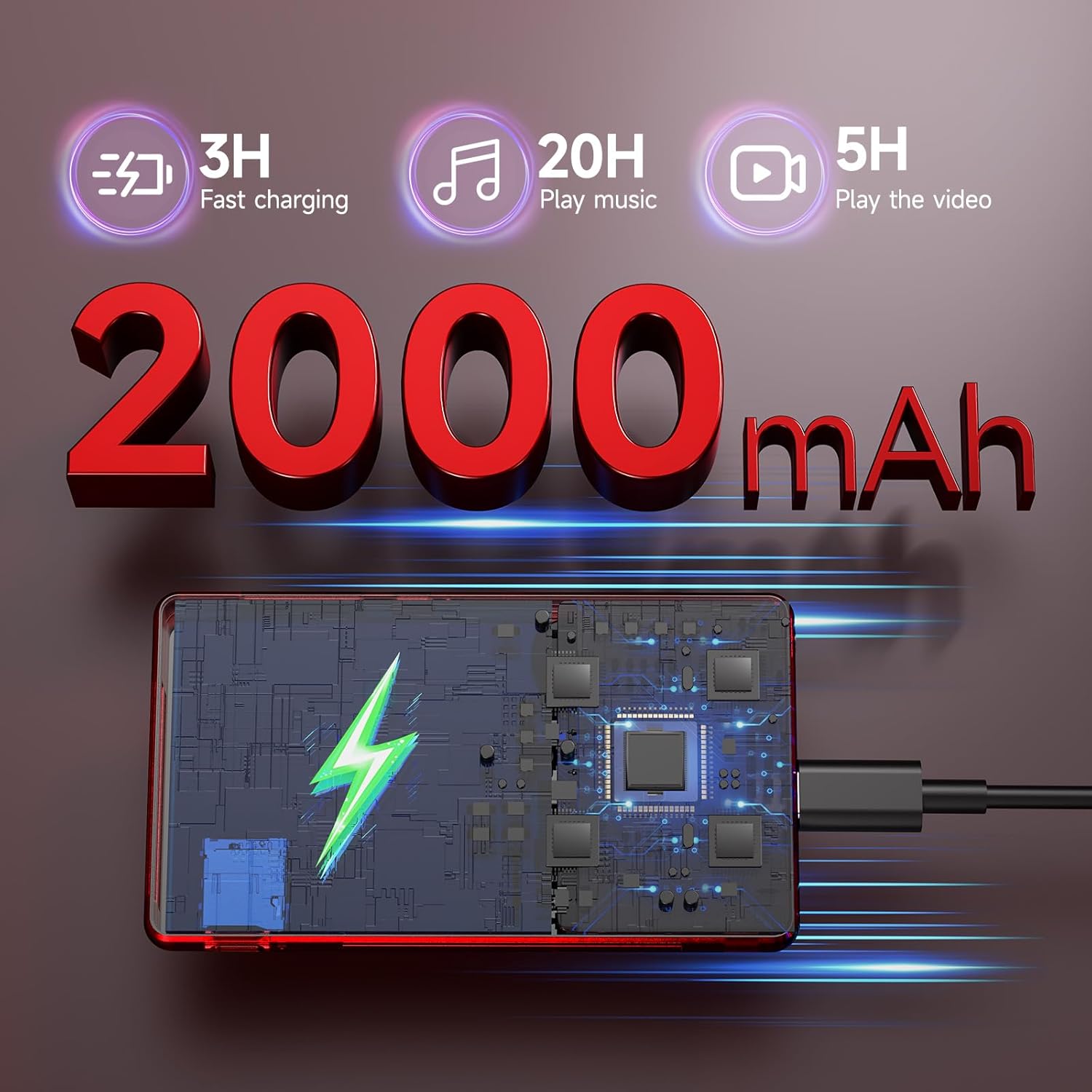
Image: The RUIZU MP3 Player connected to a USB-C charging cable, illustrating its 2000mAh battery and charging process.
3.2 Strøm på/av
- Slik slår du på: Trykk og hold inne av/på-knappen til skjermen lyser opp.
- Slik slår du av: Trykk og hold inne av/på-knappen, og velg deretter «Slå av» fra alternativene.
3.3 Installasjon av Micro SD-kort
The device comes with a pre-installed 128GB Micro SD card. To install or replace a Micro SD card (up to 1TB supported):
- Finn Micro SD-kortsporet på siden av enheten.
- Sett Micro SD-kortet forsiktig inn i sporet til det klikker på plass.
- For å fjerne, skyv kortet innover til det spretter ut.
4. Bruksanvisning
4.1 Brukergrensesnitt og navigasjon
The RUIZU MP3 Player features a 4.5-inch IPS touchscreen for intuitive navigation. Swipe, tap, and pinch to interact with applications and settings.

Image: The RUIZU MP3 Player showcasing its 4.5-inch full touch screen during video playback, highlighting its IPS panel.
4.2 Musikkavspilling
The device supports various audio formats including MP3, WAV, FLAC, AAC, APE, OGG, M4A, WMA, MP2, AMR, and MID.
4.2.1 Offline Music
Use the built-in offline music app to manage and play your local music collection. You can scan all songs or specific folders, search for tracks, and create playlists.

Bilde: En detaljert view of the RUIZU MP3 Player's local music player application, showing options for scanning music, managing downloads, equalizer settings, and supported audio formats.
4.2.2 Streaming av musikk
With Wi-Fi connectivity (2.4GHz & 5GHz), you can stream music from preloaded applications such as Spotify Kids, Pandora, Amazon Music, Tidal, and Deezer. Access the Google Play Store to download additional streaming services.
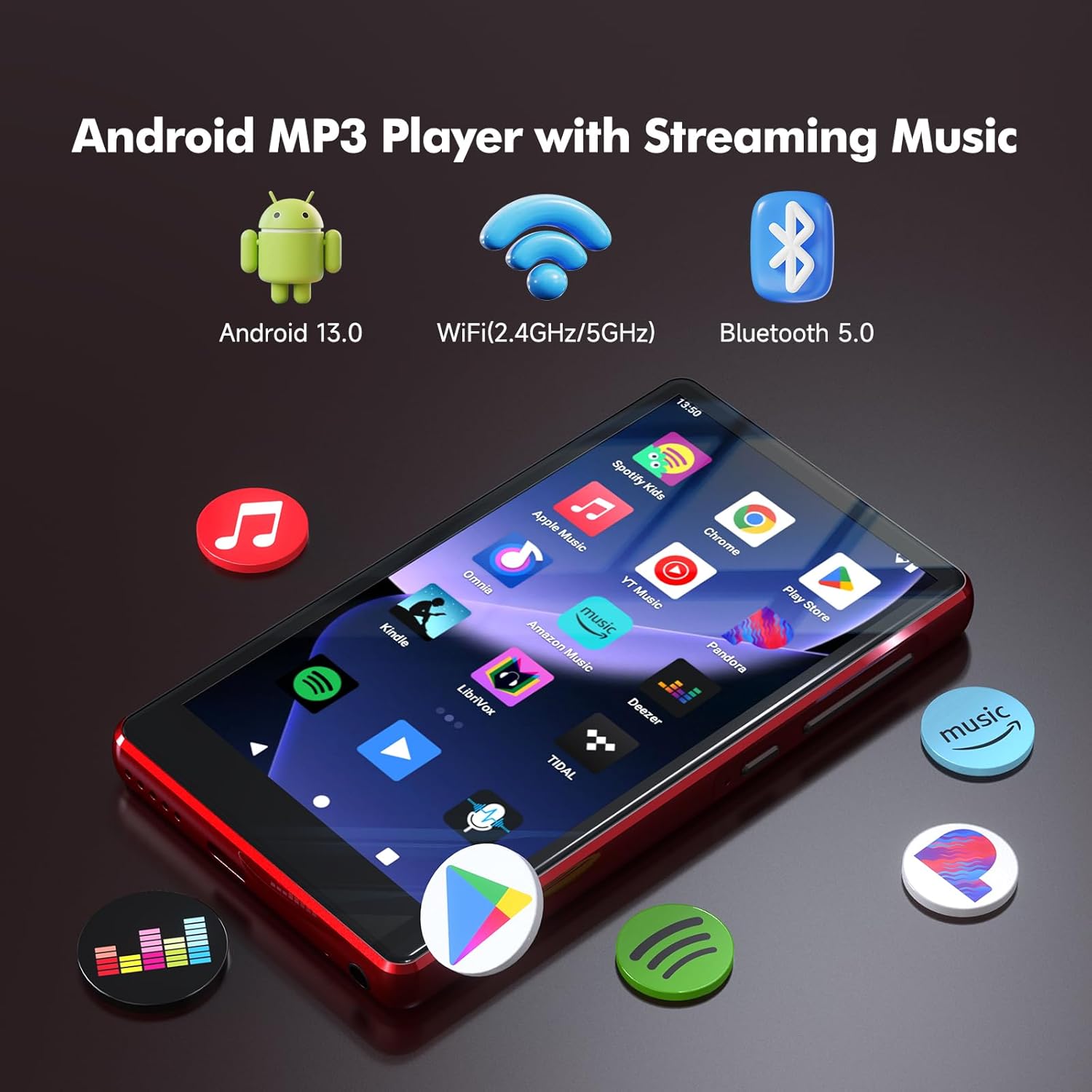
Image: The RUIZU Android MP3 Player's home screen, featuring icons for various streaming music applications and highlighting its Android 13, Wi-Fi, and Bluetooth 5.0 capabilities.
4.3 Bluetooth-tilkobling
The device features Bluetooth 5.0 for connecting to wireless headphones, speakers, or car audio systems. It supports two-way Bluetooth for enhanced functionality.
4.4 Videoavspilling
The player supports 720p and 1080p HD video playback on its 4.5-inch IPS screen.
4.5 File Overføre
Overføre files to and from the device using the USB-C cable connected to a computer or via Bluetooth from an Android phone. Merk: iOS file Overføring støttes ikke via Bluetooth.
4.6 Foreldrekontroll
The device integrates Google's parental control system, allowing you to manage app access, set passwords for downloads, and limit content to ensure a safe experience for children.
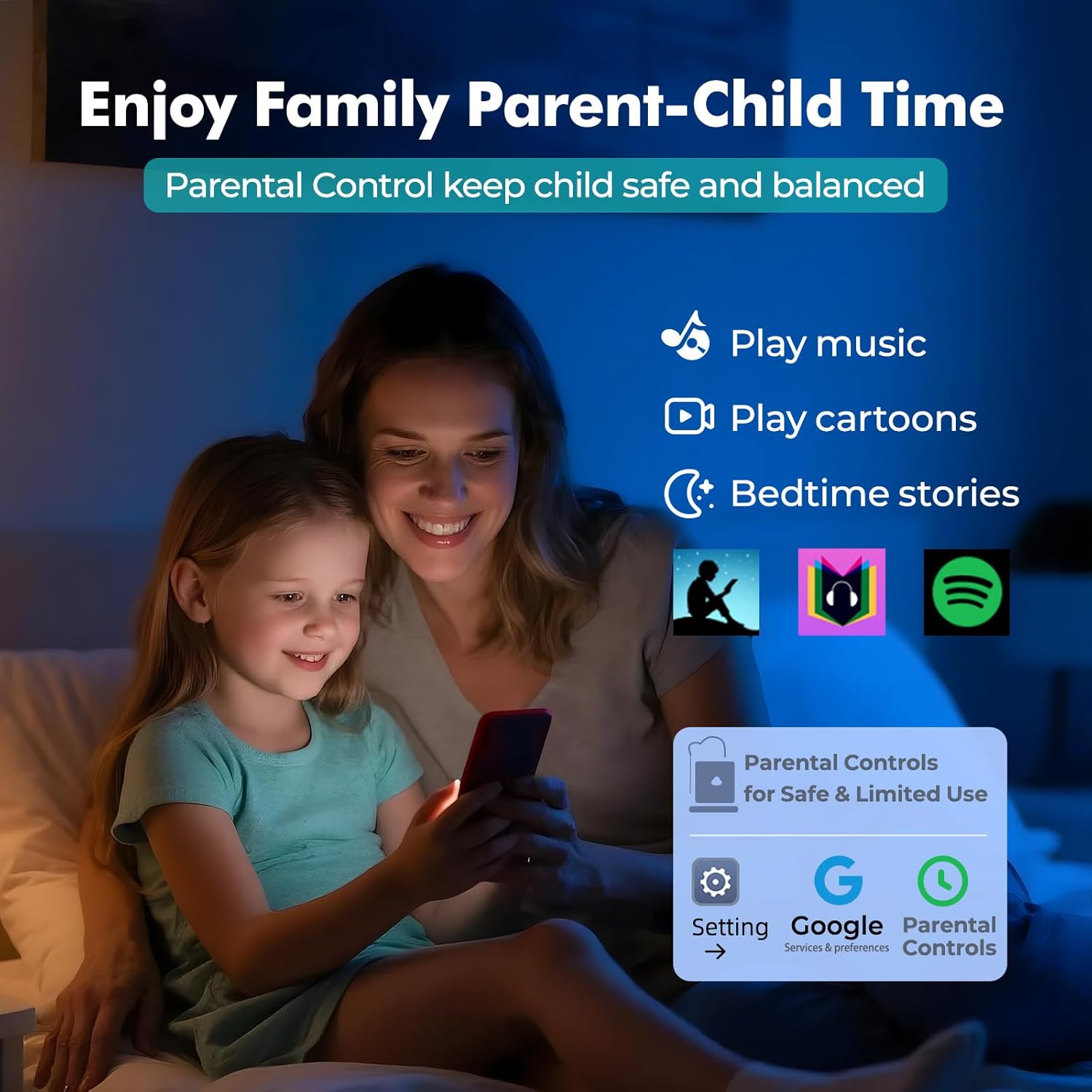
Image: A visual representation of the parental control features on the RUIZU MP3 Player, showing a parent and child interacting with the device and the parental control interface.
4.7 tilleggsfunksjoner
The RUIZU MP3 Player includes a built-in FM radio, voice recorder, file manager, and calendar.
5. Vedlikehold
5.1 Batteristell
To prolong battery life, avoid extreme temperatures and fully discharge and recharge the device periodically. The 2000mAh battery provides up to 20 hours of music playback or 5 hours of video playback on a single charge.
5.2 Rengjøring
Tørk av enheten med en myk, tørr klut. Unngå bruk av sterke kjemikalier eller slipende materialer.
5.3 Programvareoppdateringer
As an Android device, the player may receive software updates. Ensure your device is connected to Wi-Fi to check for and install updates, which can improve performance and add new features.
6. Feilsøking
If you encounter issues with your RUIZU MP3 Player, refer to the following common solutions:
- Enheten slås ikke på: Sørg for at batteriet er ladet. Koble til en strømkilde og prøv på nytt.
- Kan ikke koble til Wi-Fi/Bluetooth: Check that Wi-Fi/Bluetooth is enabled in settings. Ensure you are within range of the network/device.
- Musikk som ikke spiller: Bekreft lyden file format is supported. Check volume settings. Ensure the Micro SD card is properly inserted.
- Treg ytelse: Close unused applications. Clear cache if necessary. Consider a factory reset as a last resort (this will erase all data).
7. Spesifikasjoner
| Trekk | Spesifikasjon |
|---|---|
| Merke | RUIZU |
| Modellnummer | THM16Red |
| Operativsystem | Android 13 |
| Prosessor | 8-kjerners MTK6762 |
| VÆR | 3 GB |
| Intern lagring | 32 GB |
| Utvidbar lagring | Up to 1TB via Micro SD (128GB card included) |
| Skjermstørrelse | 4.5 tommer |
| Skjermteknologi | IPS LCD |
| Tilkobling | Aux, Bluetooth 5.0, USB-C, Wi-Fi (2.4GHz & 5GHz) |
| Batterikapasitet | 2000mAh |
| Batterilevetid (musikk) | Opptil 20 timer |
| Batterilevetid (video) | Opptil 5 timer |
| Støttede lydformater | MP3, WAV, FLAC, APE, OGG, M4A, AAC, WMA, MP2, AMR, MID |
| Videoavspilling | 720p & 1080p HD |
| Spesielle funksjoner | Built-In Speaker, FM Radio, Touch Screen, Voice Recorder, Equalizer, Parental Control |

Image: An internal diagram of the RUIZU MP3 Player, illustrating the 8-core MTK6762 processor, 3GB RAM, 32GB internal storage, and the included 128GB Micro SD card.
8. Produktvideo
Video: En overview of the RUIZU 163GB MP3 Player, demonstrating its features such as Bluetooth and Wi-Fi connectivity, streaming capabilities, and user interface.
9. Garanti og støtte
9.1 Garantiinformasjon
For warranty-related inquiries, please contact RUIZU customer support.
9.2 Kundestøtte
If you require further assistance or have questions not covered in this manual, please contact our support team via email at support@ruizutek.com.