
NIMO NIMO N158
NIMO 15.6" FHD Laptop User Manual - Model N158
AMD Ryzen 7 8745HS, 16GB DDR5 RAM, 1TB SSD
1. Introduksjon
This manual provides essential information for setting up, operating, maintaining, and troubleshooting your NIMO 15.6" FHD Laptop (Model N158). Please read this manual thoroughly before using your device to ensure optimal performance and longevity.
Pakkeinnhold
- 1 x NIMO N158 bærbar PC
- 1 x Type-C 100W PD hurtiglader
- 1 x brukerhåndbok
- Windows 11 Home-operativsystem (forhåndsinstallert)
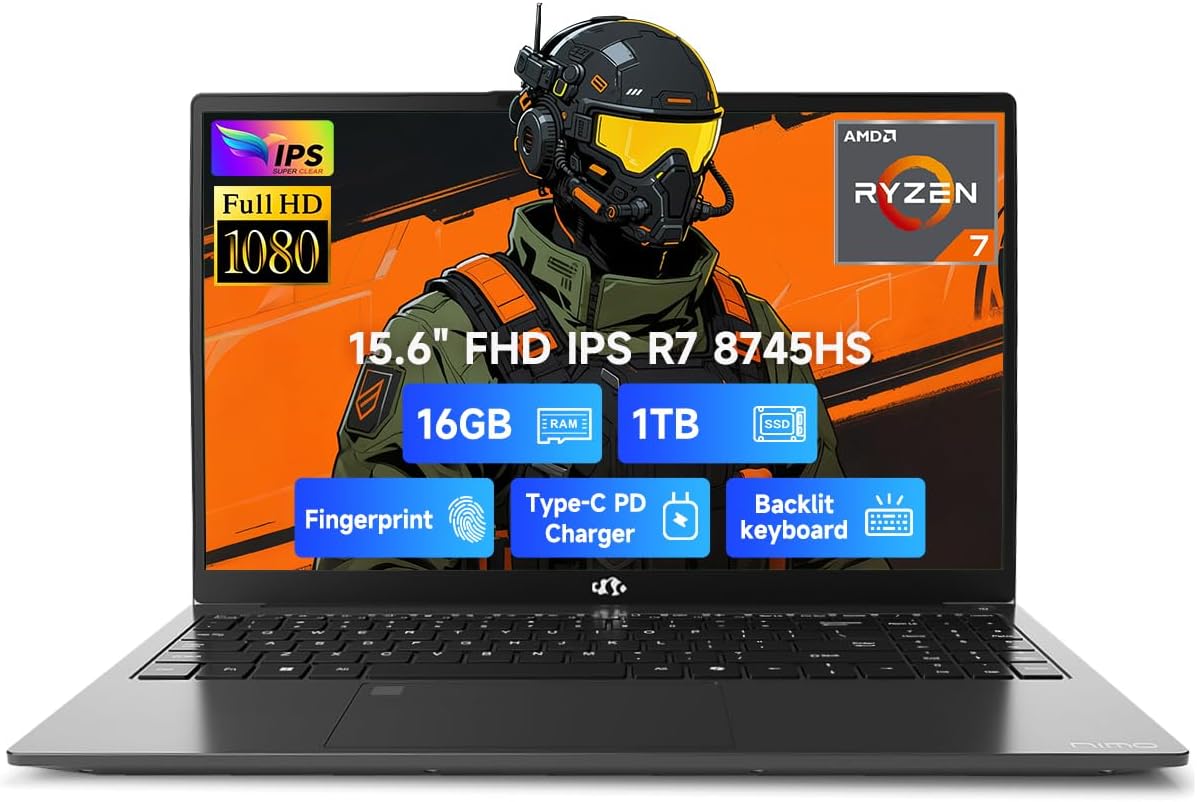
Image 1.1: NIMO 15.6 inch FHD Laptop, showcasing det elegante designet og skjermen.
2. Første oppsett
2.1 Slå på og lade
Before first use, ensure your laptop is fully charged. Connect the provided 100W Type-C PD Fast Charger to the USB 4.0 Type-C port on the laptop and to a power outlet. The charging indicator light will illuminate.

Image 2.1: The NIMO laptop connected to its 100W USB-C fast charger, illustrating the charging process and battery capacity.
2.2 Første oppstart og Windows 11-oppsett
Press the power button to turn on the laptop. Follow the on-screen instructions to complete the initial setup of Windows 11 Home. This includes setting up your region, language, network connection, and user account.
2.3 Oppsett av fingeravtrykkssensor
For enhanced security, configure the integrated fingerprint sensor. During Windows 11 setup or via Windows Settings > Accounts > Sign-in options, you can register your fingerprint for quick and secure login.

Image 2.2: Close-up of the NIMO laptop's keyboard, highlighting the backlit keys and the integrated fingerprint sensor on the touchpad.
3. Bruk av den bærbare datamaskinen
3.1 Tastatur og pekeplate
The laptop features a full-size keyboard with a numeric keypad and adjustable backlighting for comfortable typing in various lighting conditions. The precision gesture touchpad supports multi-touch gestures for intuitive navigation. The fingerprint sensor is integrated into the touchpad for convenient unlocking.
3.2 Tilkoblingsporter
Your NIMO laptop is equipped with a variety of ports for connecting external devices:
- USB 4.0 Type-C: For high-speed data transfer, video output, and power delivery (charging).
- USB 3.2: Multiple ports for connecting peripherals like external drives and mice.
- USB 2.0: For standard USB-enheter.
- HDMI: For tilkobling til eksterne skjermer eller projektorer.
- Hodetelefonkontakt: For lydutgang.
- SD-kortspor: For lesing av minnekort.
- Kensington-låsspor: For fysisk sikkerhet.
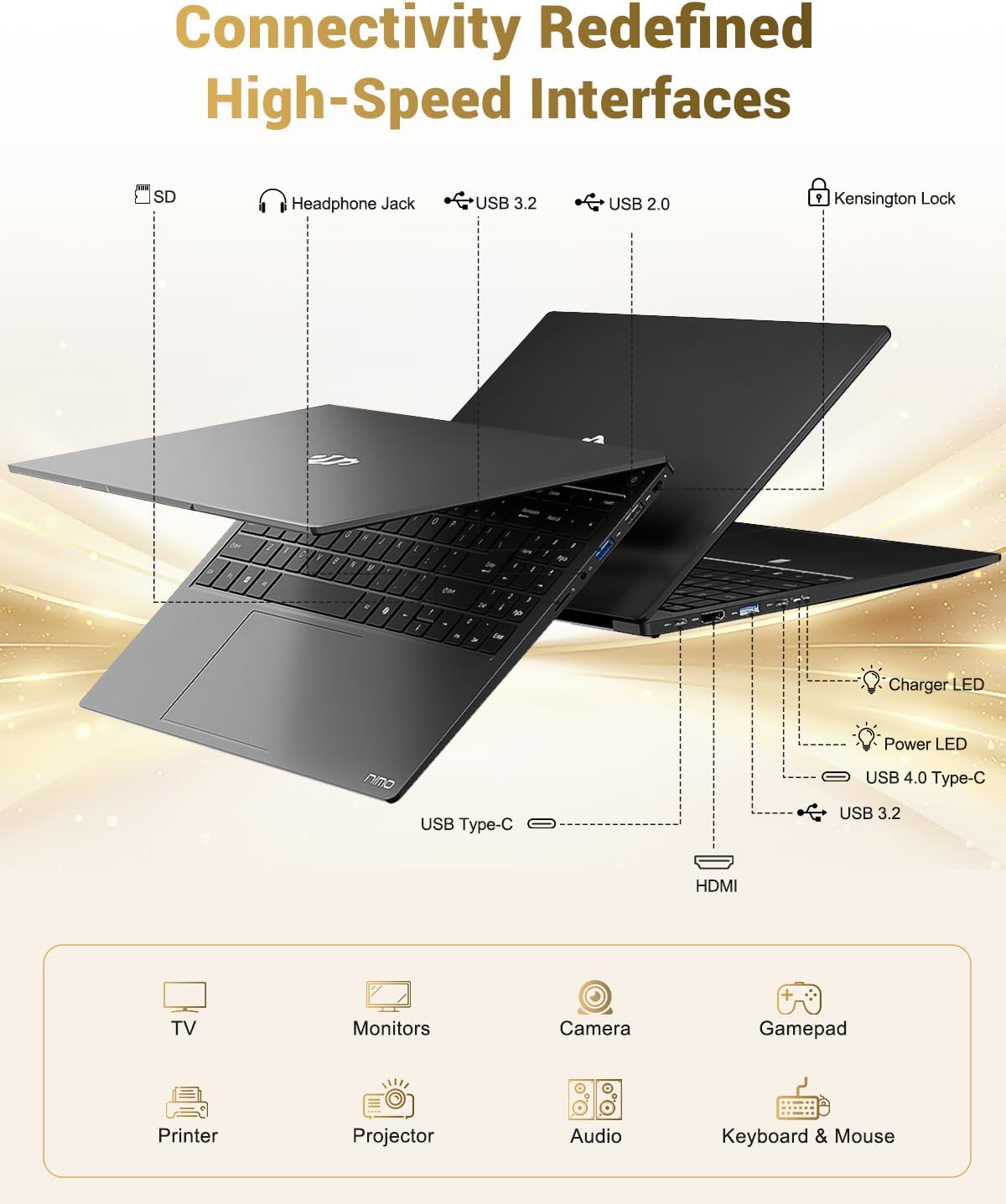
Image 3.1: Diagram illustrating the various input/output ports available on the NIMO laptop, including USB, HDMI, and audio jacks.
3.3 Webbruk av kamera
The integrated 2 MP webKameraet er egnet for videosamtaler og nettmøter. For å sikre personvern har den bærbare datamaskinen en fysisk personvernbryter for å deaktivere webkamera når den ikke er i bruk.

Image 3.2: A visual representation of the laptop's webcam with an open and closed privacy switch, emphasizing user control over privacy.
4. Vedlikehold og stell
4.1 Batteristell
The laptop is equipped with a 75Wh Smart Battery, providing an average battery life of 15.5 hours. To prolong battery lifespan:
- Unngå ekstreme temperaturer.
- Ikke utlad batteriet helt ofte.
- If storing the laptop for extended periods, charge it to approximately 50-60%.
4.2 Upgradable Components
The NIMO laptop features an upgradable design, allowing for expansion of memory (DDR5 RAM) and storage (PCIe 4.0 SSD) to meet future needs. Consult a qualified technician for upgrades to avoid damaging components.

Image 4.1: Visual representation of the laptop's multitasking capabilities and ample storage, highlighting 1TB PCIe 4.0 SSD and 16GB DDR5 RAM.
4.3 Rengjøring av den bærbare datamaskinen
Use a soft, lint-free cloth to clean the screen and exterior surfaces. For stubborn marks, dampTørk kluten lett med vann eller et skjermsikkert rengjøringsmiddel. Unngå sterke kjemikalier eller slipende materialer.
5. Feilsøking
Denne delen tar for seg vanlige problemer du kan støte på med din NIMO-bærbare PC.
5.1 Strømproblemer
- Den bærbare datamaskinen slår seg ikke på: Ensure the charger is securely connected and the power outlet is functional. If the battery is completely drained, it may take a few minutes of charging before the laptop can power on.
- Batteriet lades ikke: Verify the Type-C charger and cable are undamaged. Try a different power outlet.
5.2 Skjermproblemer
- Skjermen er tom: Check if the laptop is powered on. Try connecting an external monitor via HDMI to determine if the issue is with the laptop's display or the graphics output.
- Flimrende eller forvrengt skjerm: Oppdater grafikkdriverne. Hvis du bruker en ekstern skjerm, må du kontrollere kabeltilkoblingen.
5.3 Tilkoblingsproblemer
- Wi-Fi kobler ikke til: Ensure Wi-Fi is enabled in Windows settings. Restart your router and the laptop. Check for updated Wi-Fi drivers.
- USB-enheter gjenkjennes ikke: Prøv å koble enheten til en annen USB-port. Sørg for at enhetsdriverne er installert.
If you encounter issues not covered here, please refer to the support section for assistance.
6. Spesifikasjoner
Detailed technical specifications for the NIMO 15.6" FHD Laptop (Model N158).
| Trekk | Spesifikasjon |
|---|---|
| Merke | NIMO |
| Modellnavn | NIMO N158L |
| Vare modellnummer | NIMO N158 |
| Skjermstørrelse | 15.6 tommer |
| Skjermoppløsning | 1920 x 1080 piksler (FHD IPS) |
| Prosessor | AMD Ryzen 7 8745HS (8 kjerner, 16 tråder, opptil 4.9 GHz) |
| VÆR | 16 GB DDR5 (4800 MHz) |
| Harddisk | 1024 GB SSD (PCIe 4.0) |
| Grafisk koprosessor | AMD Radeon 780M (integrert) |
| Operativsystem | Windows 11 Home |
| Trådløs type | 802.11a/b/g/n/ac |
| USB-porter | 1 x USB 2.0, 3 x USB 3.0, 1 x USB 4.0 type-C |
| Gjennomsnittlig batterilevetid | 15.5 timer (75 Wh) |
| Varevekt | 3.8 pund |
| Produktdimensjoner | 14.07 x 8.98 x 0.76 tommer |
| Farge | Svart |
| Bak Webcam oppløsning | 2 MP |
| Spesielle funksjoner | Bakgrunnsbelyst tastatur, fingeravtrykksleser, HD-lyd, numerisk tastatur |

Image 6.1: The NIMO laptop's 15.6-inch FHD IPS display, emphasizing clear visuals and screen size.

Image 6.2: Close-up of the AMD Ryzen 7 8745HS processor, detailing its 8 cores, 16 threads, and 4.9GHz boost clock.
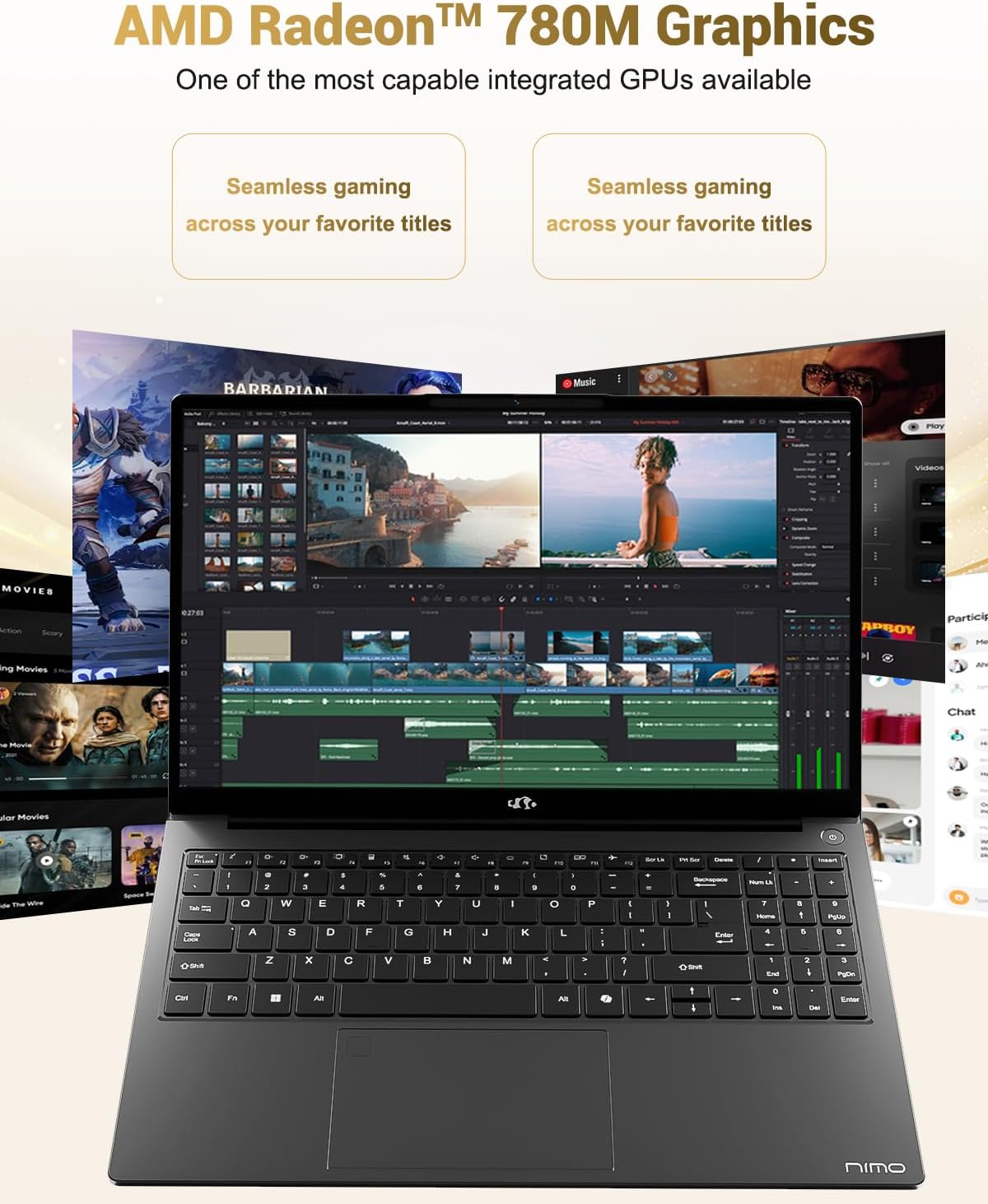
Image 6.3: The AMD Radeon 780M Graphics, highlighting its capability for seamless gaming and creative tasks.
7. Garantiinformasjon
Din NIMO-bærbare PC leveres med en 2 års garanti from the date of purchase. This warranty covers manufacturing defects and hardware malfunctions under normal use. Additionally, NIMO offers a 90-day hassle-free return policy for enkelhets skyld.
For warranty claims or return inquiries, please contact our customer support team using the information provided in the Support section.

Image 7.1: Icon representing 2-year support for NIMO products.

Image 7.2: Icon representing the 90-day return policy for NIMO products.
8. Kundestøtte
NIMO is committed to providing excellent customer service. Our dedicated support team is available to assist you with any questions or issues you may have.
Kontaktinformasjon
- E-post: service@nimopc.com
- Tjenestetider: 24-hour service available
For quick solutions and a worry-free experience, please reach out to us. We are ready to provide professional assistance.

Image 8.1: Illustration of professional customer assistance, indicating support availability.
Ask a question about this manual
Ask about setup, troubleshooting, compatibility, parts, safety, or missing instructions. Manuals+ will review the question and use this page’s manual context to help answer it.