
1. Introduksjon
Thank you for choosing the Homary 3-Drawer LED Smart Nightstand. This nightstand is designed to enhance your bedroom with convenient features including wireless charging, USB and Type-C ports, adjustable LED lighting, and ample storage. Please read this manual thoroughly before assembly and use to ensure proper function and longevity of your product.
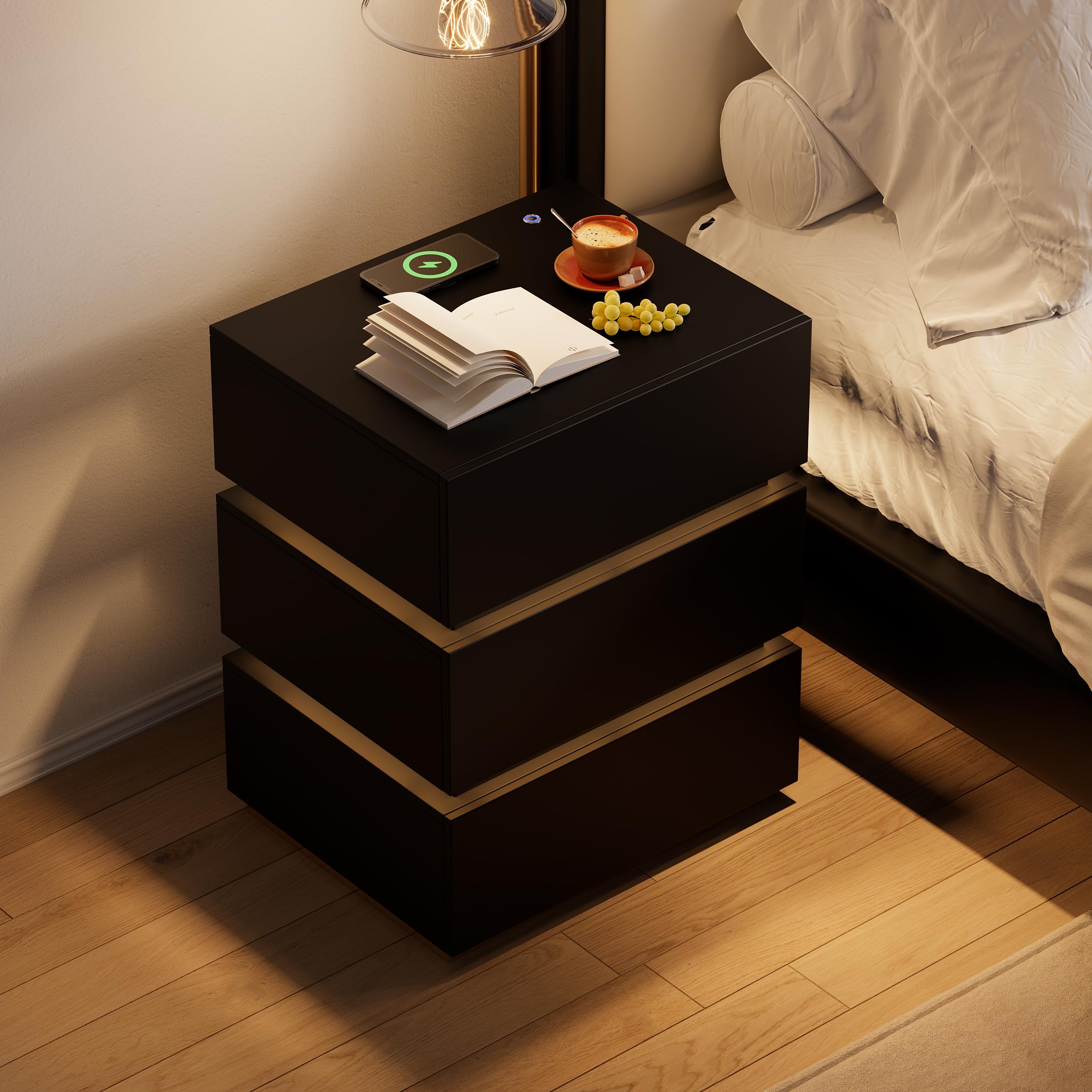
Image 1.1: The Homary 3-Drawer LED Smart Nightstand, showcasing its modern design and integrated features.
2. Sikkerhetsinformasjon
- Hold alt emballasjemateriale unna barn og kjæledyr for å unngå kvelningsfare.
- Ensure all screws and fasteners are securely tightened during assembly. Periodically check for loose connections.
- Do not exceed the maximum weight recommendation of 35 pounds on the top surface.
- Avoid placing liquids directly on the nightstand, especially near electrical components.
- Use only a dry cloth for cleaning. Do not use abrasive cleaners or harsh chemicals.
- Dette produktet er kun beregnet for innendørs bruk i boliger.
3. Pakkens innhold
Kontroller at alle komponenter er til stede før monteringen starter. Hvis noen deler mangler eller er skadet, vennligst kontakt kundestøtte.
- Nightstand Panels (Top, Bottom, Sides, Back)
- Skuffekomponenter (fronter, sider, bakside, bunn)
- Skuffeskinner og maskinvare
- Base i rustfritt stål
- LED Light Strip and Power Adapter
- Wireless Charging Module with USB/Type-C Ports
- Monteringsutstyr (skruer, dybler, kamlåser osv.)
- Assembly Guide (Included)
4. Oppsett og montering
Assembly is required for this nightstand. It is recommended that to personer perform the assembly. A screwdriver is the primary tool recommended for assembly.

Bilde 4.1: Produktmål for planlegging av plassering og montering.
Monteringstrinn:
- Pakk ut og identifiser delene: Carefully remove all components from the packaging. Lay them out on a clean, soft surface to prevent scratches. Refer to the included Assembly Guide to identify each part.
- Monter hovedrammen: Follow the step-by-step instructions in the Assembly Guide to construct the outer frame of the nightstand using the provided hardware. Ensure all connections are tight and stable.
- Installer skuffeskinner: Attach the drawer slides to the inner sides of the nightstand frame according to the guide. Pay attention to the orientation of the slides.
- Montering av skuffer: Construct each of the three drawers. Attach the drawer slides to the assembled drawers.
- Sett inn skuffer: Carefully slide the assembled drawers into the nightstand frame. Test their movement to ensure they open and close smoothly.
- Attach Stainless Steel Base: Secure the glossy stainless steel base to the bottom of the nightstand frame.
- Koble til elektriske komponenter: Install the LED light strip, wireless charging pad, and USB/Type-C module as directed in the Assembly Guide. Connect the power adapter.
- Sluttsjekk: Verify that all parts are correctly assembled and all fasteners are tightened.
5. Bruksanvisning
5.1. LED-belysning
The nightstand features a built-in LED light for ambient illumination.
- Slå på/av: Press the top button located on the nightstand's surface to turn the LED light on or off.
- Juster lysstyrke: With the LED light on, press and hold the top button to adjust the brightness level. Release the button when the desired brightness is achieved.

Image 5.1: Location of the LED control button and wireless charging pad.
5.2. Ladefunksjoner
The nightstand is equipped with a wireless charging pad, USB port, and Type-C port for convenient device charging.
- Trådløs lading: Place your compatible smartphone or device directly on the wireless charging pad located on the top surface. Ensure the device is centered for optimal charging.
- USB- og type-C-porter: Connect your devices using appropriate cables to the USB and Type-C ports for wired charging.
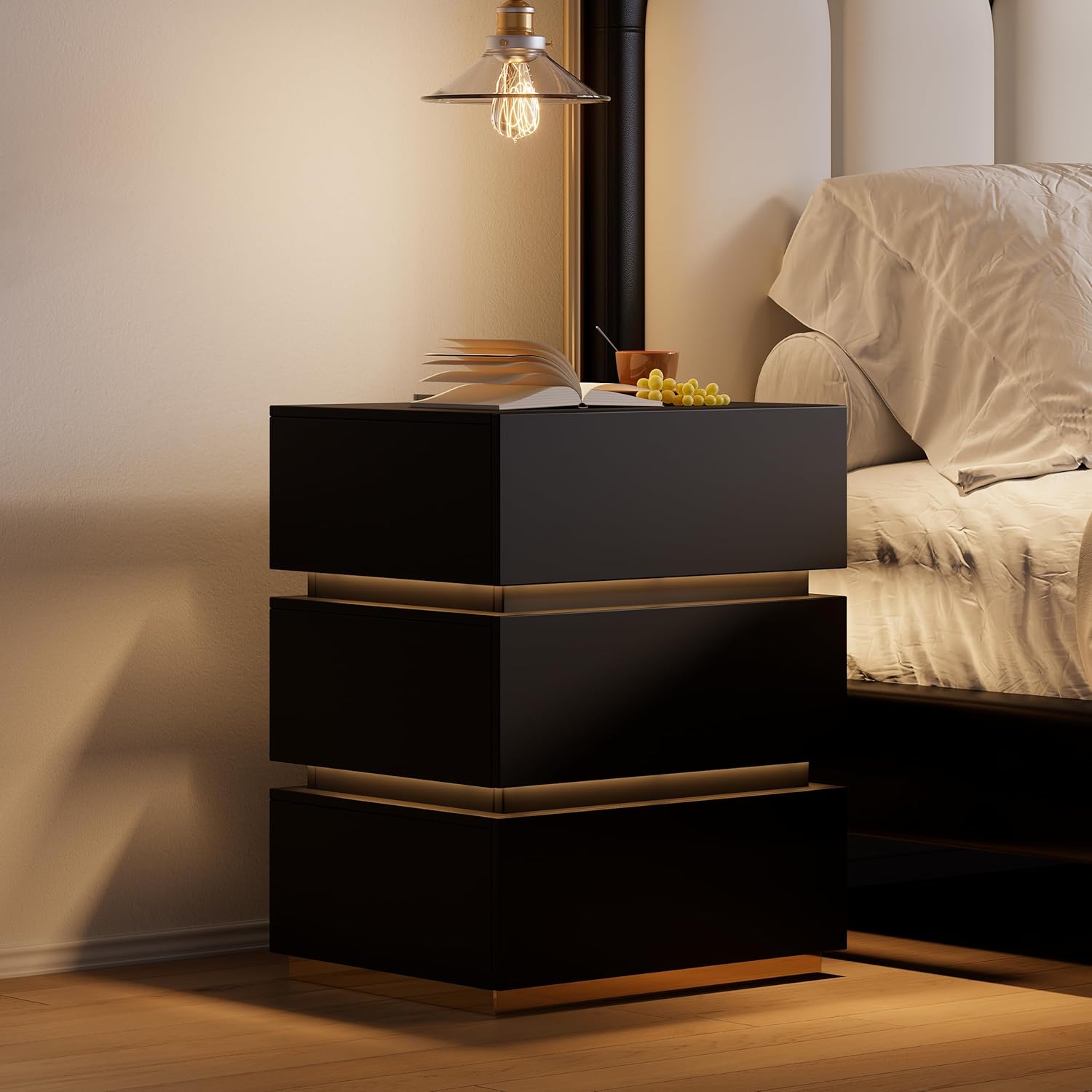
Image 5.2: Wireless charging in action and the illuminated LED button.
5.3. Oppbevaringsskuffer
The three spacious drawers provide organized storage for your personal items.

Image 5.3: Open drawers demonstrating storage capacity.
6. Vedlikehold
- Rengjøring: Wipe the nightstand surfaces with a dry, soft cloth. For stubborn marks, a slightly damp cloth followed immediately by a dry cloth can be used.
- Flekkmotstand: The nightstand is designed to be stain resistant. Promptly wipe any spills to prevent potential staining.
- Maskinvaresjekk: Sjekk alle skruer og festemidler med jevne mellomrom for å sikre at de holder seg stramme. Stram til om nødvendig for å opprettholde stabiliteten.
- Elektriske komponenter: Ensure the power adapter and cables are not pinched or damaged. Do not attempt to repair electrical components yourself.
7. Feilsøking
7.1. LED Light Not Working
- Ensure the nightstand is properly plugged into a working power outlet.
- Check that the power adapter is securely connected to the nightstand.
- Press the LED control button firmly to ensure it registers the input.
7.2. Wireless Charging Not Functioning
- Verify the nightstand is powered on and plugged in.
- Ensure your device is compatible with wireless charging (Qi standard).
- Fjern eventuelle tykke telefondeksler som kan forstyrre trådløs lading.
- Reposition your device on the charging pad to ensure proper alignment.
- Avoid placing metal objects between your device and the charging pad.
7.3. USB/Type-C Ports Not Charging
- Confirm the nightstand is connected to power.
- Try a different USB or Type-C cable to rule out cable issues.
- Test with a different device to ensure the port is not faulty.
8. Spesifikasjoner
| Trekk | Detalj |
|---|---|
| Merke | homary |
| Modellnummer | JJ140H93L4 |
| Produktdimensjoner (D x B x H) | 400 mm x 500 mm x 605 mm (15.7 x 19.7 x 23.8 tommer) |
| Varevekt | 62 pund |
| Anbefalt maksimal vekt | 35 Pounds (Top Surface) |
| Rammemateriale | MDF; Stainless Steel |
| Toppmaterialetype | Konstruert tre |
| Farge | Black (with Gold Base Color) |
| Antall skuffer | 3 |
| Spesielle funksjoner | With Drawers; Wireless Charging; Built-In USB Ports; LED Light |
| Nødvendig montering | Ja |
| Anbefalt antall personer for forsamlingen | 2 |
| Verktøy anbefalt for montering | Skrutrekker |
| Produktpleieinstruksjoner | Tørk av med en tørr klut |
9. Garantiinformasjon
This Homary product comes with a Begrenset garanti. For specific details regarding warranty coverage, duration, and terms, please refer to the warranty documentation included with your purchase or contact Homary customer support.
10. Støtte
If you have any questions, require assistance with assembly, or encounter any issues with your Homary 3-Drawer LED Smart Nightstand, please do not hesitate to contact our customer support team.
E-post: service@homary.com
When contacting support, please provide your order number and the product model number (JJ140H93L4) for faster service.


