
1. Oppsettveiledning
This section provides instructions for the initial setup of your OPPO A6 Pro 5G CPH2781 smartphone.
1.1 Utpakking og første inspeksjon
Ta forsiktig alle komponentene ut av emballasjen. Kontroller at følgende elementer er til stede:
- OPPO A6 Pro 5G CPH2781 device
- 80W SUPERVOOC Flash Charge adapter
- USB Type-C-kabel
- SIM-utkasterverktøy
- Hurtigstartveiledning og sikkerhetsinformasjon
Inspiser enheten for synlig skade før du fortsetter.
1.2 Installasjon av SIM-kort og lagring
The OPPO A6 Pro 5G supports Dual SIM functionality. Follow these steps to install your SIM cards:
- Finn SIM-kortskuffen på siden av enheten.
- Sett SIM-utkastverktøyet inn i det lille hullet ved siden av skuffen, og trykk forsiktig til skuffen spretter ut.
- Plasser nano-SIM-kortene i de angitte sporene på kortholderen. Sørg for at gullkontaktene vender nedover.
- Sett SIM-kortskuffen forsiktig tilbake i enheten til den klikker på plass.
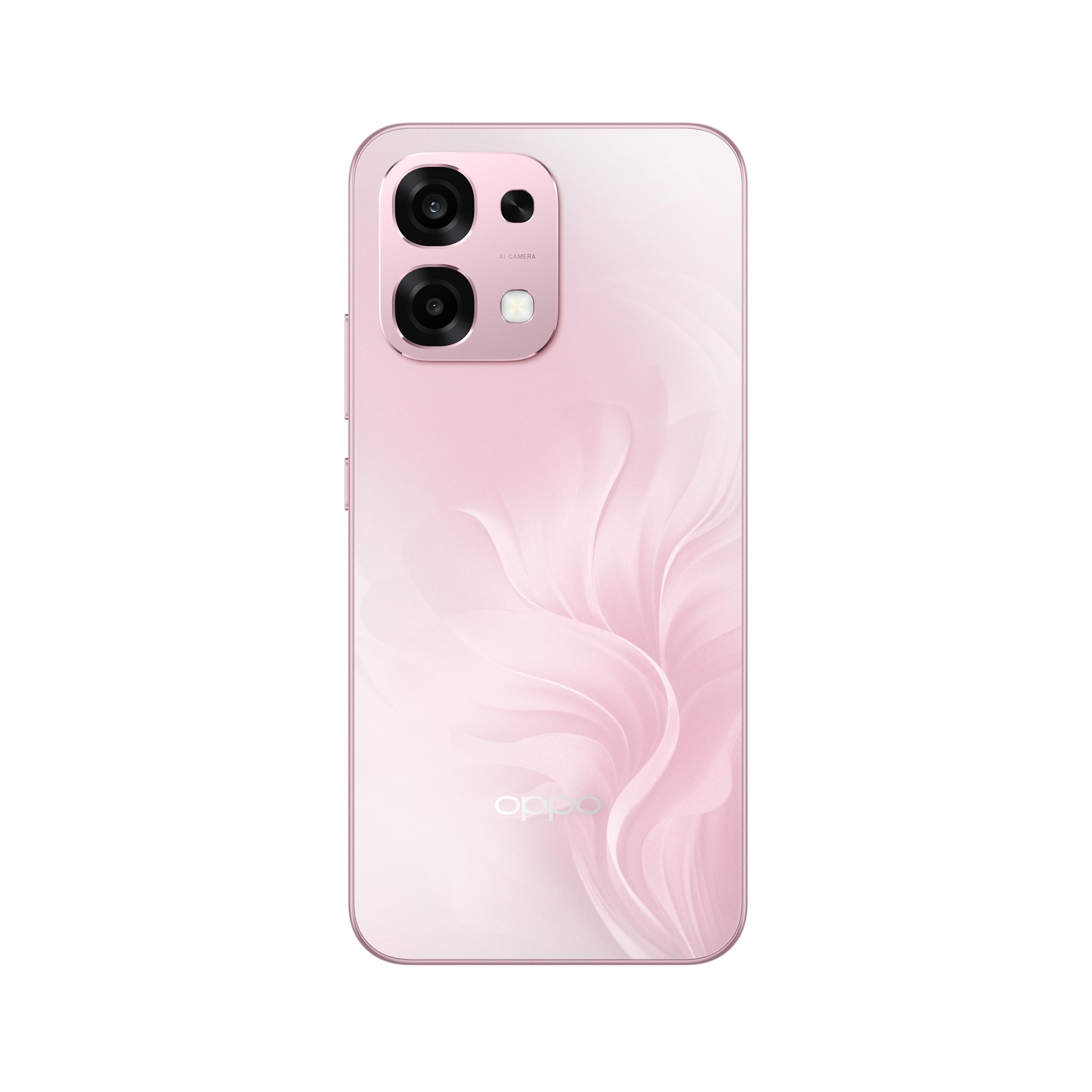
Figur 1: Bak view of the OPPO A6 Pro 5G CPH2781, highlighting the camera array and device color.
1.3 Oppstart og første konfigurasjon
Slik slår du på enheten for første gang:
- Press and hold the Power button (located on the right side) until the OPPO logo appears on the screen.
- Følg instruksjonene på skjermen for å velge språk og region, og koble til et Wi-Fi-nettverk.
- Logg på med Google-kontoen din, eller opprett en ny for å få tilgang til Google-tjenester og Play-butikken.
- Complete the setup wizard, including setting up screen lock methods (PIN, pattern, password, or Face Recognition).
1.4 Lading av enheten
Your OPPO A6 Pro 5G is equipped with 80W SUPERVOOC Flash Charge technology for rapid charging. Use the provided 80W SUPERVOOC adapter and USB Type-C cable for optimal charging performance.
- Koble USB Type-C-kabelen til ladeporten nederst på telefonen.
- Connect the other end of the cable to the 80W SUPERVOOC adapter.
- Koble adapteren til en stikkontakt.
- Ladeindikatoren vil vises på skjermen.
2. Bruksanvisning
This section covers the basic operation and key features of your OPPO A6 Pro 5G CPH2781.
2.1 Navigating ColorOS
Your device runs on ColorOS, OPPO's customized Android operating system. Common navigation gestures include:
- Sveip opp: Access the app drawer (if enabled) or return to the home screen.
- Sveip ned: Åpne varslingspanelet og hurtiginnstillingene.
- Sveip til venstre/høyre: Navigate between home screen pages.
- Trykk på: Velg et element eller åpne en app.
- Langt trykk: Få tilgang til kontekstmenyer eller flytt appikoner.
2.2 Skjermfunksjoner
The OPPO A6 Pro 5G features a 6.57-inch 120Hz AMOLED Ultra Bright Display, providing vivid colors and smooth scrolling. You can adjust display settings such as brightness, color mode, and refresh rate in the Settings menu under "Display & Brightness".
2.3 Kamerabruk
The device is equipped with an advanced camera system. To open the camera, tap the Camera app icon on your home screen or lock screen. Key features include:
- Fotomoduser: Standard, Portrett, Natt, Proff, Panorama.
- Videoopptak: Supports various resolutions and frame rates.
- AI-kamera: Utilizes artificial intelligence for scene recognition and optimal photo settings.

Figure 2: Detail of the OPPO A6 Pro 5G CPH2781 camera module.
2.4 AI-funksjoner
The OPPO A6 Pro 5G integrates several AI-powered features to enhance user experience:
- AI-viskelær 2.0: For intelligent fjerning av objekter i bilder.
- AI Assistance for Documents: Helps in scanning and managing documents.
- AI Assistant for Notes: Enhances note-taking capabilities.
2.5 Tilkobling
Your device supports 5G cellular technology, Bluetooth, and LTE. AI LinkBoost 3.0 automatically optimizes network performance for stable connections.
- Wi-Fi: Koble til trådløse nettverk via Innstillinger > Wi-Fi.
- Bluetooth: Pair with other Bluetooth devices via Settings > Bluetooth.
- Mobilnett: Manage 5G/LTE settings via Settings > Mobile Network.
3. Vedlikehold og stell
Proper maintenance ensures the longevity and optimal performance of your OPPO A6 Pro 5G CPH2781.
3.1 Batteristell
Enheten er utstyrt med et batteri på 6500 mAh. For å maksimere batterilevetiden:
- Unngå ekstreme temperaturer.
- Use the provided 80W SUPERVOOC Flash Charge adapter and cable.
- Unngå å utlade batteriet helt ofte.
- Aktiver strømsparingsmoduser når det er nødvendig.
3.2 Vann- og støvmotstand
The OPPO A6 Pro 5G CPH2781 has an IP69 rating, indicating resistance to dust and high-pressure water jets. While resistant, it is not waterproof under all conditions. To maintain resistance:
- Ensure the SIM tray is fully closed and sealed.
- Unngå å senke enheten i vann.
- Do not expose the device to saltwater, chlorinated water, or other liquids.
- If the device gets wet, wipe it dry with a clean, soft cloth before charging.
3.3 Physical Protection
The device is certified to military standards for durability. It also comes with a built-in screen protector. For additional protection:
- Consider using a protective case.
- Avoid dropping the device or exposing it to severe impacts.
- Rengjør skjermen og kabinettet med en myk, lofri klut.
4. Feilsøking
This section addresses common issues you might encounter with your OPPO A6 Pro 5G CPH2781.
4.1 Enheten slår seg ikke på
- Sørg for at batteriet er ladet. Koble enheten til laderen i minst 10 minutter.
- Perform a forced restart by pressing and holding the Power button and Volume Up button simultaneously for about 10-15 seconds.
4.2 Dårlig nettverkstilkobling
- Sjekk om SIM-kortet ditt er satt inn riktig.
- Bekreft at mobildata er aktivert i Innstillinger.
- Prøv å starte enheten på nytt.
- Tilbakestill nettverksinnstillinger (Innstillinger > Systeminnstillinger > Sikkerhetskopier og tilbakestill > Tilbakestill telefon > Tilbakestill nettverksinnstillinger).
- Sørg for at du er innenfor nettverkets dekning.
4.3 Apper som krasjer eller fryser
- Lukk og åpne appen på nytt.
- Clear the app's cache and data (Settings > Apps > App management > [App Name] > Storage usage > Clear cache/Clear data).
- Oppdater appen til den nyeste versjonen fra Google Play Store.
- Ensure your ColorOS is up to date (Settings > About device > Up to date).
4.4 Rask batterilading
- Sjekk batteriforbruket i Innstillinger > Batteri for å identifisere strømkrevende apper.
- Reduser skjermens lysstyrke og tidsavbrudd for skjermen.
- Deaktiver unødvendige funksjoner som GPS, Bluetooth eller Wi-Fi når de ikke er i bruk.
- Enable power-saving mode.
5. Spesifikasjoner
Below are the key technical specifications for the OPPO A6 Pro 5G CPH2781.
| Trekk | Spesifikasjon |
|---|---|
| Merke | OPPO |
| Modellnavn | A6 Pro (CPH2781) |
| Operativsystem | ColorOS |
| RAM-minne | 8 GB (kan utvides til 16 GB) |
| Lagringskapasitet | 256 GB |
| CPU modell | MediaTek Helio G100 |
| Skjermstørrelse | 6.57 tommer |
| Visningstype | AMOLED |
| Oppdateringsfrekvens | 120 Hz |
| Batterikapasitet | 6500 mAh |
| Ladeteknologi | 80W SUPERVOOC Flash-lading |
| Mobilteknologi | 5G |
| Antall SIM-kortspor | Dobbelt SIM |
| Vannmotstandsnivå | IP69 (vanntett) |
| Biometrisk sikkerhet | Ansiktsgjenkjenning |
| Koblingstype | USB Type C |
| Innebygd media | Skjermbeskytter |
6. Garantiinformasjon
Your OPPO A6 Pro 5G CPH2781 comes with a 2 års produsentgaranti. Denne garantien dekker defekter i materialer og utførelse ved normal bruk.
Please retain your proof of purchase for warranty claims. The warranty does not cover damage caused by misuse, accidents, unauthorized modifications, or normal wear and tear. For detailed terms and conditions, please refer to the warranty card included in your product packaging or visit the official OPPO webnettstedet.
7. Kundestøtte
For further assistance, technical support, or service inquiries regarding your OPPO A6 Pro 5G CPH2781, please contact OPPO customer service through the following channels:
- Offisiell OPPO Webnettsted: Besøk OPPO-støtte for vanlige spørsmål, feilsøkingsguider og kontaktinformasjon.
- OPPO Store: Du kan også besøke den offisielle OPPO-butikk på Amazon for produktinformasjon og tilhørende tilbehør.
- Servicesentre: Locate authorized OPPO service centers in your region for in-person support.
When contacting support, please have your device model (CPH2781) and serial number ready.