
1. Introduksjon
Thank you for choosing the JYX T13 Portable Bluetooth Karaoke Machine. This device combines a powerful 40W speaker with a 5.25" woofer, two wireless microphones, and vibrant RGB lights to deliver an immersive audio experience. Designed for ease of use and portability, it is suitable for various occasions, from home parties to outdoor events. This manual provides detailed instructions for setup, operation, maintenance, and troubleshooting to ensure you get the most out of your karaoke machine.

Image: JYX T13 Portable Bluetooth Karaoke Machine with two wireless microphones and RGB lights, showcasing its compact design and vibrant lighting.
2. Hva er i esken
Ved utpakking, vennligst sørg for at alle varene som er oppført nedenfor er til stede og i god stand:
- 1 x JYX T13 Karaoke Machine
- 2 x trådløse mikrofoner
- 1 x fjernkontroll
- 1 x ladekabel (USB-C)
- 1 x lydkabel (AUX)
- 1 x skulderrem
- 1 x brukerhåndbok

Image: A visual representation of the JYX T13 package contents, including the main unit, two wireless microphones, remote control, and various cables.
3. Installasjonsinstruksjoner
- Charging the Karaoke Machine: Connect the provided USB-C charging cable to the machine's charging port and a suitable power adapter (not included). The power indicator will show charging status. A full charge provides approximately 8-20 hours of playtime, depending on volume and light usage. The device supports play-while-charging.
- Inserting Batteries into Microphones: Each wireless microphone requires 2 AA batteries (not included). Open the battery compartment at the bottom of the microphone and insert the batteries, ensuring correct polarity.
- Slår på: Press and hold the 'LED ON/OFF' button on the control panel or the power button on the remote control to turn on the karaoke machine.
- Mikrofonparing: Turn on both wireless microphones. They should automatically pair with the karaoke machine. A successful connection is usually indicated by a steady light on the microphone.
- Attaching Shoulder Strap: For portability, attach the included shoulder strap to the designated loops on the sides of the karaoke machine.

Image: The JYX T13 Karaoke Machine with its two wireless microphones and charging cable, illustrating the components for initial setup.
4. Bruksanvisning
4.1 Kontrollpanel overview
The top panel of the JYX T13 features intuitive controls for easy operation:
- Hovedvolumknapp: Justerer den generelle lydutgangen.
- Mic Echo Knob: Controls the echo effect for the microphones.
- Mikrofonvolumknapp: Justerer volumet på mikrofonene uavhengig.
- LED ON/OFF Button: Toggles the RGB lights on/off and cycles through light modes.
- MODUS-knapp: Switches between input sources (Bluetooth, AUX, USB, TF Card).
- REC-knapp: Initiates or stops recording (requires USB drive or TF card).
- PREV/PLAY/PAUSE/NEXT Buttons: Kontroller medieavspilling.
- Inngangsporter: USB, SD Card, 5V/1A (USB-C charging), MIC (6.35mm wired mic input), AUX.
- Enhetsholder: A slot to securely hold your smartphone or tablet for lyric display.
Bilde: En detaljert view of the JYX T13 control panel, highlighting the master volume, microphone echo, microphone volume knobs, and various function buttons.
4.2 Tilkoblingsmoduser
The JYX T13 offers multiple ways to connect your audio source:
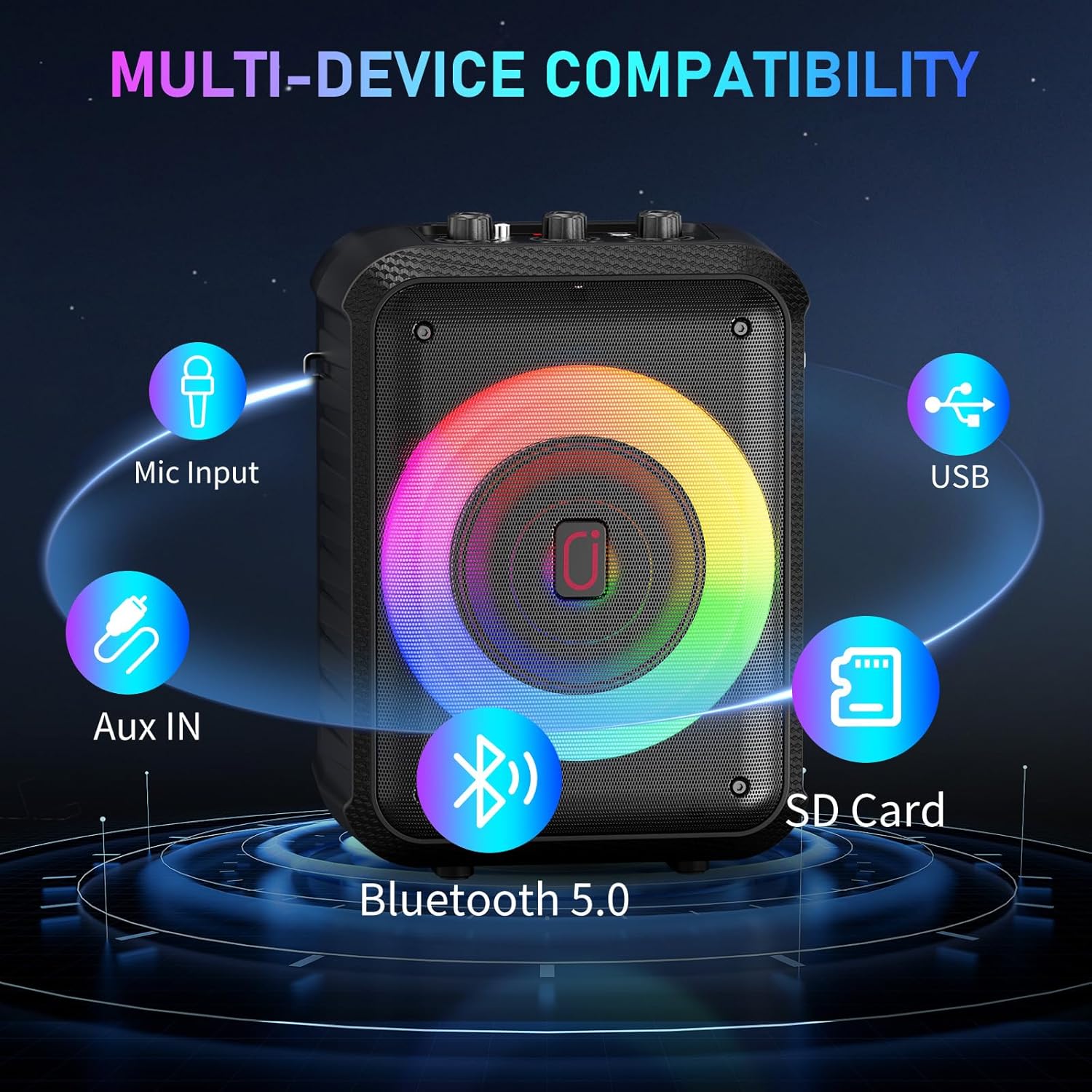
- Bluetooth 5.0: Press the 'MODE' button until 'BT' appears on the display. Enable Bluetooth on your device (smartphone, tablet, TV) and select 'JYX-T13' from the list of available devices to pair.
- AUX-inngang: Connect your audio device using the provided 3.5mm audio cable to the 'AUX' port. Press the 'MODE' button to select AUX input.
- USB/TF-kort: Insert a USB drive or TF card into the respective port. The machine will automatically detect and play compatible audio files (MP3, WMA). Use the playback control buttons to navigate tracks.
- Kablet mikrofoninngang: For a wired microphone, connect it to the 6.35mm 'MIC' input port.

Image: The side panel of the JYX T13, illustrating the USB, SD Card, and AUX input ports for diverse connectivity options.
4.3 Bruk av mikrofonene
The two wireless microphones are designed for clear vocal performance:
- Ensure microphones are powered on and paired.
- Adjust 'MIC VOL' knob on the machine for microphone volume.
- Adjust 'MIC ECHO' knob for desired echo effect.
4.4 RGB-lys
Enhance your experience with dynamic RGB lighting:
- Press the 'LED ON/OFF' button to turn the lights on or off.
- Repeatedly press the 'LED ON/OFF' button to cycle through different light modes, including beat-synced patterns and steady glows.

Image: The JYX T13 Karaoke Machine with its front speaker illuminated by vibrant, multi-colored RGB LED lights, creating a party atmosphere.
5. Spesifikasjoner
| Trekk | Spesifikasjon |
|---|---|
| Modellnummer | T13 |
| Utgangseffekt | 40W |
| Basshøyttalerstørrelse | 5.25 tommer |
| Tilkoblingsteknologi | Bluetooth 5.0, AUX, USB, TF-kort |
| Mikrofoner | 2 trådløse mikrofoner |
| Batterikapasitet | 5000 mAh (innebygd) |
| Spilletid | 8-20 hours (volume/lights dependent) |
| Ladetid | 3-6 timer |
| Dimensjoner (L x B x H) | 7.87 x 6.38 x 10.85 tommer |
| Varevekt | 5.28 pund (2.4 kilo) |
| Materiale | Akrylnitrilbutadienstyren (ABS) |
| Lydinngang | Microphone, Bluetooth, AUX IN, TF Card, USB |

Bilde: En eksplodert view of the JYX T13 speaker, illustrating its internal components including the 5.25-inch woofer and DSP chip for superior sound.
6. Vedlikehold
To ensure the longevity and optimal performance of your JYX T13 Karaoke Machine, follow these maintenance guidelines:
- Rengjøring: Use a soft, dry cloth to clean the exterior of the machine and microphones. Avoid using harsh chemicals or abrasive cleaners.
- Lagring: Oppbevar maskinen på et kjølig og tørt sted, unna direkte sollys og ekstreme temperaturer.
- Batteripleie: If not used for extended periods, charge the machine and microphones periodically to maintain battery health.
- Håndteres med forsiktighet: Avoid dropping the machine or microphones, as this can damage internal components.
7. Feilsøking
If you encounter any issues with your JYX T13, refer to the following common problems and solutions:
| Problem | Mulig årsak | Løsning |
|---|---|---|
| Ingen lyd fra høyttaleren | Volumet er for lavt; feil inngangsmodus; enheten er ikke tilkoblet. | Increase master volume; press 'MODE' to select correct input; re-pair Bluetooth or re-connect AUX/USB/TF. |
| Mikrofonen virker ikke | Microphone off; low battery; not paired; mic volume too low. | Turn on microphone; replace batteries; re-pair microphones; increase 'MIC VOL' knob. |
| Bluetooth-tilkoblingen er ustabil | Enheten er for langt unna; forstyrrelser; lavt batteri. | Move device closer to machine; avoid obstacles; ensure machine and device are charged. |
| LED-lys virker ikke | Lysene er slått av; lavt batteri. | Press 'LED ON/OFF' button; charge the machine. |
8. Medieintegrasjon
8.1 Produktvideoer
Watch these official seller videos for a demonstration of the JYX T13 Karaoke Machine's features and performance:
Video: JYX Karaoke Machine in Action - Party Test & Sound Demo. This video demonstrates the karaoke machine's sound quality, microphone performance, and LED lights during a party setting.
Video: JYX Karaoke Machine Full Function Review & Performance. This video provides a comprehensive review of the karaoke machine's functions, controls, and overall performance.
9. Garanti og støtte
JYX stands behind the quality of its products. The JYX T13 Karaoke Machine comes with a 360-dagers garantiservice. Additionally, we offer livslang teknisk støtte for å hjelpe deg med eventuelle spørsmål eller problemer du måtte støte på.
For professional and timely assistance, please contact our customer support team:
E-post: service@jyxspeaker.com