
Introduksjon
The Roku Select Series 40-Inch 1080p Full HD Smart TV is designed to provide a seamless and enjoyable streaming experience. This manual provides essential information for setting up, operating, maintaining, and troubleshooting your television. Enjoy bright Full HD picture quality, clear sound, and access to a wide range of entertainment options.
Hva er i esken
Kontroller at alle komponenter er til stede før du starter oppsettet.
- Roku Select Series 40-Inch Full HD TV
- Roku Voice Remote with batteries
- TV-stativer og skruer
- Strømkabel
- Hurtigstartveiledning (denne håndboken)

Image: Contents of the Roku TV box, showing the television, remote control, stand components, and power cable.
Oppsett
1. Feste TV-stativet
- Plasser TV-skjermen forsiktig med ned på en myk, ren overflate for å unngå skade.
- Juster TV-stativene med skruehullene på bunnen av TV-en.
- Fest hvert stativ med de medfølgende skruene ved hjelp av en stjerneskrutrekker.
2. Veggmontering (valgfritt)
This TV supports VESA wall mounts with a standard of 200 x 300 mm. Refer to your wall mount's instructions for proper installation. Ensure the wall mount can support the TV's weight of 10.4 pounds (without stand).
3. Koble til enheter
Your Roku TV offers multiple connectivity options:
- HDMI: 3 ports available for connecting gaming consoles, Blu-ray players, or other HDMI-enabled devices. HDMI 1 supports ARC.
- USB: 1 USB 2.0 port for media playback or connecting compatible accessories.
- S/PDIF (optisk): For digital lydutgang til en lydplanke eller et hjemmekinoanlegg.
- AV (kompositt): For older devices using red, white, and yellow cables.
- Antenne/kabel: For tilkobling av en antenne for trådløse sendinger eller en kabel-TV-tilkobling.

Bilde: Bak view of the Roku TV displaying the HDMI, USB, optical, and AV input ports.
4. Strømtilkobling
Connect the provided power cable to the TV and then to a power outlet (110 VAC 60 Hz).
5. Førstegangsoppsett og nettverkstilkobling
Upon first power-on, follow the on-screen instructions to set up your Roku TV. This includes connecting to your Wi-Fi network (Bluetooth and Wi-Fi connectivity are supported) and linking to a Roku account. Automatic software updates will ensure you have the latest features.
Bruksanvisning
1. Roku-startskjermnavigasjon
The Roku home screen provides quick access to all your entertainment. You can easily move apps around to customize your viewopplevelse.

Image: The Roku TV home screen showing a grid of streaming applications like Netflix, Disney+, and Prime Video, along with navigation menus.
2. Using the Voice Remote
The included Roku Voice Remote allows for easy navigation and control. Use your voice to search across thousands of apps, play entertainment, and control streaming functions. The remote requires 2 AAA batteries.

Image: Close-up of the Roku Voice Remote, highlighting buttons for power, volume, voice search, and dedicated app shortcuts.
3. Strømming og apper
Access a world of entertainment with pre-installed apps like Netflix, Prime Video, Disney+, Hulu, and Apple TV+. The Streaming Store offers thousands more. Roku also provides over 500 free TV channels, including live in-season shows, movies, weather, and local news.
4. Bildeinnstillinger
Optimaliser din viewerfaring med ulike bildeinnstillinger:
- Roku Smart Picture: Automatically cleans up incoming TV signals, optimizes them, and selects the best picture mode.
- Bildemoduser: Choose from presets like Movie, Standard, Vivid, Sports, or Low Power.
- Custom Picture: Adjust backlight, brightness, contrast, sharpness, color, and tint manually.
5. Lydinnstillinger
The Roku TV features Dolby Audio for clear speech and louder sound. Adjust sound modes (Standard, Dialogue, Movie, Music, Night, Auto) or customize settings for volume mode, speech clarity, bass, and treble.
6. Bluetooth Headphone Mode
Connect your favorite wireless headphones via Bluetooth to enjoy audio privately without disturbing others.

Image: A person using Bluetooth headphones while watching the Roku TV, illustrating the private listening feature.
7. Smarthjemintegrasjon
Enjoy easy voice control with Roku Voice, Siri, Alexa, or Google Assistant. Effortlessly share videos, photos, and music from your Apple devices to your smart TV with Apple AirPlay.
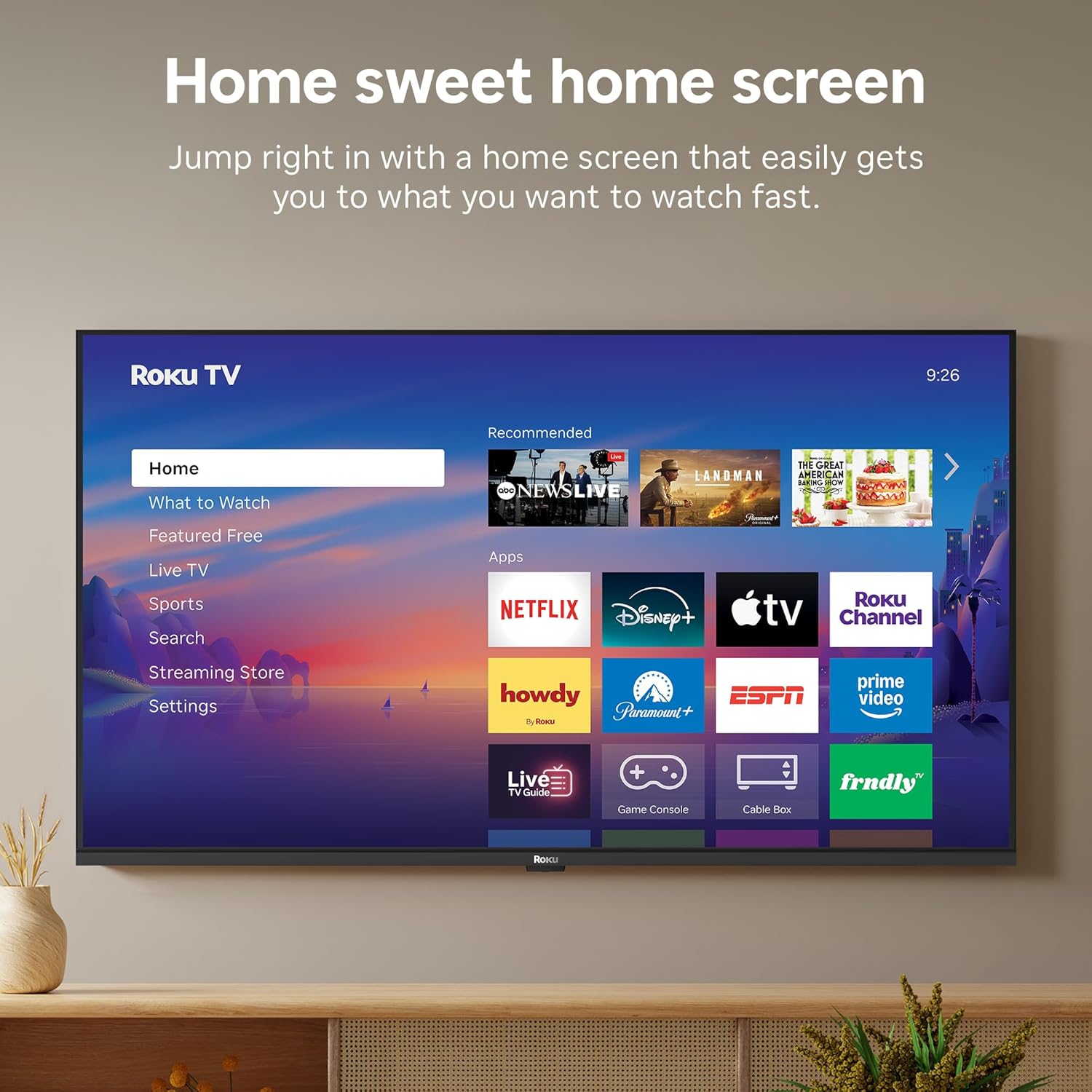
Image: A smart speaker positioned near the Roku TV, illustrating the TV's compatibility with voice assistants like Alexa for smart home control.
8. Sleep Timer
The TV includes a sleep timer function, allowing you to set the TV to automatically turn off after a specified duration (e.g., 30 minutes, 1 hour, 1.5 hours, 2 hours, 3 hours).
Vedlikehold
To ensure the longevity and optimal performance of your Roku TV, follow these maintenance guidelines:
- Rengjøring: Use a soft, dry cloth to clean the screen and TV cabinet. Avoid abrasive cleaners or solvents.
- Programvareoppdateringer: Your Roku TV receives automatic software updates to provide the newest apps and features. Ensure your TV is connected to the internet for these updates.
- Ventilasjon: Sørg for tilstrekkelig ventilasjon rundt TV-en for å forhindre overoppheting. Ikke blokker ventilasjonsåpningene.
Feilsøking
If you encounter issues with your Roku TV, try the following basic troubleshooting steps:
- Ingen strøm: Sjekk om strømkabelen er ordentlig koblet til både TV-en og stikkontakten. Prøv en annen stikkontakt.
- Ikke noe bilde/lyd: Bekreft at riktig inngangskilde er valgt. Sjekk alle kabeltilkoblinger (HDMI, AV osv.).
- Ingen Internett-tilkobling: Restart your Wi-Fi router and modem. Go to Settings > Network > Check connection on your TV to diagnose network issues.
- Fjernkontrollen svarer ikke: Replace the batteries in the Roku Voice Remote. Ensure there are no obstructions between the remote and the TV.
- Generelle problemer: Try restarting the TV by unplugging it from the power outlet for 30 seconds, then plugging it back in.
Spesifikasjoner
| Trekk | Detalj |
|---|---|
| Merke | Roku |
| Modellnavn | Roku 40" Select Series FHD |
| Modellnummer | 40R3E5 |
| Skjermstørrelse | 40 tommer |
| Skjermteknologi | LED |
| Oppløsning | 1080p full HD |
| Oppdateringsfrekvens | 60 Hz |
| Spesielle funksjoner | Bluetooth Headphone Mode, Dolby Audio, Voice Remote, Roku Smart Picture |
| Tilkoblingsteknologi | Bluetooth, Wi-Fi, Infrarød |
| Maskinvaregrensesnitt | 3x HDMI, 1x USB, S/PDIF (Optical) |
| Produktdimensjoner (D x B x H) | 7.1" D x 35.1" B x 21.9" H |
| Vekt (uten stativ) | 10.4 pund |
| VESA-monteringsstandard | 200 x 300 mm |
| Operativsystem | Roku OS |
| Høyttalerutgangseffekt | 14 watt |
| Parental Control Technology | V-Chip |
| UPC | 829610009476 |
Garanti og støtte
Roku warrants the hardware against defects in materials and workmanship under normal use for a period of one (1) year from the date of purchase ("Warranty Period"), provided it is used in accordance with the provided documentation. If a defect is determined during the Warranty Period, Roku's sole obligation and your exclusive remedy will be to either repair or replace the unit with a new or rebuilt device, at its option.
For important information about warranty returns and replacements, or additional details regarding product returns, please visit the official Roku support site. You may also return a device within thirty (30) days from the date of purchase from Roku, or within the applicable return period if purchased from an authorized reseller or distributor.
Offisiell produktvideo
Video: An official product video from Roku, Inc. showcasing the features and user experience of the 2026 Roku TV Select Series.