
1. Produktet er overview
The AOCHUAN M3Pro is a versatile 4-in-1 smartphone gimbal stabilizer designed to enhance your mobile videography and photography. It features an auto-open design, AI face tracking without the need for an app, a magnetic remote control, multiple stabilization modes, a built-in extendable rod, and an RGB fill light. This manual provides detailed instructions for setup, operation, and maintenance.
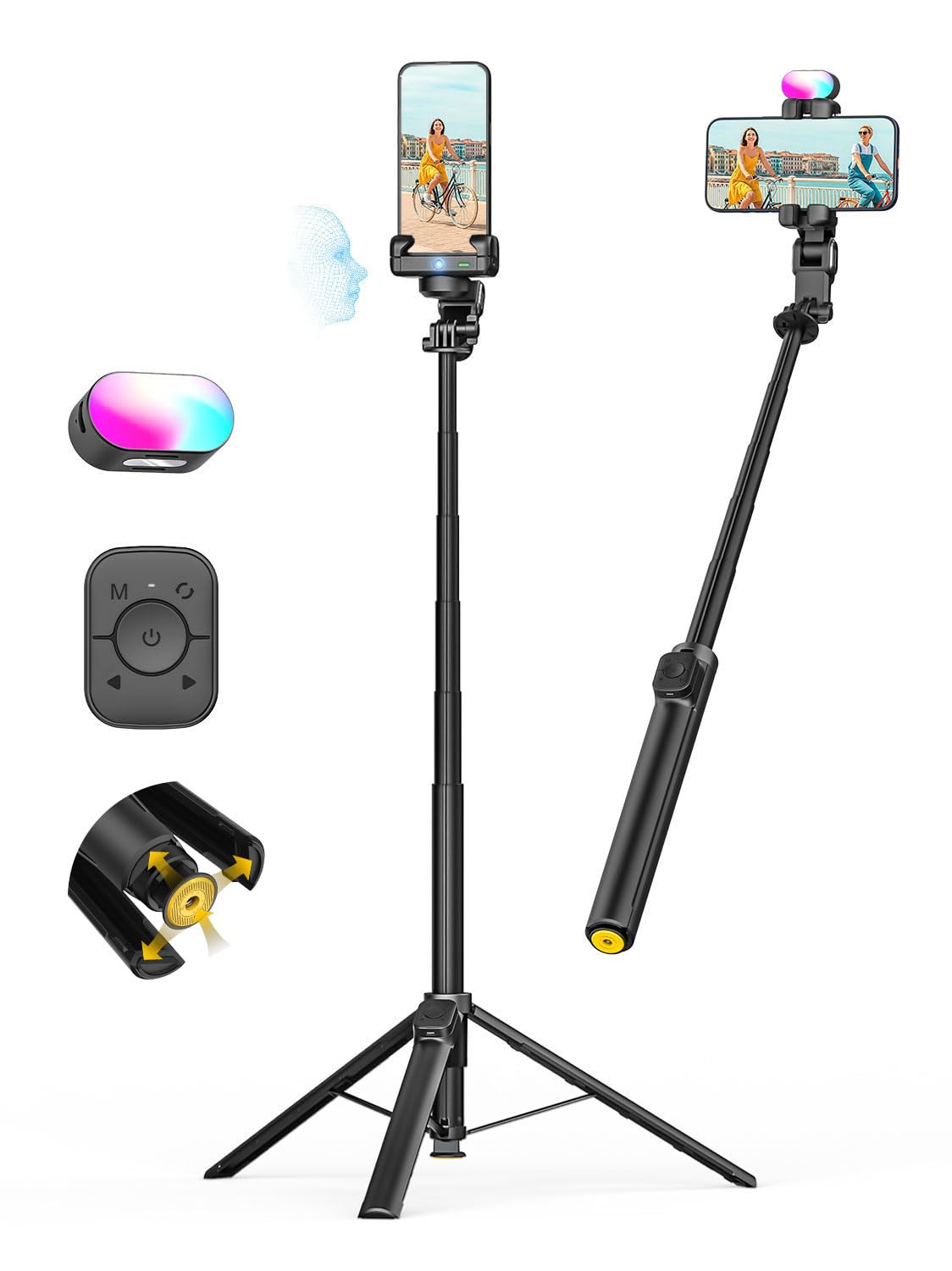
Image: The AOCHUAN M3Pro Gimbal Stabilizer shown in its compact folded state and fully extended as a tripod with a smartphone mounted.
2. Hva er i esken
- M3 Pro Gimbal x 1
- Bluetooth-fjernkontroll x 1
- Magnetisk fylllys x 1
- USB-C-kabel x 1
- Brukerhåndbok x 1

Image: The retail box for the AOCHUAN M3Pro, highlighting its auto-open feature and showing the gimbal, remote, and fill light.
3. Installasjonsinstruksjoner
3.1 Unfolding the Gimbal and Tripod
- Hold the gimbal arm and pull it upward to extend the built-in extension rod.
- Press the bottom of the tripod. The legs will automatically unfold. Place the device on a stable surface.

Image: Visual instructions demonstrating how to extend the rod and deploy the tripod legs by pressing the base button.
3.2 Phone Mounting and AI Camera Alignment
- Release the red lock button on the phone clamp and rotate the phone clamp 180 degrees so that the AI camera faces forward.
- Hold telefonen lukkamp and insert your smartphone directly. Both portrait and landscape orientations are supported. Ensure the phone camera faces the same direction as the AI camera.
- Press and hold the power button on the phone clamp for å slå på enheten.

Image: Visual instructions for rotating the phone clamp, inserting a smartphone, and powering on the gimbal.
4. Bruksanvisning
4.1 AI Tracking Mode (No App Needed)
- After powering on, the indicator light is blue by default, and gesture control is enabled.
- Use the "OK" gesture (hand with thumb and index finger forming a circle) to start tracking. The indicator light will turn green.
- Open your palm to stop tracking. The indicator light will turn blue again.
- During tracking, you can use the double "L" gesture (both hands forming L-shapes) to disable gesture control. The indicator light turns yellow. Tracking continues, but OK and palm gestures are disabled to prevent false recognition. Use the double "L" gesture again to re-enable this function.
- If the green light flashes during tracking, it means the subject is lost. Tracking will resume once the person reappears in front of the camera.
Video: Demonstrates the AI tracking mode, showing how to start and stop tracking using hand gestures and the indicator light status.
4.2 Fjernkontrollfunksjoner
The detachable magnetic remote control allows for convenient operation from up to 10 meters away. Remove the remote from its slot to view the button instructions.
- Shutter Button (Power Icon):
- Press and hold: Power on/off the remote.
- Single press: Take photo / Start/stop video recording.
- Double press: Enable / Disable AI Tracking.
- Triple press: Enable / Disable Gesture Control (in Tracking Mode).
- Orbit Motion Button (M Icon):
- Single press: 200° automatic rotation.
- Double press: 200° forward and reverse rotation twice.
- Triple press: 360° automatic rotation.
- Press and hold for 3 seconds: Continuous 360° rotation.
- Left/Right Buttons (Arrows):
- Press and hold: Adjust shooting angle (counterclockwise for left, clockwise for right).
- To Stop Rotation / Re-center: Dobbelttrykk på modusknappen.
4.3 Handheld POV Mode
In POV mode, the indicator light turns white, and diagonal movements are supported, allowing for dynamic, cinematic shots.
Video: Demonstrates the Handheld POV mode, showing how to switch to this mode and perform diagonal camera movements.
5. Nøkkelfunksjoner
- Auto-Open Design: Smart M3 Pro phone stabilizer automatically opens with a single press, saving time and effort.
- Face Tracking without App: Activate AI face tracking with a simple hand gesture; no app or Bluetooth connection required. The built-in sensor recognizes your face and allows you to move freely.
- Magnetisk fjernkontroll: Control your gimbal stabilizer from up to 10 meters away using the detachable magnetic remote. Capture photos, start recording, or switch modes effortlessly.
- Stabilization Modes: Features AI tracking mode and POV creative mode for dynamic, cinematic shots. Upgraded stabilization ensures smooth, shake-free footage. Supports 360° panoramic shooting.
- Built-in 70.9” Extendable Rod: Extend the M3 Pro phone gimbal up to 70.9 inches to unlock new shooting angles, from full-body shots to overhead views.
- 7 Colors RGB Fill Light: Equipped with a 7-color magnetic adjustable fill light that illuminates the scene anytime, anywhere, simplifying your shooting setup. Suitable for night photography and beauty video shooting.
- 1/4” Expansion Port: Universal 1/4-inch screw mount allows attachment of microphones, secondary cameras, or extra lights.

Image: Illustrates the 4-in-1 functionality of the gimbal, including gimbal stabilizer, selfie stick, face tracking tripod, and floor tripod modes.
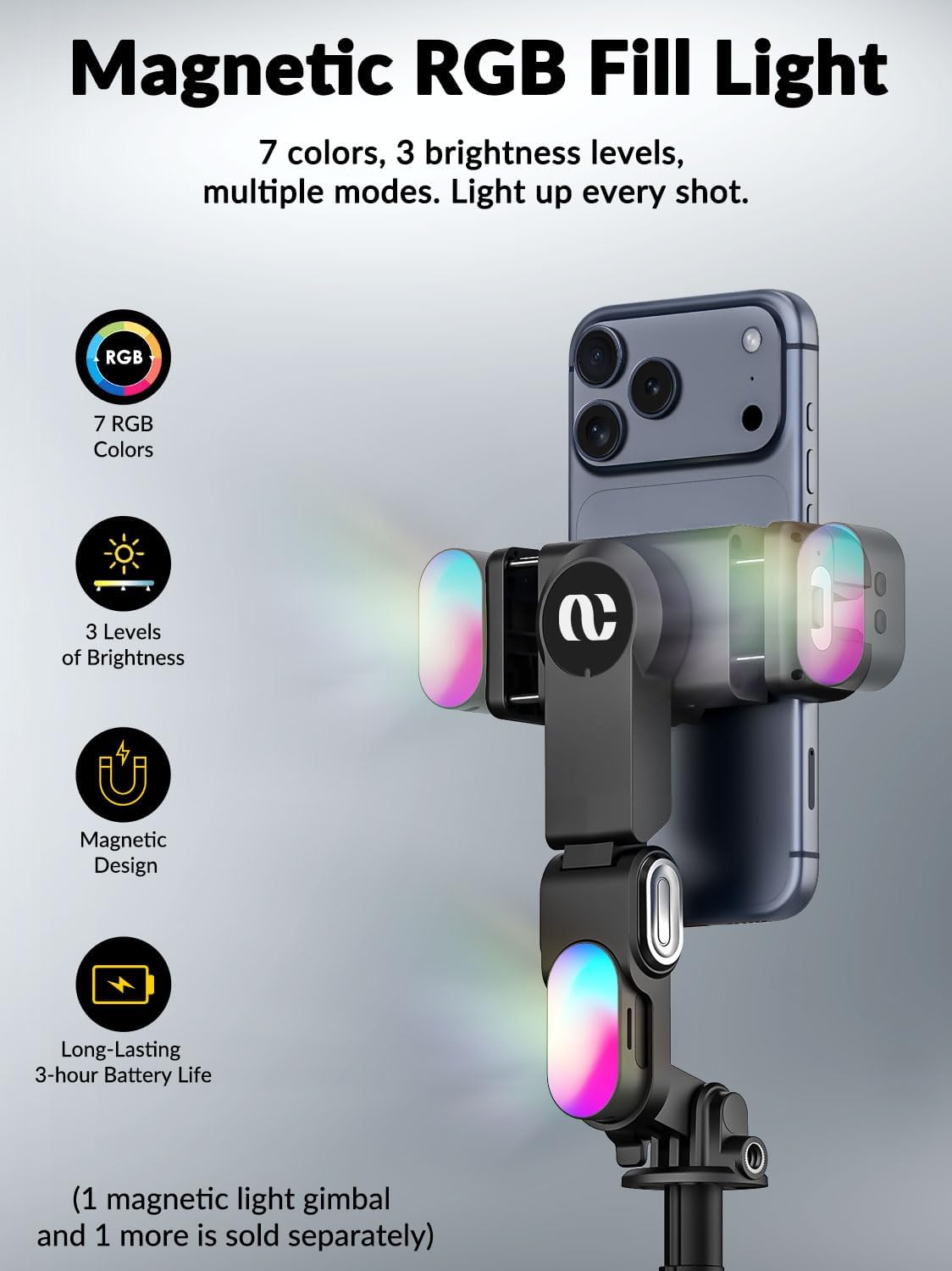
Image: Details the magnetic RGB fill light, showing its 7 colors, 3 brightness levels, magnetic design, and 3-hour battery life.
6. Vedlikehold
- Keep the device clean and dry. Avoid exposure to water or excessive humidity.
- Charge the gimbal, magnetic fill light, and remote control regularly using the provided USB-C cable.
- Store the device in a cool, dry place when not in use. Ensure the phone clamp is folded and locked for compact storage.
7. Feilsøking
- Gimbal not stabilizing: Ensure the phone is properly balanced in the clamp and the device is powered on. Check for any obstructions.
- AI Tracking issues: Ensure the AI camera is facing forward and the indicator light is green. Face tracking works best within a 5m range. Avoid complex backgrounds for optimal performance.
- Fjernkontrollen kobler seg ikke til: Ensure the remote is charged and Bluetooth is enabled on your smartphone. Connect to "Gimbal" in your phone's Bluetooth settings. The remote works best within 10m.
- Difficulty with initial setup: Some users have found video tutorials helpful for initial setup. Refer to official AOCHUAN video guides for visual assistance.
8. Spesifikasjoner
| Trekk | Detalj |
|---|---|
| Merke | AOCHUAN |
| Modellnavn | M3Pro |
| Farge | Svart |
| Kompatible enheter | Mobiltelefon |
| Produktdimensjoner | 3.46" D x 3.62" B x 12.79" H |
| Varevekt | 530 gram |
| Brettet størrelse | 3.46 tommer x 3.62 tommer x 12.79 tommer |
| Bildestabilisering | Ja |
| Videoopptaksoppløsning | 1080p |
| Fotograferingsmoduser | AI tracking mode, POV creative mode |
| Vannmotstandsnivå | Ikke vannbestandig |
9. Garanti og støtte
For warranty information and technical support, please refer to the official AOCHUAN webnettstedet eller kontakt kundeservicen deres direkte. Ta vare på kjøpskvitteringen for garantikrav.