
1. Overview
The RayNeo Air 3s AR/XR Glasses provide an immersive, portable display experience. Featuring an advanced micro-OLED screen, these glasses deliver Full HD resolution with a 120Hz refresh rate and 98% DCI-P3 color coverage for vibrant visuals. Designed for versatility, they offer plug-and-play connectivity with various devices and incorporate advanced eye comfort and private audio technologies.
Nøkkelfunksjoner
- 201-Inch Portable HD Theater: Experience a massive, immersive private screen anywhere.
- Plug & Play Simplicity: Instantly connect to compatible devices via USB-C without needing additional apps.
- TÜV-Certified Eye Comfort: OptiCare technology with 3840 Hz hybrid dimming and 20 brightness levels ensures visual comfort.
- Immersive, Private Audio: Dual acoustic chambers and Whisper Mode 2.0 provide high-fidelity sound with reduced audio leakage.

2. Produktkomponenter
The RayNeo Air 3s package includes the following items:
- RayNeo Air 3s Glasses x 1
- Reseptbelagt linseramme (sample) x 1
- Datakabel x 1
- Neseputekomponent x 1
- Bæreveske x 1
- 1 klut til rengjøring av briller
- Brukerhåndbok x 1


3. Oppsett og tilkobling
The RayNeo Air 3s glasses are designed for immediate use with a wide range of devices. Simply connect the included USB-C cable to a compatible device to begin your immersive experience. No additional applications are required for basic functionality.
Kompatible enheter
The glasses are compatible with devices featuring a USB-C port that supports DisplayPort Alt Mode. This includes, but is not limited to:
- iPhones (iPhone 15 and newer)
- Android-telefoner
- Mac-er
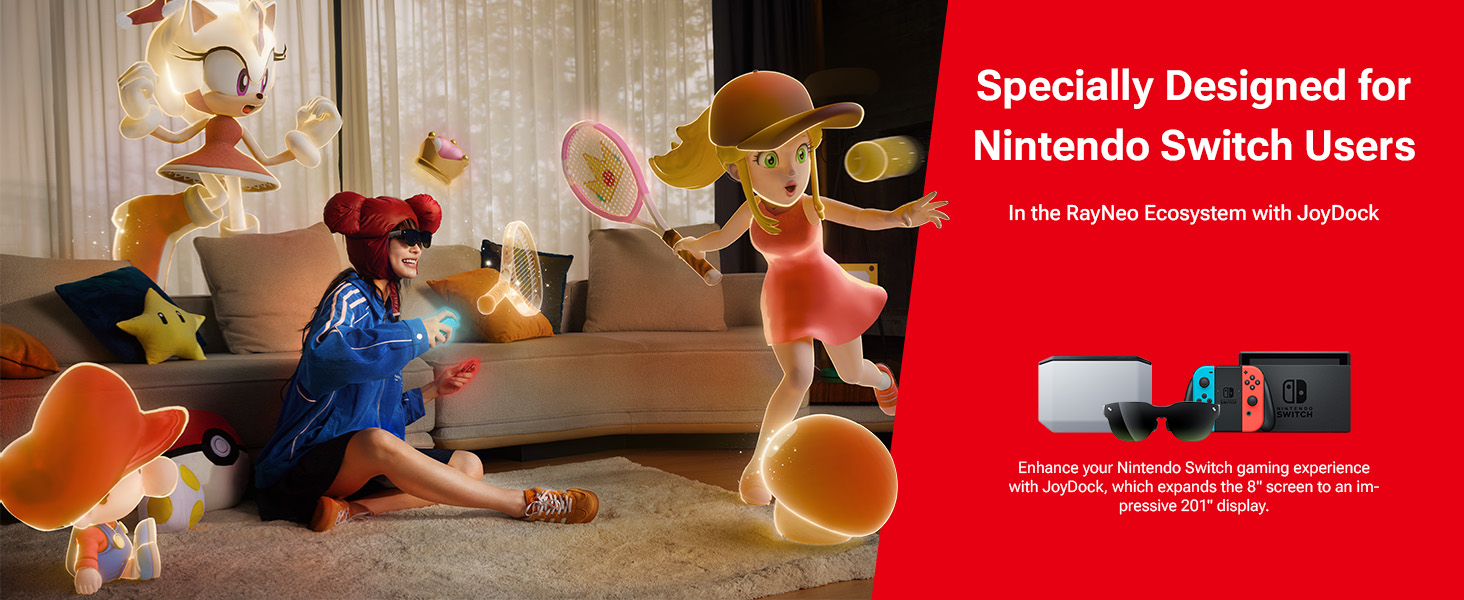
- Game Consoles (e.g., PS5, Nintendo Switch, SteamDeck)

4. Bruksanvisning
Visningsmoduser
The RayNeo Air 3s features a one-button mode switch to optimize your viewerfaring:
- Spillmodus: Optimized for fast-paced gaming with minimal latency.
- Filmmodus: Enhances cinematic visuals and audio for film viewing.
- Standardmodus: General-purpose display settings for everyday use.

Lydfunksjoner
Enjoy rich, high-fidelity sound with the integrated dual acoustic chambers. For private listening, activate Whisper Mode 2.0 to minimize audio leakage, making it ideal for use in quiet environments.

Eye Comfort Technology
The OptiCare technology in RayNeo Air 3s glasses is TÜV-certified for low blue light and flicker-free viewing. It features 3840 Hz hybrid dimming and 20 brightness levels to ensure long-term visual comfort and reduce eye strain.

5. Adjustments and Fit
The RayNeo Air 3s glasses are designed for a customizable and comfortable fit for various users. Adjustments can be made to the nose pads and temples to ensure optimal viewing and wearability.
9-Point FlexiFit Design
The glasses feature a 9-Point FlexiFit design, allowing for personalized adjustments:
- Neseputer: Three levels of front-back adjustments.
- Templer: Three levels of up-down adjustments and over 30 degrees of loose-tight adjustments.
Customizable Myopia Lenses
For users with myopia, the glasses support customizable prescription lenses that can be easily clipped into the frame. A sample prescription-lens frame is included in the box.
6. Stell og vedlikehold
To ensure the longevity and optimal performance of your RayNeo Air 3s AR/XR Glasses, follow these care and maintenance guidelines:
- Rengjøring: Bruk den medfølgende rengjøringskluten til å tørke forsiktig av linsene og innfatningen. Unngå slipende materialer eller sterke kjemikalier.
- Lagring: Store the glasses in the included carry case when not in use to protect them from dust, scratches, and impacts.
- Håndtering: Avoid dropping the glasses or exposing them to extreme temperatures or humidity.
7. Feilsøking
If you encounter any issues with your RayNeo Air 3s AR/XR Glasses, please refer to the following common troubleshooting steps:
- Ingen visning: Ensure the USB-C cable is securely connected to both the glasses and a compatible device that supports DisplayPort Alt Mode. Verify the device's display output settings.
- Ingen lyd: Check the volume settings on both the glasses and the connected device. Ensure Whisper Mode is not inadvertently activated if you desire full audio output.
- Ubehagelig passform: Adjust the nose pads and temples using the 9-Point FlexiFit system as described in Section 5.
- Flimrende eller forvrengt bilde: Ensure the cable is not damaged and the device's display drivers are up to date. Try restarting the connected device.
For further assistance, please contact RayNeo customer support.
8. Spesifikasjoner
| Trekk | Detalj |
|---|---|
| Modellnummer | XRGF35 |
| Varevekt | 78 gram (2.75 unser) |
| Pakkedimensjoner | 8.7 x 5.24 x 3.5 tommer |
| Stående skjermstørrelse | 201 tommer |
| Operativsystemkompatibilitet | Android, iOS |
| Visningstype | Mikro-OLED |
| Oppløsning | 1920 × 1080 (Full HD) |
| Oppdateringsfrekvens | 120 Hz |
| Fargeskala | 98 % DCI-P3 |
| Øyekomfort | TÜV-Certified Low Blue Light & Flicker-Free (OptiCare) |
| Lyd | Dual Acoustic Chambers, Whisper Mode 2.0 |
| Tilkobling | USB-C (DisplayPort Alt Mode required) |
9. Garanti og støtte
The RayNeo Air 3s AR/XR Glasses come with a standard manufacturer's warranty. For detailed warranty information, product support, or service inquiries, please visit the official RayNeo webnettstedet eller kontakt deres kundeserviceavdeling.
RayNeo Customer Support: Please refer to the contact information provided in your product packaging or on the official RayNeo webnettstedet.