
1. Introduksjon
This manual provides essential information for setting up, operating, maintaining, and troubleshooting your NIMO 15.6-inch Laptop N152. Please read this manual thoroughly before using your device to ensure proper functionality and longevity.

Image 1.1: NIMO 15.6-inch Laptop, top-down view.
2. Oppsett
2.1 Utpakking og første inspeksjon
Carefully remove all components from the packaging. Verify that all items listed in the 'What's in the Box' section (Section 6) are present and undamaged. If any items are missing or damaged, contact customer support.
2.2 Charging the Laptop
Before first use, fully charge your NIMO laptop. Connect the provided 65W USB-C PD Fast Charger to the laptop's USB-C port and then to a power outlet. The charging indicator light will illuminate. A 15-minute charge provides approximately 2 hours of use.

Image 2.1: The 65W USB-C PD Fast Charger can charge multiple devices.
2.3 Oppstart og første konfigurasjon
Press the power button to turn on the laptop. Follow the on-screen instructions to complete the Windows 11 Home setup, including language selection, network connection, and user account creation. You can set up the fingerprint reader during this process for secure login.
3. Bruksanvisning
3.1 Tastatur og pekeplate
The NIMO N152 features an ergonomic backlit keyboard. To adjust the backlight brightness or toggle it on/off, use the dedicated function keys (Fn + F-key combination, refer to keyboard legends). The touchpad supports multi-touch gestures for enhanced navigation.
3.2 fingeravtrykksleser
The fingerprint reader is integrated into the touchpad for secure and instant login. Once configured, simply place your registered finger on the sensor to unlock your device.
3.3 Skjermfunksjoner
The 15.6-inch Full HD (1920x1080) IPS anti-glare display offers clear visuals. The 180° hinge allows the screen to lay completely flat, useful for sharing content or collaborating.

Image 3.1: The 180° lay-flat hinge for versatile viewing.
3.4 Tilkobling
The laptop is equipped with various ports for external devices:
- USB 3.0-porter: For høyhastighets dataoverføring.
- USB 2.0-port: For standard USB-enheter.
- HDMI: Koble til eksterne skjermer eller projektorer.
- Type-C-porter: For lading og dataoverføring.
- Micro SD-leser: For utvidelse av lagringsplass eller overføring files fra minnekort.
- Lydkontakt: For hodetelefoner eller eksterne høyttalere.
- Kensington -lås: For fysisk sikkerhet.
Bilde 3.2: Side view of the NIMO laptop showing available ports.
For wireless connectivity, the laptop supports Wi-Fi 6 for stable, high-speed internet and Bluetooth 5.2 for connecting wireless peripherals.
4. Nøkkelfunksjoner
4.1 Ytelse
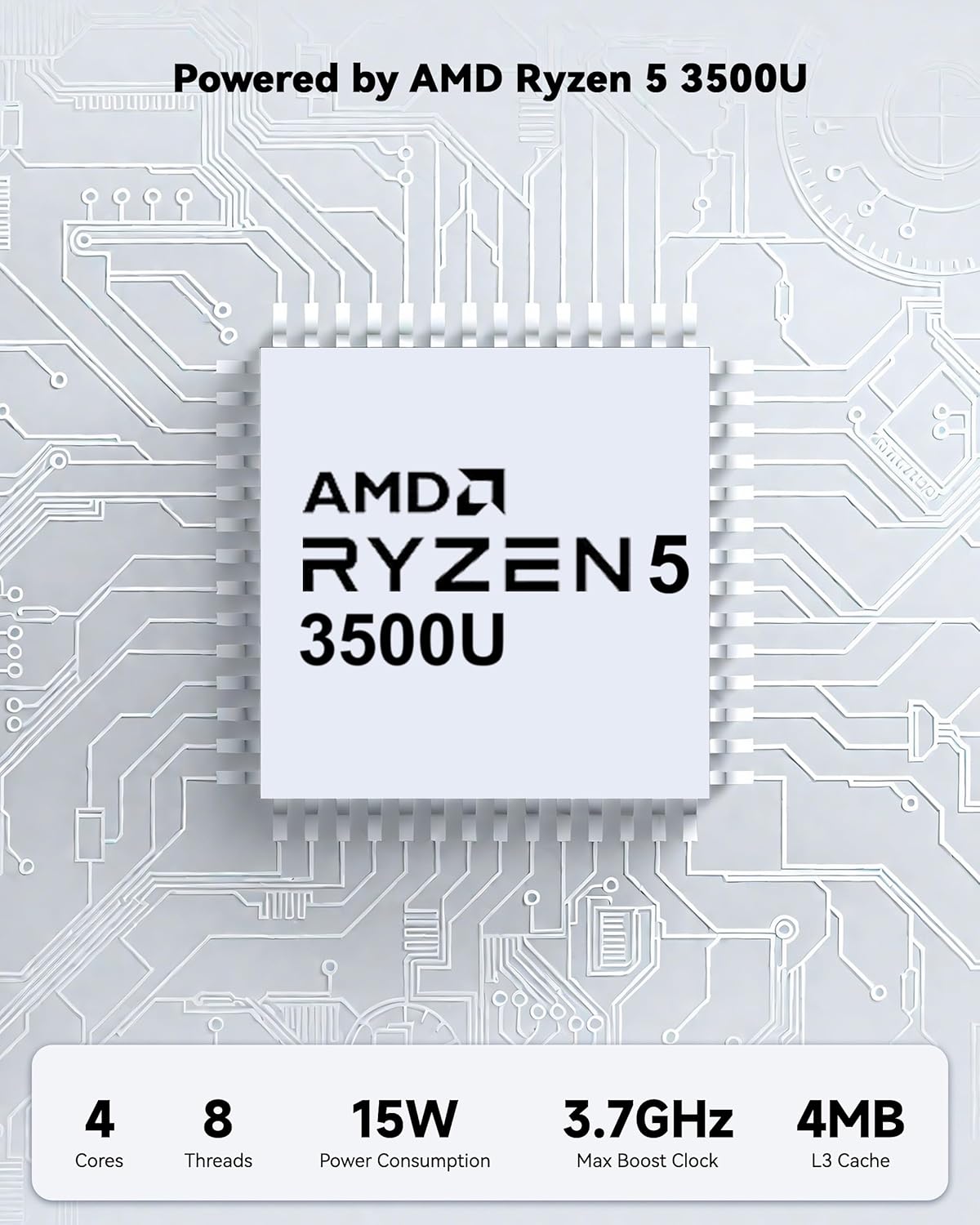
Powered by an AMD Ryzen 5 processor with 4 cores up to 3.7GHz and 16GB DDR4 RAM, the NIMO N152 is designed for efficient multitasking. The 512GB PCIe SSD ensures fast boot-ups and quick file transfers. The RAM is upgradable for future needs.

Image 4.1: AMD Ryzen 5 processor details.
4.2 Visuals and Audio
The 15.6-inch Full HD (1920x1080) IPS anti-glare display provides vibrant visuals with an 85% screen-to-body ratio. The integrated 2MP webcam allows for clear video calls.
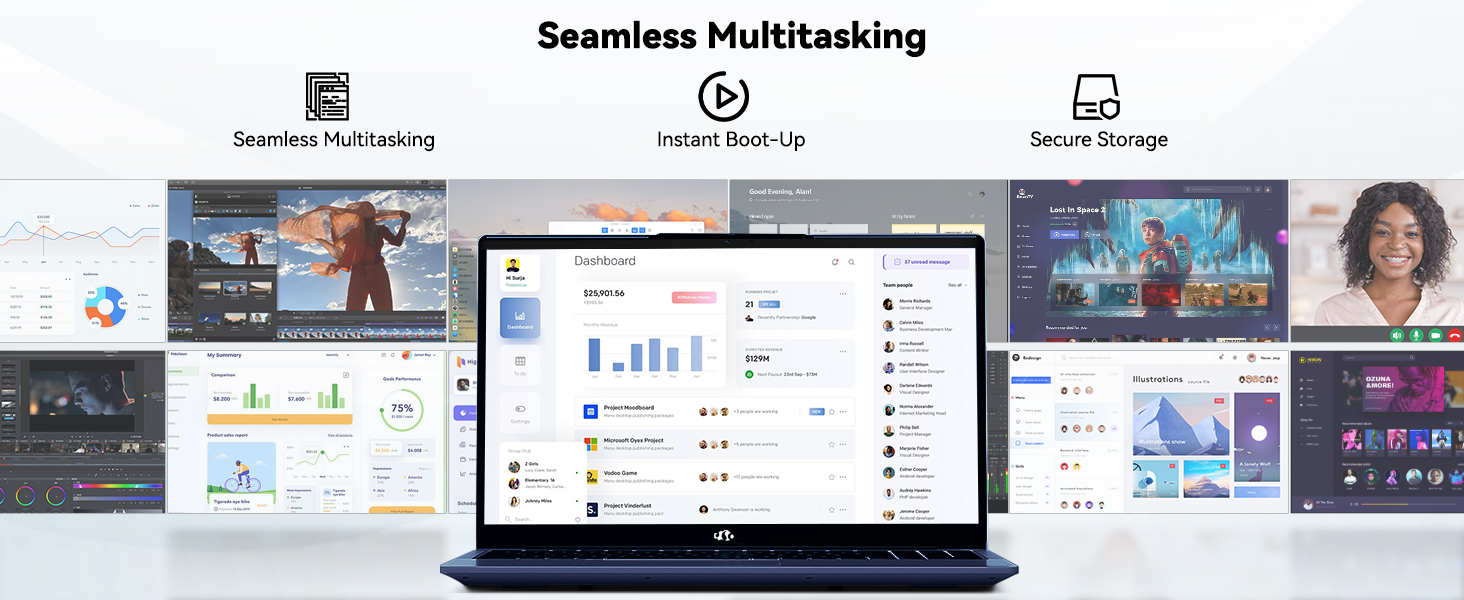
Image 4.2: The laptop's stunning Full HD display.

Image 4.3: The 1080p FHD camera for clear video conferencing.
4.3 Batterilevetid
The laptop features a 54WH battery with smart battery optimization for extended lifespan and efficient power control, providing approximately 9 hours of average battery life.

Image 4.4: Smart Battery Optimization features.
4.4 Design og bærbarhet
The NIMO N152 has a durable metal A-shell and a slim, lightweight design, weighing approximately 3.75 pounds.

Image 4.5: The NIMO laptop's lightweight and slim profile.
4.5 Produkt overview Video
Video 4.1: En generell overview of the NIMO 15.6-inch laptop, highlighting its features and design.
4.6 Power and Portability Video
Video 4.2: This video demonstrates the power and portability aspects of the NIMO 15.6-inch laptop.
5. Vedlikehold
5.1 Rengjøring
- Bruk en myk, lofri klut til å rengjøre skjermen og utsiden.
- For gjenstridige flekker, tørk lettampRengjør kluten med vann eller et skjermsikkert rengjøringsmiddel.
- Unngå sterke kjemikalier, slipemidler eller løsemidler.
- Keep vents clear of dust and debris to ensure proper airflow.
5.2 Batteristell
- Unngå å utlade batteriet helt ofte.
- Oppbevar den bærbare datamaskinen på et kjølig og tørt sted når den ikke er i bruk over lengre tid.
- Use only the provided NIMO charger.
5.3 Programvareoppdateringer
Regularly update your operating system and drivers to ensure optimal performance and security. Windows 11 Home will prompt you for updates.
6. Feilsøking
6.1 Laptop Not Powering On
- Sørg for at laderen er ordentlig koblet til både den bærbare datamaskinen og et fungerende strømuttak.
- Kontroller at strømuttaket fungerer ved å koble til en annen enhet.
- Allow the laptop to charge for at least 30 minutes before attempting to power on again.
6.2 Skjermproblemer
- If the screen is blank, try connecting an external monitor to check if the display output is working.
- Juster skjermens lysstyrke ved hjelp av funksjonstastene.
- Start den bærbare datamaskinen på nytt.
6.3 Tilkoblingsproblemer
- Wi-Fi: Check your router and internet connection. Ensure Wi-Fi is enabled on the laptop.
- Bluetooth: Verify Bluetooth is enabled and devices are in pairing mode.
- USB-enheter: Try connecting the device to a different USB port or another computer to rule out device issues.
6.4 Treg ytelse
- Lukk unødvendige programmer som kjører i bakgrunnen.
- Se etter og installer eventuelle ventende Windows-oppdateringer.
- Sørg for tilstrekkelig ledig plass på SSD-en.
- Kjør en virusskanning.
7. Spesifikasjoner
| Trekk | Spesifikasjon |
|---|---|
| Modellnavn | NIMO N152 |
| Skjermstørrelse | 15.6 tommer |
| Skjermoppløsning | 1920 x 1080 piksler (Full HD IPS) |
| Prosessor | AMD Ryzen 5 (4 Cores, up to 3.7 GHz) |
| VÆR | 16 GB DDR4 (oppgraderbar) |
| Minnehastighet | 3200 MHz |
| Harddisk | 512 GB SSD (PCIe) |
| Grafisk koprosessor | AMD integrert grafikk |
| Operativsystem | Windows 11 Home |
| Trådløs type | Wi-Fi 6 (802.11a/b/g/n/ac), Bluetooth 5.2 |
| USB 2.0-porter | 1 |
| USB 3.0-porter | 3 |
| Gjennomsnittlig batterilevetid | 9 timer |
| Varevekt | 3.75 pund |
| Produktdimensjoner | 14.07 x 8.98 x 0.76 tommer |
| Farge | Blå |
| Bak Webcam oppløsning | 2 MP |
| Spesielle funksjoner | Bakgrunnsbelyst tastatur, fingeravtrykksleser, HD-lyd, numerisk tastatur |
7.1 Hva er i esken
- 1 x NIMO N152 bærbar PC
- 1 x Type-C 65W PD hurtiglader
- 1 x brukerhåndbok
- Windows 11 Home (forhåndsinstallert)
8. Garanti og støtte
Your NIMO N152 laptop comes with a 2 års produsentgarantiI tillegg tilbyr NIMO en 90-dagers problemfri retur- og byttepolicy. For any product-related questions, technical assistance, or warranty claims, please contact NIMO customer service.
8.1 kontaktinformasjon
For support, you can reach out to the professional after-sales team via email or phone. Please refer to the official NIMO website or product page for the most current contact details.

Image 8.1: NIMO products are covered by a 2-year support.

Image 8.2: 90-Day Return policy.