
1. Introduksjon
This manual provides essential information for the safe and efficient use of your HP 17.3 Inch FHD Business Laptop. Please read this guide thoroughly before operating your device to ensure optimal performance and longevity. This laptop is designed for business and everyday computing tasks, offering a large display, robust performance, and portability.
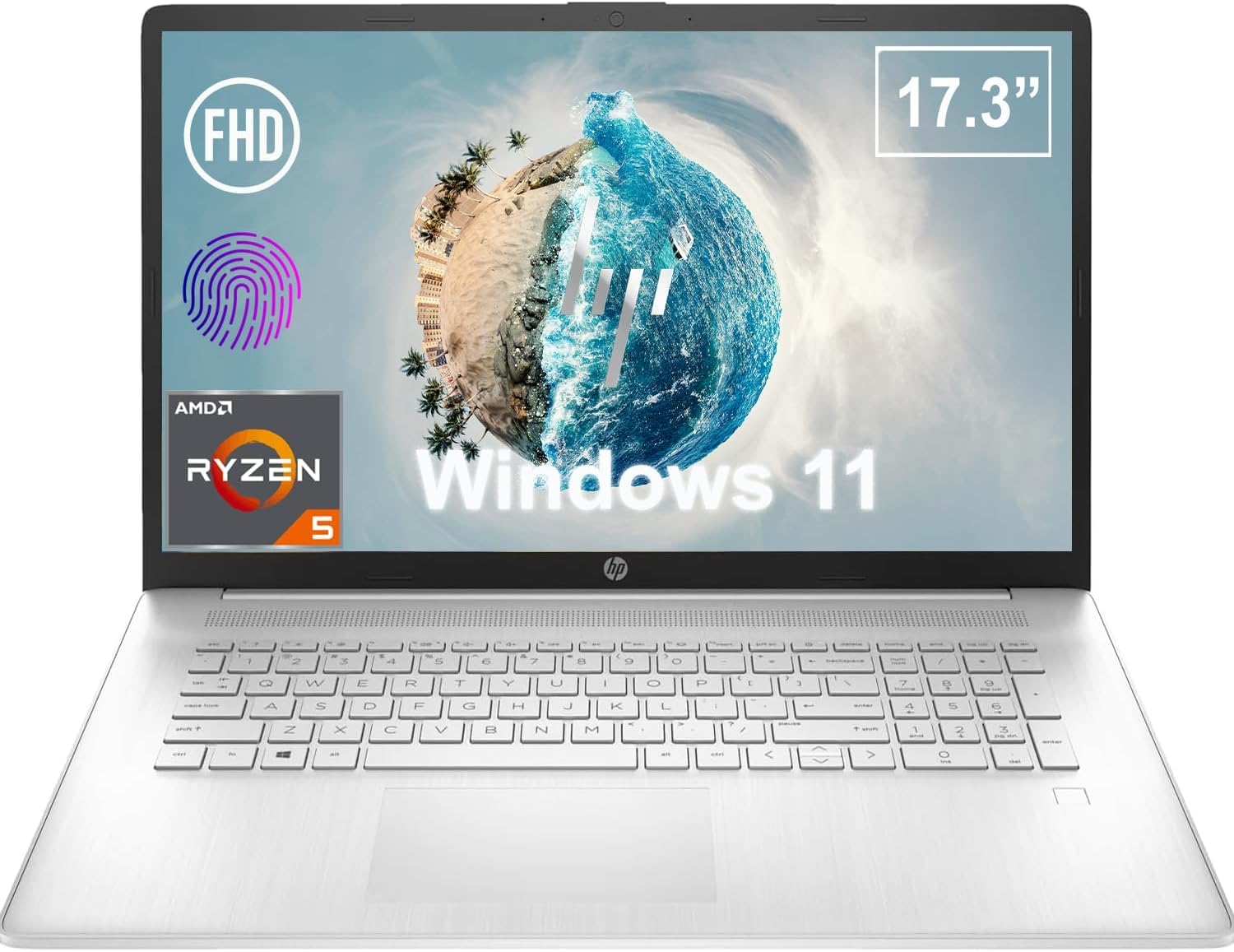
Figur 1.1: Foran view of the HP 17.3 Inch FHD Business Laptop, showcasing the large display and keyboard.
2. Oppsett
2.1 Utpakking og første inspeksjon
Ta forsiktig alle komponentene ut av emballasjen. Kontroller at følgende elementer er til stede:
- HP 17.3 Inch FHD Business Laptop
- Power Adapter (45 W Smart AC Power Adapter)
- Dokumentasjon (denne håndboken, garantiinformasjon)
Inspect the laptop and accessories for any signs of damage. If any items are missing or damaged, contact your retailer or HP support immediately.
2.2 Tilkobling av strømadapteren
Before first use, ensure the laptop is fully charged. Connect the power adapter to the AC smart pin port on the side of the laptop and then plug the adapter into a power outlet.
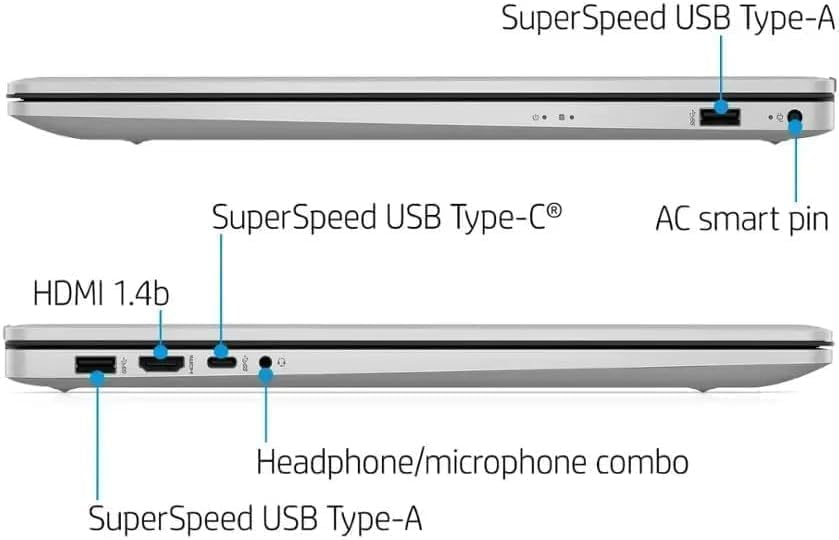
Figur 2.1: Side view illustrating the location of the AC smart pin and other ports.
2.3 Første oppstart og Windows-oppsett
Press the power button to turn on the laptop. Follow the on-screen instructions to complete the Windows 11 Home setup process. This includes setting up your user account, network connection, and initial preferences.
3. Bruk av den bærbare datamaskinen
3.1 Tastatur og pekeplate
The laptop features a full-size QWERTY keyboard with a 10-key number pad for efficient data entry. The integrated touchpad provides precise cursor control. Refer to the operating system's settings for customizing touchpad gestures and keyboard shortcuts.
3.2 fingeravtrykksleser
For enhanced security and convenient login, utilize the integrated fingerprint reader. Set up your fingerprints through Windows Hello in the Windows 11 settings.
3.3 Webcam and Microphones
The HP True Vision 720p HD Camera and integrated dual array digital microphones are located at the top of the display. These are suitable for video conferencing and online communication.
3.4 Tilkobling
- Wi-Fi: The laptop supports 802.11a/b/g/n/ac Wi-Fi for wireless internet access. Connect to available networks via the Windows network settings.
- Bluetooth: Bluetooth 5 allows for wireless connection to compatible devices such as headphones, mice, and keyboards. Enable and manage Bluetooth devices through Windows settings.
3.5 Ports and External Devices
Den bærbare datamaskinen er utstyrt med forskjellige porter for tilkobling av eksterne enheter:
- 1 x USB Type-C (5Gbps, Data Only): For connecting USB-C compatible devices and data transfer.
- 2 x USB Type-A (5Gbps): For connecting standard USB devices like external drives, mice, or keyboards.
- 1 x HDMI 1.4b: For connecting to external displays or projectors.
- 1 x Headphone/Microphone Combo: For connecting a headset with a single 3.5mm jack.
- 1 x AC Smart Pin: For connecting the power adapter.

Figur 3.1: Åpen view of the laptop, highlighting the keyboard and touchpad area.
3.6 Batteristyring
The laptop is powered by a 3-Cell, 41 Wh Li-ion battery, offering up to 8 hours and 30 minutes of video playback. Use the provided 45 W Smart AC Power Adapter for charging. HP Fast Charge technology allows for quicker charging times.
4. Vedlikehold
4.1 Rengjøring av den bærbare datamaskinen
Slik opprettholder du den bærbare datamaskinens utseende og funksjonalitet:
- Bruk en myk, lofri klut damprengjøres med vann eller et spesialisert skjermrensemiddel for skjermen.
- Bruk en myk, tørr klut til tastaturet og kabinettet. Unngå sterke kjemikalier eller slipende materialer.
- Sørg for at den bærbare datamaskinen er slått av og koblet fra strømnettet før rengjøring.
4.2 Programvareoppdateringer
Oppdater Windows-operativsystemet og driverne regelmessig for å sikre optimal ytelse, sikkerhet og kompatibilitet. Du får tilgang til Windows Update via Innstillinger-menyen.
4.3 Security Software
The laptop comes preloaded with McAfee LiveSafe for security. Ensure this software is active and updated to protect against viruses and other threats.
5. Feilsøking
This section addresses common issues you might encounter with your HP laptop.
5.1 Strømproblemer
- Den bærbare datamaskinen slår seg ikke på: Ensure the power adapter is securely connected to both the laptop and a working power outlet. Verify the battery is charged.
- Batteriet lades ikke: Sjekk strømadapteren og kabelen for skader. Prøv en annen stikkontakt.
5.2 Visningsproblemer
- Ikke noe bilde på skjermen: Connect an external monitor to check if the issue is with the laptop's display. Restart the laptop.
- Flimrende eller forvrengt bilde: Oppdater grafikkdrivere. Juster skjermoppløsning og oppdateringsfrekvens i Windows-innstillingene.
5.3 Tilkoblingsproblemer
- Wi-Fi kobler ikke til: Ensure Wi-Fi is enabled. Restart your router and the laptop. Check network settings for correct password and configuration.
- Bluetooth-enhet kobles ikke sammen: Ensure Bluetooth is enabled on both devices. Make sure the device is in pairing mode and within range.
For mer komplekse problemer, se HPs kundestøtte webnettstedet eller kontakt kundeservice.
6. Spesifikasjoner
| Trekk | Detalj |
|---|---|
| Merke | HP |
| Modellnavn | HP17 |
| Modellnummer | i5-1135G7 |
| Skjermstørrelse | 17.3 tommer |
| Visningstype | IPS, Anti-Glare, LED |
| Oppløsning | 1920 x 1080 (FHD) |
| Oppdateringsfrekvens | 60 Hz |
| Prosessor | AMD Ryzen 5 5500U (6 Cores, 12 Threads, up to 4.0 GHz Max Boost Clock) |
| Grafikk | Integrert AMD Radeon-grafikk |
| RAM-minne | 32 GB DDR4-3200 MHz (Max 64 GB) |
| Lagring | 1 TB PCIe NVMe M.2 SSD |
| Operativsystem | Windows 11 Home, 64-bit, English |
| Trådløs tilkobling | 802.11a/b/g/n/ac Wi-Fi, Bluetooth 5 |
| Havner | 1x USB Type-C (5Gbps), 2x USB Type-A (5Gbps), 1x HDMI 1.4b, 1x Headphone/Microphone Combo, 1x AC Smart Pin |
| Webkam | HP True Vision 720p HD Camera |
| Lyd | Dual Speakers, Integrated Dual Array Digital Microphones |
| Batteri | 3-Cell, 41 Wh Li-ion (Up to 8.5 hours video playback) |
| Strømadapter | 45 W Smart AC Power Adapter |
| Dimensjoner (B x D x H) | 40.07 x 25.78 x 2.06 cm (14.14"L x 9.31"W x 0.78"Th) |
| Vekt | Starter på 2.07 kg |
| Spesielle funksjoner | Fingerprint Reader, Lightweight Design, HP Fast Charge |
7. Garanti og støtte
7.1 Garantiinformasjon
This HP laptop comes with a 1-year manufacturer's limited warranty. For detailed terms and conditions, please refer to the warranty documentation included with your product or visit the official HP support webnettstedet.
7.2 Kundestøtte
If you encounter issues that cannot be resolved using the troubleshooting steps in this manual, please contact HP customer support. You can find contact information and additional resources on the official HP webnettsted:
- HP-støtte Webnettsted: support.hp.com
- HP-butikk: HP-butikken på Amazon