
1. Introduksjon
The ACECONN Pi2 Linux 4K HD Super Box TV Box is a versatile streaming device designed for high-definition media consumption. It operates on a Linux system, offering a customizable, stable, and secure platform for your entertainment needs. This device supports 4K UHD resolution and a wide array of video formats, ensuring a premium viewopplevelse.
Nøkkelfunksjoner inkluderer:
- Linux system for high customization, stability, and security.
- Supports 4K UHD resolution and multiple video formats for high-definition quality.
- Compatible with various connection methods such as HDMI and RCA.
- Multiple USB ports for media playback and software updates.
- Supports network and USB dual upgrades for convenient software maintenance.

Image: The ACECONN Pi2 Linux 4K HD Super Box TV Box and its remote control.
2. Oppsettveiledning
2.1 Pakkeinnhold
Før du begynner, må du kontrollere at alle varene er til stede i pakken:
- ACECONN Pi2 TV Box
- Fjernkontrollenhet (RCU)
- Power Adapter (US type)
- HDMI-kabel
- IR Extender
- Brukerhåndbok

Image: All components included in the ACECONN Pi2 package.
2.2 Koble til enheten
- Strømtilkobling: Connect the provided power adapter to the DC IN port on the TV Box and then plug it into a power outlet.
- HDMI-tilkobling: Use the HDMI cable to connect the HDMI OUT port on the TV Box to an HDMI IN port on your television or display. Note the HDMI input number on your TV.
- Nettverkstilkobling (valgfritt):
- Ethernet: For a wired connection, connect an Ethernet cable from your router to the LAN port on the TV Box.
- Wi-Fi: For a wireless connection, you will configure Wi-Fi settings after the initial power-on.
- USB-enheter (valgfritt): You can connect USB storage devices or other peripherals to the available USB ports.
2.3 Første gangs oppstart
After connecting all necessary cables, turn on your television and select the correct HDMI input. The ACECONN Pi2 TV Box should power on automatically or can be powered on using the remote control. Follow any on-screen prompts for initial setup, such as language selection and network configuration.
3. Bruksanvisning
3.1 Brukergrensesnitt overview
Upon startup, you will see the main user interface, which provides access to various applications and settings. The interface is designed for easy navigation using the provided remote control.
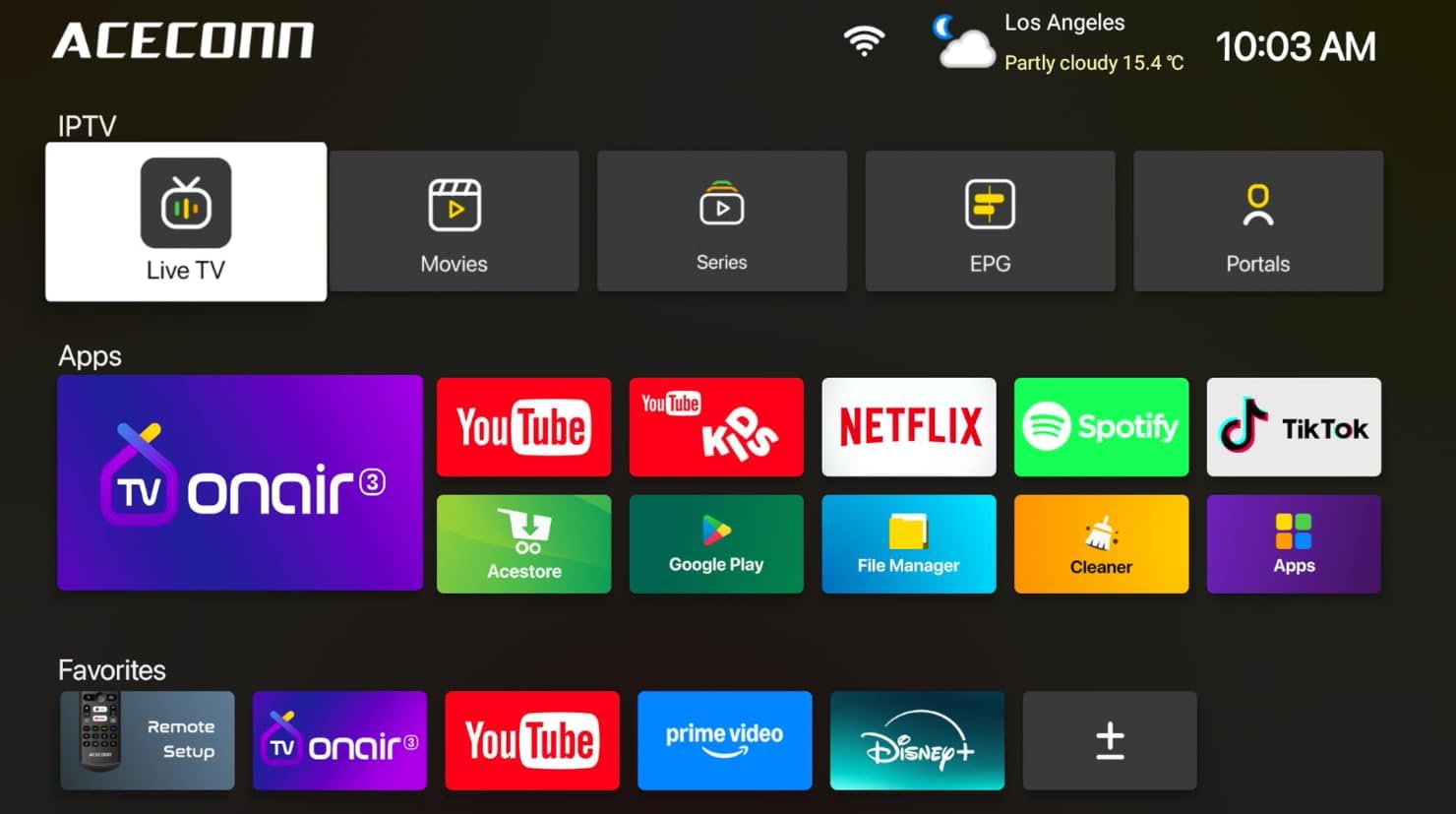
Image: Main user interface of the ACECONN Pi2, displaying various content categories and applications.
3.2 Navigation and Remote Control
Use the directional buttons on the remote control to navigate through menus and select items. The 'OK' button confirms selections, and the 'Back' button returns to the previous screen. Familiarize yourself with the remote's layout for optimal control.
3.3 Medieavspilling
The Pi2 supports various media playback options:
- Streaming: Access pre-installed or downloaded streaming applications for online content.
- Lokal avspilling: Connect a USB hard drive or flash drive to play downloaded 4K content directly. The device supports full format compatibility including MKV, MP4, and AVI.
- Personal Media Library: Utilize applications like Kodi to organize and play your media collection.

Image: The ACECONN Pi2 supports various media consumption scenarios, including family streaming, personal media organization, and local file avspilling.
3.4 Nettverksinnstillinger
Slik kobler du til et nettverk:
- Navigate to the 'Settings' menu from the home screen.
- Select 'Network' or 'Wi-Fi' settings.
- For Wi-Fi, select your network from the list and enter the password. For Ethernet, ensure the cable is connected; the device should automatically connect.
3.5 Systeminnstillinger
The 'Settings' menu allows you to customize various aspects of your device:
- Utstilling: Adjust resolution, screen scaling, and HDR settings. The device supports 4K@60fps with HDR 10+ for an enhanced visual experience.
- Lyd: Konfigurer alternativer for lydutgang.
- Språk og inndata: Change the system language and keyboard settings.
- Foreldrekontroll: Utilize the built-in parental control features to manage content access.
- Om: View device information, including the Linux 4.9 kernel version.

Image: The ACECONN Pi2 offers advanced 4K decoding, HDR 10+ dynamic color, and broad media format compatibility.
4. Vedlikehold
4.1 Rengjøring
To maintain the device's appearance and performance, gently wipe the exterior with a soft, dry cloth. Avoid using liquid cleaners or abrasive materials.
4.2 Software Updates (OTA Updates)
The ACECONN Pi2 supports Over-The-Air (OTA) updates, as well as updates via USB. Regularly checking for and installing updates ensures you have the latest features, drivers, and security enhancements. This contributes to the device's rugged 24/7 stability.
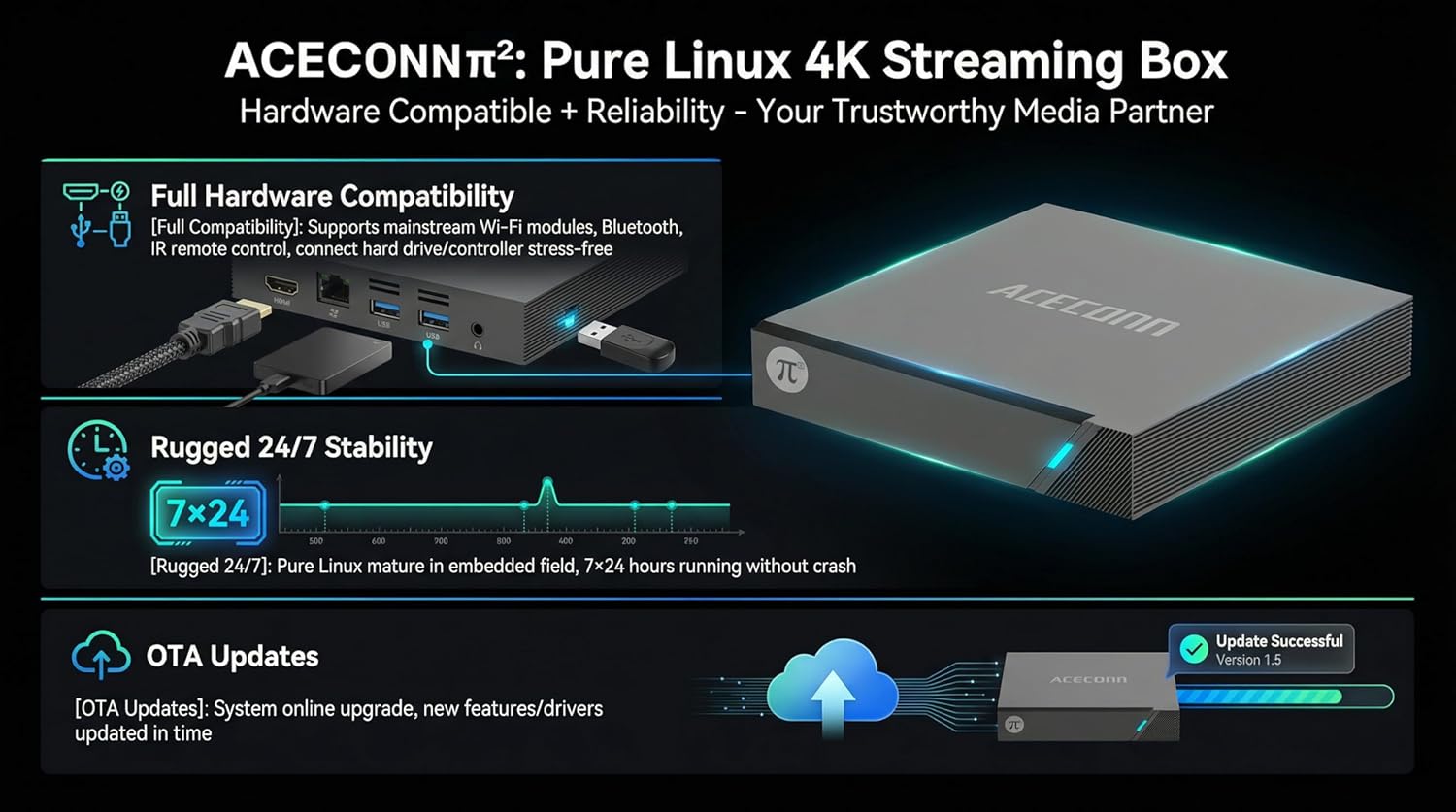
Image: The ACECONN Pi2 features full hardware compatibility, robust stability, and convenient OTA updates.
5. Feilsøking
If you encounter issues with your ACECONN Pi2, refer to the following common problems and solutions:
- Ingen strøm:
- Sørg for at strømadapteren er ordentlig koblet til enheten og en fungerende stikkontakt.
- Prøv et annet strømuttak.
- Ikke noe signal på TV-en:
- Verify the HDMI cable is firmly connected to both the TV Box and the TV.
- Sjekk at TV-en er satt til riktig HDMI-inngangskilde.
- Prøv en annen HDMI-kabel eller HDMI-port på TV-en.
- Fjernkontrollen svarer ikke:
- Ensure the batteries in the remote control are correctly inserted and not depleted. Replace if necessary.
- Point the remote directly at the TV Box's IR receiver.
- Problemer med nettverkstilkobling:
- For Wi-Fi, re-enter the password in network settings. Ensure your router is working correctly.
- For Ethernet, sjekk kabeltilkoblingen til både TV-boksen og ruteren.
- Start ruteren og TV-boksen på nytt.
- System Lag or Freezing:
- Start TV-boksen på nytt.
- Sørg for at enheten har tilstrekkelig ventilasjon.
- Se etter og installer eventuelle tilgjengelige programvareoppdateringer.
6. Spesifikasjoner
| Trekk | Spesifikasjon |
|---|---|
| Modellnummer | Pi2 |
| Merke | ACECONN |
| Produktdimensjoner | 11 x 11 x 2 cm |
| Varevekt | 0.5 kilo |
| Tilkoblingsteknologi | Bluetooth, Ethernet, HDMI, USB, Wi-Fi |
| Koblingstype | HDMI |
| Oppløsning | 4K |
| Videoutgangsoppløsning | 3840 piksler |
| Kontrollertype | Appkontroll, fjernkontroll |
| Minnelagringskapasitet | 8 GB |
| Spesialfunksjon | Foreldrekontroll |
| Operativsystem | Linux 4.9 Kernel |
7. Garanti og støtte
7.1 Garantiinformasjon
This ACECONN Pi2 Linux 4K HD Super Box TV Box comes with a 1 års produsentgaranti fra kjøpsdatoen. Vennligst ta vare på kjøpsbeviset for garantikrav.
7.2 Kundestøtte
For technical assistance or warranty inquiries, please contact the manufacturer:
- Produsent: shenzhenshiniulinkejiyouxiangongsi
- E-post: zengkkoo@gmail.com