
1. Introduksjon
The Xiaomi Tag M2543T1 is an advanced Bluetooth tracker designed to help you keep track of your essential items. With Bluetooth 5.4 connectivity, this device is compatible with Android 9.0 and above, as well as iOS 14.5, iPadOS 14.5, and newer versions. Its practical and elegant keychain design allows for easy attachment to keys, backpacks, wallets, and more. The anti-loss system provides alerts via sound or vibration, and the direction assistance feature guides you precisely to your misplaced belongings. This manual provides detailed instructions for setting up and operating your Xiaomi Tag.
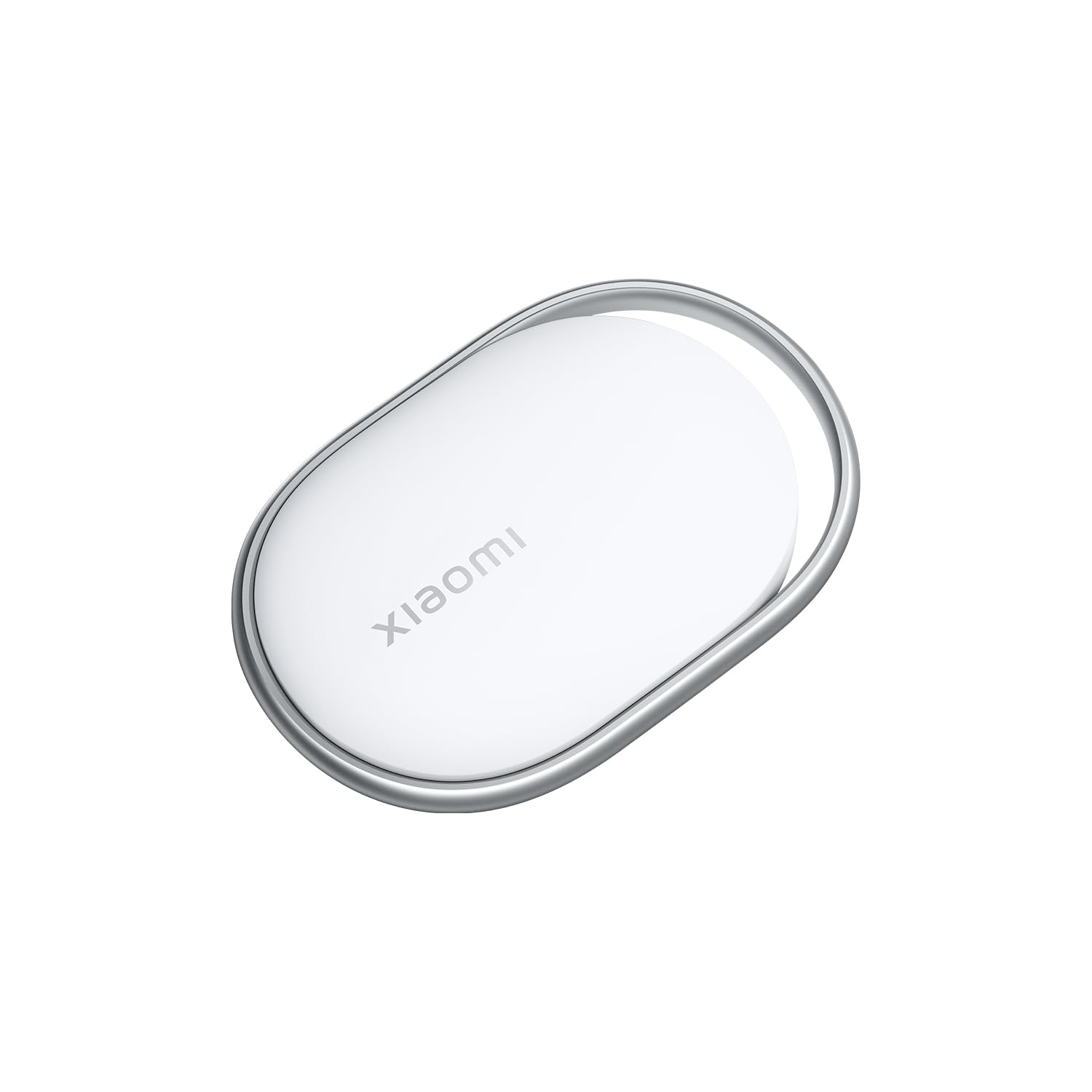
Image 1.1: The Xiaomi Tag M2543T1 Bluetooth Tracker, a compact white circular device with a small loop for attachment.
2. Hva er i esken
- 1 x Xiaomi Tag M2543T1 Bluetooth Tracker
- 1 x AAAA Battery (pre-installed)
- 1 x brukerhåndbok
3. Oppsett
3.1. Første aktivering
- Sørg for at Bluetooth på smarttelefonen din er aktivert.
- For iOS devices, open the Apple Find My app. For Android devices, download and open the Find Hub app.
- Press and hold the button on your Xiaomi Tag until it emits a sound, indicating it's in pairing mode.
3.2. Paring med enheten din
- In the Find My (iOS) or Find Hub (Android) app, navigate to the 'Items' tab.
- Tap the '+' icon to add a new item.
- Select 'Add Other Item' or 'Add AirTag' (for iOS). The app will detect your Xiaomi Tag.
- Follow the on-screen prompts to complete the pairing process. You may be asked to name your tag (e.g., 'Keys', 'Wallet', 'Backpack') and assign an emoji for easy identification.
Video 3.1: Demonstration of pairing a generic tag with an iOS device using the Find My app, including naming the item and assigning an emoji.
4. Bruksanvisning
4.1. Finne varen din
Once paired, you can locate your Xiaomi Tag using the Find My (iOS) or Find Hub (Android) app:
- Open the app and select the desired Xiaomi Tag from your list of items.
- The app will display the tag's last known location on a map.
- Hvis tag is nearby, you can tap 'Play Sound' to make the tag emit an audible alert, helping you pinpoint its exact location.
- For closer proximity, the app may offer direction assistance, indicating the distance and direction to your tag.
Video 4.1: A demonstration of the tag's functionality, showing it attached to various items like bags, backpacks, and keychains, and being located via a smartphone app.
4.2. Anti-Loss Alerts
The Xiaomi Tag can be configured to provide alerts if you leave an item behind. Check your app settings for options to enable separation alerts or 'Notify When Left Behind' features.
4.3. Mistet modus
If an item with your Xiaomi Tag is lost, you can enable 'Lost Mode' in the app. This allows you to display a message and contact information to anyone who finds your tag. When someone finds your tag and scans it with an NFC-enabled smartphone, they will see your contact details.
5. Batteribytte
The Xiaomi Tag M2543T1 uses one AAAA battery. When the battery level is low, you will receive a notification in the app. To replace the battery:
- Gently twist or pry open the back cover of the Xiaomi Tag.
- Remove the old AAAA battery.
- Insert a new AAAA battery, ensuring correct polarity.
- Lukk bakdekselet godt.
6. Stell og vedlikehold
- Keep the Xiaomi Tag dry. Avoid exposure to excessive moisture or liquids.
- Rengjør enheten med en myk, tørr klut. Ikke bruk slipende rengjøringsmidler eller løsemidler.
- Unngå ekstreme temperaturer.
- Do not attempt to disassemble the device beyond battery replacement.
7. Feilsøking
7.1. Tag Kobler ikke til
- Sørg for at Bluetooth er aktivert på smarttelefonen.
- Sjekk om tag's battery is charged or needs replacement.
- Sørg for at tag is within Bluetooth range of your device.
- Restart your smartphone and try pairing again.
7.2. Sound Not Playing
- Bekreft at tag is connected to your device in the app.
- Sjekk tagbatterinivået.
- Ensure your phone's volume is up and not on silent.
7.3. Inaccurate Location
- Location accuracy can be affected by environmental factors (e.g., thick walls, interference).
- Ensure your phone's location services are enabled for the Find My/Find Hub app.
- De tag's location updates when it's near a compatible device. If it's out of range, the app will show its last known location.
8. Spesifikasjoner
| Trekk | Spesifikasjon |
|---|---|
| Modellnummer | M2543T1 |
| Tilkobling | Bluetooth 5.4 |
| Kompatibilitet | Android 9.0+, iOS 14.5+, iPadOS 14.5+ |
| Batteritype | 1 x AAAA (included) |
| Farge | Hvit |
9. Garanti og støtte
This product is provided without an explicit warranty. For technical support or further inquiries, please refer to the official Xiaomi support channels or the retailer where the product was purchased.


