
1. Introduksjon
The Tiksounds S12 is a portable Bluetooth speaker designed for versatile audio playback. It features Bluetooth 5.4 connectivity, 15W audio output, IPX7 waterproofing, True Wireless Stereo (TWS) pairing, and integrated LED lighting. This manual provides instructions for the proper setup, operation, and maintenance of your S12 speaker.
2. Pakkens innhold
- Tiksounds S12 Portable Bluetooth Speaker
- Strømkabel
- Brukerhåndbok (dette dokumentet)
3. Produktfunksjoner
- 15W Audio Output: Delivers clear sound for an enhanced listening experience.
- Bluetooth 5.4-tilkobling: Provides a fast and stable wireless connection with compatible devices.
- IPX7 vanntett vurdering: Protects the speaker from water immersion up to 1 meter for 30 minutes, suitable for outdoor use.
- True Wireless Stereo (TWS): Allows two S12 speakers to be paired together for 360° stereo sound.
- Integrerte LED-lys: Features colorful LED lights that can pulse with music, enhancing the atmosphere.
- Lang avspillingstid: Up to 12 hours of music playback on a single charge (at 50% volume).
- Bærbar design: Compact and lightweight (approximately 382g) for easy transport.
4. Kontroller og indikatorer
The speaker features intuitive controls and LED indicators for easy operation.

Image: Speaker button layout and functions. This diagram illustrates the various buttons on the speaker and their corresponding actions, including single presses and long presses for power, volume, track control, light modes, and TWS pairing.
| Knapp | Handling | Funksjon |
|---|---|---|
| Power Button (◯) | Trykk og hold (2s) | Slå på/av |
| Power Button (◯) | Enkelt trykk | Spill av/pause musikk, svar på/avslutt samtale |
| Power Button (◯) | Trykk og hold (1.5s) | Avvis anrop |
| Volum opp (+) | Enkelt trykk | Øk volumet |
| Volum opp (+) | Trykk og hold (2s) | Neste spor |
| Volum ned (-) | Enkelt trykk | Reduser volumet |
| Volum ned (-) | Trykk og hold (2s) | Forrige spor |
| Light Mode Button (☀) | Enkelt trykk | Endre lysmodus |
| Light Mode Button (☀) | Trykk og hold (3s) | Slå lysene på/av |
| TWS Button (TWS) | Dobbelttrykk | Start TWS-paring |
5. Oppsett
5.1. Lading av høyttaleren
Before first use, fully charge the speaker. Use the provided power cable to connect the speaker to a compatible USB power source. The charging indicator will show the charging status. A full charge typically takes 3-4 hours.

Image: Speaker dimensions and battery specifications. This image highlights the compact size of the speaker (8cm x 11.3cm) and its 1800mAh battery, which charges in 3-4 hours.
5.2. Slå på/av
- To power on, press and hold the Power Button (◯) for 2 seconds.
- To power off, press and hold the Power Button (◯) for 2 seconds again.
5.3. Bluetooth-paring
- Sørg for at høyttaleren er slått på og i Bluetooth-paringsmodus (indikeres av en blinkende LED-lampe).
- Aktiver Bluetooth på enheten din (smarttelefon, nettbrett, bærbar PC).
- Søk etter available Bluetooth devices and select "S12" from the list.
- Når den er tilkoblet, vil høyttaleren indikere en vellykket paring, og LED-lampen vil slutte å blinke.

Image: Multiple connection options. This image demonstrates the speaker's compatibility with various devices such as pads, PCs, and TVs, highlighting its versatile connectivity.
5.4. Ekte trådløs stereo (TWS)-paring
To achieve 360° stereo sound, you can pair two Tiksounds S12 speakers together.
- Sørg for at begge S12-høyttalerne er slått på og ikke koblet til noen annen Bluetooth-enhet.
- On one of the speakers, double-press the TWS Button. The speaker will enter TWS pairing mode.
- The two speakers will automatically search for and connect to each other. A successful connection will be indicated by an audible prompt.
- Once TWS paired, connect your device to one of the speakers via Bluetooth as described in section 5.3. Both speakers will now play audio in stereo.

Image: True Wireless Stereo (TWS) setup. This image illustrates two S12 speakers connected wirelessly to a laptop, demonstrating the TWS feature for a 360-degree audio experience.
6. Bruksanvisning
6.1. Musikkavspilling
- Spill av/pause: Single press the Power Button (◯).
- Volum opp: Single press the Volume Up (+) button.
- Volum ned: Single press the Volume Down (-) button.
- Neste spor: Trykk og hold inne volum opp-knappen (+) i 2 sekunder.
- Forrige spor: Trykk og hold inne volum ned-knappen (-) i 2 sekunder.
6.2. Samtalebehandling
- Svar/avslutt samtale: Single press the Power Button (◯).
- Avvis anrop: Press and hold the Power Button (◯) for 1.5 seconds.
6.3. LED-lysmoduser
The speaker features multiple LED light modes.
- Endre lysmodus: Single press the Light Mode Button (☀).
- Slå lysene på/av: Press and hold the Light Mode Button (☀) for 3 seconds.
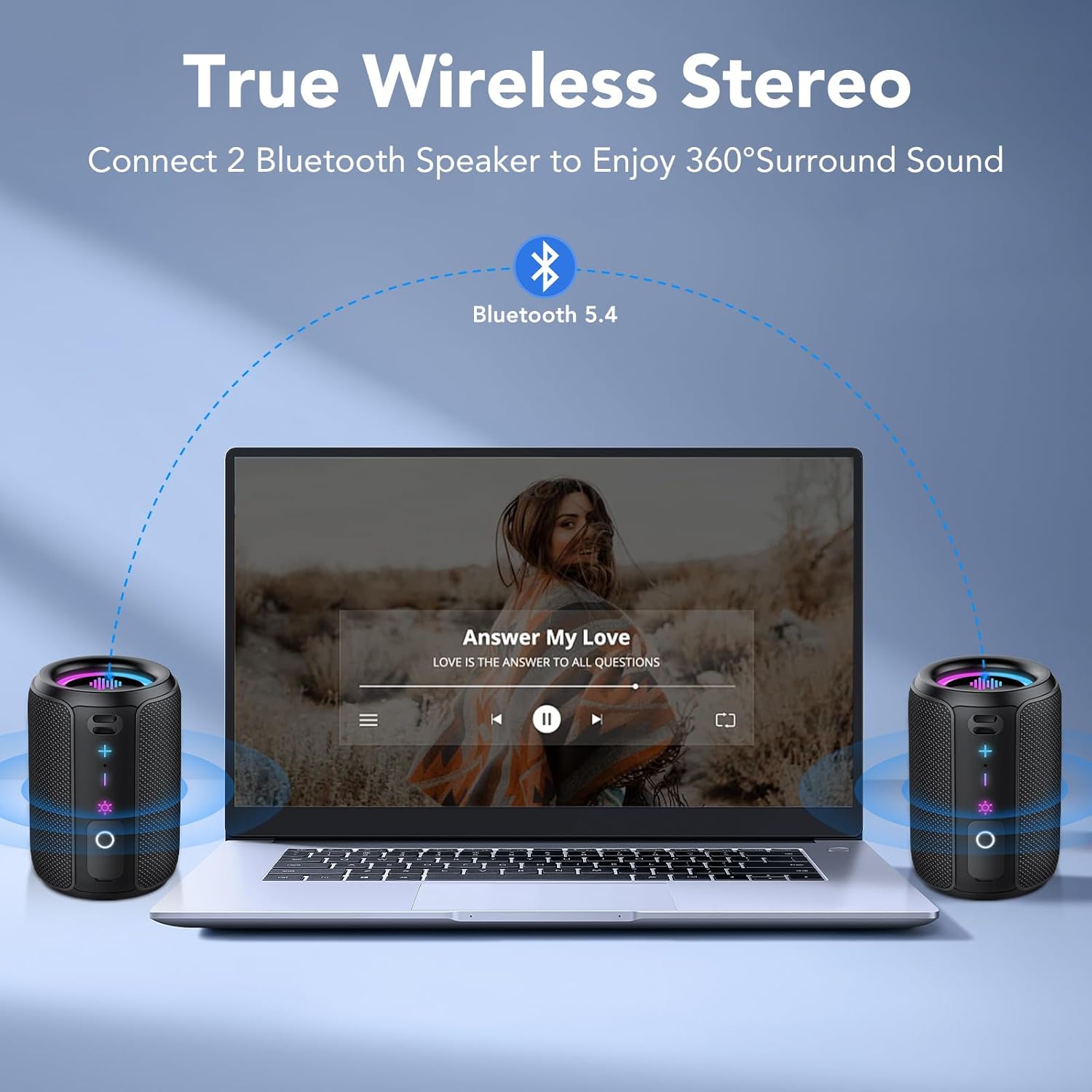
Image: RGB Colorful Lighting. This image displays three S12 speakers showcasing their dynamic RGB lighting, which can synchronize with music.
7. Vedlikehold
- Rengjøring: Tørk av høyttaleren med en myk, damp klut. Ikke bruk skurende rengjøringsmidler eller løsemidler.
- Vannmotstand: While IPX7 rated, ensure the charging port cover is securely closed before exposing the speaker to water. Do not intentionally submerge the speaker for extended periods or beyond specified depths.
- Lagring: Oppbevar høyttaleren på et kjølig og tørt sted, unna direkte sollys og ekstreme temperaturer.
- Batteripleie: For å forlenge batterilevetiden, unngå å utlade høyttaleren helt ofte. Lad den regelmessig, selv om den ikke er i bruk over lengre tid.
8. Feilsøking
| Problem | Mulig årsak | Løsning |
|---|---|---|
| Høyttaleren slår seg ikke på. | Lavt batteri. | Lad høyttaleren helt opp. |
| Ingen lyd. | Volume too low; not paired; incorrect audio source. | Increase volume on speaker and device. Ensure successful Bluetooth pairing. Check device's audio output settings. |
| Bluetooth-paring mislykkes. | Høyttaleren er ikke i paringsmodus; enhetens Bluetooth er av; den er for langt fra hverandre. | Ensure speaker is in pairing mode. Turn device Bluetooth off and on. Move speaker closer to device (within 10 meters). Forget "S12" on device and re-pair. |
| Dårlig lydkvalitet eller forvrengning. | Low battery; device too far; interference. | Charge the speaker. Move device closer. Avoid obstacles between speaker and device. Reduce volume if distortion occurs at high levels. |
| TWS-paring mislykkes. | Speakers already paired to other devices; not in TWS mode. | Ensure both speakers are disconnected from other devices. Double-press TWS button on one speaker to initiate pairing. |
9. Spesifikasjoner
| Trekk | Spesifikasjon |
|---|---|
| Modellnavn | S12 |
| Utgangseffekt | 15 Watios |
| Bluetooth-versjon | 5.4 |
| Batterikapasitet | 1800 mAh |
| Avspillingstid | Opptil 12 timer (ved 50 % volum) |
| Ladetid | 3-4 timer |
| Vanntett vurdering | IPX7 |
| Dimensjoner (D x B x H) | 8 x 8 x 11 cm |
| Vekt | Omtrent 382g |
| Bluetooth-rekkevidde | Opp til 10 meter |
| Frekvensrespons | 20 KHz |
10. Garanti og støtte
For warranty information, please refer to the documentation provided with your purchase or contact your retailer. For technical support or further assistance, please contact Tiksounds customer service through their official webnettstedet eller plattformen der produktet ble kjøpt.